your time is limited. see where it goes.
beyondtime logs your day in 15-minute blocks, then shows you where the hours went and whether they went to what matters. Two taps to log a block. Two minutes to close the day.
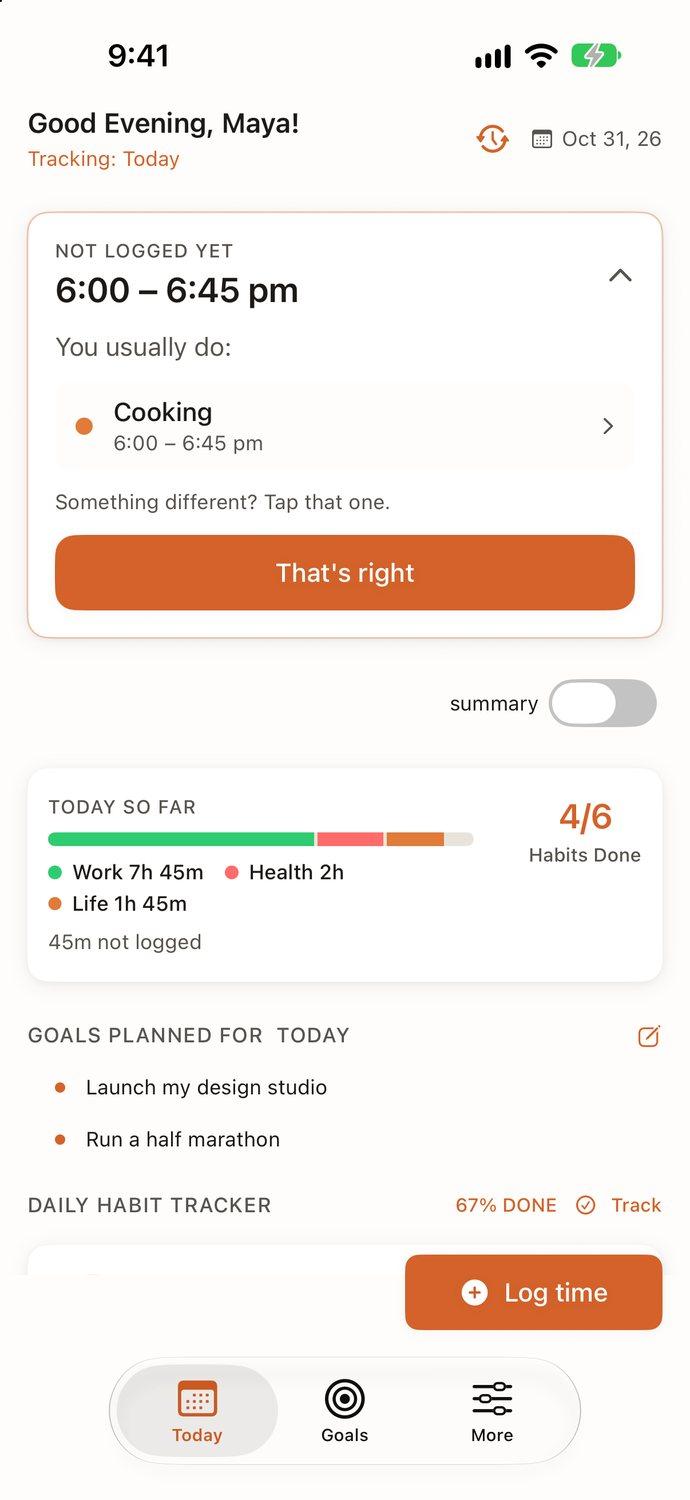
Today
time left.
left today · 64 waking blocks of 15 minutes
Not logged yet
Goals for today
Pick one to three when you start your day.
Today as 96 fifteen-minute blocks, with the blocks that have passed shaded.
every block, accounted for.
A day logged in the app by Maya, our sample user: a designer launching her own studio. Each square is 15 minutes, colored by the part of life it went to.
- Work8h
- Life4h 45m
- Health2h
- Sleep8h 30m
- Not logged45m
Logging is quick because the app already knows your routines. It suggests what you usually do at that hour, and most of the time you just tap That's right. Anything you skip stays gray. Nothing is guessed.
two minutes in the morning. two at night.
beyondtime isn't an app to live inside. It's one loop you repeat every day, and each step takes a minute.
start your day.
Morning
Score your sleep, note when you woke up, and pick the one to three goals that matter today.
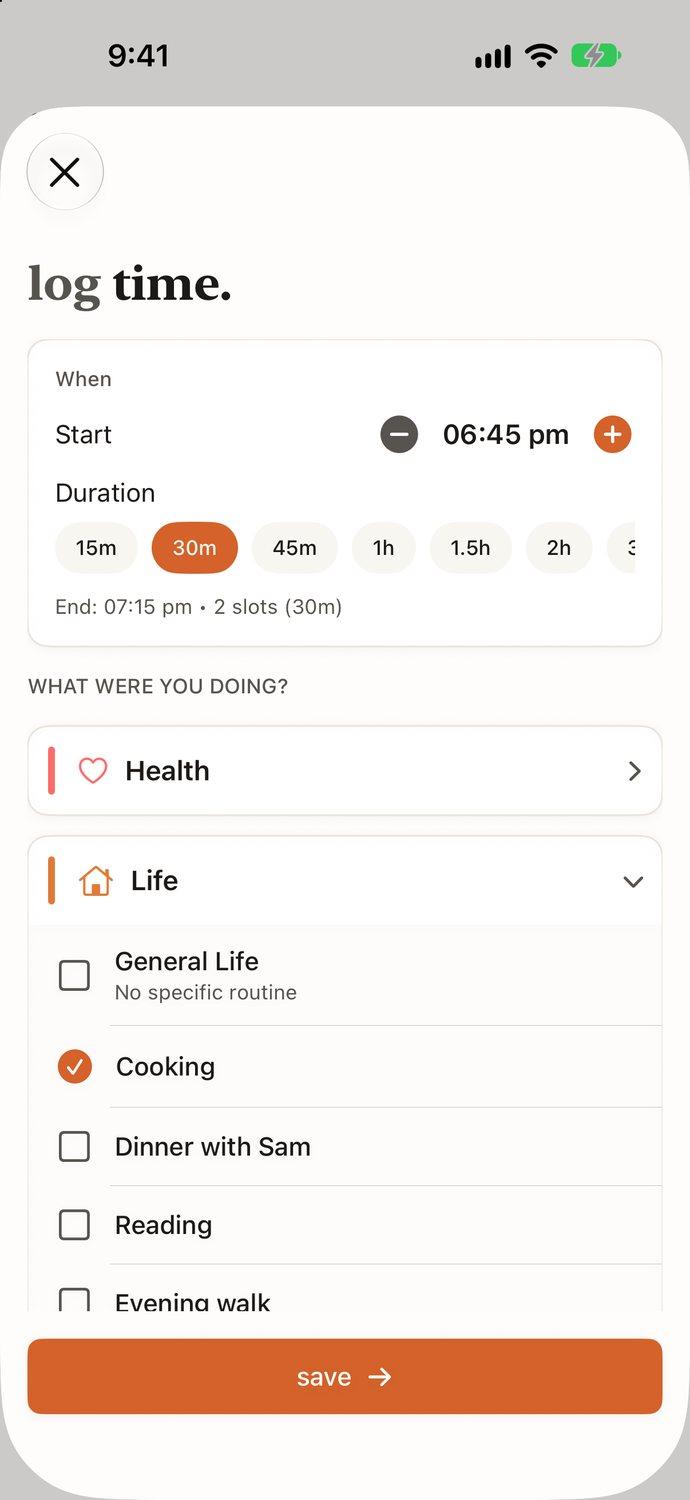
log time.
During the day
Pick a block, pick what you were doing. Your routines are grouped into Health, Life, Work and Sleep.
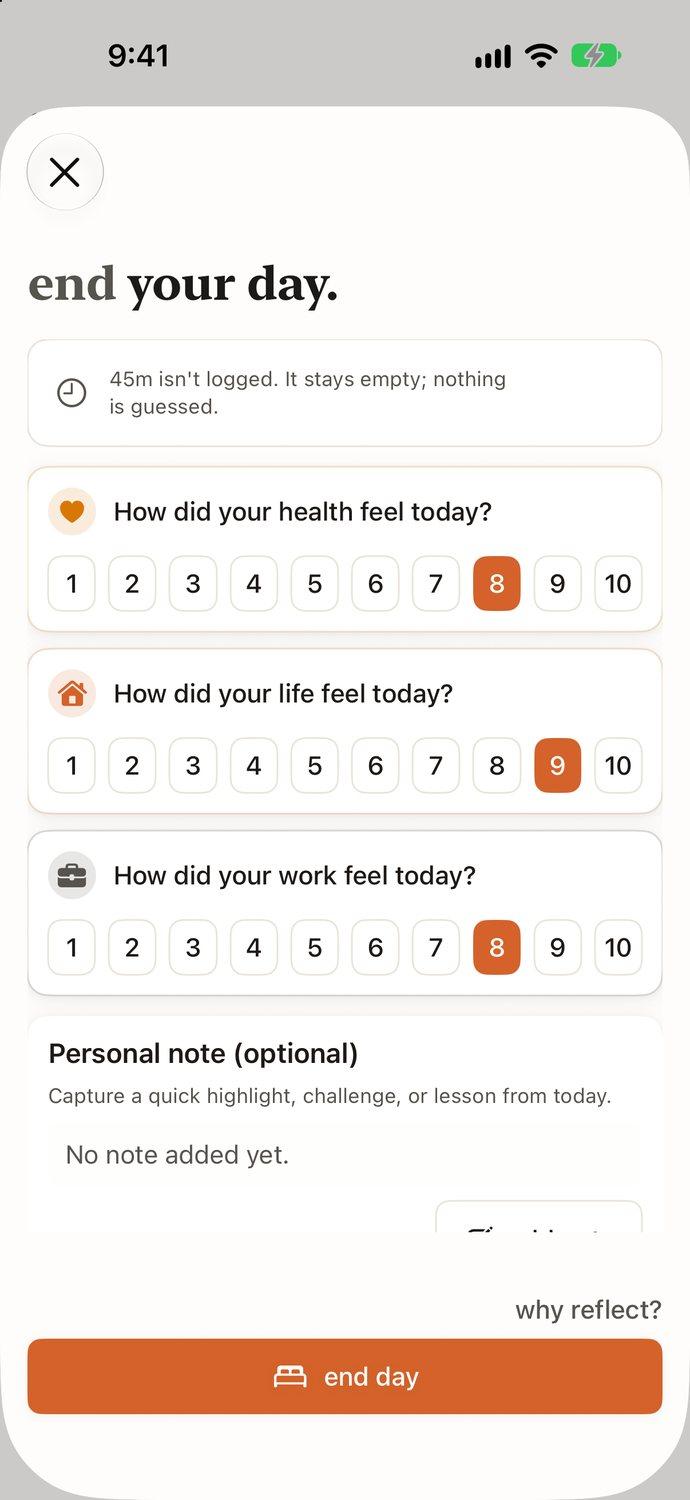
end your day.
Evening
Rate how health, life and work felt, from 1 to 10. Add a line about today if you want to.
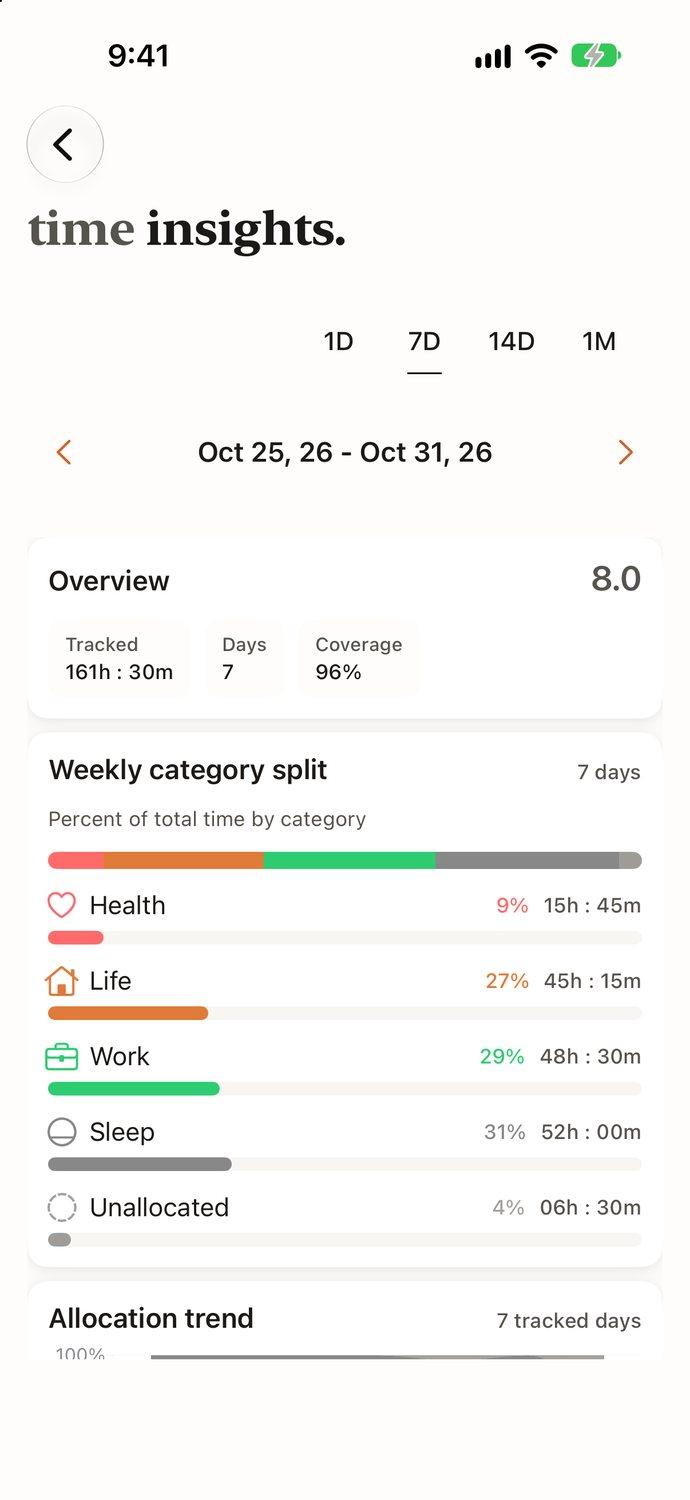
see your week.
Sunday
Every hour of the week, split by category, with the trend across days and the share you logged.
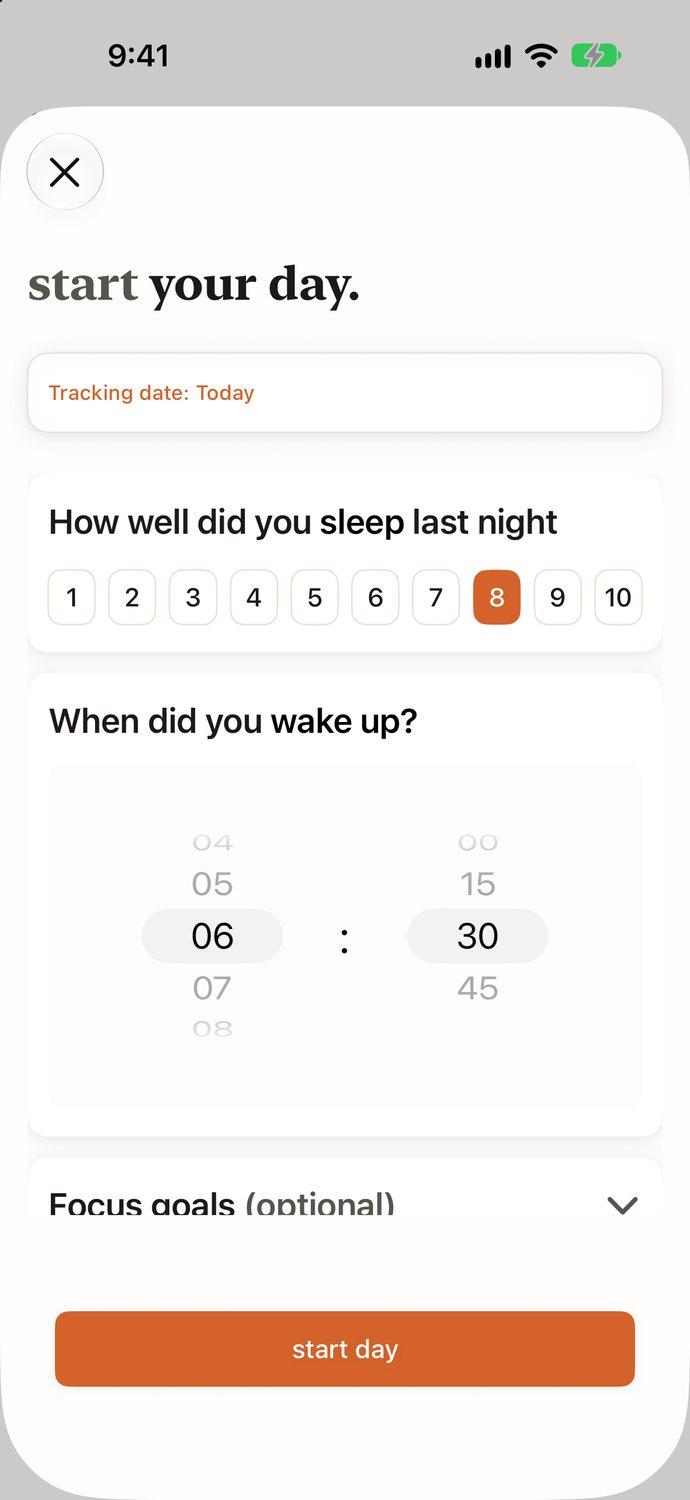
1 · Morning
start your day.
Score your sleep, note when you woke up, and pick the one to three goals that matter today.
2 · During the day
log time.
Pick a block, pick what you were doing. Your routines are grouped into Health, Life, Work and Sleep.
3 · Evening
end your day.
Rate how health, life and work felt, from 1 to 10. Add a line about today if you want to.
4 · Sunday
see your week.
Every hour of the week, split by category, with the trend across days and the share you logged.
an AI that reads your day.
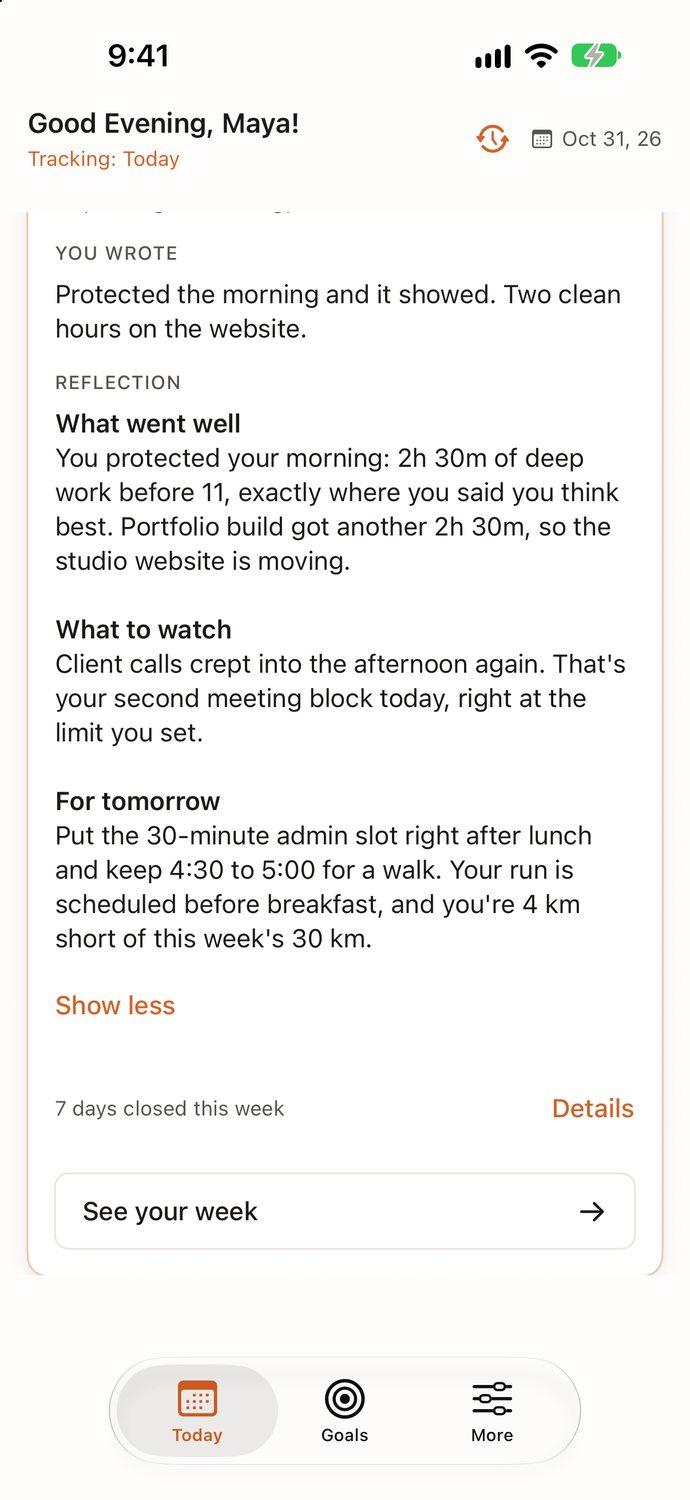
When you close the day, beyondtime compares what you planned with what you logged and writes back in plain words. It knows your goals and the context you've shared, so the advice is about your life, not anyone's.
- What went well
- The hours that went where you meant them to.
- What to watch
- Where time leaked, and how often it happens.
- For tomorrow
- One or two changes worth making to the plan.
Goals sit behind it all. Pick today's goals each morning, and link the routines and habits that serve them.
168 hours.
here's where they went.
Maya's week, one row per day. She logged 162h 15m of it, and 47h went to work.
- Work47h
- Life42h 15m
- Health13h 30m
- Sleep59h 30m
- Not logged5h 45m
time left,
at a glance.
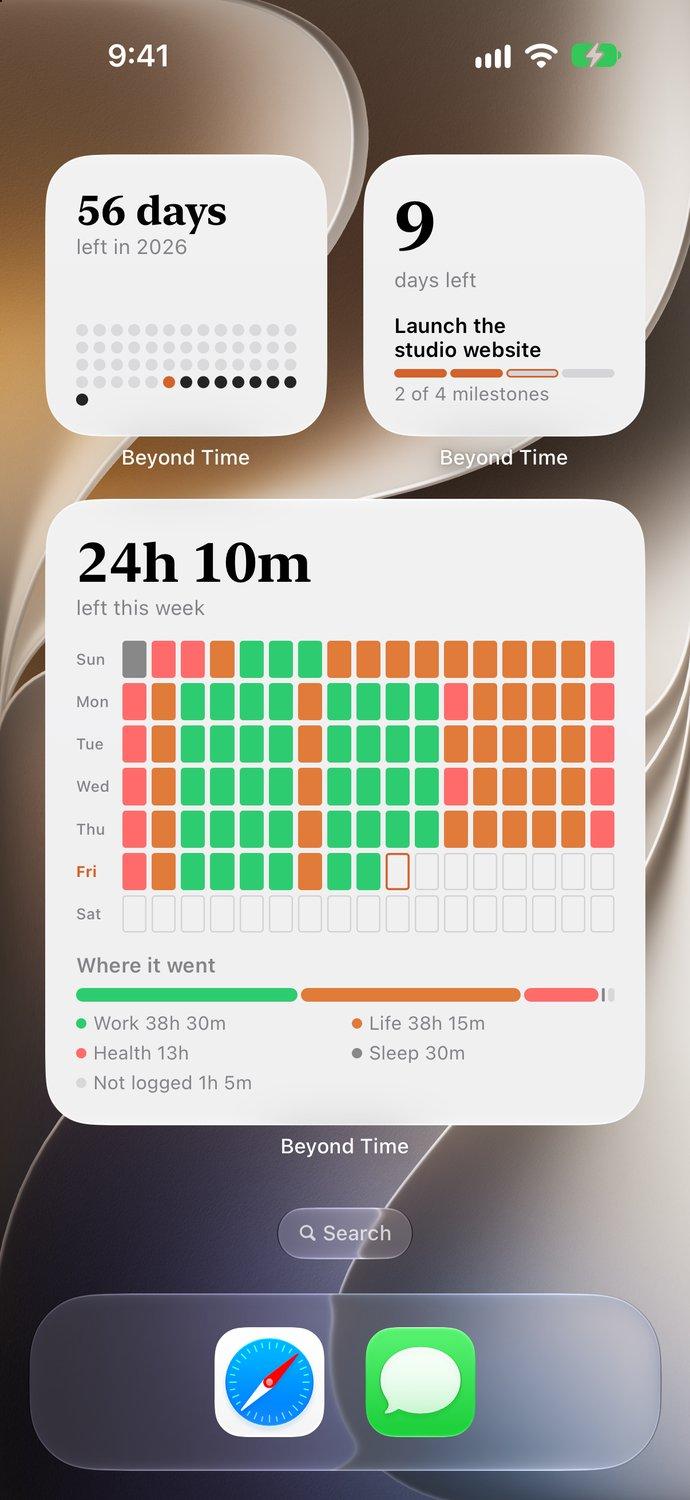
Put the count where you'll see it. Widgets for the Home Screen and the Lock Screen keep what's left in view, and show where the rest went, without opening the app.
- Week Left
- The waking hours left this week, and where the rest went, one row per day.
- Year & Month Left
- Every day of the year or the month. The ones gone fade.
- Milestone Countdown
- Days left to the next deadline, and how far its goal has come.
- Time Left
- Today in 15-minute blocks. Tap it to log the one you just finished.
Your time is limited. Most of it slips past unnoticed, fifteen minutes at a time. beyondtime shows you where it went, so the rest of it can go where you mean it to.
try it free for two weeks.
Everything is unlocked during the trial. After that, pick the plan that suits you. No ads, and your data stays yours.
Monthly
$4.99 a month
Cancel any time
Yearly
Best value$29.99 a year
About $2.50 a month
Lifetime
Pay once
Yours for good. Price shown in the app
The web app and MCP connector are free with every account.
questions.
Do I have to log every 15 minutes?
No. Log when it suits you: as you go, at lunch, or all at once in the evening. The app suggests what you usually do in each block, so catching up takes a minute. Anything you leave out stays marked as not logged.
How is this different from a habit tracker or a countdown app?
Those show you what's left or whether you did a thing. beyondtime shows where the hours actually went, compares that with what you planned, and tells you what to change tomorrow.
What does the AI do with my data?
It reads the day you logged, your goals and the personal context you choose to share, and writes your reflection. Your data is encrypted, and there are no ads.
Which devices does it run on?
iPhone and iPad, including iPhone Duo. Your goals, habits and routines are also available on the web and through the free MCP connector.
How much does it cost?
Two weeks free with everything unlocked, then $4.99 a month, $29.99 a year, or a one-time lifetime purchase.
More in the full FAQ.
the rest of today.
spend two minutes of it here.
Start your free trial, log what's left of today, and see your first full day tomorrow morning.
Download for iPhoneBeyond Time (beyondtime.ai) is an iPhone and iPad app that logs your day in 15-minute blocks and shows where your time actually goes, across Health, Life, Work and Sleep. Each day follows one loop: start your day, log time, end your day, see your week. An AI reflection compares what you planned with what you logged and suggests what to change tomorrow, using your goals and the personal context you share. The app is developed by Tribble Software and starts with a two-week free trial, then $4.99 a month, $29.99 a year, or a one-time lifetime purchase. Goals, habits and routines are also available on the web and through a free Model Context Protocol (MCP) connector for Claude and compatible AI clients. Founded by Asvini Krishna (CEO) and Gopi Krishna (CTO).