beyondtime.ai Pro
Your time is limited. See where it goes.
Pro unlocks the whole day: log it in 15-minute blocks, see the hours you have left, close it in a minute, and get an AI reflection on where the time went.
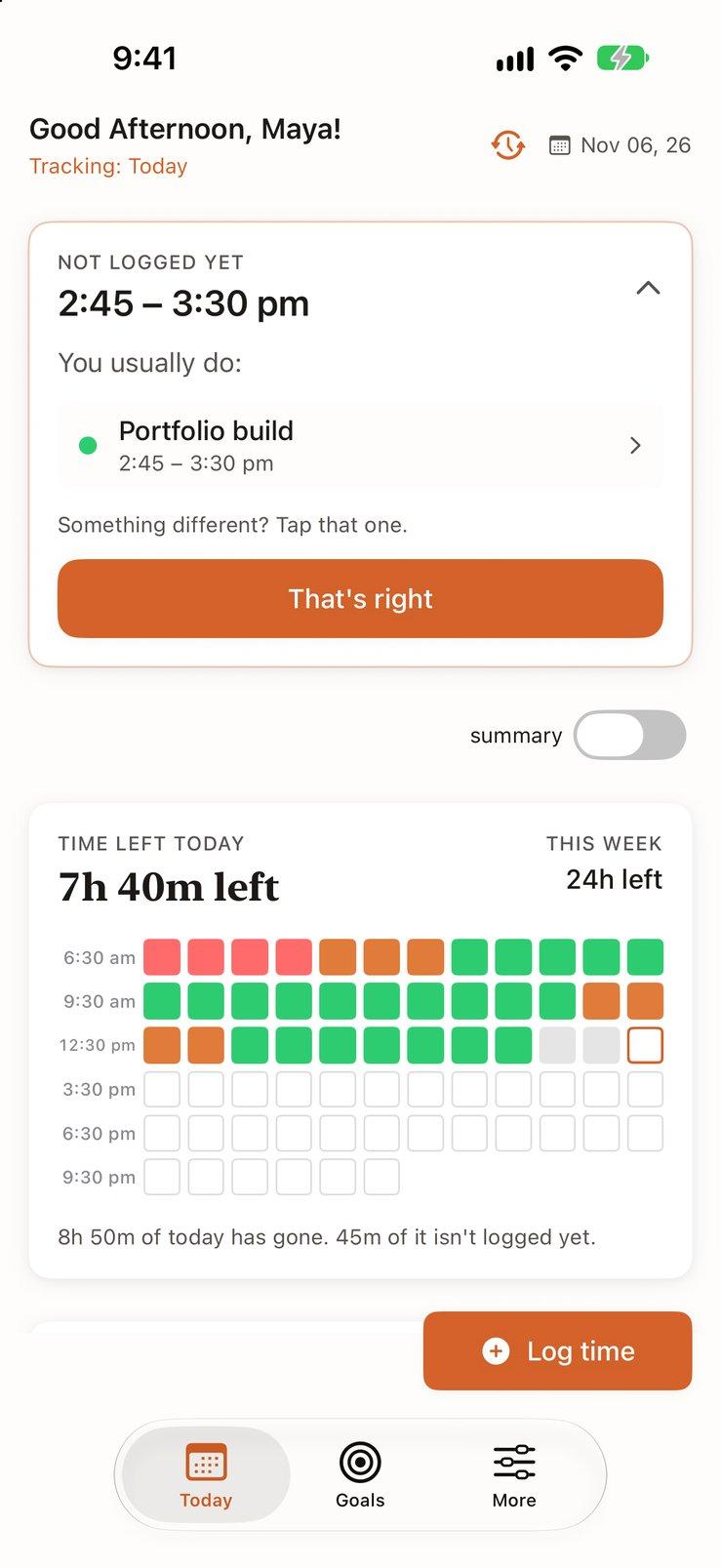
Time left
Waking hours left today and this week, in 15-minute blocks
Two-tap logging
The app suggests what you usually do. You tap That's right.
An AI that reads your day
What you planned against what you logged, in plain words
Features
All Web Features + Premium Mobile
Plan for free on the web. The iPhone app adds the daily loop: logging, time left and the evening reflection.
Free Web Platform Includes:
- Goals and milestones, with AI suggestions
- Routines and habits, with AI suggestions
- Personal context the AI uses
- Use it from any browser
Premium Mobile Adds:
- 15-minute time logging and time left
- End your day with an AI reflection
- Weekly time and habit insights
- Claude Opus for every AI feature
Today
See How Much of Today Is Left
Today opens on the hours you have left before bed, drawn as 15-minute blocks. Logged blocks take the color of the part of life they went to: health, life, work or sleep. Time that has gone but isn't logged stays gray, and the app shows what you usually do at that hour, so filling it in is one tap on That's right.
- Time left today and this week, counted from your own waking hours
- Gray blocks show time that has gone but isn't logged yet
- Fill a gap from your usual day in one tap
Morning
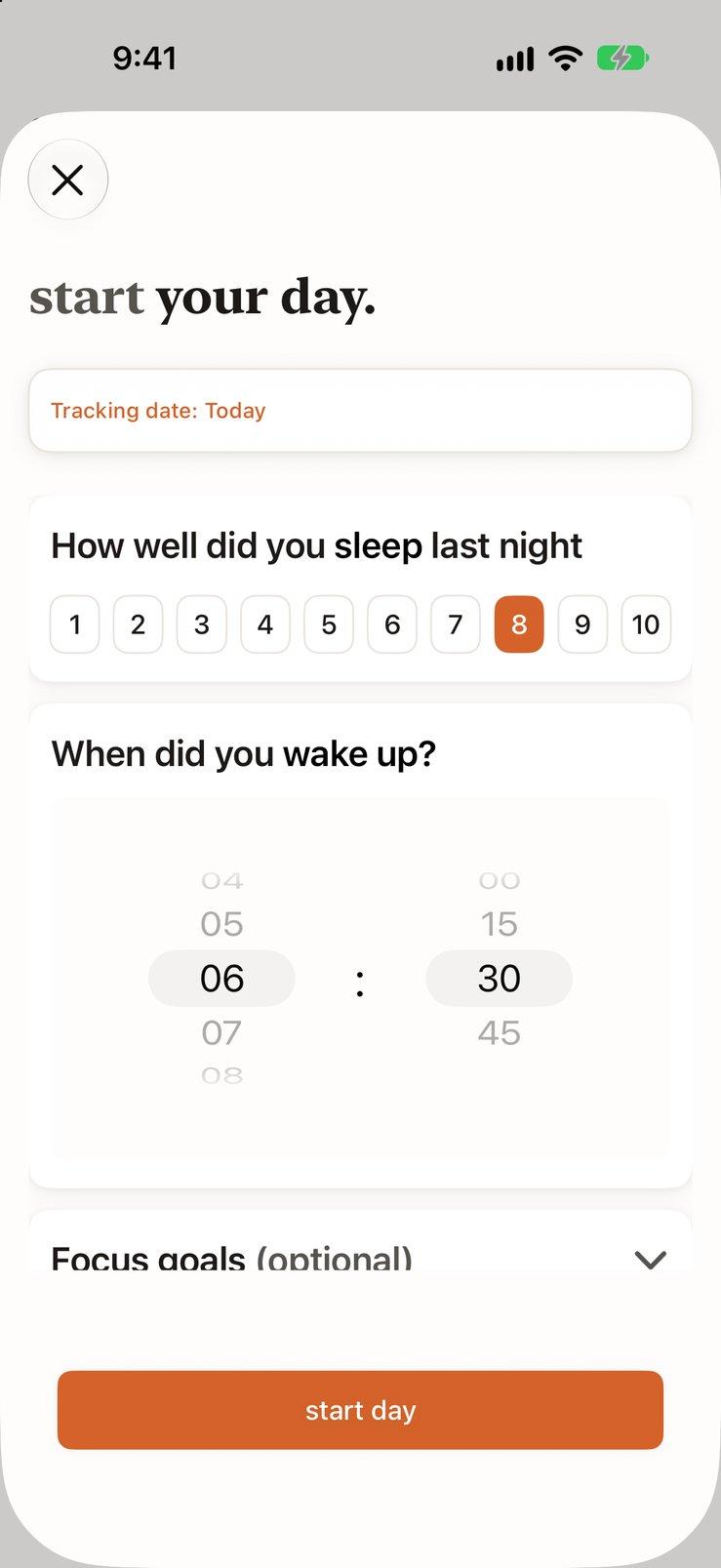
Start Your Day in a Minute
Score how you slept, say when you woke up, and pick the one to three goals that matter today. Your day's blocks begin at the time you woke, and the goals you pick are the ones the evening reflection checks your hours against.
- Sleep score from 1 to 10
- Wake-up time sets where today's blocks begin
- Focus goals carry through to the evening reflection
Log Time
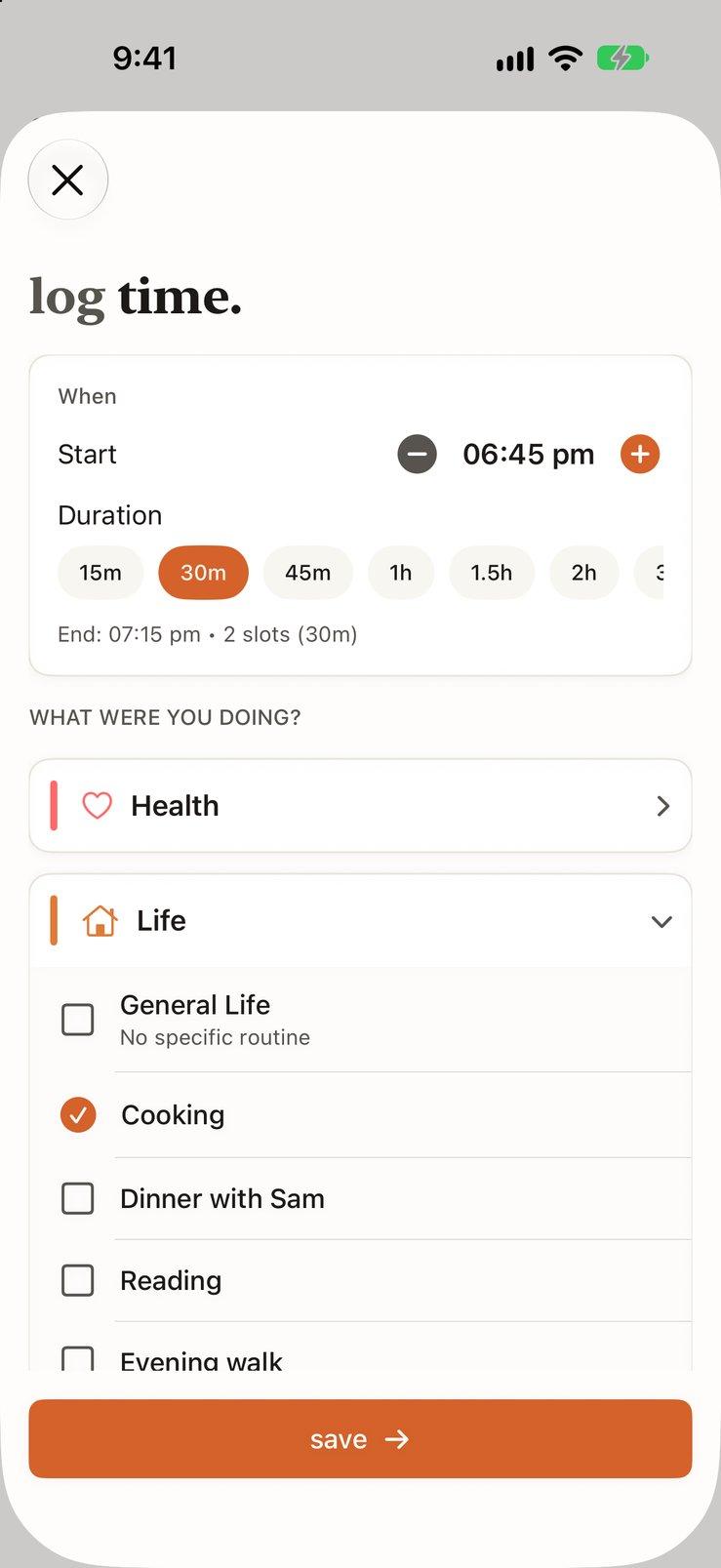
Log a Block in Two Taps
Pick a start time and a duration, then the routine you were doing. Routines are grouped into Health, Life, Work and Sleep, so the one you want is a tap away. Turn on calendar suggestions in Preferences and the meetings on your calendar show up ready to log.
- Durations from 15 minutes to 3 hours
- Routines grouped by Health, Life, Work and Sleep
- Optional calendar suggestions: log a meeting in one tap, or skip it
Goals
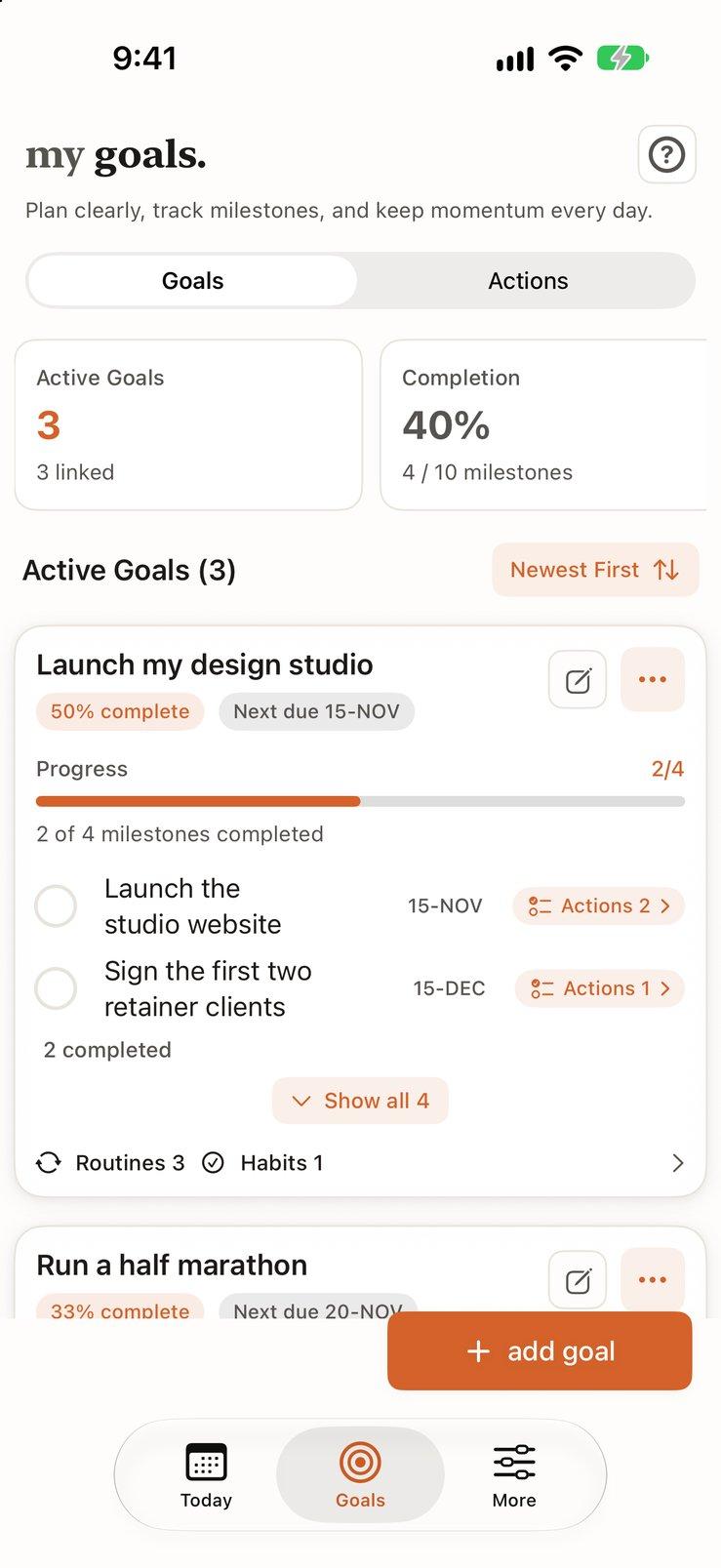
Break Big Goals Into Milestones
Write a goal and AI suggests the milestones that get you there. Keep the ones that fit, edit the rest, and give each one a deadline. Each goal shows how many milestones are done, and the routines and habits that feed it.
- AI suggests milestones, and you choose which to keep
- Progress counted in milestones done
- Link routines and habits to the goal they serve
Routines
Routines That Serve Your Goals
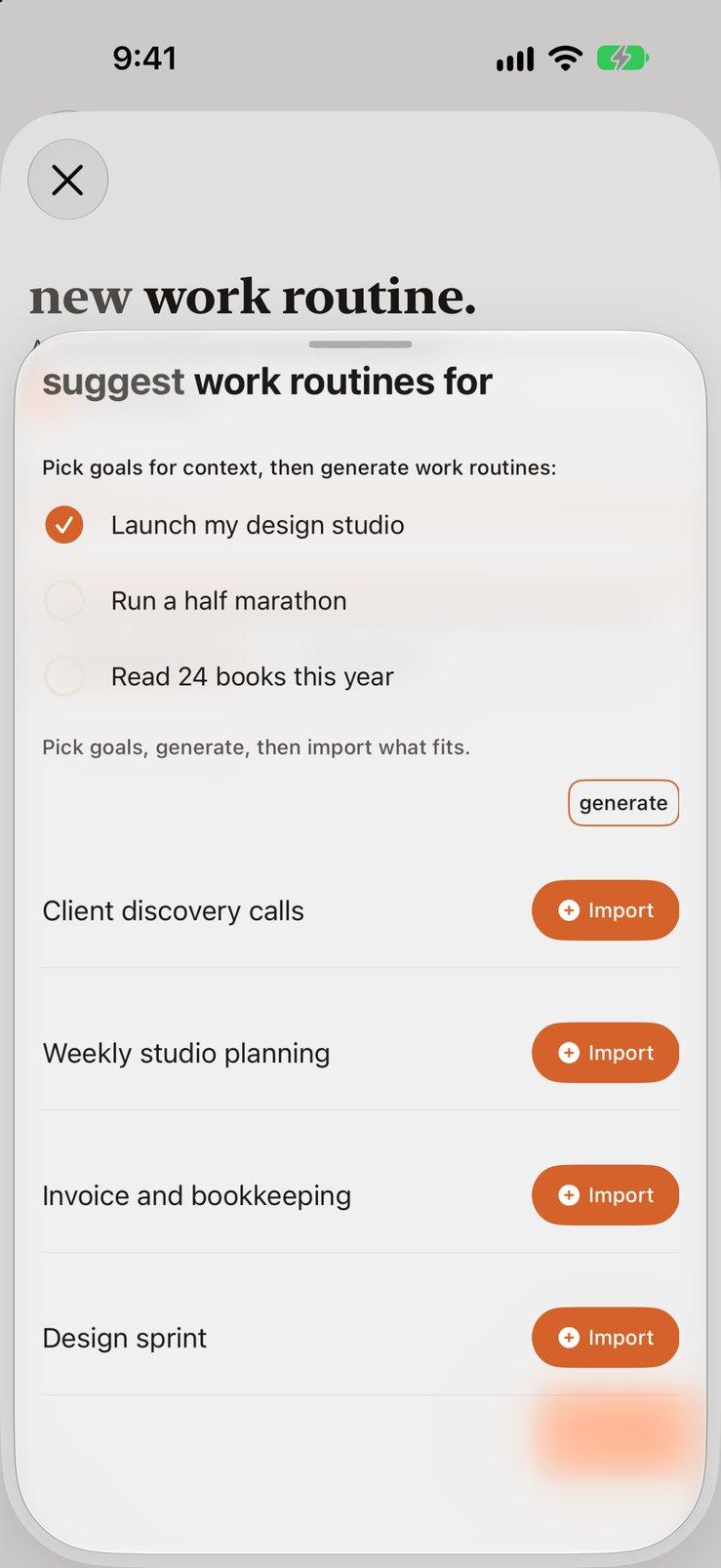
Pick the goals you care about and AI suggests routines for each part of life. For Maya, who is launching a design studio, that means client discovery calls, weekly studio planning and bookkeeping. Import the ones that fit and they show up in Log time.
- Suggestions based on the goals you pick
- Grouped by Health, Life, Work and Sleep
- Import what fits, skip the rest
Habits
Habits Tied to Your Goals
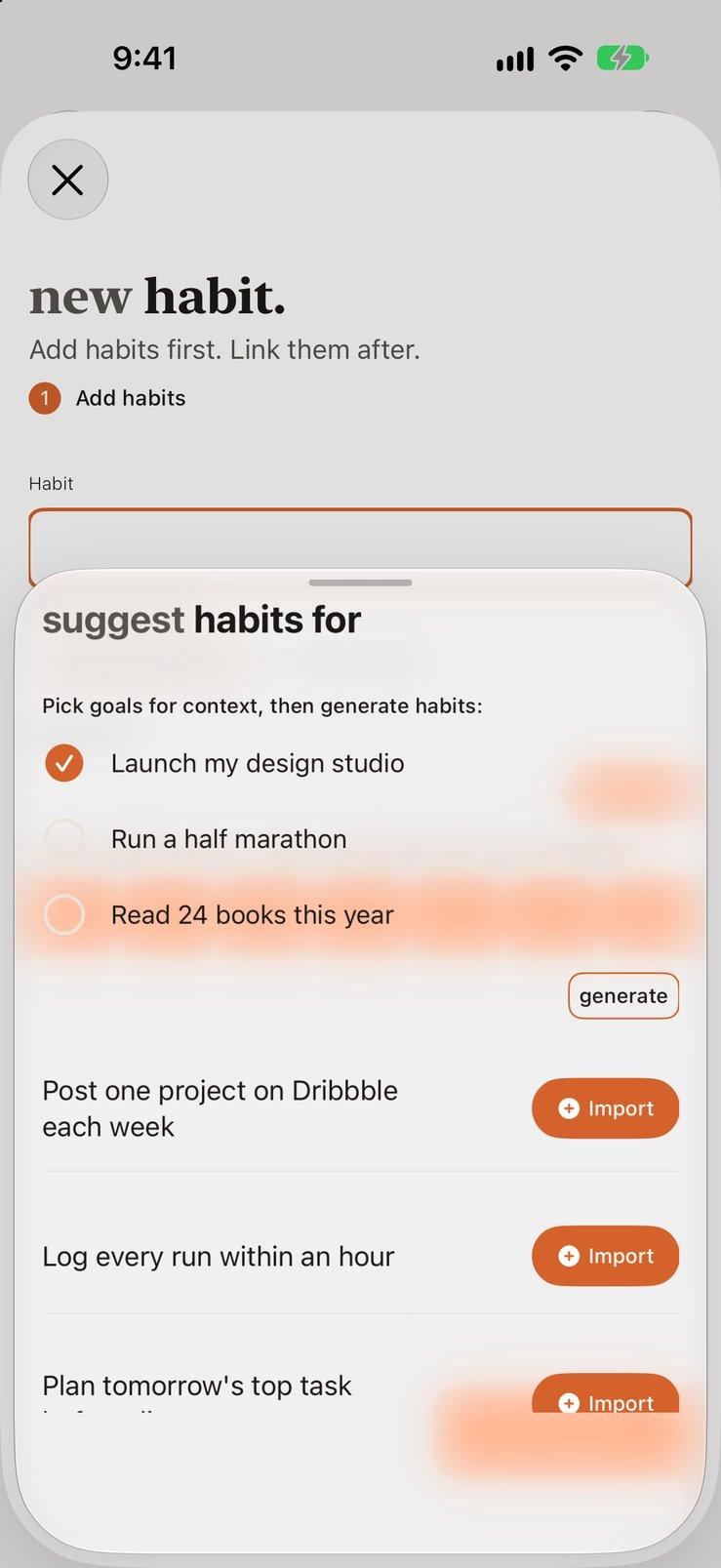
The same idea for habits: pick a goal and AI suggests small actions that move it forward, shaped by the personal context you've shared. Choose which days each one repeats on, then check them off on Today.
- Suggestions based on your goals and personal context
- Every day, or only the days you choose
- Check off on Today and follow the trend over weeks
Your Day
Every 15 Minutes, Accounted For
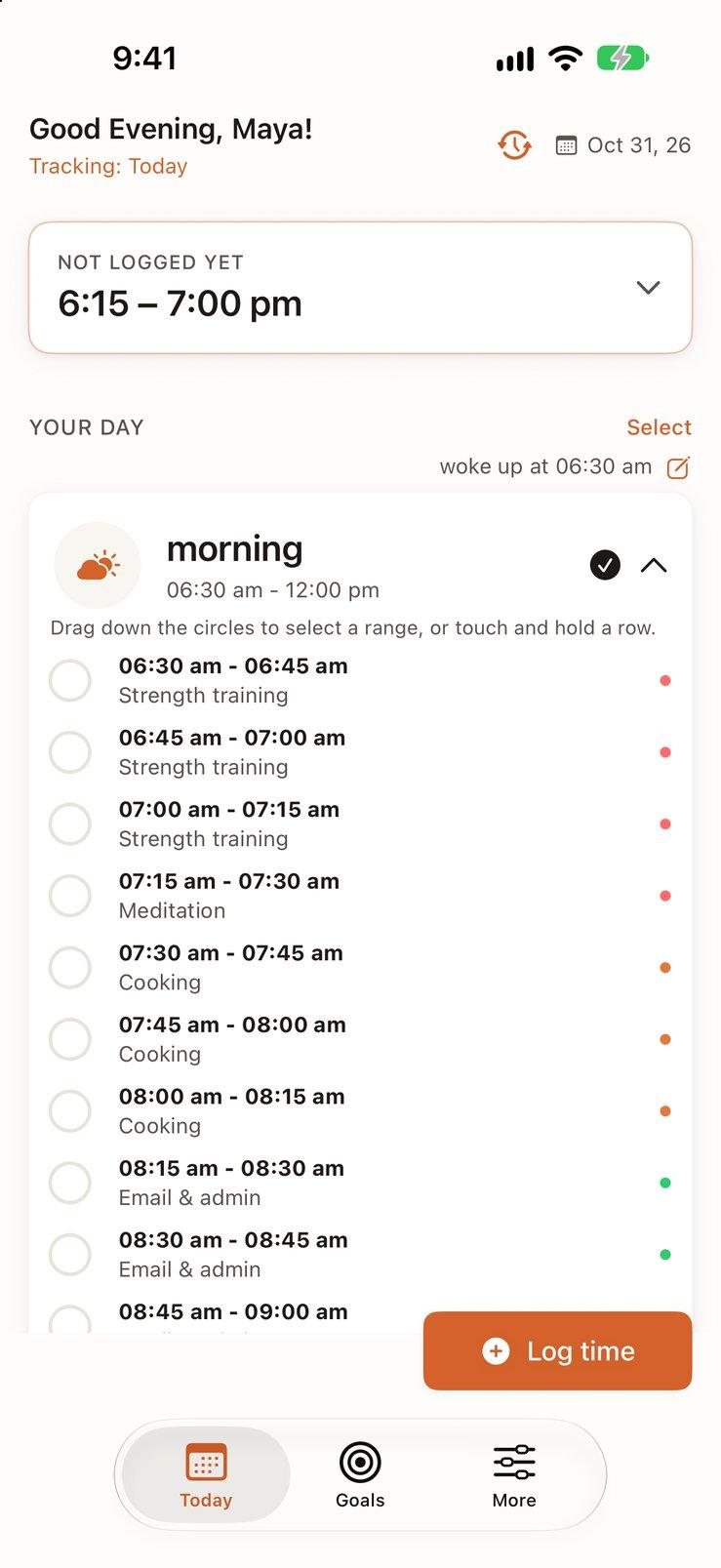
Open the day as a timeline and every 15-minute block is listed with what you did. Drag down the circles to select a range, or touch and hold a row, then log it in one go. Blocks you skip stay unlogged. Nothing is guessed.
- Morning, afternoon and evening, block by block
- Select a range and log it at once
- Unlogged time stays visible and is never filled in for you
See Your Week
Your Week, All 168 Hours
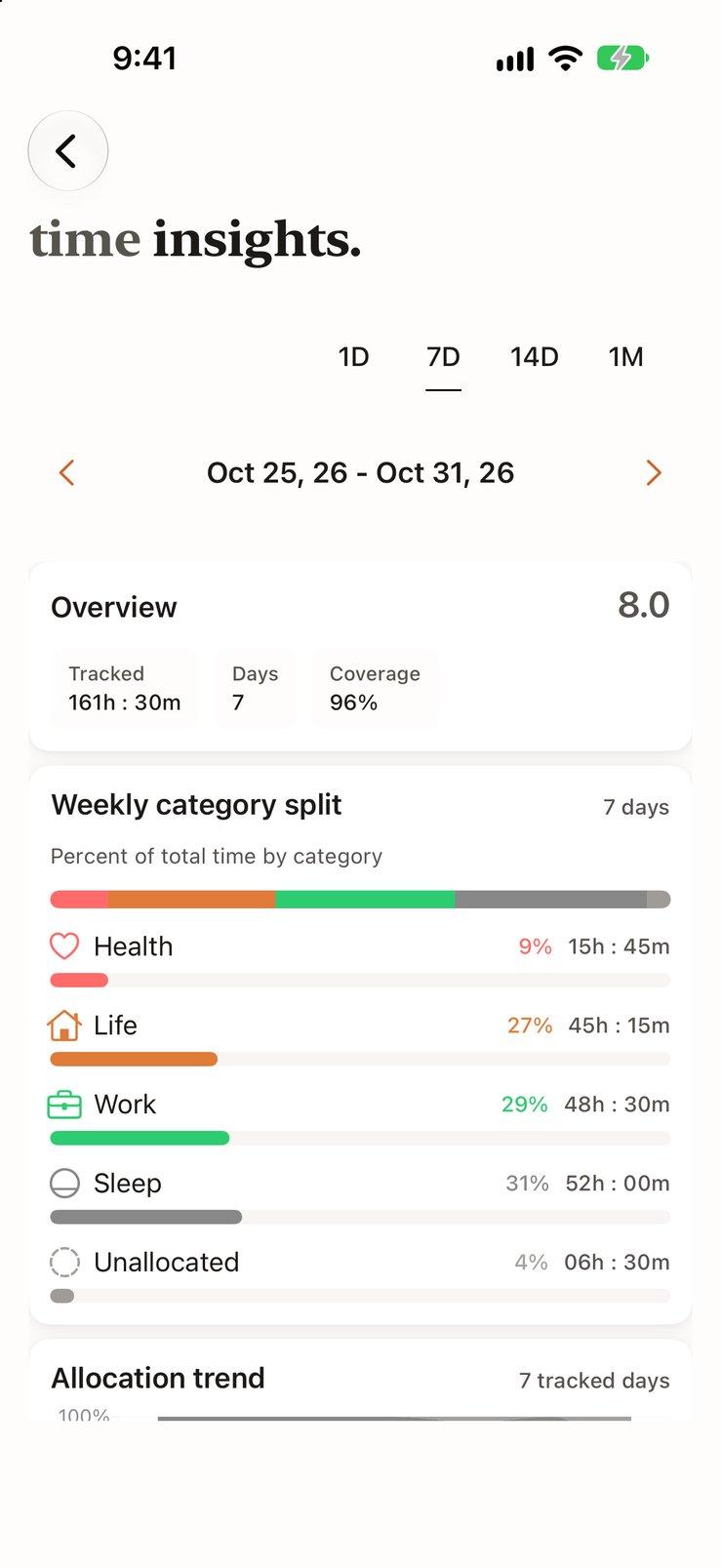
Time insights add up what you logged: the hours and share for health, life, work and sleep, how the split moved from day to day, and the time you didn't log. Switch between a day, a week, two weeks and a month. Your end-of-day scores sit alongside, so you can see whether the hours and how the days felt line up.
- Category split with hours and percentages
- Allocation trend across 7, 14 or 30 days
- Health, life and work scores from 1 to 10
Consistency
See Which Habits Hold
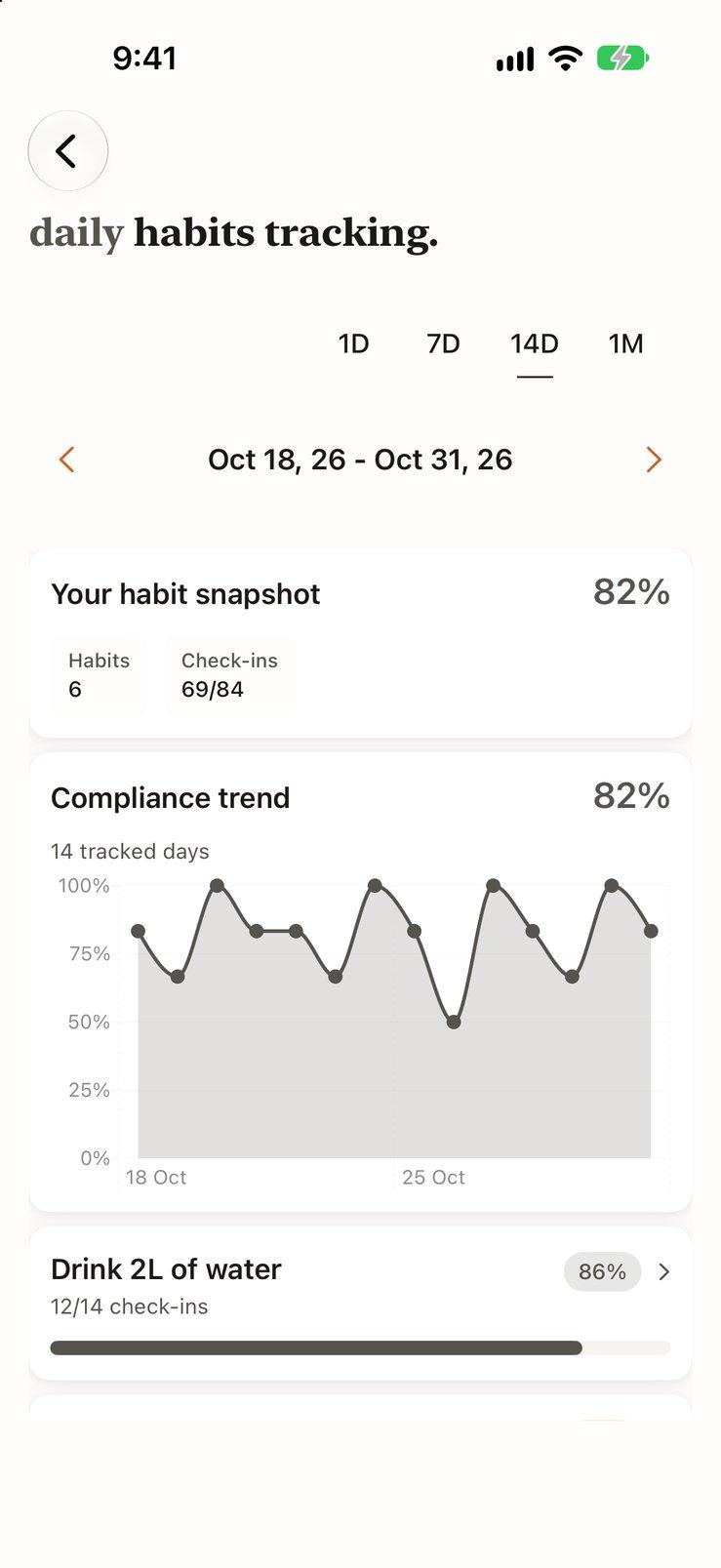
Habit insights chart how often you checked your habits off over a week, two weeks or a month, then break it down habit by habit. You see which ones are steady and which are slipping while there's still time to fix it.
- Overall check-in trend over the period
- Check-ins and percentage for each habit
- A snapshot score for the period at a glance
Personal Context
Tell the AI About Your Life
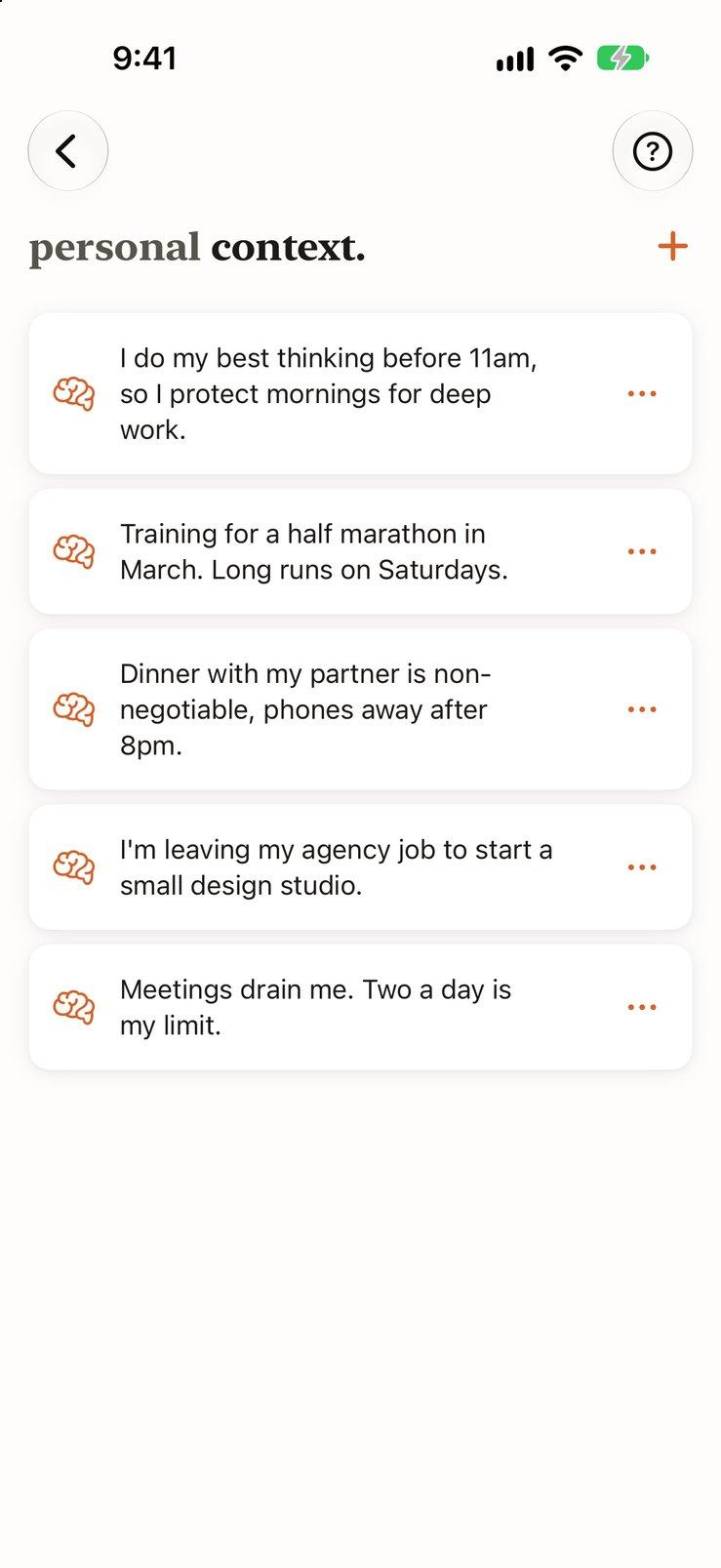
Add short notes the AI should know, like “I do my best thinking before 11am” or “Meetings drain me. Two a day is my limit.” Every suggestion and reflection takes them into account, so the advice fits the life you actually have.
- Notes about work, health, family and preferences
- Used by every AI suggestion and reflection
- Edit or remove a note at any time
End Your Day
An AI That Reads Your Day
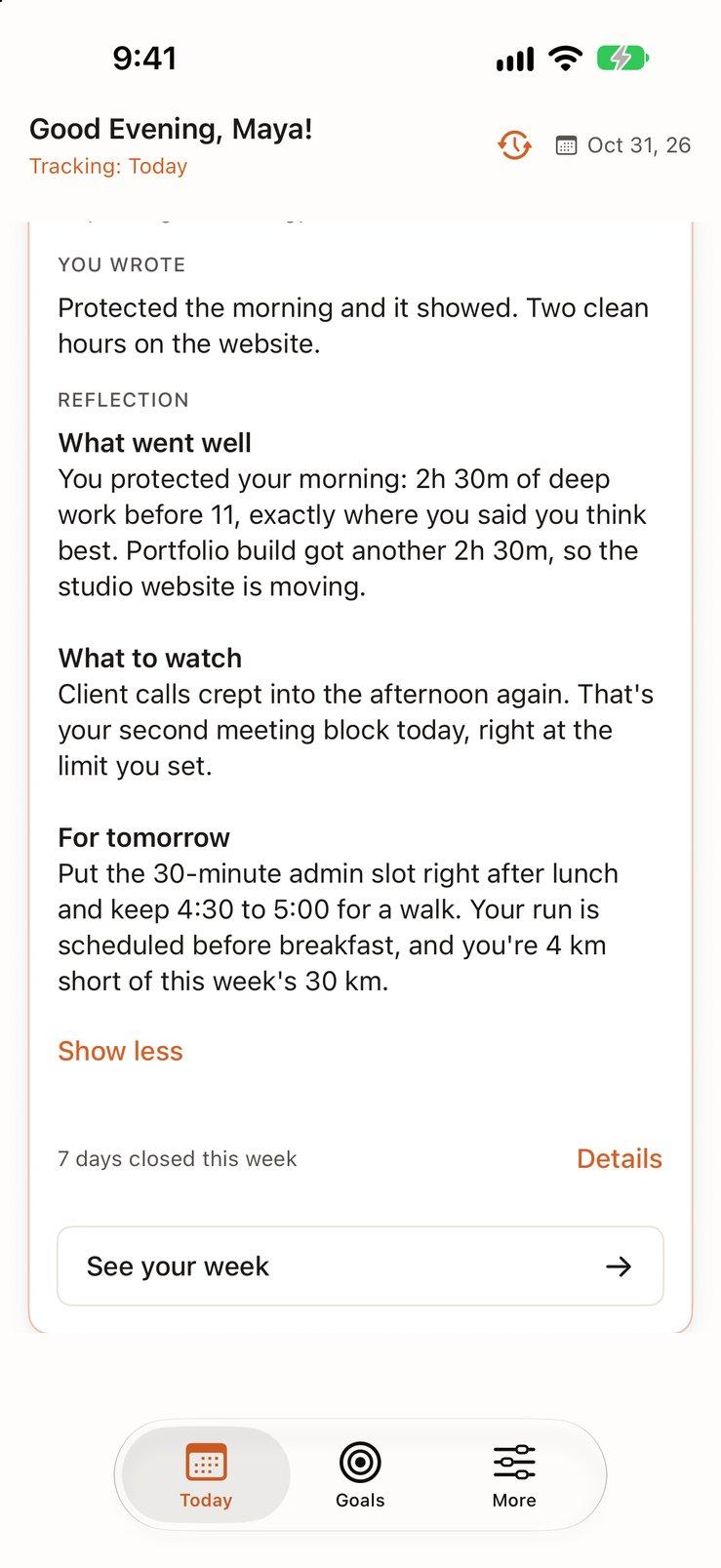
Close the day by rating how health, life and work felt. The AI then compares what you planned with what you logged and writes back in plain words. It knows your goals and the context you've shared, so the advice is about your day, not anyone's.
- What went well: the hours that went where you meant them to
- What to watch: where time leaked, and how often it happens
- For tomorrow: one or two changes worth making to the plan
Get Started
Your Time Is Limited. See Where It Goes.
Download Beyond Time and try Pro free for two weeks.
Available on iPhone and iPad
Log on your iPhone as the day happens, and see the bigger picture on iPad.