Mastering Software Project Planning for Success
Master software project planning with our playbook. Define goals, manage scope, estimate accurately, and mitigate risk for successful launches.
Most advice on software project planning overvalues the plan document and undervalues the planning system. Teams spend days polishing timelines, naming phases, and color-coding dependencies, then act surprised when the project still slips. The document wasn't the problem. Instead, the problem was that nobody built a way to keep goals, scope, daily work, and course correction tied together once reality started changing.
That gap is where software projects usually go sideways, especially in startups and small teams. A founder has a quarterly objective. An engineer has a sprint board. A designer has a loose list in Notion. A contractor is waiting on decisions in Slack. Everyone is busy, but the work stops mapping cleanly to the outcome. Good software project planning closes that gap. It connects the business goal to the milestone, the milestone to the task, and the task to what someone does today.
Table of Contents
- Why Most Software Plans Fail Before Code Is Written
- Laying the Foundation with Goals and Scope
- Breaking Down Work and Estimating Reality
- Creating a Dynamic Roadmap and Schedule
- Steering the Ship by Tracking Progress and Risk
- Connecting the Project Plan to Daily Momentum
- Common Software Project Planning Questions
Why Most Software Plans Fail Before Code Is Written
Most failed plans don't fail because the team forgot to estimate. They fail because planning gets treated like a one-time artifact instead of an ongoing operating process. Teams write a plan to satisfy a kickoff meeting, then move immediately into delivery mode as if the hard thinking is over.
That mindset is expensive. Poor planning causes 39% of all projects to fail due to insufficient planning, and 66% of IT projects fail partially or fully, according to Hive's project management statistics roundup. The same source notes that high-performing projects use digital planning software in 77% of cases, boosting success by 27%. Those numbers don't say “make a prettier Gantt chart.” They say disciplined visibility and alignment matter.
What usually goes wrong early is predictable:
- Goals stay abstract: “Improve onboarding” sounds clear until engineering, product, and leadership each define success differently.
- Scope gets implied instead of agreed: Teams talk about the product they want, not the product they can ship in this cycle.
- Dependencies remain invisible: API work, design reviews, legal review, app store constraints, migration tasks. These aren't edge cases. They are the schedule.
- Individual accountability never connects to the plan: A roadmap exists at the manager level, while contributors optimize their own local task lists.
Planning isn't a document you complete. It's a control loop you run.
The strongest software project planning I've seen has one trait in common. It makes ambiguity visible early, while changes are still cheap. It turns hidden assumptions into explicit decisions. It also gives people a way to update the plan without starting over every time reality changes.
That's the standard to aim for. Not perfect foresight. Not heavyweight ceremony. A planning system that keeps the team aligned, honest about risk, and clear about what matters now.
Laying the Foundation with Goals and Scope
A software project usually starts with a sentence that sounds reasonable and means almost nothing. “Launch the new mobile experience.” “Modernize reporting.” “Build an AI assistant.” Those are business intentions, not planning inputs.
The first job is to convert the goal into something a team can execute without constant reinterpretation.
Start with a kickoff that forces decisions
A kickoff meeting isn't ceremonial. It's where stakeholders decide what success means, what constraints are real, and what won't be included. A useful kickoff produces shared language for objectives, deliverables, timelines, and execution approach. That sequence matches the step-by-step planning approach described in Softjourn's software development project plan guide.
A good kickoff answers five things in plain English:
- What business problem are we solving
- Who is the primary user
- What must be true at launch
- What is explicitly out of scope
- Who decides when trade-offs appear
If any of those remain fuzzy, the project isn't ready for estimation. Teams often rush past this because they want momentum. In practice, unclear goals create fake momentum. Work starts, but decision latency climbs because every task requires interpretation.
Translate goals into a scope contract
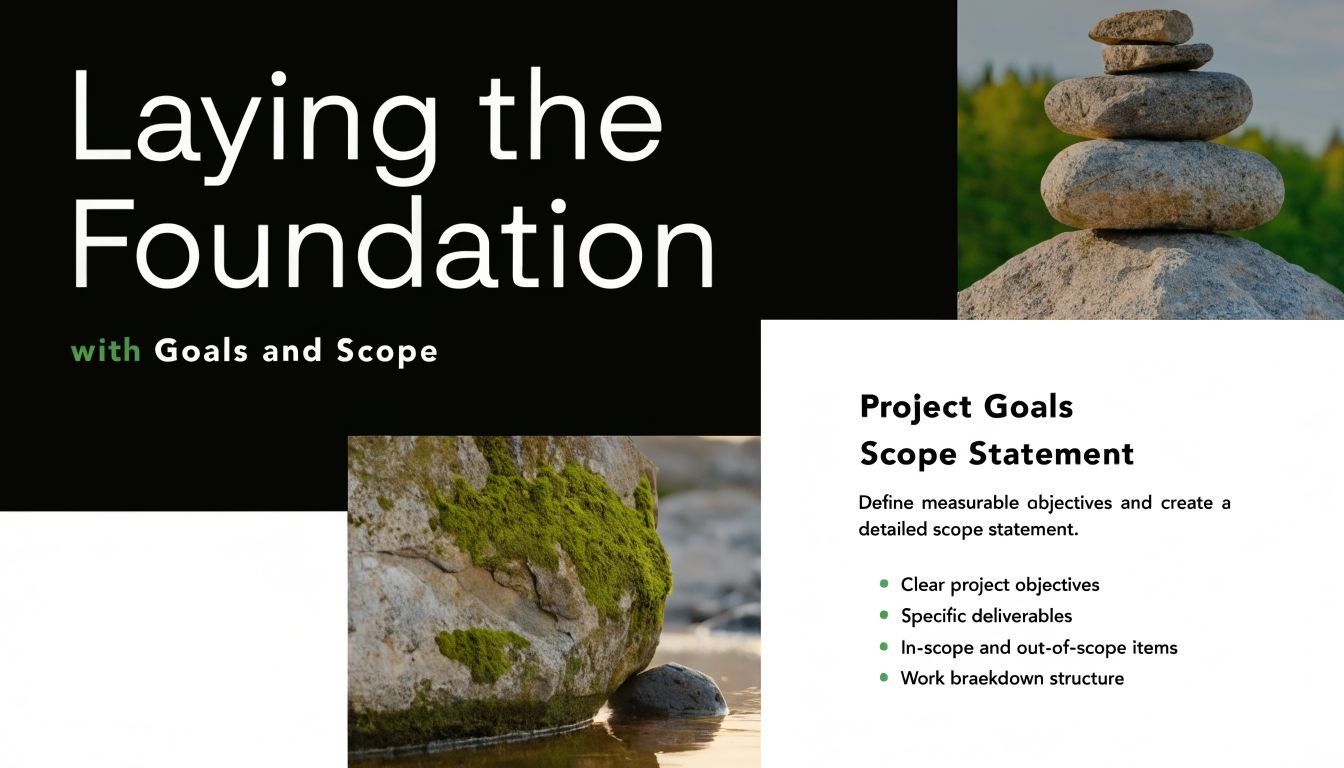
For small teams, I like a one-page scope contract. Not legal language. Operational language. It should be short enough that everyone reads it and specific enough that people can use it to say no.
Include these parts:
- Objective: One sentence connecting the project to a business outcome or OKR.
- Users and use cases: Who the product is for and the core jobs they need done.
- In-scope deliverables: The features, integrations, or workflows that must ship.
- Out-of-scope items: Requests that are valid ideas but not part of this release.
- Acceptance conditions: What stakeholders need to see to call the work complete.
- Decision owners: Who approves changes to priority, scope, or release criteria.
Practical rule: If a requirement can be interpreted two ways, it will be.
That's why vague requirements create rework. “Users can manage notifications” is vague. “Users can enable or disable email reminders from the settings screen” is more usable. The point isn't to over-document everything. The point is to remove avoidable ambiguity where engineering effort is about to be spent.
Scope discipline is what protects team sanity
Scope creep rarely starts as a dramatic event. It arrives as “just one more edge case,” “a quick admin view,” or “can we also support web on this release?” Softjourn notes that scope creep affects 52% of projects in the broader planning context described in its guide. Even without leaning on more numbers, the practical lesson is obvious. If stakeholders don't agree on boundaries, the team pays for that ambiguity in overtime, delays, and resentment.
For startup teams, this matters even more because the same people usually own product decisions, implementation, and support. Every unplanned addition steals attention from validation, polish, and release readiness.
A solid foundation for software project planning doesn't lock the project in concrete. It gives you a stable baseline. Then when change comes, and it always does, you can make a conscious trade instead of absorbing silent chaos.
Breaking Down Work and Estimating Reality
Large projects become dangerous when they stay verbally large. “Build billing.” “Ship collaboration.” “Redesign onboarding.” None of those are estimable. They are containers for dozens of choices, hidden dependencies, and quality risks.
The fix is decomposition. Break the project into work packages small enough that the team can reason about them, assign them, and challenge assumptions before dates start hardening.
Start with a real WBS
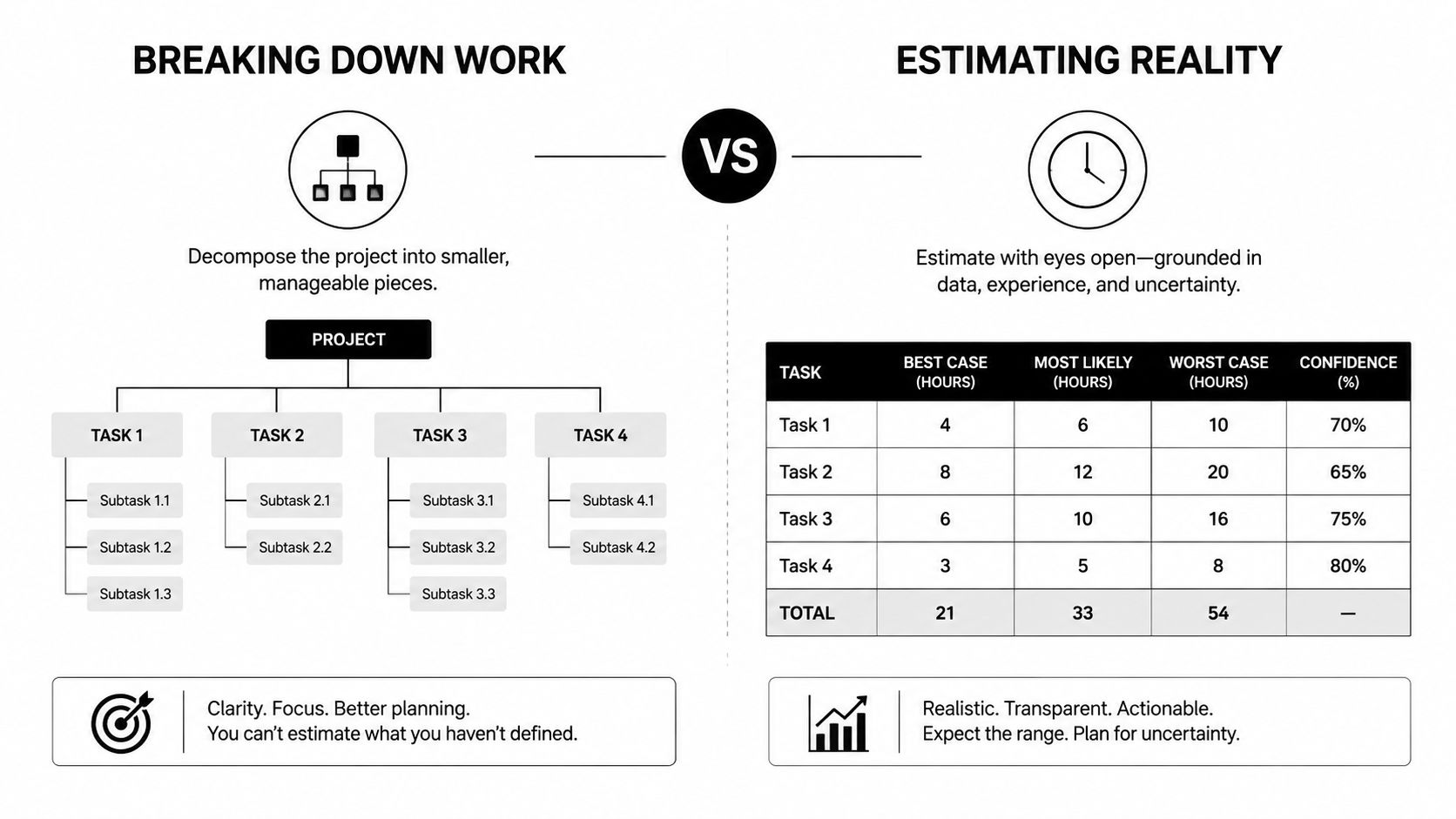
A Work Breakdown Structure, or WBS, is still one of the most practical tools in software project planning. Used well, it turns a broad initiative into deliverables, sub-deliverables, and implementation units. Used poorly, it becomes a task dump.
The key is to break work down by outcome and dependency, not by whatever tickets happen to be top of mind. For example, a mobile launch might break into authentication, onboarding flow, subscription handling, analytics, QA, release preparation, and post-launch support. Under each branch, the team can identify design work, backend changes, client implementation, testing, and operational tasks.
That structure supports bottom-up estimating. According to Softjourn's guide on software project planning, using a WBS with bottom-up methods like three-point estimation or PERT can improve accuracy within 10% variance, and teams should include a 20% to 30% buffer to account for unforeseen delays.
For teams that struggle to decompose work cleanly, this guide on breaking down big goals into actionable steps is useful as a practical companion to formal planning.
Comparison of Estimation Techniques
Different estimation methods solve different problems. Teams get into trouble when they use one method for every situation.
| Technique | How it Works | Best For | Pros & Cons |
|---|---|---|---|
| Three-point estimation | Estimate optimistic, pessimistic, and most likely effort for a task | Work with meaningful uncertainty | Pros: Exposes risk and assumption spread. Cons: Takes more discussion and discipline |
| PERT | Uses three-point inputs to calculate a weighted estimate | Planning across multiple dependent tasks | Pros: Better for probabilistic thinking than a single guess. Cons: Can feel too formal for very small jobs |
| Story points | Relative sizing instead of time-based estimating | Agile teams with stable sprint habits | Pros: Fast once calibrated, avoids false precision. Cons: Weak for stakeholder date conversations unless velocity is reliable |
| T-shirt sizing | Rough categories such as small, medium, large | Early planning and prioritization | Pros: Very fast. Cons: Too coarse for delivery commitments |
| Ideal days | Estimate hands-on work in focused days | Small teams that know their execution pattern well | Pros: Simple and intuitive. Cons: People often forget interruptions, reviews, and coordination overhead |
A few practical trade-offs matter here.
Three-point estimation is better when the team is entering new territory, such as a fresh integration or a migration with uncertain edge cases. Story points are better when the team already has stable delivery rhythm and needs relative planning across repeated sprint cycles. T-shirt sizing is fine in portfolio conversations, but it's not enough for release planning.
A single-number estimate usually hides disagreement. Multi-range estimates expose it.
Add the buffer before someone asks for a date
Buffer time is not padding in the dishonest sense. It's recognition that software work includes review cycles, bug discovery, dependency lag, interruptions, and decision wait states. Teams that skip the buffer don't become faster. They just push uncertainty downstream where it hurts more.
I prefer to separate estimates into three buckets:
- Core implementation effort: The work if everything goes roughly as expected.
- Coordination and validation overhead: Reviews, QA, stakeholder feedback, docs, release prep.
- Contingency: The explicit reserve for unknowns and delay.
That last category matters because leadership often treats the first date they hear as a commitment. If the team hasn't already included contingency, the schedule becomes fiction before development starts.
Agile can help here because estimation isn't frozen upfront. In the broader planning framework described by Softjourn, 34% of businesses adopt Agile methodologies, with iterative sprints of 2 to 4 weeks, and Agile shows a 61% success rate versus traditional methods in that source. The practical benefit is that teams can re-estimate based on what they learn, not defend guesses made before the work was visible.
Creating a Dynamic Roadmap and Schedule
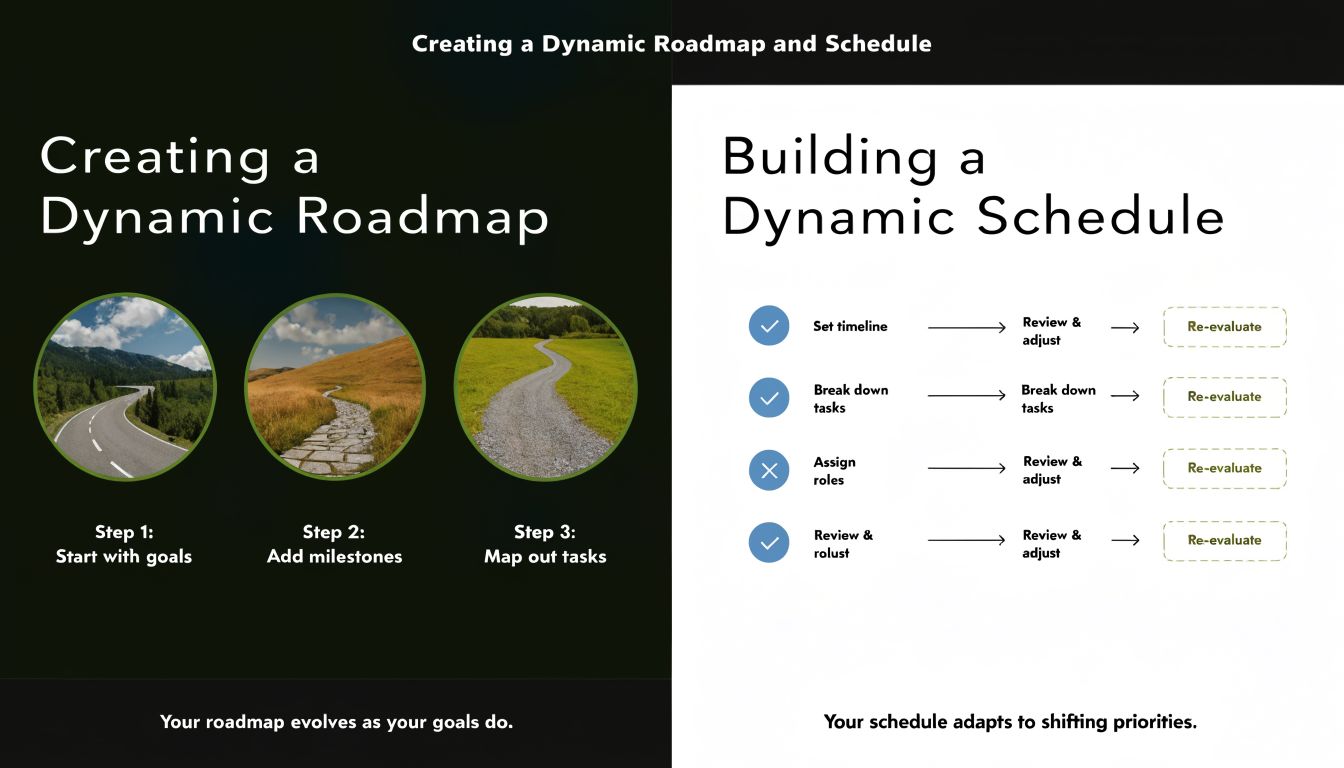
A roadmap and a schedule are not the same thing. A roadmap explains the sequence of outcomes. A schedule assigns time, people, and dependencies to the work required to reach those outcomes. Teams blur the two and then wonder why every planning artifact becomes stale at once.
The cleaner approach is to build them in layers.
Build milestones before tasks
Start with milestones that represent meaningful business or delivery states. Examples include “requirements frozen for v1,” “internal beta usable end to end,” “payments validated,” “release candidate approved,” or “app store submission complete.” These are easier for stakeholders to understand than a giant task list and much better for sequencing dependencies.
A practical roadmap for a startup team usually includes:
- Theme-based phases: Discovery, core build, hardening, launch.
- Milestone definitions: Each milestone needs a visible outcome, not just activity.
- Dependency notes: What must finish first, and what can run in parallel.
- Decision gates: Points where stakeholders review whether the project still deserves the next tranche of time and money.
Many teams often overplan. They map every task six weeks out when they don't yet know enough to do it credibly. A roadmap should stay fairly stable at the milestone level, even while task details underneath it change.
Turn the roadmap into a living schedule
Once milestones are clear, turn them into a schedule by assigning owners, effort windows, and dependency logic. This is where resource constraints matter. A schedule that assumes your lead engineer can simultaneously build the API, review the mobile app, support production, and join every stakeholder meeting isn't a schedule. It's wishful thinking.
Use a scheduling pass to answer:
- Who is available
- Which work items share the same bottleneck
- What is on the critical path
- Which tasks can slip without affecting the launch
- Where does the team need decision lead time
For small teams, a lightweight quarterly planning tool can help keep milestone sequencing visible without the overhead of enterprise PM software. A simple quarter planning workflow is often enough if the team is disciplined about updating it.
A few scheduling rules hold up across almost every software project:
- Schedule decisions, not just implementation: If legal, design approval, or vendor access is needed, put it on the schedule.
- Protect specialist bottlenecks: Security reviewers, release engineers, and senior backend engineers create hidden queues.
- Keep near-term detail high and long-term detail lighter: The next sprint or two should be concrete. Later work can stay at milestone level until uncertainty drops.
The schedule should change when the team learns something important. If it never changes, nobody is using it.
The point isn't to constantly churn dates. It's to preserve decision quality. A dynamic schedule lets the team respond early when assumptions break, instead of pretending the original plan is still intact while pressure builds up.
Steering the Ship by Tracking Progress and Risk
Execution doesn't fail because teams lack status updates. It fails because the status ritual isn't connected to decisions. People report “green” until the problem is too obvious to hide, then everyone acts surprised.
Useful project control is lighter and sharper than that. It links progress tracking, business outcomes, and risk review into one feedback loop.
Track the few numbers that change decisions
Metrics only matter if they trigger action. If a team tracks velocity, cycle time, budget burn, defect trends, and milestone confidence, but nobody changes staffing, scope, or sequencing in response, the dashboard is decoration.
According to 3Pillar Global's guidance on measuring software project success, effective projects track KPIs tied to goals such as timeline adherence with less than 10% slippage and budget compliance with less than 5% overrun. The same source warns that 40% of projects miss ROI goals because KPIs are not linked to business value, and only 29% of IT projects are fully successful without thorough tracking.
Those numbers point to a discipline many teams skip. They measure output without checking whether the output advances the reason the project exists.
For software project planning, I usually separate KPIs into three categories:
| KPI type | What to watch | Why it matters |
|---|---|---|
| Delivery health | Milestone hit rate, cycle time, blocked work, defect trends | Shows whether execution is stable enough to trust the schedule |
| Financial control | Burn against plan, contractor usage, rework hotspots | Prevents late-stage cost surprises |
| Business value | Adoption signals, activation path health, stakeholder acceptance | Keeps the team from shipping activity instead of outcome |
A practical weekly review can stay short if it answers these questions:
- What moved
- What is blocked
- What changed in confidence
- Which assumption now looks wrong
- What decision is needed this week
Run risk management as a weekly operating habit
Risk is often acknowledged conceptually but managed informally. That works until multiple small risks combine. A vendor delay plus a fuzzy requirement plus one under-estimated integration can turn a “minor issue” into a release problem.
Use a lightweight risk register. It doesn't need PMO language. It needs clarity. For each risk, capture the concern, the likely impact, the owner, the trigger that would prove it's getting worse, and the mitigation step already underway.
For example:
Authentication vendor changes API behavior
- Owner: backend lead
- Trigger: sandbox inconsistency or failed test flow
- Mitigation: validate critical flows early and keep fallback paths documented
Stakeholders keep adding launch criteria
- Owner: product lead
- Trigger: new must-have asks after milestone approval
- Mitigation: route changes through a formal scope trade discussion
QA compresses into the final week
- Owner: engineering manager
- Trigger: feature completion pushes testable builds too late
- Mitigation: enforce earlier integration checkpoints
Teams rarely get blindsided by a single massive unknown. They get hurt by known risks that nobody owned.
The teams that stay calm under pressure don't avoid all surprises. They detect them faster, talk about them earlier, and make cleaner trade-offs. That's what tracking is for. Not surveillance. Steering.
Connecting the Project Plan to Daily Momentum
Most software project planning systems break. The roadmap exists. The sprint board exists. The daily habits of the people doing the work exist. But they don't connect.
In a small team, that disconnect is brutal because there isn't enough management overhead to absorb it. A founder spends the morning on hiring, the afternoon in customer calls, and the evening trying to review pull requests. An engineer picks off urgent tasks that never mapped to the milestone. A designer refines the wrong flow because the launch priority shifted in someone else's head yesterday.
Why small teams need a lighter operating system
Big-company advice usually assumes dedicated PM roles, mature tooling, and clean functional boundaries. Startups don't have that luxury. They need planning that scales down well.
That underserved gap is captured in Grupo Giga's discussion of poor planning in software development, which notes that linking personal OKR systems to team roadmaps is a major need. The same source states that 70% of startups fail due to founder burnout and misaligned goals, and that AI tools connecting individual habits such as 15-minute time tracking to project sprints reduced scope creep by 45% in pilot tests with indie developers.
The practical lesson isn't “use AI because AI.” It's this: small teams need a thin layer between the plan and the person. Something that answers, every day, what matters most now and whether actual time spent matched the plan.
For contributors trying to tighten that loop, this article on time blocking as a practical execution method is directionally useful because it treats calendar time as an accountability tool, not just a productivity trick.
A practical daily accountability loop
For a small software team, I like a four-part daily loop:
Pick one milestone-linked priority per person
Not a general to-do list. One item that clearly supports the current sprint or milestone.Time-block the work in small chunks
Short planning intervals force realism. They expose whether someone is doing roadmap work or just reacting.Compare planned time to actual time spent Hidden waste emerges through this comparison. Meetings, support interrupts, unclear specs, and dependency waits stop being vague complaints and become visible planning inputs.
Review blockers with a bias for re-planning
If the same work rolls over repeatedly, fix the plan or reduce the scope. Don't keep calling it tomorrow's top priority.
This daily layer matters because project failure often starts as local drift. Not dramatic failure. Just enough mismatch between planned work and actual work that the roadmap loses contact with reality.
A healthy plan shows up in someone's calendar, task list, and end-of-day review. If it only lives in the roadmap, it isn't running the project.
When teams connect milestones to daily execution, planning becomes lighter, not heavier. People need fewer meetings because priorities are clearer. Managers need less chasing because progress is visible. Founders stop carrying the whole project in their heads.
Common Software Project Planning Questions
How much planning is enough before development starts
Enough to remove ambiguity from the first tranche of work. Not enough to predict every detail of the full project months in advance.
A team should know the business goal, user, scope boundaries, critical risks, major dependencies, owners, and the first milestone sequence before writing significant code. If those basics aren't clear, development starts too early. If the team is still polishing distant-phase task detail while key assumptions remain untested, planning has gone too far.
A good rule is simple. Detail should be highest where commitment is immediate and lighter where uncertainty is still high.
What should a small team use instead of Jira
Use the lightest toolset that still preserves accountability. For some teams, that's Asana, Trello, Linear, Notion, or GitHub Projects combined with a written milestone roadmap. The right choice depends less on features and more on whether the team updates it.
For a five-person startup, the tool should make these things obvious:
- Current milestone ownership
- Tasks in progress
- Blocked items
- Upcoming decisions
- What changed this week
If the tool requires too much administration, the team will abandon it. If it can't tie daily work back to the project goal, the roadmap will drift out of relevance.
How should you handle stakeholder change requests
Treat every change request as a trade, not an interruption. That means asking three questions immediately:
- What value does this change add
- What existing work moves out or later
- What deadline, cost, or risk impact does it create
The biggest mistake is accepting changes informally because the request sounds reasonable. Reasonable requests still consume finite capacity. Good software project planning doesn't reject change. It makes the cost of change visible before the team absorbs it.
A simple change log is enough for many small teams. Record the request, the decision, the impact, and the owner. That prevents revisionist history later.
How often should a project plan be reviewed
Review the plan on multiple cadences, not one.
- Daily: Check whether current work still aligns with the sprint or milestone.
- Weekly: Review progress, blockers, risks, and confidence.
- At milestone boundaries: Revalidate scope, timing, and launch criteria.
- After major surprises: Re-plan immediately when an assumption breaks.
Formal monthly reviews alone are too slow for most software projects. By then, the team has often accumulated a month of drift. Frequent lightweight review beats infrequent heavyweight review almost every time.
If your team needs a planning system that connects high-level goals to measurable milestones and daily execution, Tribble Software Private Limited builds exactly that. Beyond Time helps founders, managers, and individual contributors turn objectives into structured roadmaps, then carry that plan into everyday work with routines, habits, planned-vs-actual tracking, and AI-guided focus.
Composed with Outrank app
Keep going with Beyond Time
Keep your software project connected from goal to task with these Beyond Time resources.
- Career Roadmap Planner — Map the skills and milestones your project or career needs.
- OKR Tracking Software: From Planning to Achievement — See how OKRs keep project goals honest and visible.
- The 12-Week Year: Why Quarterly Planning Beats Annual Goals — Ship in shorter cycles without losing strategic direction.
- Progress Tracking Software: A Guide to Achieving Your Goals — Pick tools that show real movement, not just logged hours.
Put this into practice
Free tools that match this article.
Goal Setting Worksheet
Turn a vague goal into milestones, habits, blockers, and a weekly review plan.
Try Goal WorksheetGoal SettingSMART Goal Validator
Instantly validate your goals against the SMART framework and get actionable improvement suggestions.
Try SMART ValidatorGoal SettingAI Milestone Generator
Turn your biggest goals into an actionable step-by-step plan in seconds with AI.
Try Milestone GeneratorGoal SettingOKR Generator
Transform any aspiration into a structured OKR with measurable key results in seconds.
Try OKR GeneratorKeep exploring this topic
Goal setting guide
Start with the fundamentals of setting goals that turn into action.
Goal frameworks compared
Choose between SMART goals, OKRs, BHAGs, and 12-week goals.
Time blocking guide
Turn priorities into protected calendar blocks.
Beyond Time for professionals
Plan career goals, weekly execution, and focused work in one system.
Related Articles

Master Your Estimated Completion Date in 2026
Calculate and manage an accurate, motivating estimated completion date. Our 2026 guide covers formulas, tracking, and common pitfalls to help you achieve goals.
Weekly Status Report Form: A Complete Guide for 2026
Learn to create and use a weekly status report form that saves time and improves communication. Get templates, examples, and automation tips.

How to Track Multiple Goals Without Getting Overwhelmed
Learn a proven system for managing multiple goals simultaneously without losing focus or burning out. Practical frameworks for tracking 3-5 goals at once.
Accountability Partner Guide: Achieve Goals Faster
Learn how to find, structure, and get the most from an accountability partner. Research shows accountability can boost goal achievement by up to 95%.
5-Year Plan Template: Build Your Life Roadmap Step by Step
Build your life with this step-by-step 5 year plan template. Set goals across 5 key life domains and break them into year-by-year milestones you can act on.
How to Set Life Priorities: A Framework for What Matters Most
Learn how to set priorities in life with a proven values-based framework. Discover what matters most and start building goals aligned with your life today.