What Is Context Switch: Context Switching
Discover what is context switch in computing & your brain. Learn its massive productivity cost & gain practical strategies to regain focus in 2026.
You close your laptop and feel wrung out. You answered messages, checked email, joined a meeting, updated a document, looked up one missing detail, got pulled into another chat, then returned to your real work so many times that it barely feels like your real work anymore.
That feeling has a name. It's context switching.
If you've been searching for what is context switch, the short answer is simple: it's the act of moving your attention from one task, tool, or mental mode to another. The longer answer matters more, because this idea started in computer science and now explains a big part of why modern work feels noisy, fragmented, and strangely unrewarding.
The good news is that once you understand context switching clearly, it stops feeling like a personal failure. It starts looking like a design problem. And design problems can be fixed. If your days often feel crowded but blurry, building more focus and clarity starts with learning how your attention is being broken apart.
Table of Contents
- The End-of-Day Paradox Feeling Busy but Not Productive
- The Two Worlds of Context Switching Computers and Cognition
- The Hidden Tax on Your Productivity and Brainpower
- Context Switching in Your Daily Life Examples for Work and Study
- How to Recognize Your Personal Switching Patterns
- Practical Strategies to Minimize Harmful Switching
- Reclaiming Your Focus with a System like Beyond Time
The End-of-Day Paradox Feeling Busy but Not Productive
A product manager starts the morning planning to write a strategy brief. Before the first paragraph is done, Slack pings. Then email. Then a teammate asks for feedback in Figma. Then a calendar reminder appears. By late afternoon, the brief is still half-finished, yet the day feels full.
A student can have the same kind of day. Open lecture notes, reply to a text, search for one source, notice a notification, switch to a browser tab, then come back to the assignment with that annoying question: “Where was I?”
That gap between activity and progress is where context switching lives.
Busy is not the same as focused
A day isn't lost in one dramatic interruption. Instead, it's lost in tiny slices. A quick reply. A quick check. A quick tab switch. Each one feels harmless in isolation, which is why the pattern is so easy to miss.
You can spend a whole day in motion and still never stay with one problem long enough to solve it well.
The end-of-day paradox is that your brain remembers the effort but not the output. You were working the whole time. But much of that work involved restarting, reloading, and reorienting.
Why this problem feels so modern
Older work had interruptions too. But digital work multiplies them. Most knowledge workers move between chat apps, documents, project boards, browsers, meetings, and personal devices all day. The issue isn't only that there are many tasks. It's that each task often lives in a different environment and demands a different kind of thinking.
That's why “what is context switch” is such a useful question. It gives a clear name to a hidden drain many people feel every day but struggle to describe.
The Two Worlds of Context Switching Computers and Cognition
The phrase context switching didn't begin as self-help language. It came from computing.
Where the term came from
In operating systems, a context switch happens when a CPU stops working on one task and shifts to another. To do that, the system has to save the current task's state and restore the next one's state. That basic idea goes back to time-sharing systems in the 1960s, was formalized in UNIX, and still matters in modern systems where switches can happen thousands of times per second. Each switch consumes CPU cycles, which is why performance engineers try to reduce unnecessary switching for better throughput, as described in the Wikipedia explanation of context switching.
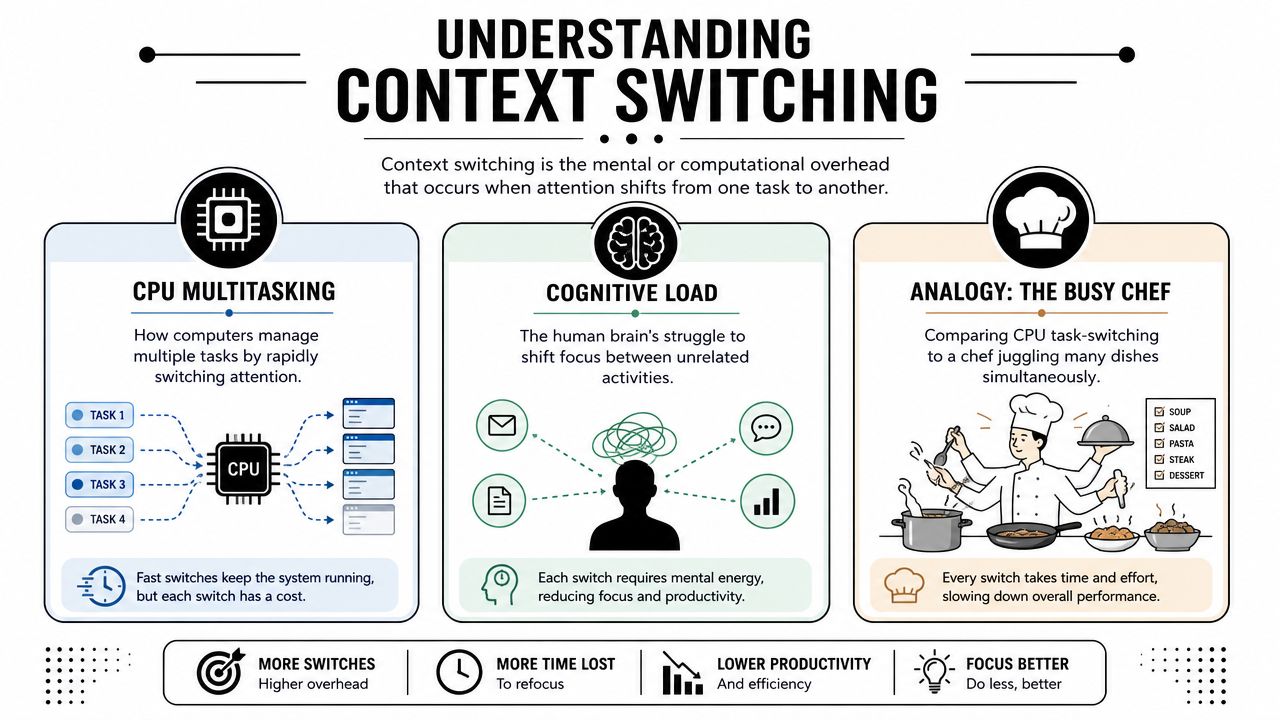
A simple analogy helps. Think of a chef in a busy kitchen. One moment the chef is chopping vegetables for a soup. The next moment they stop, wash the board, grab a pan, check a sauce, answer a question, then return to the soup. Even if each switch is brief, the chef keeps paying a reset cost.
Computers are built to manage this tradeoff. They don't mind rapid switching in the same emotional way humans do. But even computers pay a performance cost.
Why the human version feels harder
Now bring that same idea into your workday.
When you stop writing a proposal to answer a message, your brain has to save the “state” of the proposal. What argument were you making? What detail were you about to verify? What tone were you aiming for? Then it has to load the message context instead. Who sent it? What do they need? Is it urgent? After that, your brain has to reverse the whole process to return.
Humans don't switch contexts as cleanly as machines. We carry mental residue from the previous task. A half-solved problem follows us into the next one. An unresolved message lingers while we're trying to study. A difficult conversation colors how we approach a spreadsheet.
Computer context versus human context
| Type | What gets switched | Cost of the switch |
|---|---|---|
| Operating system | Registers, process state, memory context | CPU cycles and scheduling overhead |
| Human mind | Goals, memory cues, emotional tone, attention | Lost focus, friction, mental fatigue |
Practical rule: If a computer pays a cost to switch tasks, you should assume your brain pays an even larger one.
That's the unified framework that makes the term useful. In both cases, context switching means changing active state. In both cases, switching isn't free. The difference is that a CPU was engineered for it. Your attention wasn't.
The Hidden Tax on Your Productivity and Brainpower
You can feel the cost of switching without measuring it. But the measured version is sobering.
What the data makes clear
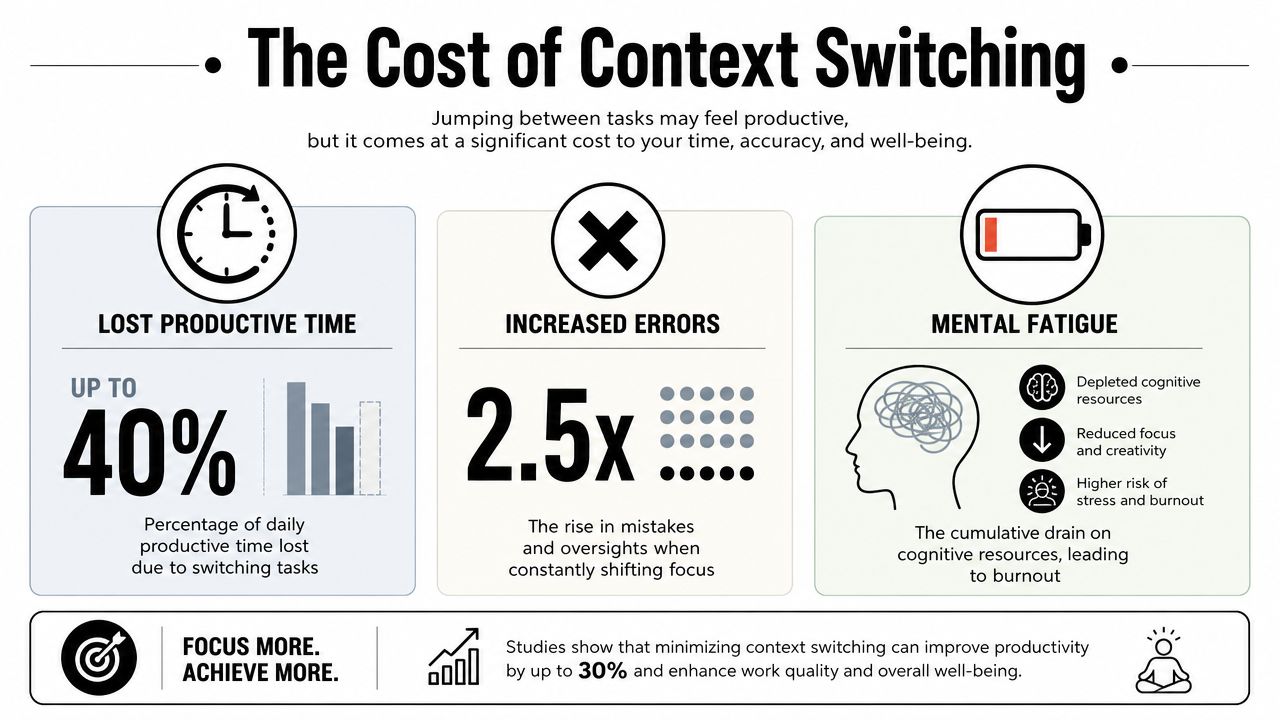
Research summarized in Harvard Business Review found that digital workers toggle between apps and sites nearly 1,200 times daily, and that this pattern can consume up to 40% of productive time, according to the summary collected at Speakwise's context switching statistics page. That helps explain why so many people feel overloaded while producing less deep work than they intended.
When you start tracking your own day, this becomes easier to believe. Most switches don't look dramatic. They look like checking Slack while waiting for a document to load, opening email during a difficult paragraph, or leaving a task half-done because a new tab feels easier in the moment. If you want a useful companion habit, this guide to measuring personal productivity in a practical way can help you spot where your time goes.
Why switching feels expensive even when it looks small
The main cost isn't only the interruption itself. It's the recovery.
After a switch, your brain has to reconstruct the prior task. That means remembering your goal, your place, your reasoning, and often your motivation. If the first task required depth, the restart can feel much heavier than the interruption looked from the outside.
Here's a helpful way to understand it:
- Task loss: You stop doing the original work.
- Memory loss: You forget some part of your mental setup.
- Quality loss: You return with weaker concentration.
- Energy loss: You spend willpower getting back into gear.
A short explanation can make this more concrete:
People often call this multitasking. But for most cognitive work, it's really rapid serial switching. You aren't writing a report and checking messages at the same time in any meaningful sense. You're bouncing between modes.
Frequent switching doesn't just slow output. It changes the kind of thinking you can do. Deep reasoning gets replaced by surface-level responsiveness.
That's why context switching can increase mistakes, make work feel mentally sticky, and leave you tired in a way that simple effort doesn't fully explain.
Context Switching in Your Daily Life Examples for Work and Study
Context switching becomes easier to understand when you see your own day inside it.
At work
You're writing a quarterly report in Google Docs. You need careful wording, maybe a few numbers, maybe a recommendation that will influence a decision. Halfway through, Slack pops up. A teammate asks a question. You answer. Then you notice an unread email. That leads to your calendar. Then someone comments in Notion.
When you return to the report, you don't just continue. You scan what you wrote, try to remember your argument, and feel your momentum has cooled.
While studying
A student sits down to review biology notes. The material is dense, so focus matters. A phone buzzes. They check one message. Then another. A social app opens. A few minutes later they're back at the notes, but the chain of ideas has broken.
Now the problem isn't only lost time. It's weaker encoding. The student may reread the same paragraph because the mental thread is gone.
Common study switches
- Phone checks: A message pulls attention away from reading or problem-solving.
- Tab hopping: A browser search for one fact turns into unrelated browsing.
- Environment shifts: Moving between laptop work, chat, music controls, and class portals keeps resetting mental state.
When you run a business or team
A founder might spend the morning updating a pitch deck, then jump into customer support, then review a landing page draft, then chase an invoicing issue. Each task may be legitimate. The problem is that they require totally different mental gears.
A manager can hit the same wall. One minute they're planning next week's priorities. The next they're resolving a people issue, then approving expenses, then responding to a vendor. None of these are fake work. But stacked together without boundaries, they create constant restart friction.
A quick way to test whether you're switching too much
Ask yourself these questions at the end of a task block:
| Question | What “yes” often means |
|---|---|
| Did I reopen the same file several times today? | You may be fragmenting one important task |
| Did messages decide my priorities? | Reactive work is steering your day |
| Did I feel confused returning to a task? | The reset cost is hitting your working memory |
If these examples feel uncomfortably familiar, that's useful. Recognition is often the first real break in the pattern.
How to Recognize Your Personal Switching Patterns
You don't need special software to notice context switching. You need a little honesty and a short window of observation.
Start with a simple self-audit
For one hour, keep a paper note beside you. Every time you switch tasks, make a mark and write what triggered it. Don't judge it. Just capture it.
You might notice that many switches aren't imposed on you. Some come from discomfort. When a task gets hard, your brain reaches for something easier, faster, or more rewarding.
Try these prompts:
- What was I doing right before I switched?
- What triggered the switch?
- Did I choose it, or did something external pull me?
- How hard was it to get back?
Most focus problems look like discipline problems from the inside. From the outside, they often look like unexamined patterns.
Look for triggers not just distractions
Not all switches come from notifications. Some start with uncertainty. You don't know the next step, so you check email. Some start with boredom. Some start with anxiety, especially when the task has high stakes.
Two kinds of triggers
- External triggers: Slack pings, email alerts, calendar reminders, someone walking over, a phone buzzing.
- Internal triggers: Restlessness, self-doubt, curiosity, avoidance, the urge to “quickly check” something.
Once you see your triggers, patterns emerge. Maybe your worst switching window is late afternoon. Maybe meetings create a trail of small follow-up tasks that splinter the rest of your day. Maybe one specific app pulls you out of focused work every time it's visible.
A useful personal checklist is simple:
- Notice timing: When do you switch most?
- Notice task type: Which kinds of work are easiest to abandon?
- Notice emotion: What feeling shows up right before the switch?
- Notice tools: Which app or device starts the chain reaction?
You can't reduce what you still describe vaguely. Once you can say, “I switch every time writing gets difficult,” or “team chat fractures my mornings,” you're no longer guessing.
Practical Strategies to Minimize Harmful Switching
The goal isn't to eliminate every interruption. Real life doesn't work that way. The goal is to reduce the switches that break concentration without adding value.
Build your day around modes
One of the strongest fixes is to organize work by mode, not by whatever shouts the loudest.
If writing, planning, coding, studying, and responding all require different kinds of attention, don't mix them whenever possible. Group similar tasks together so your brain can stay in one mental posture longer.
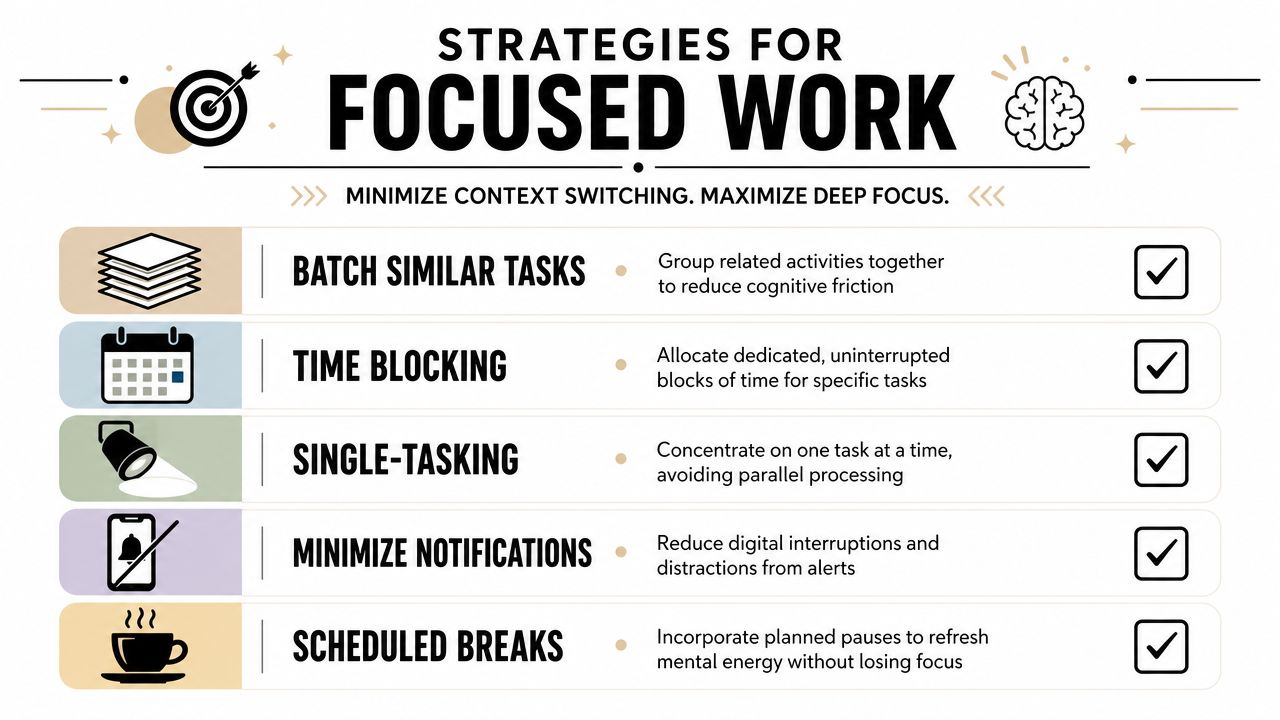
A few strategies work well because they reduce reload costs:
- Time blocking: Reserve protected blocks for one category of work. Writing gets writing time. Admin gets admin time.
- Task batching: Handle similar small tasks together, like email replies, approvals, or scheduling.
- Single-tasking: Keep one primary task visible. Close the tabs and windows that invite drift.
- Scheduled breaks: Stop on purpose instead of letting random interruptions stop you.
If you want a structured way to set up focused blocks before the day gets noisy, a focus session planner can help turn intentions into something concrete.
Reduce avoidable resets
A second layer of defense is environmental.
Change the space so switching is less convenient. Put chat on mute during deep work. Keep your phone out of reach while studying. Close browser tabs that belong to other projects. Leave yourself a short note before stepping away from a task, such as “next step: finish paragraph on customer retention.” That gives your future self a clear re-entry point.
Practical moves that work in real days
- Create a landing strip: Before you pause a task, write the exact next action.
- Use communication windows: Check email and chat at chosen times instead of continuously.
- Shrink open loops: If a repetitive admin task keeps interrupting you, look for ways to automate repetitive tasks so your day has fewer forced pivots.
- Protect transition moments: The minutes after a meeting or call are high-risk. Decide your next task before opening any inbox.
Reset question: “What deserves my attention now?” Ask it before every app switch.
Many people try to solve context switching with motivation. Systems work better than motivation. If your environment keeps inviting fragmentation, discipline alone won't carry the whole load.
Reclaiming Your Focus with a System like Beyond Time
Awareness matters. Strategy matters. But what usually changes behavior is a system that keeps attention visible.
Turn awareness into structure
A good focus system does three jobs. It shows where your time went, helps you decide what matters most today, and reduces the friction of getting back on track after inevitable interruptions.
That's where a structured tool can help. Instead of relying on memory, you create an external support system for attention. The goal isn't perfection. The goal is fewer unconscious switches and faster recovery when they happen.
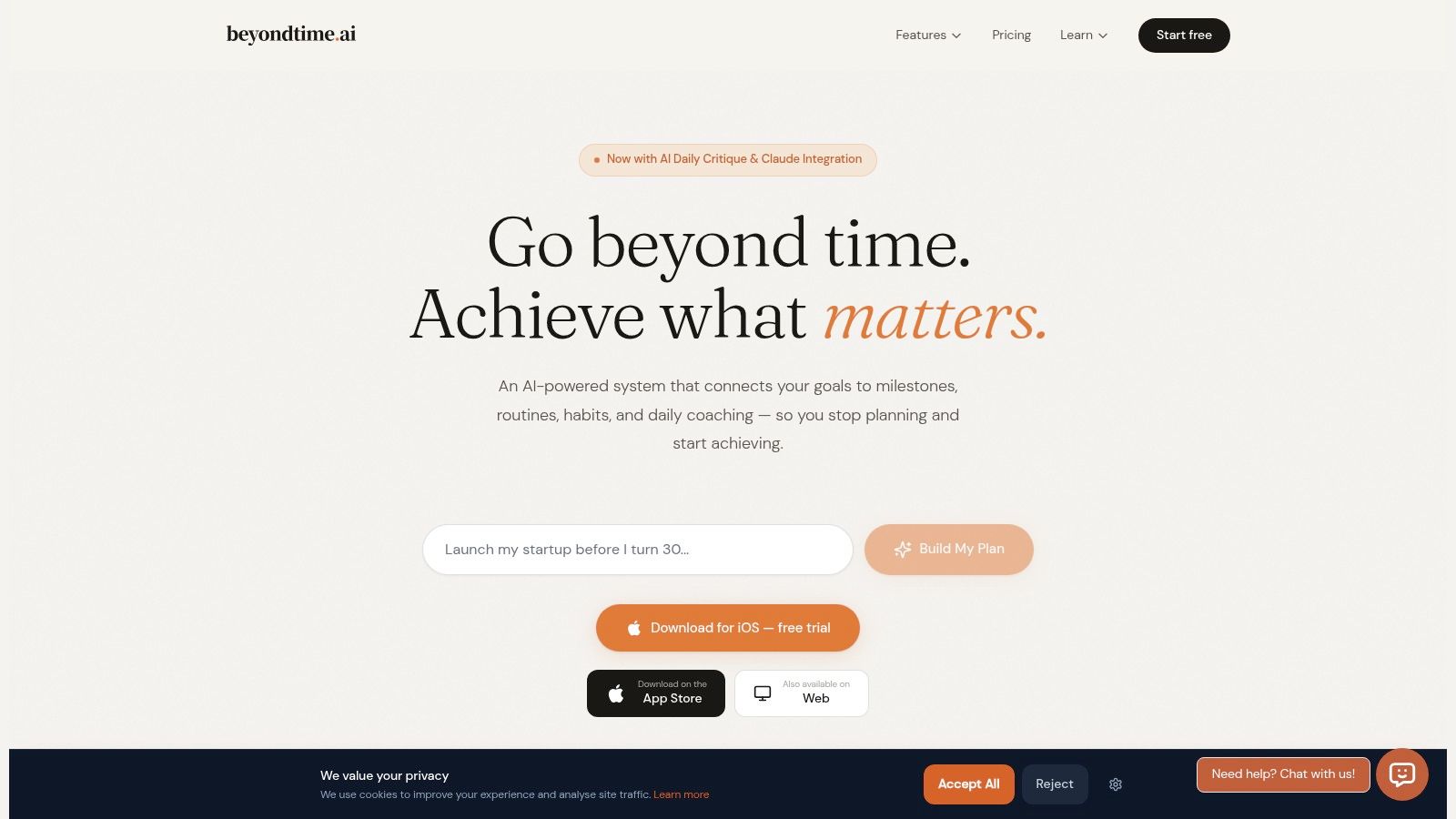
A system like Beyond Time is useful because it connects daily action with larger priorities. If you track time in short intervals, compare planned work with actual work, and review what kept pulling you away, patterns stop hiding. If you identify the single most important focus for the day, random urgencies have less power to hijack it.
Use tools to support attention not scatter it
The best productivity tool isn't the one with the most features. It's the one that lowers cognitive friction.
Look for support in a few places:
- Priority guidance: One clear target for the day reduces reactive switching.
- Time visibility: Short-interval tracking reveals where fragmentation happens.
- Habit links: Repeating routines around starting, pausing, and resuming work makes focus easier to sustain.
- Pattern review: Looking back at your strongest and weakest days helps you create better defaults.
This is also why routines matter. If your mornings always begin with the same short planning ritual, or your study sessions always start with the same setup, your brain spends less energy deciding how to begin. If you want ideas for that layer, this guide on how to create stress-reducing routines offers useful ways to make consistency feel lighter.
Context switching won't disappear from modern life. But it doesn't have to run your day. Once you understand what it is, you can stop treating lost focus like a character flaw and start treating it like a pattern you can redesign.
Tribble Software Private Limited built Beyond Time for people who want more than good intentions. If you want a practical system for turning goals into daily action, protecting your best attention, and spotting the patterns behind your most focused days, Beyond Time gives you a structured way to do it.
Put this into practice
Free tools that match this article.
Time Blocking Template
Map your day into focused time blocks with a free printable time blocking template.
Try Time BlockingTime ManagementWeekly Schedule Optimizer
Generate an optimized weekly schedule with AI-powered time blocking for maximum productivity.
Try Schedule OptimizerTime ManagementWeekly Schedule Template
Plan your week with a free printable weekly schedule template for goals, routines, and focus blocks.
Try Schedule TemplateAssessmentProductivity Score Calculator
Discover your productivity score and get personalized recommendations to improve.
Try Productivity ScoreKeep exploring this topic
Related Articles
How to Track Multiple Goals Without Getting Overwhelmed
Learn a proven system for managing multiple goals simultaneously without losing focus or burning out. Practical frameworks for tracking 3-5 goals at once.
Accountability Partner Guide: Achieve Goals Faster
Learn how to find, structure, and get the most from an accountability partner. Research shows accountability can boost goal achievement by up to 95%.
Work-Life Balance Goal Setting: A Framework That Actually Works
Learn how to set goals across work and life without sacrificing one for the other. A practical framework for balancing ambition with wellbeing.
Why New Year's Resolutions Fail (And Goal Setting That Works)
Discover why 80% of New Year's resolutions fail by February and learn a science-backed goal-setting system that creates lasting change all year round.
The Perfect Morning Routine: 2026 Template
Build a morning routine backed by research. Get a proven template with habits, time blocks, and actionable tips to start every day with energy and focus.
SMART vs OKR vs BHAG: Which Goal Setting Framework Works Best?
Compare SMART goals, OKRs, BHAGs, and 12-week goals side by side. Find the right goal setting framework for your situation with our honest breakdown.