Master Your Time Blocked Calendar: 2026 Productivity Guide
Learn to design a time blocked calendar that works. This 2026 guide covers templates, tracking planned-vs-actual, and troubleshooting. Take control of your day.
You open your laptop with a clear idea of what matters. Finish the proposal. Review hiring notes. Make progress on the product roadmap. Then the day slips. Slack pings. An unexpected meeting lands at noon. Email becomes a holding pattern. By late afternoon, you've worked all day and still feel behind.
That's the moment a time blocked calendar stops being a nice productivity trick and starts becoming a practical operating system. It gives your priorities a place to live before other people's priorities consume the day.
Many individuals don't fail at time blocking because they lack discipline. They fail because they treat the calendar as the finish line. It isn't. A useful system has three parts: plan the day, work the day, review the day. Without that third step, even a beautifully color-coded calendar turns into wishful thinking.
Table of Contents
- Beyond the To-Do List Why You Need a Time Blocked Calendar
- The Unbreakable Principles of Effective Time Blocking
- How to Design Your Ideal Time Blocked Week
- The Feedback Loop Planned vs Actual Tracking
- How to Troubleshoot Your Time Blocked Calendar
- Connecting Your Calendar to Your Ultimate Goals
Beyond the To-Do List Why You Need a Time Blocked Calendar
A to-do list makes work visible. It doesn't make work happen.
That's the gap most professionals feel. They capture tasks in Notion, Todoist, Asana, ClickUp, Apple Reminders, or a notebook, then assume clarity will create momentum. But tasks without time are still competing for attention. They stay abstract until the day forces a decision.
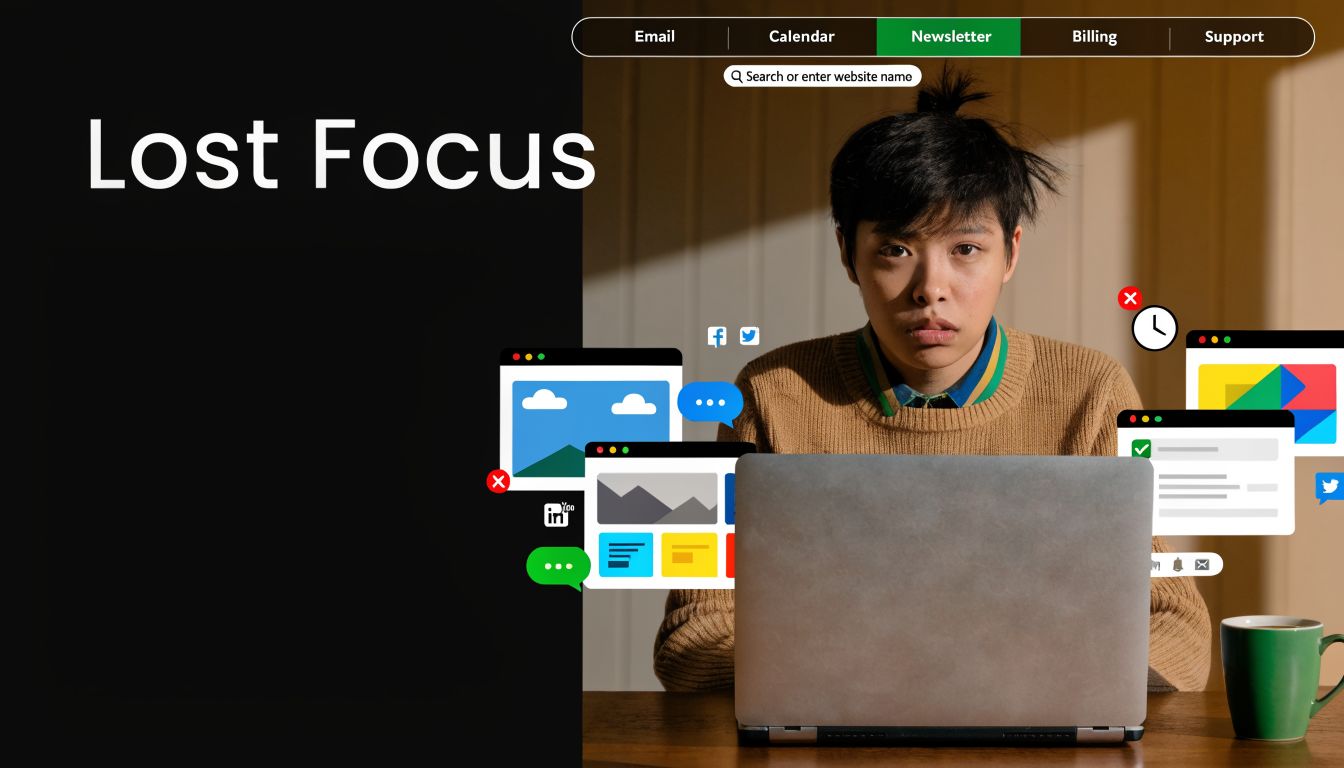
A time blocked calendar solves a different problem than a list. It asks, “When will this happen, and what won't happen during that time?” That shift matters. You stop treating your day like open inventory and start allocating a finite resource.
In real work, this looks ordinary. A product manager blocks ninety minutes for roadmap planning before team standup. A founder reserves a morning block for investor updates before calls begin. A student protects a library session for revision instead of hoping for spare time later. None of them become less busy. They become less available to drift.
The behavior has also become mainstream. In Owl Labs' 2024 State of Hybrid Work Report, 58% of US employees and 63% of UK employees said they proactively use calendar blocks to protect their time, showing how widely this method is now used to manage interruptions and competing demands in modern work (Owl Labs calendar blocking report).
Why lists create false confidence
Lists are useful capture tools, but they create a subtle illusion of progress. You feel organized because everything is written down. Then the day fills with meetings and quick replies, and the list becomes evidence of good intentions instead of completed work.
That's one reason so many teams feel overloaded by task systems themselves. If that pattern feels familiar, this breakdown of why task management exhausts your staff is worth reading. It explains why endless task visibility can increase mental drag when nobody decides what gets time.
A list is inventory. A calendar is commitment.
What changes when you block time
A strong calendar changes the sequence of decision-making:
- Before the day starts: You choose what deserves protected time.
- During the day: You follow a pre-made decision instead of renegotiating constantly.
- After the day: You learn where your plan matched reality and where it didn't.
That last piece is the difference between a planner and a system. Many individuals have tried blocking time. Far fewer have built the habit of reviewing what happened.
The Unbreakable Principles of Effective Time Blocking
People often copy someone else's calendar template and wonder why it fails by Wednesday. The template isn't the method. The method rests on a few principles that hold up across roles, tools, and schedules.
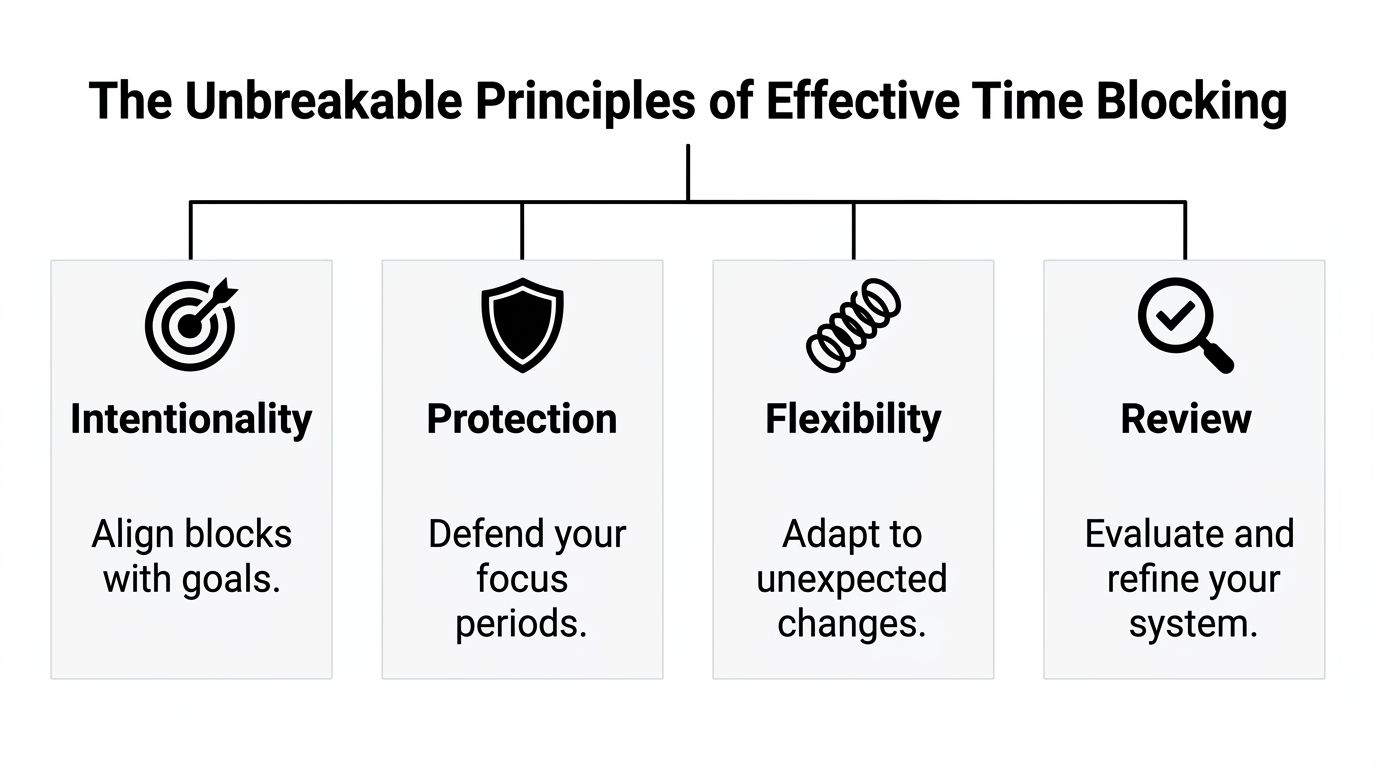
Intention beats reaction
Reactive work feels productive because it's immediate. Someone asks, you answer. An email arrives, you respond. A meeting appears, you attend. But if your day is driven entirely by incoming requests, your priorities only survive when they happen to be urgent.
A time blocked calendar flips that default. It places important work first, while you still have agency. That could be writing, analysis, studying, planning, or strategic thinking. The specific task changes by role. The principle doesn't.
Practical rule: Put your most cognitively demanding work in the calendar before you place low-value maintenance work like inbox checks.
Specific plans are easier to execute
There's strong behavioral support for this. A meta-analysis of 94 studies found that forming implementation intentions, meaning specifying when and where you'll act, produced a large improvement in goal achievement with an effect size of d = 0.65 (implementation intentions and time blocking).
This is why “work on strategy this week” rarely works, while “Thursday 9:00 to 10:30, desk, draft strategy memo” has a much better chance. Specificity reduces friction. You don't have to decide what to do in the moment because the decision already exists.
Deep and shallow work need different homes
Many calendars fail because they treat all work as equal. It isn't.
Deep work needs uninterrupted time, setup energy, and a clear output. Shallow work can tolerate fragmentation. Email, approvals, scheduling, expense review, admin follow-up, and status updates usually fit shorter windows.
A practical split looks like this:
- Deep work blocks: Writing, coding, analysis, studying, strategic planning
- Shallow work blocks: Email, messages, approvals, routine updates
- Collaborative blocks: Meetings, reviews, check-ins, calls
If you mix these carelessly, shallow work expands and deep work gets postponed.
Batching reduces friction
Switching between task types creates drag. Even if each task is small, the mental reset is not.
That's why batching works so well inside a time blocked calendar. Instead of answering email every time it appears, you create a communication block. Instead of scattering admin across the day, you cluster it. Instead of taking ad hoc meetings whenever others ask, you group them into predictable windows.
A simple example:
| Work style | What the day feels like | What usually happens |
|---|---|---|
| Unbatched | Constant switching | Progress feels scattered |
| Batched | Clear modes of work | Focus lasts longer |
| Time blocked and batched | Priority-first schedule | Important work gets protected |
A perfect calendar is rarely necessary. Instead, individuals require a schedule that respects the reality that focus, admin, and collaboration are different kinds of labor.
How to Design Your Ideal Time Blocked Week
A workable week starts with constraints, not ambition. If you begin by stuffing every hour with ideal behavior, your calendar will look impressive and collapse on contact with real life.
Start with anchors, not aspirations
Build your week in two passes.
First, place your fixed commitments. Sleep, commute, classes, caregiving, recurring meetings, workouts, school pickup, lunch with a client, team standups, therapy, travel time. These are the anchors. They exist whether you plan well or not.
Second, place your most important work around those anchors. That order matters because it respects reality.
A high-performance calendar also needs slack. One practical rule is to avoid more than 80% occupancy and reserve the remaining 20% as explicit buffer time. That buffer protects against overruns and the planning fallacy, which is the common tendency to underestimate how long work will take (calendar occupancy and buffer guidance).
Build block themes you can repeat
Most professionals don't need a unique calendar every day. They need repeatable categories they can trust.
Use a few block themes and color-code them in Google Calendar, Outlook, Fantastical, or Sunsama if that helps you read your week faster. Typical themes include:
- Deep Work for writing, coding, analysis, design, study
- Admin and Email for low-friction maintenance tasks
- Meetings for calls, reviews, standups, one-to-ones
- Reactive Work for follow-ups, approvals, issue handling
- Personal for exercise, lunch, appointments, family logistics
Keep the labels simple. If every block has a clever title, the system becomes harder to scan.
Make each block concrete
A block like “project work” is too vague. A better block includes four things:
- Task name
- Start and end time
- Expected output
- Recovery rule if missed
Example:
- Product spec draft
- 9:00 to 10:30
- Finish first draft of onboarding section
- If interrupted, move to 3:00 reactive buffer or tomorrow morning deep block
That recovery rule prevents the common spiral where one missed block ruins the whole day.
If a task slips, re-block the day. Don't abandon the system.
Sample Weekly Time Blocked Calendar Template
A simple template is often enough to get started. You can adapt this structure in any calendar app, spreadsheet, or paper planner. If you want help arranging your recurring blocks, a weekly schedule optimizer can help you test layouts before you commit them to your calendar.
| Time | Monday | Tuesday | Wednesday | Thursday | Friday |
|---|---|---|---|---|---|
| 8:00-9:00 | Weekly planning | Deep work | Deep work | Deep work | Weekly review |
| 9:00-11:00 | Deep work | Deep work | Meetings | Deep work | Deep work |
| 11:00-12:00 | Admin and email | Meetings | Admin and email | Meetings | Admin and email |
| 12:00-1:00 | Lunch | Lunch | Lunch | Lunch | Lunch |
| 1:00-3:00 | Meetings | Project work | Deep work | Project work | Wrap-up work |
| 3:00-4:00 | Buffer | Reactive work | Buffer | Reactive work | Buffer |
| 4:00-5:00 | Email and follow-up | Admin | Email and follow-up | Admin | Next week prep |
What a balanced week looks like
A good week has visible shape. Deep work appears before meetings swallow the day. Admin gets contained instead of leaking everywhere. Buffer time is real, not imaginary. You can still move blocks around, but the default week already reflects your priorities.
If your calendar looks full from open to close, it isn't optimized. It's fragile.
The Feedback Loop Planned vs Actual Tracking
The most common mistake in time blocking is assuming the plan is the product. It isn't. The product is better execution over time.
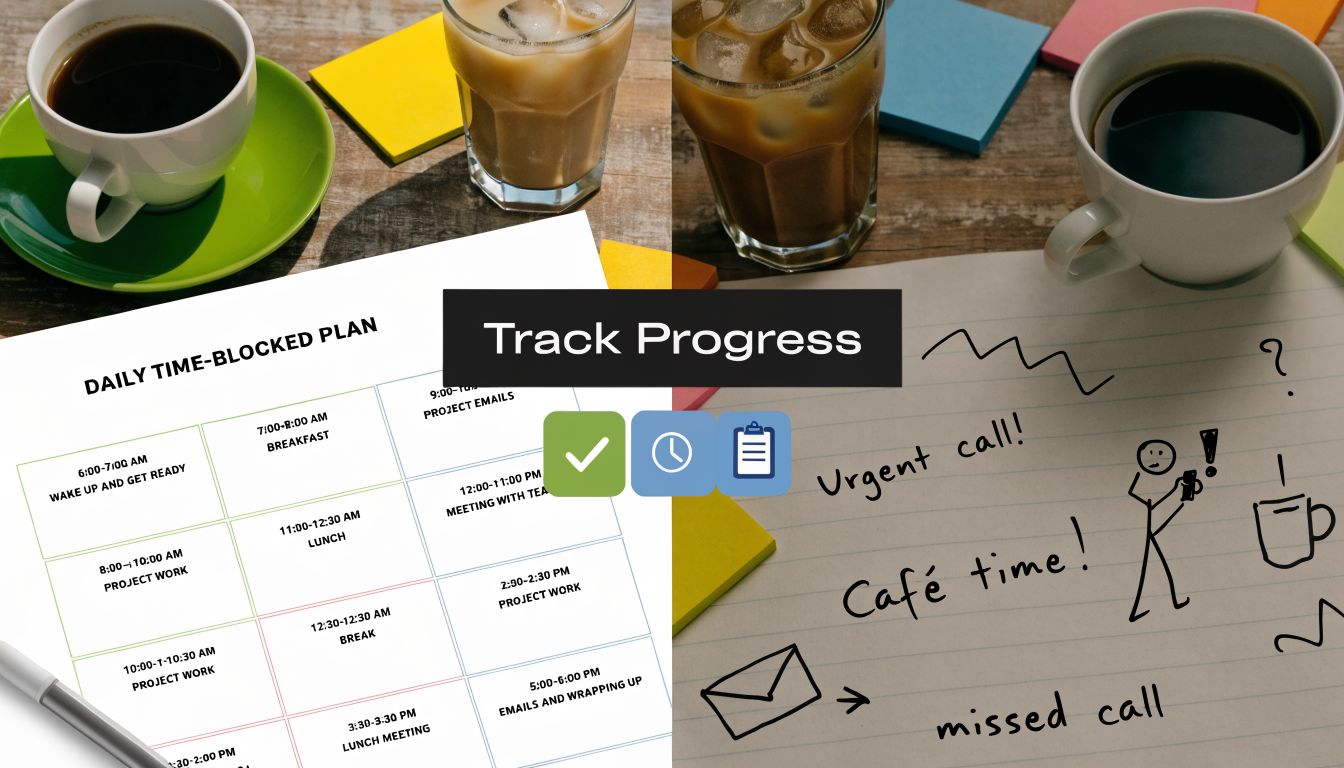
A calendar can look disciplined and still tell you very little. Did the task happen? Did it take longer? Did interruptions blow it up? Did you choose the wrong time of day? Without review, you only know what you hoped would happen.
Why the calendar alone breaks down
One critical failure point is separating tasks from time. As Kelly Nolan puts it, “Wide-open day in your calendar looks completely wide open because you haven't made all of those invisible to-dos visual in your calendar” (task-to-time linkage in time blocking).
That problem shows up constantly in practice. Someone creates a focus block from 9:00 to 11:00, but the actual task list for that block lives elsewhere in Notion or on paper. When 9:00 arrives, they spend the first twenty minutes deciding what to do, then drift into email, then call the block a failure.
The fix is not more optimism. The fix is linking each block to a specific task and reviewing whether it happened as planned.
A simple planned vs actual method
Use short check-ins through the day. You don't need elaborate analytics. A lightweight log is enough.
Track each important block with three lines:
- Planned: What you said you'd do
- Actual: What you really did
- Reason: Why there was a gap
That's it. If you want a stronger system for this review habit, it helps to compare your calendar plan with a planned vs actual time tracking approach rather than relying on calendar memory.
Here's what the log might reveal after a week:
| Block | Planned | Actual | Useful insight |
|---|---|---|---|
| Deep work | Draft proposal | Spent half the block answering messages | Start with notifications off |
| Admin | Clear inbox | Cleared inbox and booked meetings | Admin block length was realistic |
| Strategy | Quarterly planning | Moved due to urgent client issue | Needs a protected backup slot |
Review for patterns, not self-criticism.
The point is calibration. You learn how long tasks really take. You notice which time of day supports focused work. You identify recurring interruptions. You stop blaming yourself for “bad discipline” when the issue is often bad design.
A short video can help if you want to see this mindset in action:
After enough daily reviews, your calendar stops being fantasy. It becomes evidence-based. That's when time blocking starts to feel less like effort and more like control.
How to Troubleshoot Your Time Blocked Calendar
Even a strong system hits friction. The question isn't whether your calendar will break. It's how quickly you can diagnose why.

When interruptions are part of the job
Founders, managers, operators, recruiters, and customer-facing leads often assume time blocking won't work for them because the day is reactive by design. The mistake is trying to use an engineer's calendar for a reactive role.
For interruption-heavy work, don't fill the day with fragile focus blocks. Use a mix of protected focus windows and reactive blocks. Also, make focus blocks visible as Busy. For roles where interruptions are expected, marking focus blocks as Free is ineffective because they get overbooked. A better approach is to make them visible as Busy and use movable blocks for reactive work, while watching that you don't reschedule so often that the system loses shape (reactive roles and movable blocks).
A practical setup:
- Morning focus window: One protected block before meetings begin
- Reactive block: Time reserved for approvals, customer issues, urgent follow-up
- Office hours: A clear time when people know they can reach you
- Movable block: A catch-up window you can slide if the day changes
When your estimates keep failing
If every task takes longer than planned, stop guessing and start observing. Planned vs actual review will usually show one of three issues: the task was bigger than you thought, you forgot setup time, or you scheduled focused work in a low-focus period.
Try these corrections:
- Shrink the target: Don't block “finish report.” Block “draft section one.”
- Include overhead: Add time for setup, transitions, and follow-up.
- Use your own evidence: If writing always runs long, make future writing blocks longer.
When the calendar feels too rigid
A time blocked calendar should guide decisions, not trap you. If you feel caged, the problem is often over-specification.
Loosen the structure by using theme blocks instead of minute-level precision for everything. “Admin 3:00 to 4:00” is often enough. You don't need separate entries for every small task unless your day is unusually complex.
The calendar should reduce stress. If it increases stress, simplify the granularity.
When coworkers keep booking over focus time
This is partly a tool issue and partly a norms issue.
In Google Calendar or Outlook, make focus blocks visible, name them clearly, and avoid vague labels like “work time.” People respect what they can understand. “Client proposal draft” or “Quarterly planning” signals real work more effectively than a blank private block.
It also helps to create predictable meeting windows. If your team learns that you usually take meetings in the afternoon, they stop probing every open morning slot. Boundaries become easier to defend when they're consistent.
Connecting Your Calendar to Your Ultimate Goals
A calendar by itself can make you efficient at the wrong things. That's why the best time blocked calendar isn't built from tasks alone. It's built from goals.
If your quarter has one major objective, your week should show visible evidence of it. If you're trying to publish research, ship a product feature, finish a certification, improve your health, or pass an exam, the calendar needs recurring blocks tied to that outcome. Otherwise urgent noise wins by default.
Translate goals into scheduled work
The chain should look like this:
| Level | Example |
|---|---|
| Goal | Launch new onboarding flow |
| Milestone | Finish user research summary |
| Task | Draft findings memo |
| Calendar block | Tuesday 9:00 to 10:30 findings memo draft |
That linkage matters because it keeps daily effort connected to meaningful progress. A random busy day can feel productive. Goal-linked blocks are easier to evaluate. Either the milestone moved or it didn't.
Review upward, not just downward
Many professionals review downward. They ask, “Did I finish my blocks?” A stronger question is, “Did my blocks move the bigger objective?”
That's where weekly review becomes powerful. Look at your calendar and ask:
- Which blocks created real progress on a major goal?
- Which blocks were maintenance work that had to happen?
- Which repeating blocks should stay, move, or disappear?
When your calendar reflects your priorities at both the daily and quarterly level, planning gets simpler. You don't need constant motivation because the next important step is already scheduled. If you want a more structured way to connect outcomes, milestones, and daily execution, a goal setup guide can help you define that chain clearly.
A good calendar doesn't just help you get through the week. It helps you become the kind of person who finishes what matters.
Keep going with Beyond Time
Beyond Time connects your time blocks to the goals and routines that make them matter.
- Goal Prioritization Matrix — Decide which goals deserve a protected block this week.
- Beyond Time vs Google Calendar — Understand the difference between scheduling and goal execution.
- Sunday Reset: Weekly Time Review — Close the feedback loop from planned to actual every week.
- Beyond Time vs Notion Calendar — See which calendar approach keeps goals inside the plan.
Tribble Software Private Limited builds Beyond Time, an AI-powered goal achievement system that connects objectives, milestones, routines, and planned-vs-actual tracking into one loop. If you want your time blocked calendar to do more than hold appointments, Beyond Time gives you a way to connect daily execution to long-term results without juggling separate tools for goals, habits, and accountability.
Put this into practice
Free tools that match this article.
Time Blocking Template
Map your day into focused time blocks with a free printable time blocking template.
Try Time BlockingTime ManagementWeekly Schedule Optimizer
Generate an optimized weekly schedule with AI-powered time blocking for maximum productivity.
Try Schedule OptimizerTime ManagementWeekly Schedule Template
Plan your week with a free printable weekly schedule template for goals, routines, and focus blocks.
Try Schedule TemplateFocusFocus Session Planner
Create AI-optimized focus sessions with structured work blocks and refreshing breaks.
Try Focus PlannerKeep exploring this topic
Time blocking guide
Turn priorities into protected calendar blocks.
15-minute time blocks
Plan and review your day with more realistic precision.
Goal setting guide
Start with the fundamentals of setting goals that turn into action.
Goal frameworks compared
Choose between SMART goals, OKRs, BHAGs, and 12-week goals.
Related Articles
How to Be Efficient and Productive: A 2026 System
Stop being busy and start being efficient and productive. Learn a practical, AI-enhanced system to set goals, track progress, and build unstoppable momentum.
Regain Focus and Clarity: A System for High Achievers
Stop feeling busy and start being effective. Learn a practical, evidence-backed system to build sustained focus and clarity for meaningful, measurable results.

A Goal Planning Template That Actually Works: OKR Method
Stop just setting goals. Use our OKR-based goal planning template to turn big ambitions into a daily action plan. Includes a free downloadable template.
AI Accountability Partner: Smarter Goal Setting
Tired of missed goals? An AI accountability partner provides the structure & feedback you need. Explore benefits, workflows, and tools.

The Force of Habit: Master Your Autopilot for Success
Learn what the force of habit is and how to use its power. This guide explains the neuroscience and gives you evidence-based strategies to build good habits.

Weekly Goal Tracker: How to Plan and Achieve Your Goals
Design a weekly goal tracker that works. This guide shows you how to connect big objectives to daily tasks, build a tracker, and use AI to stay on course.