10 Best Goal Setting Apps for 2026: A Full Review
Find the best goal setting apps for 2026. Our guide compares 10 top tools for OKRs, habits, and AI-powered planning to help you finally achieve your goals.
You've probably done this before. You pick a big goal, download an app, set up a few categories, maybe log a good first week, then the system starts feeling heavier than the goal itself. The reminders get ignored, the dashboard stops meaning anything, and the app becomes one more thing to maintain.
That's why most advice on goal setting apps misses the core question. It isn't “which app has the most features?” It's “what kind of goal are you trying to run?” Personal habit change, milestone-based achievement, and team OKR alignment are different jobs. When people use a streak app for quarterly planning, or an enterprise OKR tool for personal growth, the system usually falls apart.
That mismatch matters because this category is no longer niche. The global personal goal setting app market was valued at about USD 1.6 billion in 2024 and is projected to reach USD 4.2 billion by 2033, with an 11.3% CAGR from 2025 to 2033, according to DataHorizzon Research on the personal goal setting app market. More people are using these tools for self-management, digital wellness, and structured progress, not just to-do lists.
I've found that the best way to compare these apps is to split them into two buckets. First, Personal Achievement apps for habits, routines, and individual goals. Second, Team & Business OKR tools for alignment, reporting, and execution across a company. If you want the strategy behind choosing any of them, start with these goal setting best practices.
Table of Contents
- 1. Beyond Time
- 2. Strides
- 3. Streaks
- 4. Habitica
- 5. Coach.me
- 6. GoalsOnTrack
- 7. Tability
- 8. Perdoo
- 9. Weekdone
- 10. Microsoft Viva Goals
- Top 10 Goal-Setting Apps Comparison
- Final Thoughts
1. Beyond Time
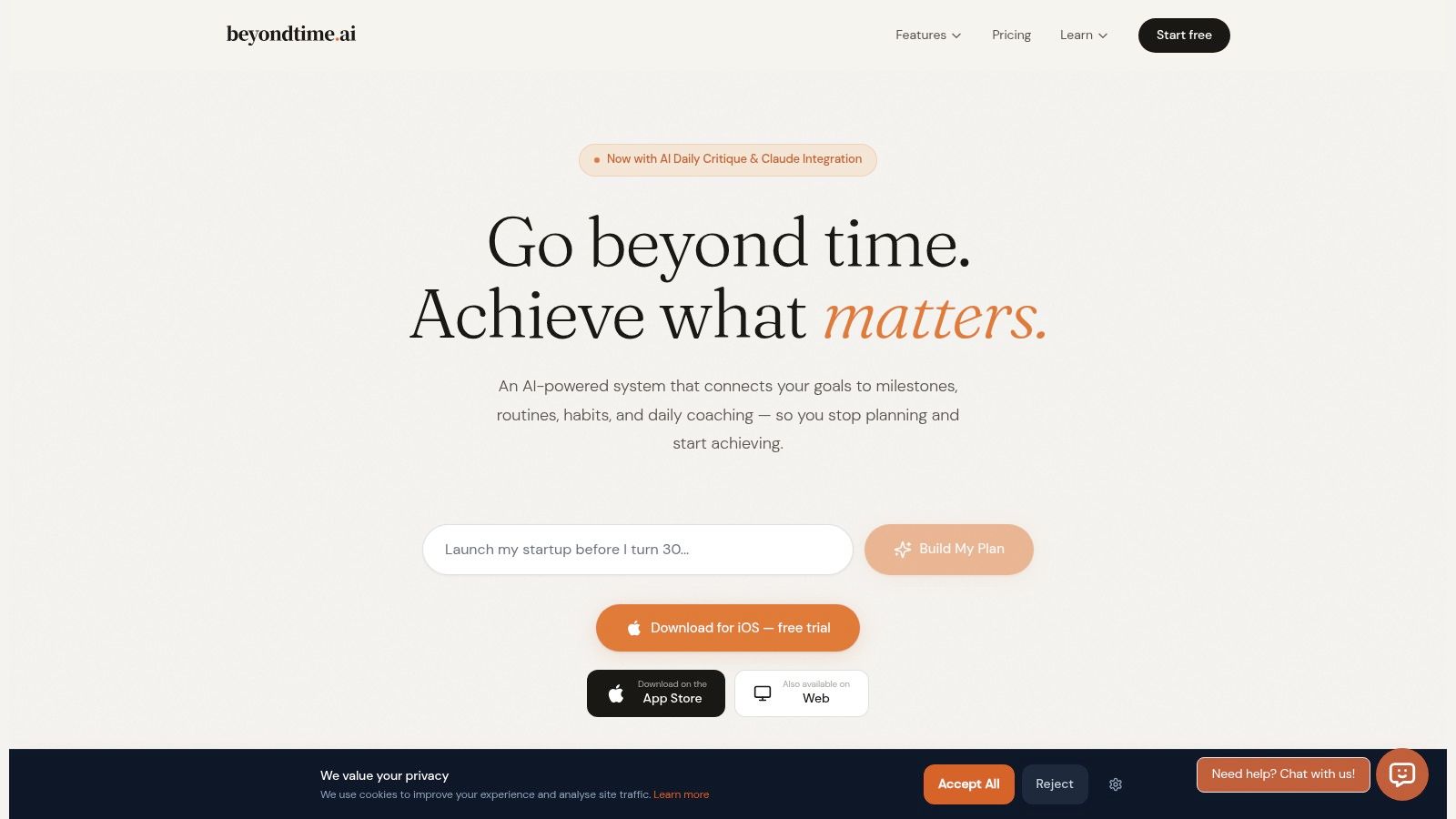
You set a serious goal on Sunday night, feel clear about it, then lose the thread by Tuesday morning because the app never translated that goal into today's work. That gap matters. Beyond Time is built for people who do not need another place to store ambitions. They need a system that turns goals into scheduled action.
Among the personal achievement apps in this list, Beyond Time stands out because it connects goals, milestones, habits, routines, time tracking, and AI guidance in one workflow. The value is not just planning. The value is execution pressure that shows up inside your day.
Why it stands out
The app uses an OKR-style structure, but it is adapted for individual use rather than team reporting. You set an outcome, break it into milestones, assign deadlines, and connect recurring habits or routines to the work that supports it. That structure reduces a common failure point. A goal feels motivating at the top level, but it often falls apart when the next concrete step is unclear.
I like the emphasis on planned versus actual time because it exposes friction fast. A lot of personal goal apps assume your calendar and your intentions already match. In practice, they usually do not. Beyond Time makes that mismatch visible, which is why it fits readers comparing habit trackers with more execution-focused progress tracking software.
The iOS app is the strongest part of the product. It offers 15-minute time tracking, day-level reviews, and an AI critique that pushes you to choose the task with the highest payoff. After testing a lot of goal apps, that daily narrowing effect is one of the few features that changes behavior.
Practical rule: If an app cannot help you decide what matters this morning, it is closer to a storage tool than an execution tool.
There is also a free web app for managing goals and milestones, plus integrations that connect directly with AI assistants such as Claude, ChatGPT, Cursor, and Windsurf through MCP-compatible workflows. That matters for people who already plan and review work inside those tools.
Who should use it
Beyond Time fits founders, solo operators, students, and professionals who want one personal system instead of separate apps for planning, habit tracking, and accountability. It is a personal achievement tool first, not a team OKR platform. That distinction matters in this article because the second half of the list shifts toward business use cases, where alignment and reporting usually matter more than individual follow-through.
An NIH-backed study of large-scale goal-tracking behavior found that early actions after creating a goal were strongly associated with later success, according to the NIH-backed study on early goal-tracking behavior. That supports Beyond Time's focus on the first few days of execution, where consistency usually breaks or takes hold.
Here is the practical trade-off:
- Best fit: People who want goals, milestones, routines, and accountability in one personal system.
- Big advantage: Planned-versus-actual tracking shows where good intentions fail in real life.
- Trade-off: The iOS app is the full experience. The web app is useful, but lighter.
- Another trade-off: Public-facing proof is limited, so this is a tool to evaluate by workflow fit, not brand familiarity.
If your main problem is setting goals you never operationalize, Beyond Time is one of the more interesting personal options in this list.
2. Strides
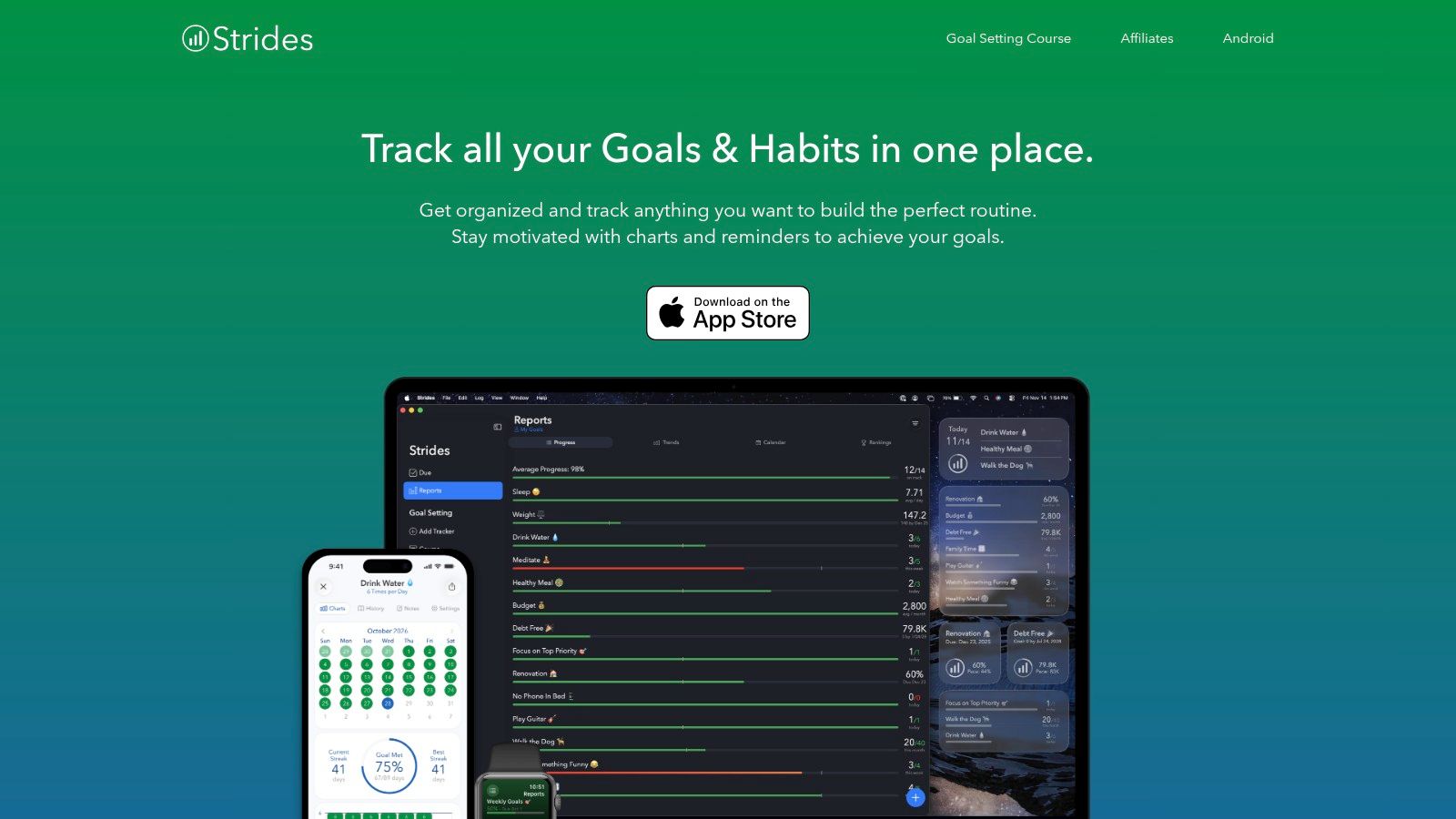
Strides is one of the best personal goal setting apps for people who want flexibility without a lot of visual clutter. It gives you multiple tracker types, which matters more than it sounds. A habit, a target, an average, and a project aren't the same thing, and Strides treats them differently.
That makes it a strong fit for someone managing a mix of goals, like reading every day, saving toward a number, improving a metric, and finishing a multi-step project. Many apps force all of that into one format. Strides doesn't.
Best for flexible personal tracking
The charts are the main reason people stick with Strides. You can see streaks, trend lines, and projections without digging around. If you care about measurable progress and like spotting drift early, the app proves its worth.
I also like it for Apple users who want health and habit data to meet in one place. Apple Health integration reduces manual logging, and that reduction matters. One independent review argues that apps combining goal setting, self-monitoring, and feedback outperform single-feature tools, while logging friction strongly affects whether people keep using the app, according to Goals and Progress's review of goal-setting apps.
A few practical notes:
- Strong point: The four tracker types make it more adaptable than many habit-first apps.
- Best user: Someone in the Apple ecosystem who wants progress visualization, not team collaboration.
- Limitation: No Android version, so mixed-device users usually hit a wall.
- Upgrade issue: The free version is enough to test, but serious use usually pushes you toward the paid tier.
If your main need is seeing progress clearly, Strides is excellent. If you need richer milestone logic or execution guidance, I'd pair that instinct with ideas from this guide to progress tracking software, then decide whether visualization alone is enough for your goals.
You can try it at Strides.
3. Streaks
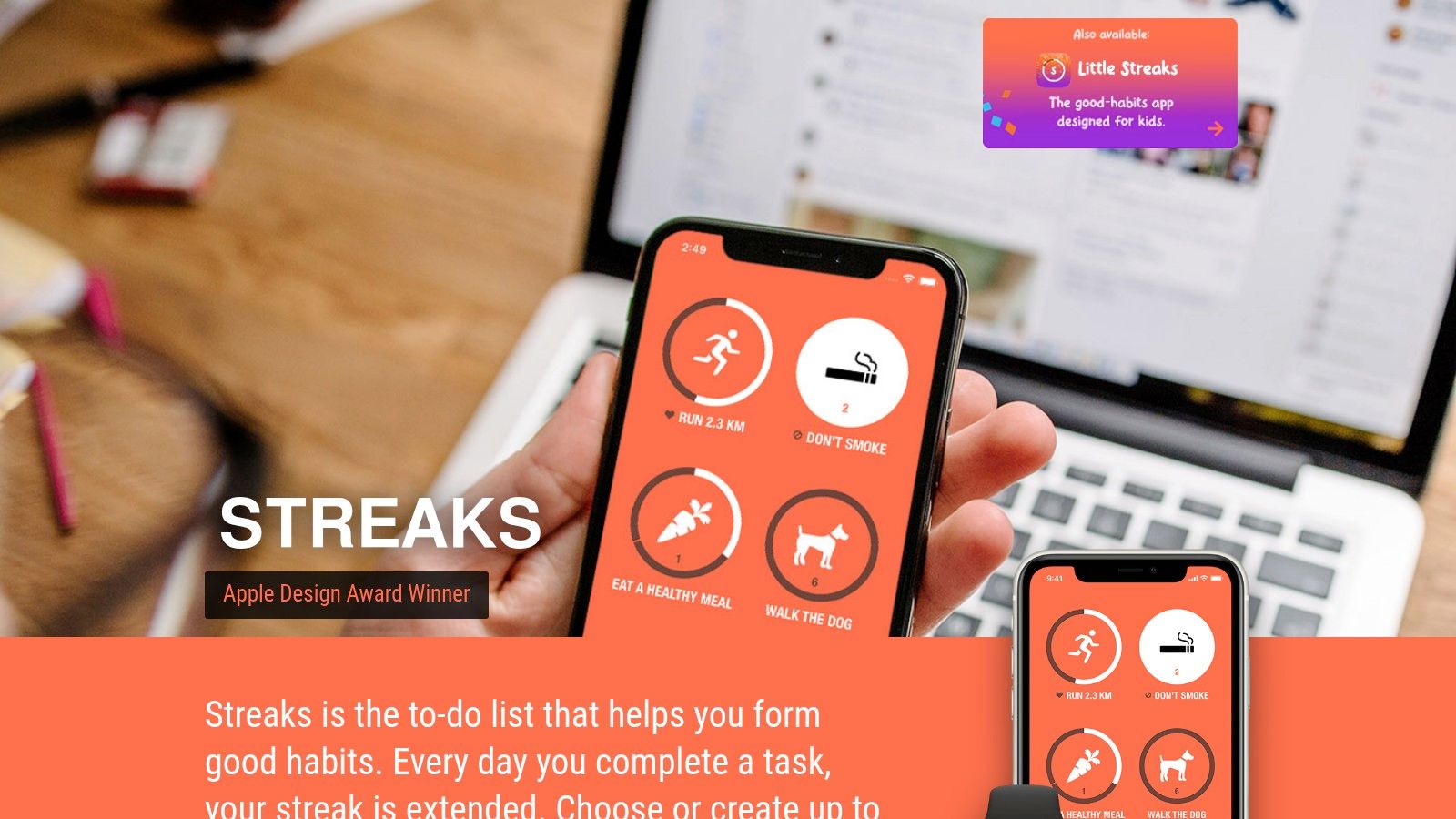
Streaks is the app I'd recommend to someone who says, “I don't want a system. I just want to stay consistent.” It's habit tracking stripped down to the part that gets used.
The app is polished, fast, and easy to keep open as a daily companion. That sounds basic, but in habit apps, speed matters. If logging feels like admin work, people stop logging.
Best for simple habit consistency
Streaks centers everything around repetition and completion. You can track habits with flexible schedules, including goals that happen several times per week instead of every day. That alone makes it more realistic than many streak-based apps.
Apple Health automation also helps a lot here. If a habit can be recorded automatically, the app becomes less of a chore and more of a scoreboard. That's especially useful for fitness and wellness routines.
The best habit app is often the one that asks you for the fewest taps after a long day.
The one-time purchase is another plus. If you hate subscriptions for narrow tools, Streaks is refreshing.
Still, there are clear boundaries:
- What it does well: Daily consistency, habit loops, and low-friction check-ins.
- What it doesn't do: Goal planning, milestone sequencing, OKRs, or collaboration.
- Who should skip it: Anyone trying to manage long-term projects, layered goals, or team alignment.
Streaks has also earned recognition through Apple's ecosystem, which matches the app's design quality. If you're on iPhone, Apple Watch, iPad, or Mac and want habit tracking that gets out of the way, it's one of the cleanest options available.
See it at Streaks.
4. Habitica
Habitica turns your habits and tasks into a role-playing game. For the right person, that sounds motivating. For the wrong person, it sounds exhausting. That split reaction is exactly why it's worth talking about.
I've seen people bounce off Habitica in a day, and I've seen people keep using it because it makes boring routines feel alive. The app doesn't hide what it is. It's playful, social, and game-heavy.
Best for motivation through play
You build habits, dailies, and to-dos, then earn rewards through character progression, quests, and in-app systems. Parties and guilds create social accountability, which can be useful if solo tracking never sticks for you.
Habitica distinguishes itself from minimalist goal setting apps. It doesn't assume you're motivated by charts or clean dashboards. It assumes you need tension, reward, and a sense of shared progress.
That design works best when motivation is your bottleneck, not planning. If you already know what to do but struggle to keep showing up, Habitica can help. If your bigger issue is defining the goal clearly, the game layer won't solve that.
- Best fit: Users who like gamification, community, and visible rewards.
- Good surprise: The core app is usable for free, so it's easy to test without much commitment.
- Main drawback: The interface and mechanics can feel noisy if you prefer calm tools.
- Another drawback: It's not a serious OKR or milestone planning system.
A widely cited secondary source reports that using goal-setting apps can increase the likelihood of achieving goals by 42%, according to On Campus Nation's summary of goal-setting tools. Habitica is a good example of why that can happen. Structure plus engagement can beat raw intention, especially when the app gives you reasons to return.
You can check it out at Habitica.
5. Coach.me
Coach.me is what I suggest when someone says, “I know what to do. I just don't do it unless someone's watching.” That's not a weakness. It's a design preference. Some people respond better to human accountability than to reminders, stats, or gamification.
The free habit tracker is straightforward. The key differentiator is the coaching marketplace layered on top.
Best for human accountability
You can track habits for free, join a supportive community, and then add one-on-one coaching if self-management isn't enough. That creates a useful ladder. You don't have to commit to coaching upfront, but the option is there when you hit resistance.
This structure makes Coach.me more flexible than apps that are only tracking tools. If your goals keep stalling because you need outside pressure, this can be a better bet than switching to another dashboard.
There are trade-offs, though:
- Why people choose it: Real humans can provide accountability, feedback, and perspective.
- Where it gets messy: Coaching prices vary by coach, so comparison takes effort.
- What it doesn't replace: Full project planning, time tracking, and deep milestone systems.
- Who it suits best: Users with a specific behavior gap, not teams managing company-wide goals.
Some people don't need a better app. They need a person who notices when they disappear for a week.
Coach.me is available across web, iOS, and Android, which helps if you want cross-platform access without committing to one ecosystem. It isn't the most advanced goal architecture tool in this list, but that's not really its job. Its job is accountability.
You can browse it at Coach.me.
6. GoalsOnTrack
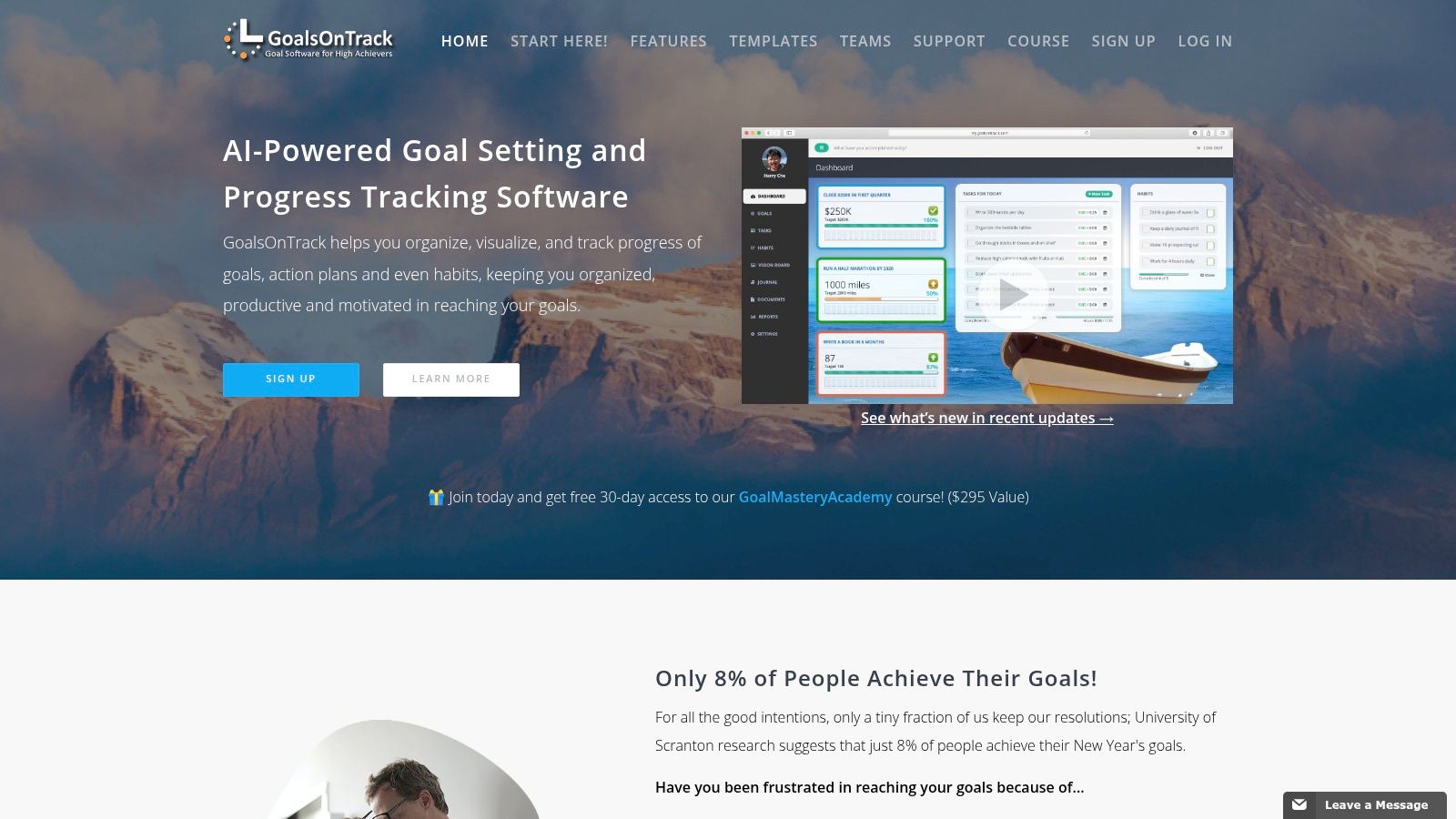
GoalsOnTrack feels older than some of the newer apps here, but that's not always a bad thing. It has a clear philosophy, and it sticks to it. If you like SMART goals, structured planning, sub-goals, recurring tasks, journaling, and reflection, it covers a lot in one place.
I wouldn't call it sleek. I would call it methodical.
Best for structured SMART planning
The app gives you hierarchical goals, milestones, habits, a vision board, and goal journaling. That combination works well for professionals who want a serious planning environment without game mechanics or social fluff.
This is the kind of tool that rewards deliberate setup. If you spend time defining the goal, breaking it down, and checking in consistently, GoalsOnTrack can hold the structure well. If you want something quick and highly automated, it may feel manual.
That's the core trade-off:
- Strong point: It supports planning, tracking, and reflection in one system.
- Good use case: Career goals, personal development plans, academic targets, and longer projects.
- Weak point: The interface feels utilitarian compared with newer mobile-first tools.
- Another weak point: It's primarily a web experience, not a polished native-first mobile product.
If you're still deciding between SMART goals, habits, and OKRs, it helps to compare models before picking software. This breakdown of goal setting frameworks is useful because the wrong framework will make the right app feel wrong.
You can explore GoalsOnTrack at GoalsOnTrack.
7. Tability
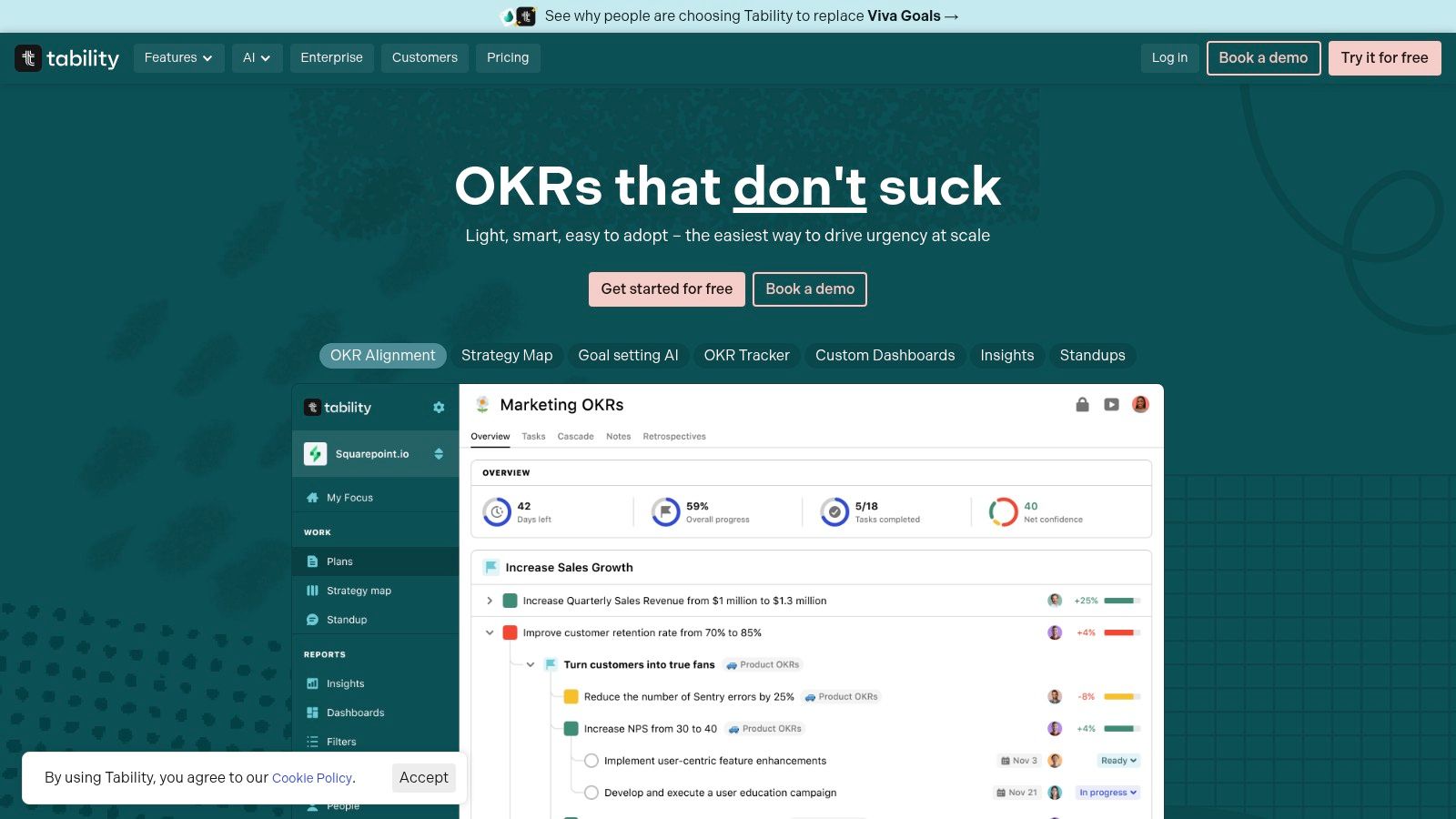
Tability is one of the few team tools here that doesn't make OKRs feel ceremonial. That's its biggest advantage. A lot of OKR software looks great in a quarterly planning meeting, then turns into a ghost town by week three. Tability is lighter, and that usually helps adoption.
It's a good fit for startups and smaller teams that want alignment without building a whole management ritual around the software.
Best for lightweight team OKRs
The product emphasizes weekly check-ins, outcome-focused reporting, and AI-assisted goal drafting. That makes it easier to move from “we should set OKRs” to actual usage. When teams fail with OKRs, the failure often happens in the weekly rhythm, not the quarterly kickoff.
Tability also integrates with tools teams already use, including Slack, Teams, Jira, and Linear. Read-only seats are a nice touch for executives, advisors, or investors who need visibility without contributing updates.
A few practical trade-offs stand out:
- Best fit: Startups and SMBs that want a clean OKR operating layer.
- What it skips: Full project management. You'll still need separate execution tools.
- Why it works: Weekly check-ins keep objectives active instead of symbolic.
- What to watch: Per-user pricing can become a factor as active contributor count grows.
If your team needs a simple OKR cadence more than a broad work management suite, Tability is easy to like. Teams comparing similar platforms should also look at what matters in OKR tracking software, because reporting style and update cadence matter more than flashy dashboards.
You can test it at Tability.
8. Perdoo
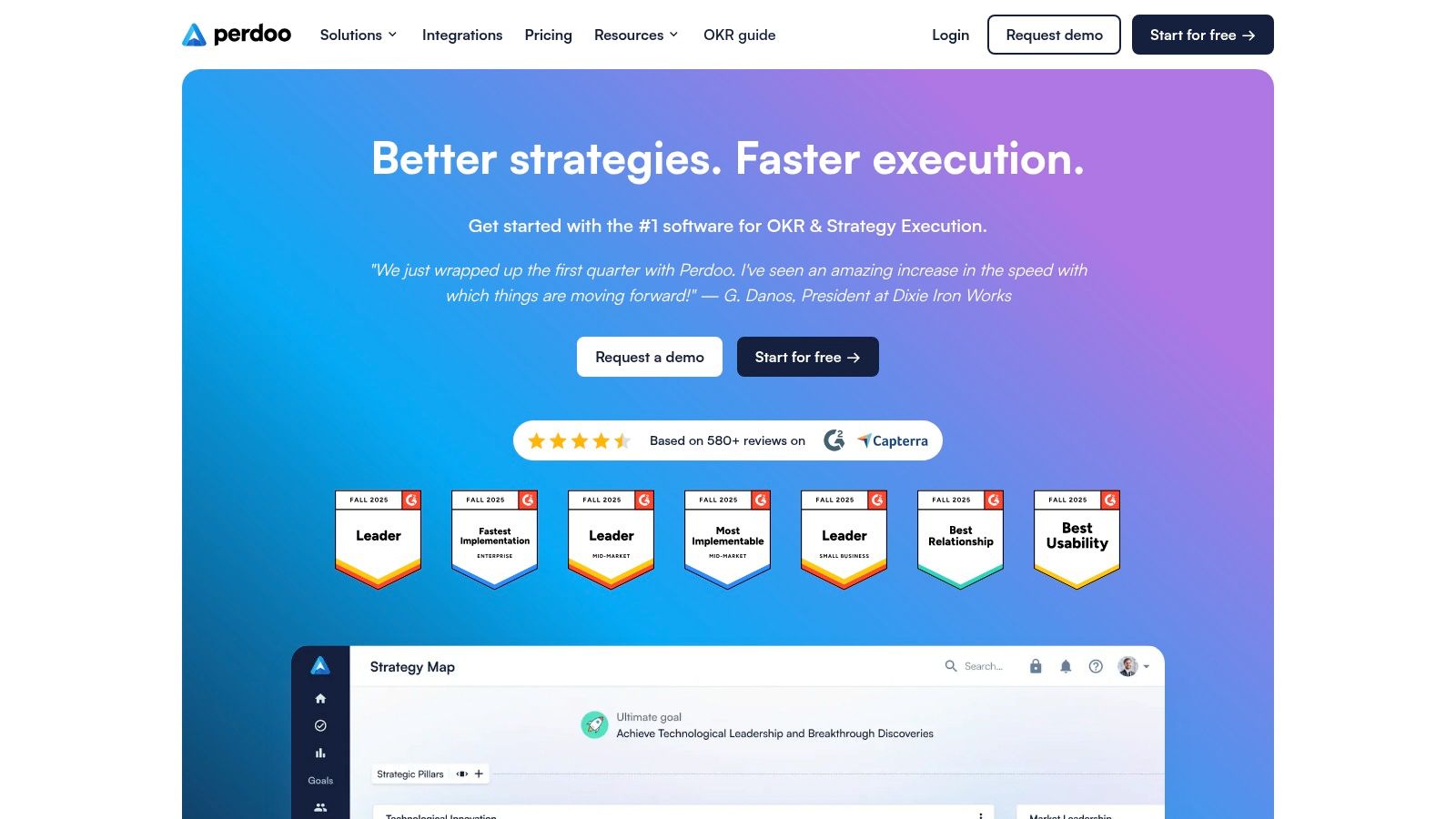
Perdoo sits in a slightly different category from pure OKR tools. It tries to connect strategy, OKRs, KPIs, and performance management in one system. That broader scope makes it more appealing to organizations that want alignment across strategy and measurement, not just quarterly goal tracking.
This isn't the tool I'd pick for a solo user or a tiny team just getting started. It's better when the company already knows it needs more structure.
Best for strategy plus KPIs
One thing Perdoo does well is show how goals relate to wider business direction. Strategy Maps and alignment views help leaders connect objectives to company priorities in a way that many simpler OKR tools don't.
That added structure is useful, but it comes with the usual trade-off. The more complex the system, the more discipline the organization needs to maintain it. Teams that want “set it and forget it” won't get much value.
Here's where I'd place it:
- Strong fit: Organizations formalizing strategic execution and KPI visibility.
- Helpful feature set: OKRs, KPIs, alignment views, and strategy mapping in one place.
- Nice on-ramp: A free plan exists for smaller teams.
- Scaling concern: Per-user costs matter more as headcount grows and needs become more complex.
Perdoo also appeals to companies that care about governance and a more enterprise-ready setup, but it still feels approachable enough for growing teams. If you want OKRs to live next to KPIs instead of in a separate reporting universe, Perdoo is worth a close look.
You can find it at Perdoo.
9. Weekdone
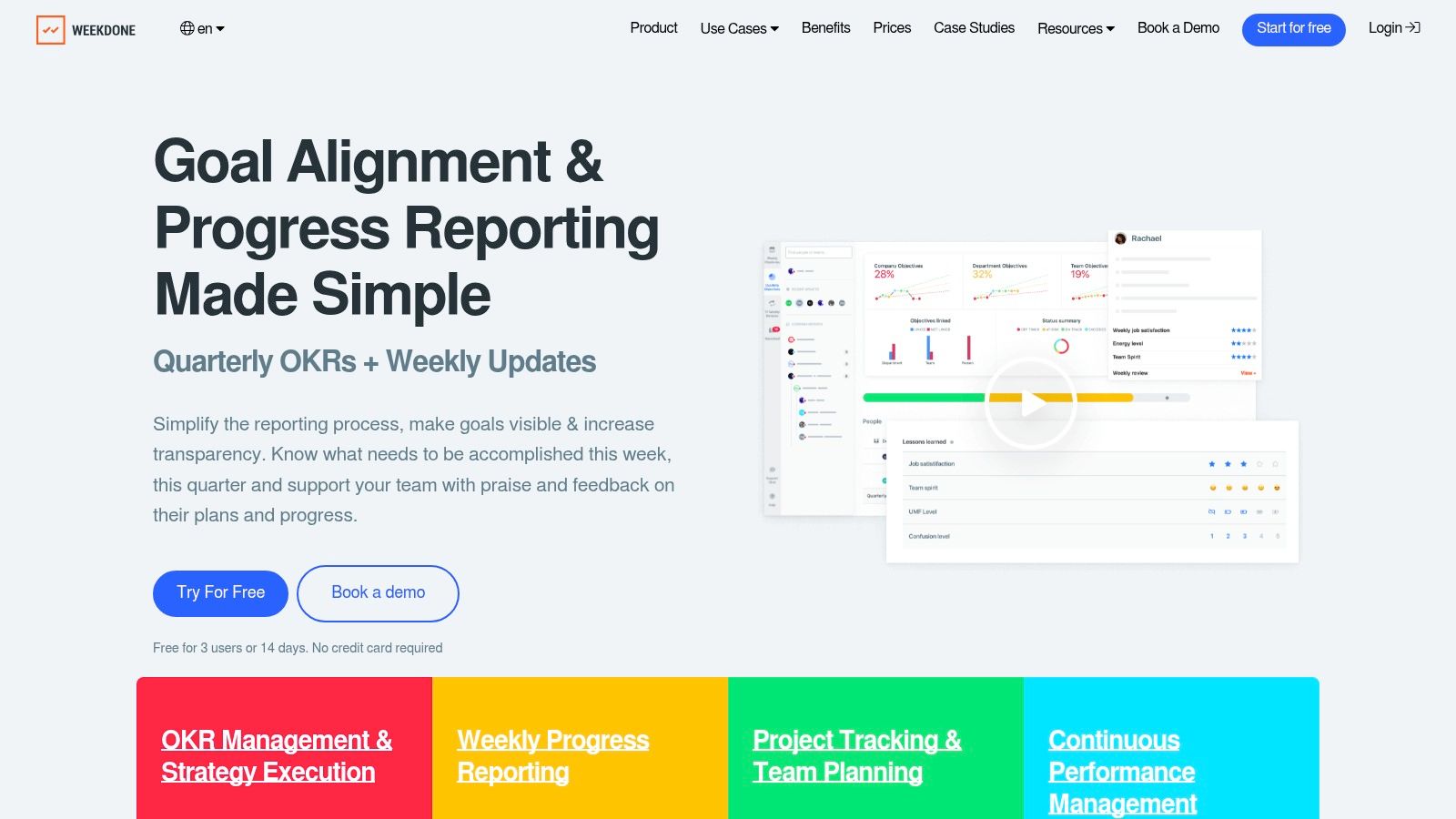
Weekdone's strength is in the name. It doesn't just ask teams to define goals. It pushes them into a weekly operating rhythm with Plans, Progress, and Problems. That makes it one of the more practical OKR tools for managers who need regular visibility, not just end-of-quarter reporting.
I like this approach because a lot of teams don't fail from lack of ambition. They fail from lack of cadence.
Best for weekly team visibility
The product combines OKR tracking with weekly planning and status reporting, plus alignment views, dashboards, and coaching resources. That gives leaders a better line of sight into whether teams are moving, blocked, or drifting.
Weekdone is especially good for teams that need habits around reporting. Some OKR software assumes everyone will update objectives because they care about alignment. In reality, teams update what someone checks every week. Weekdone is built around that reality.
If nobody reviews progress weekly, the OKR tool becomes a quarterly archive.
A few considerations:
- Best fit: Leaders who want weekly execution visibility tied to larger goals.
- Useful addition: Onboarding and OKR coaching support help teams build process, not just documentation.
- Potential issue: Pricing is tied to team size and can take more evaluation.
- Not ideal for: Individuals or very small teams that don't need formal reporting loops.
The free option for very small teams makes it easier to experiment, but its true benefit emerges when a manager or leadership team commits to the weekly habit. See it at Weekdone.
10. Microsoft Viva Goals
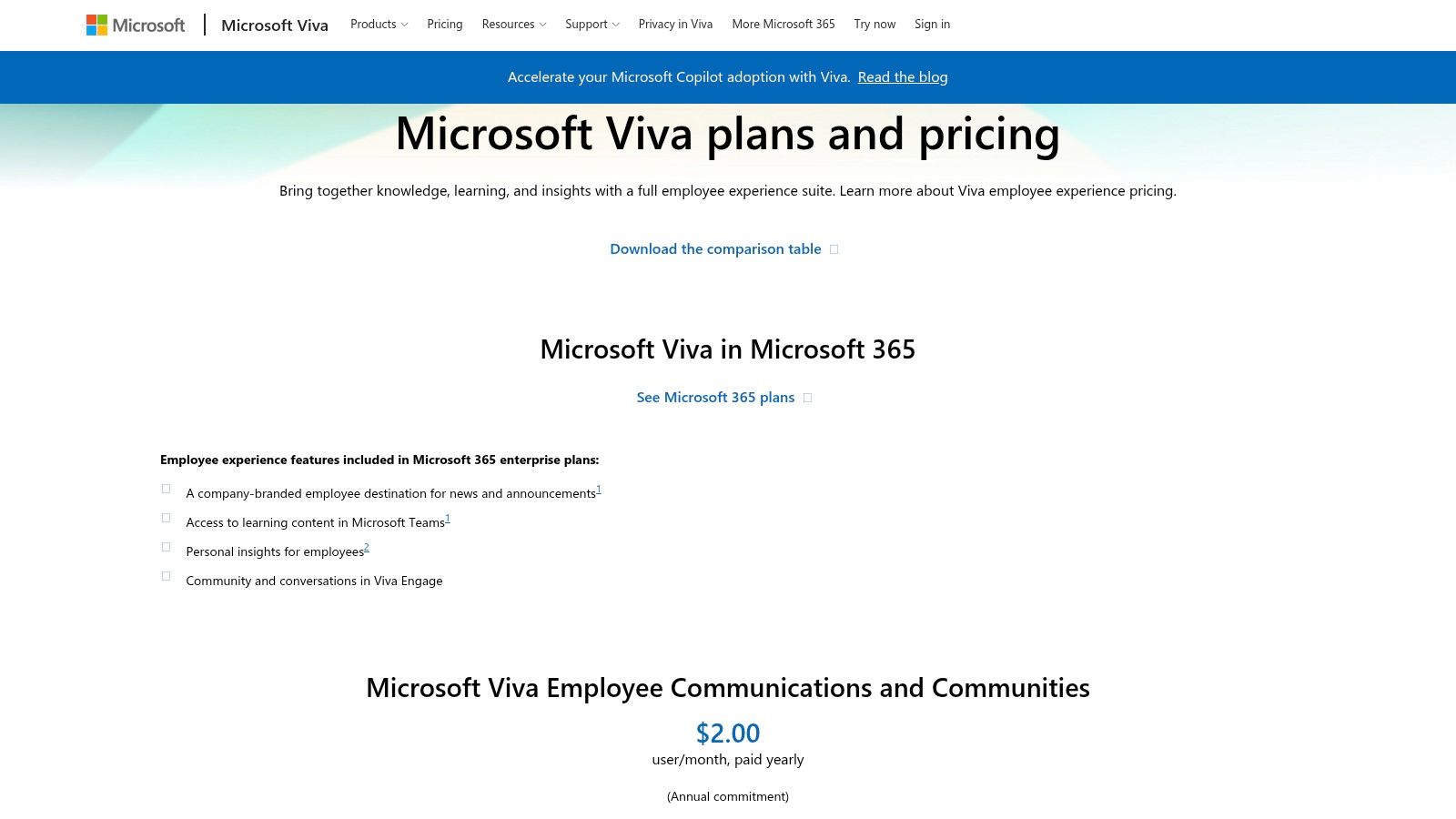
Microsoft Viva Goals is the most obvious choice for organizations already deep in Microsoft 365. If your company lives in Teams, uses Microsoft identity, and prefers enterprise tooling from the same vendor stack, Viva Goals has a very clear advantage.
If you're not in that ecosystem, the appeal drops quickly.
Best for Microsoft-centered organizations
Formerly known through the Ally.io product line, Viva Goals is built for enterprise OKR management inside the broader Viva and Microsoft 365 environment. Teams integration is the big selling point. People can create, update, and review OKRs inside a workspace they already use.
That matters more than feature checklists usually capture. Adoption often depends on whether goal updates happen where people already work. In enterprise settings, convenience beats elegance.
Still, there are real boundaries:
- Best fit: Larger organizations standardizing on Microsoft 365 and Teams.
- Big upside: Enterprise identity, administration, and ecosystem integration are already familiar.
- Likely drawback: It's harder to justify if your company isn't already committed to Microsoft's stack.
- Cost concern: Packaging and add-on structure can feel layered outside broader Viva bundles.
Viva Goals also connects with tools like Jira, Zendesk, and Tableau through the Microsoft ecosystem, which is useful for companies that want dashboards and updates tied into wider reporting infrastructure. This is not the most charming OKR tool in the list, but for enterprise buyers, charm usually isn't the point.
You can review options at Microsoft Viva Goals pricing.
Top 10 Goal-Setting Apps Comparison
| Product | Core features | UX & Quality | Value / Price | Target audience | Unique selling points |
|---|---|---|---|---|---|
| Beyond Time | ✨ AI OKRs, auto‑milestones, habits/routines, 15‑min time tracking, daily AI critique, integrations | ★★★★☆, iOS‑first, data‑driven mobile UX | 💰 2‑wk free → $4.99/mo or $29.99/yr; web & integrations free | 👥 Founders, professionals, students, self‑improvers | ✨ AI‑generated milestones; 15‑min planned‑vs‑actual; personal AI memory; seamless AI assistant integrations |
| Strides | Habit/Target/Average/Project trackers, 150+ templates, charts, Apple Health sync | ★★★★☆, very configurable, clear charts | 💰 Freemium; Strides Plus upgrade for unlimited power | 👥 Data‑driven Apple ecosystem users | ✨ Four tracker types; deep Apple Watch/Health integration |
| Streaks | Track up to 24 habits, flexible schedules, Apple Health, iCloud sync | ★★★★☆, fast, simple, polished UI | 💰 One‑time purchase | 👥 Minimalists on Apple platform | 🏆 Apple Design Award; ✨ “don't break the chain” streak focus |
| Habitica | Gamified habits/dailies/to‑dos, character progression, parties/guilds, cross‑platform | ★★★☆☆, highly engaging but can be busy | 💰 Free core; optional subscriptions for extras | 👥 Users motivated by gaming & social accountability | ✨ RPG mechanics; strong community and collaborative challenges |
| Coach.me | Unlimited habit tracking, coach marketplace, web/iOS/Android, community support | ★★★☆☆, simple tracker; coaching quality varies | 💰 Free tracker; coaching paid per coach (market pricing) | 👥 People wanting optional 1:1 human coaching | ✨ Vetted coaches & goal‑specific programs; easy coaching add‑on |
| GoalsOnTrack | SMART templates, hierarchical goals, milestones, habit tracking, journaling, vision board | ★★★☆☆, structured, utilitarian web app | 💰 Paid web subscription (trial available) | 👥 Traditionalists & professionals preferring structured planning | ✨ Comprehensive SMART goal workflow with journaling & vision board |
| Tability | Lightweight OKRs, weekly check‑ins, AI goal drafting, integrations (Slack/Jira/etc.) | ★★★★☆, fast rollout, minimal overhead | 💰 Clear per‑user pricing; 14‑day trial | 👥 Startups & SMBs using OKRs without heavy process | ✨ GoalsGPT for AI‑assisted goal drafting; weekly outcome focus |
| Perdoo | OKRs + KPIs, Strategy Maps, alignment views, enterprise features | ★★★★☆, enterprise‑grade alignment tools | 💰 Free up to 5 users; paid Premium/Supreme tiers | 👥 Scaling companies formalizing strategy | ✨ Combine OKRs & KPIs with strategy maps; SOC2/security posture |
| Weekdone | OKRs + weekly Plans/Progress/Problems, dashboards, alignment views, integrations | ★★★★☆, blends quarterly OKRs with weekly visibility | 💰 Free ≤3 users; paid per‑user tiers | 👥 Managers & leaders needing weekly status & alignment | ✨ Built‑in OKR coaching, TV dashboards & onboarding resources |
| Microsoft Viva Goals | Enterprise OKRs, Teams/M365 integration, data connectors (Jira/Zendesk/etc.) | ★★★★☆, polished enterprise UX within M365 | 💰 Enterprise pricing; packaged in Viva suite | 👥 Large enterprises standardized on Microsoft 365 | 🏆 Deep M365/Teams integration; enterprise security, governance |
Final Thoughts
The biggest mistake people make with goal setting apps is choosing by popularity instead of behavior. A personal habit tracker won't fix a team alignment problem. An enterprise OKR platform won't help if your real issue is that you keep forgetting the next concrete action. The app has to match the shape of the work.
I'd split the decision in two right away. If the goal lives mostly inside one person's life, look at Personal Achievement tools like Beyond Time, Strides, Streaks, Habitica, Coach.me, or GoalsOnTrack. If the goal depends on multiple people, reporting rhythms, and company-wide alignment, move straight to Tability, Perdoo, Weekdone, or Microsoft Viva Goals.
Here's the practical checklist I'd use before picking anything:
- Goal type: Is this a habit, a milestone-based project, or an OKR?
- Update cadence: Will you interact with the app daily, weekly, or only during reviews?
- Motivation style: Do you respond better to streaks, coaching, structure, or team visibility?
- Logging friction: Can you realistically keep the system updated when work gets busy?
- Platform fit: Does it work where you already spend time, whether that's iPhone, web, Teams, or AI tools?
- Scope: Do you need personal execution, or organization-wide alignment?
If you're choosing for yourself, my short version is simple. Pick Streaks if you want low-friction habits. Pick Strides if you want richer personal tracking. Pick Habitica if fun keeps you engaged. Pick Coach.me if accountability from another person changes your behavior. Pick GoalsOnTrack if you like classic, structured planning. Pick Beyond Time if you want the most complete loop from goal to daily action.
If you're choosing for a team, the decision usually comes down to process weight. Tability is good when you want lightweight OKRs. Weekdone is strong when weekly reporting matters. Perdoo works better when strategy and KPIs need to live alongside OKRs. Viva Goals makes the most sense when Microsoft is already the center of your stack.
Migration matters almost as much as selection. Don't move everything at once. Start with one active goal system, not your entire backlog of ambitions. Bring over current goals only, define what “updated” means, and set a review rhythm before you invite teammates or build extra categories. Most failed migrations don't fail because the software is bad. They fail because people import old clutter and recreate the confusion they were trying to escape.
I'd also keep the first month intentionally narrow. One personal app should prove that it changes behavior, not just stores plans. One team tool should prove that people update it during the week. If that doesn't happen, switch early. Loyalty to a bad goal system wastes more time than starting over.
The best goal setting apps don't just help you describe what matters. They make the next step hard to miss.
Keep going with Beyond Time
Before you download anything, use these Beyond Time tools to get clear on your goal — then pick the app that fits.
- Goal Setting Worksheet — Define one clear goal so any app you choose can work.
- Habit Stack Builder — Layer new habits onto routines you already keep.
- Getting Started with Goal Setting — The plain-language primer before you commit to any system.
- Work-Life Balance Goal Setting Framework — Balance ambition with sustainability across every life area.
If you want one tool that connects goal setting, AI-generated milestones, routines, habits, time tracking, and daily coaching in a single loop, Tribble Software Private Limited's Beyond Time is worth a serious look. It's especially strong for founders, professionals, students, and self-improvers who are tired of planning in one app, tracking in another, and still losing momentum in the gap.
Put this into practice
Free tools that match this article.
Goal Setting Worksheet
Turn a vague goal into milestones, habits, blockers, and a weekly review plan.
Try Goal WorksheetGoal SettingSMART Goal Validator
Instantly validate your goals against the SMART framework and get actionable improvement suggestions.
Try SMART ValidatorGoal SettingAI Milestone Generator
Turn your biggest goals into an actionable step-by-step plan in seconds with AI.
Try Milestone GeneratorGoal SettingOKR Generator
Transform any aspiration into a structured OKR with measurable key results in seconds.
Try OKR GeneratorKeep exploring this topic
Goal setting guide
Start with the fundamentals of setting goals that turn into action.
Goal frameworks compared
Choose between SMART goals, OKRs, BHAGs, and 12-week goals.
Best goal tracking apps
Compare tools for goals, habits, and progress tracking.
Best habit tracker apps
Compare habit apps by use case, depth, and daily workflow.
Related Articles
Goal Planning Tools: Achieve Your 2026 Targets
Discover the best goal planning tools for founders, teams, & individuals. Our 2026 review covers OKR, habit trackers, & AI systems to hit targets.
Unlock Your Potential: Top Personal Development Apps 2026
Discover the top 10 personal development apps for 2026. Compare AI coaching, OKRs, & habit tracking. Build a system, achieve your goals.
10 Best Apps for Daily Routine in 2026
Find the best apps for daily routine to organize your life. We review Todoist, Structured, Beyond Time, and more to boost your productivity in 2026.
Progress Tracking Software: A Guide to Achieving Your Goals
Discover how progress tracking software can turn your goals into achievements. This guide covers features, use cases, and how to choose the right tool for you.
AI Accountability Partner: Smarter Goal Setting
Tired of missed goals? An AI accountability partner provides the structure & feedback you need. Explore benefits, workflows, and tools.
The Force of Habit: Master Your Autopilot for Success
Learn what the force of habit is and how to use its power. This guide explains the neuroscience and gives you evidence-based strategies to build good habits.