10 Best Apps for Daily Routine in 2026
Find the best apps for daily routine to organize your life. We review Todoist, Structured, Beyond Time, and more to boost your productivity in 2026.
By 9:30 a.m., the day is already off script. A message needs an answer, a meeting moves, one small errand turns into three, and the routine you meant to follow disappears under reactive work. In practice, that breakdown usually has less to do with discipline than with fit. The system is too loose to guide action, too strict to survive real life, or split across too many places to trust.
Daily routine apps help by reducing friction at the point where intentions usually fail. A good one makes the next action obvious, gives the day a usable structure, and makes repetition easier. That matters because routine software lives on the device people already check constantly, which makes it far more likely to shape behavior than a paper plan you stop opening after a week.
After testing these apps in real schedules, I would not choose from a feature grid alone. The better question is which app matches the way you naturally operate.
Some users need a visual timeline they can scan in seconds. Some stay consistent only when habits feel game-like. Some want a calmer workday with deliberate planning. Others need a system that ties a long-term goal to what has to happen today. That last group is often underserved, and it is where Beyond Time stands out. It is built for goal-oriented people who do not just want to track tasks, but connect ambition to execution.
If you're also comparing broader training and productivity tools, Strive Workout Log's app comparison is a useful companion read.
Table of Contents
- 1. Tribble Software Private Limited
- 2. Todoist
- 3. TickTick
- 4. Structured – Daily Planner
- 5. Sunsama
- 6. Motion (UseMotion)
- 7. Notion
- 8. Habitica
- 9. Streaks (iOS)
- 10. Routinery
- Top 10 Daily Routine Apps, Feature Comparison
- Your System Is More Than an App
1. Tribble Software Private Limited
Monday starts with good intentions. By Thursday, the checklist is still getting cleared, but the work no longer points to the goal that mattered on Monday. That is the problem Beyond Time is built to solve.
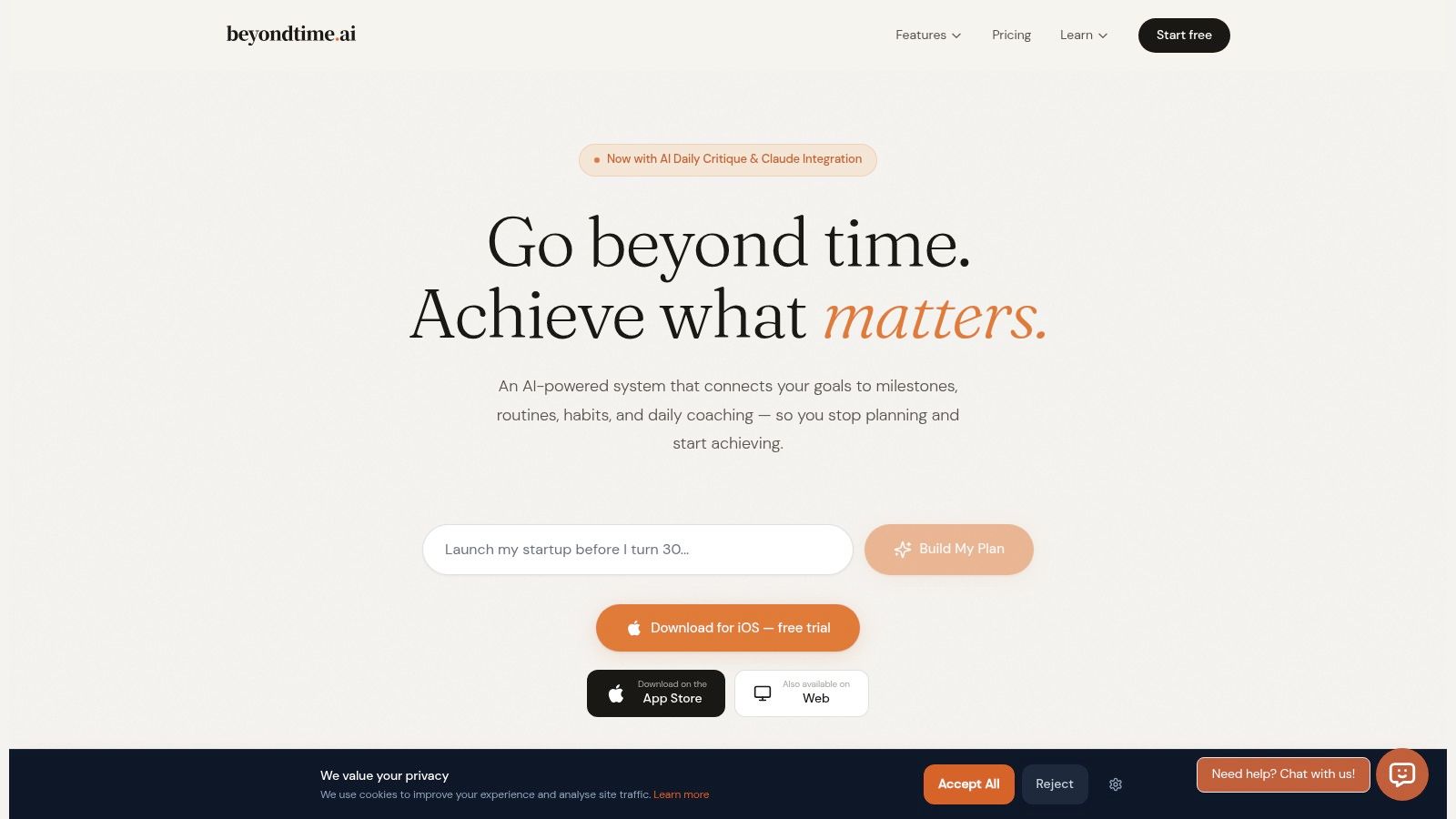
I recommend it to a specific type of user: the goal-oriented planner who does not just want a cleaner routine, but a routine that can be traced back to a real outcome. Plenty of daily routine apps are good at repeats, reminders, and streaks. Beyond Time is stronger at connecting the top of the system to the bottom. You set an objective, break it into milestones, and tie those milestones to habits, routines, and calendar time.
That structure changes how the app feels in practice. Instead of asking whether you checked a box, it asks whether the box belonged on your day in the first place.
Who Beyond Time is best for
Beyond Time fits founders, students, creators, and ambitious professionals who already know how to stay busy and need help choosing the right work consistently. If you are the kind of person who sets quarterly goals, runs personal projects, or wants a routine that reflects bigger ambitions, this app has a clearer point of view than standard habit trackers.
The feature that stood out most in my testing was the 15-minute planned-versus-actual tracking on iOS. That level of review exposes a common problem fast. Many users are disciplined enough to complete tasks, but not disciplined enough to notice where their time drifted. The Daily AI Critique is useful for the same reason. It turns that behavior into one practical recommendation instead of flooding you with dashboards.
Practical rule: If your routine only measures completion, you can stay consistent and still miss the goal.
There are trade-offs. The product is strongest on iOS today, so Android-first users will not get the same experience. The system also improves with usage. On day one, it is a planning tool. After a few weeks of real check-ins and schedule data, it becomes more useful because the app has enough context to spot patterns.
The free web app is solid for goal and milestone planning. The integrations with Claude, ChatGPT, Cursor, Windsurf, and other MCP-compatible tools also make sense for people whose work already runs through AI assistants. If you need help deciding what should make it onto your day in the first place, these task prioritization techniques for high-impact planning pair well with Beyond Time's approach.
Pricing is simple: a two-week fully featured iOS trial, then Pro at $4.99 per month or $29.99 per year, plus a free web and Claude tier with limited personal-context entries. For the goal-oriented archetype, that pricing is reasonable. You are paying for a tighter link between ambition and execution, not just another place to log repeating tasks.
2. Todoist
Todoist is the app I recommend to people who still want a classic task manager, but one that handles routines well enough to become a daily command center. It's mature, fast, and unusually dependable across devices.
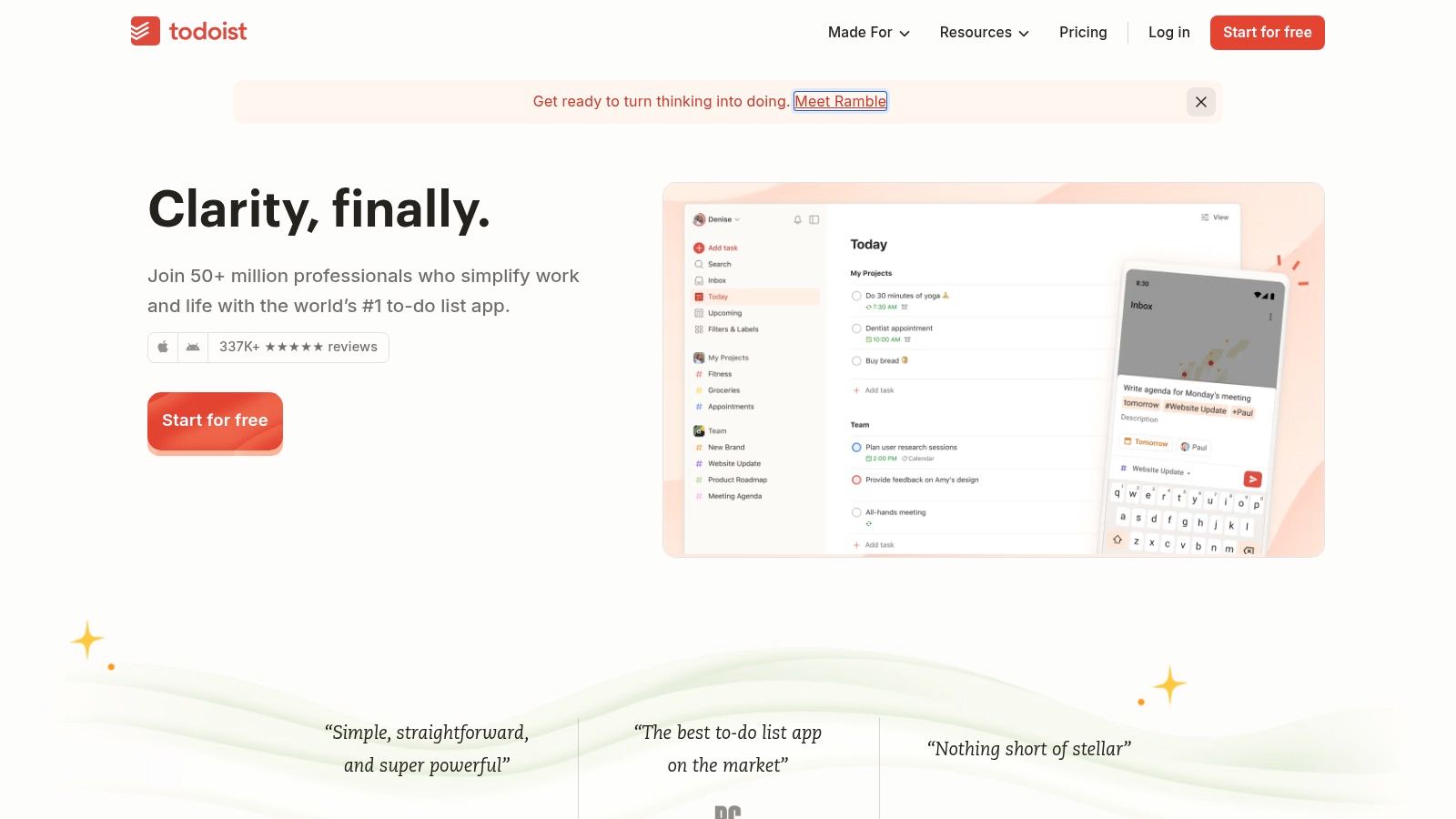
Its strength is simplicity without feeling toy-like. Natural language recurring tasks work well, filters are strong, and calendar sync makes it easier to turn a plain to-do list into an actual daily routine. If you're the type who thinks in lists first and schedules second, Todoist fits that mental model better than more opinionated planners.
Best for the list-first planner
Todoist works best for people who want one place for repeating tasks, work tasks, and quick capture. It scales nicely from “remember vitamins and laundry” to “manage personal admin and team projects in one app.”
A few practical trade-offs:
- Best part: It's reliable across platforms, which matters more than flashy features once a tool becomes part of your daily rhythm.
- What to watch: Some of the more useful calendar experiences sit behind paid plans, and a few recurring-task edge cases still need workarounds.
- Who should skip it: People who want built-in habit scoring, guided routines, or deep coaching. Todoist is a task manager first.
If you use Todoist, you'll get more value by pairing it with a clear prioritization method instead of dumping everything into “Today.” This guide on task prioritization techniques is a smart companion because Todoist becomes much better when your daily list reflects real priority, not just urgency.
3. TickTick
TickTick sits in the sweet spot between task app and routine app. It's one of the few tools that gives you recurring tasks, built-in habit tracking, a Pomodoro timer, and calendar views without feeling bloated.
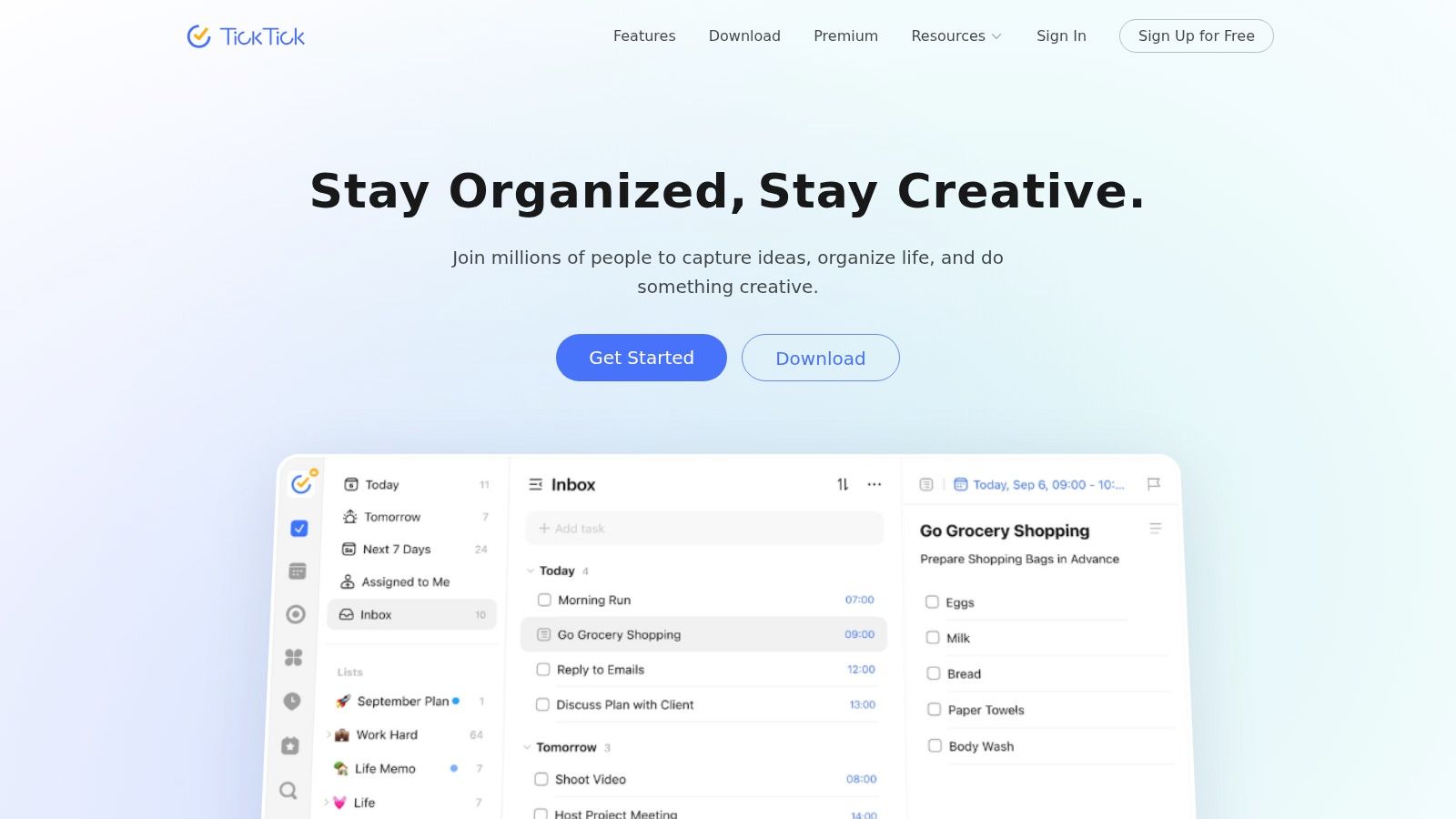
For a lot of people, that all-in-one mix is enough. You don't need a separate focus timer. You don't need a separate lightweight habit app. You can plan the day, start a timer, and track recurring behaviors in the same environment.
Best for the practical all-in-one user
TickTick is a good fit for users who want apps for daily routine that cover the basics in one subscription. Students, solo professionals, and anyone who dislikes app-hopping usually settle into it quickly.
What works well in practice is the balance. You can keep things simple with recurring tasks, or get more structured with smart lists, durations, start times, and calendar overlays. It gives you enough control without demanding that you build a whole productivity philosophy first.
TickTick is what I'd call a “low-drama” routine app. It does a lot, and it rarely asks you to rethink your whole system.
Its drawbacks are mostly around polish and purchase flow. Pricing can differ between app stores and web, and some people get confused finding the exact upgrade path inside the app. But if you want a capable routine and task tool that doesn't overcomplicate things, TickTick is still one of the easiest recommendations.
4. Structured – Daily Planner
Monday at 8:15 a.m., a plain task list can look perfectly reasonable and still fail by noon. Structured works better for people who need to see time, not just tasks, because the timeline makes overload obvious before the day gets away from you.
The app is built around a visual schedule. You place tasks into time blocks, shift them as the day changes, and keep routines anchored without rebuilding everything from scratch. In practice, that makes Structured a strong fit for users who plan visually and struggle with long, abstract to-do lists.
Best for the visual planner
Structured suits a specific archetype. It fits students mapping classes and study sessions, professionals balancing meetings with focused work, and anyone who thinks in blocks of time rather than priority labels. I've found that users who abandon traditional task managers often stick with Structured because it answers a simpler question: what does this day look like?
Its strengths are clear.
- Best feature: The timeline view makes daily planning fast and concrete.
- Best use case: It works well for routine-heavy days with fixed anchors such as classes, commutes, workouts, or caregiving blocks.
- Main limitation: The Apple ecosystem experience is stronger than the web or Android versions, so platform matters more here than with many competitors.
There is a trade-off, though. Structured is excellent at daily visibility, but it is less compelling for people who need to connect weekly priorities, long-term goals, and execution in one place. That is the dividing line between a visual day planner and a broader planning system. Goal-oriented users usually need more than a clean timeline.
If you want to test whether a timeline planner matches your routine, start with a daily routine checklist for fixed anchors and repeatable tasks. Structured tends to work best once your recurring commitments are already clear.
5. Sunsama
Sunsama is less about squeezing more in and more about creating a sane workday. That's why it appeals so strongly to knowledge workers who are tired of reactive planning.
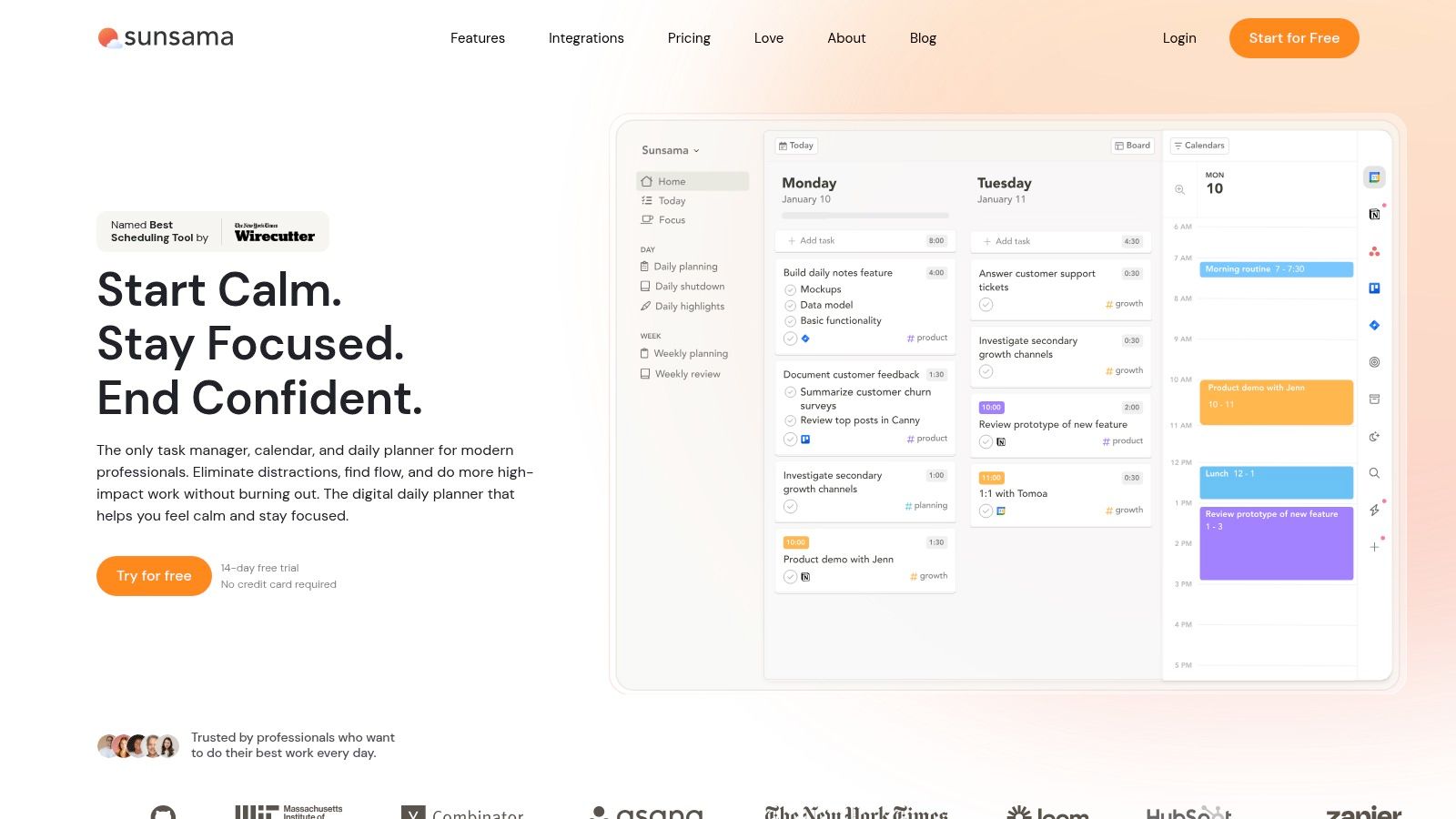
Its core experience is a guided daily planning ritual. You pull tasks from connected tools, timebox them onto your calendar, and close the day with a shutdown rhythm. In practice, that creates boundaries. You stop pretending every task belongs today.
Best for the calm professional
Sunsama fits the person who wants a deliberate start and a deliberate stop. Managers, consultants, and remote professionals usually get the most from it because they need to balance meetings, project work, and energy management.
The app is good at promoting sustainable throughput instead of raw volume. It encourages realistic planning, and that's a bigger advantage than it sounds. Plenty of routine tools help you capture work. Fewer help you limit it.
“If your planner never tells you that you've already scheduled enough, it's not helping much.”
The main downside is price. Sunsama costs more than mainstream task apps, and the mobile app isn't the center of gravity. The web and desktop experience are where it really lives. If that suits how you work, it's one of the best ritual-based planners available.
6. Motion (UseMotion)
By 10:30 a.m., the day some people planned is already gone. A meeting ran long, a client request jumped the queue, and the focused work block disappears. Motion is built for that kind of schedule.
Motion auto-schedules tasks and recurring work onto your calendar, then adjusts the plan as your availability changes. After testing it in busy workweeks, I'd place it firmly in the operator category. It suits people who do not want to rebuild their day by hand every time something slips.
Best for the reactive high-performer
Motion fits founders, team leads, agency operators, and executives whose days are shaped by deadlines they control only partly. If your personality type is the time optimizer, the person who wants the calendar to act like an active system instead of a passive container, Motion will make immediate sense.
Its advantage is not just automation. It reduces the daily cost of deciding what to do next and when to do it. That matters for users who already know their priorities but struggle to protect execution once the day starts moving.
The trade-off is clear. Motion asks for trust.
Users who like dragging tasks manually, protecting fixed routines, or deciding every block themselves may find it too opinionated. The app works best when you let it use your calendar as the source of truth and accept that the schedule will keep changing. For the right user, that feels efficient. For a visual planner or a more reflective routine builder, it can feel like constant motion without enough intentionality.
That distinction matters in this category. Some apps are best for calm structure. Some are best for custom system design. Motion is best for people who need an adaptive engine. If your main goal is connecting long-term ambitions to daily execution with more deliberate control, Beyond Time is usually a better fit. If your main problem is calendar chaos, Motion earns its spot.
7. Notion
Notion isn't the easiest choice for routines, but it might be the most flexible. If you like building your own system, few tools can match it.
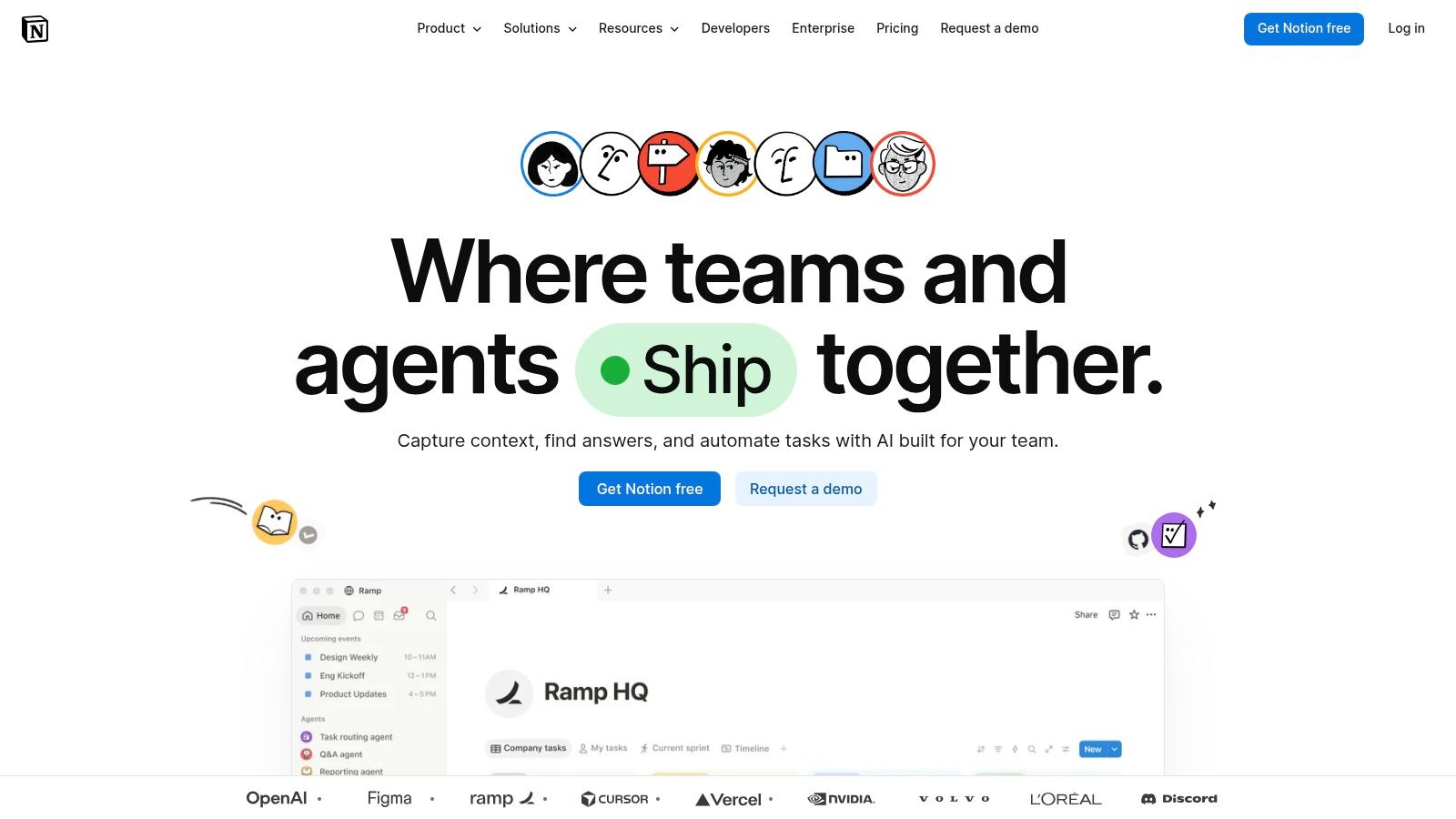
You can create morning and evening checklists, habit databases, weekly reviews, linked goals, dashboards, and notes in one workspace. That flexibility is exactly why some people love it and others bounce off it. Notion gives you power, but it doesn't hand you much structure by default.
Best for the builder and systems thinker
Notion is best for users who enjoy designing their own operating system. Writers, operators, students, and creators often like it because routines rarely live alone. They connect to notes, projects, documents, and reviews.
Its biggest strength is context. A workout routine can sit beside training notes. A study routine can connect to course databases. A weekly review can pull evidence from the habits and tasks beneath it.
The downside is obvious once the novelty wears off. You have to maintain what you build. That setup overhead is real, and it's why Notion often works better as a long-term system hub than a lightweight routine app. If you want speed and guidance, pick something more opinionated. If you want control and room to grow, Notion still earns its place.
8. Habitica
You check off three small tasks before 9 a.m., your avatar gets stronger, and that tiny reward is enough to keep the routine alive for another day. That is the Habitica pitch, and for the right user, it works better than a cleaner interface or a smarter scheduler.
Habitica turns habits, dailies, and to-dos into an RPG system with levels, gear, parties, and shared accountability. I have seen it work best for people who get bored by standard productivity apps but respond fast to visible progress and game mechanics.
Best for the gamified achiever
Habitica fits the gamified achiever archetype. This is the user who does not need another planning framework. They need a reason to care about repeating the same behavior long enough for it to stick.
The upside is obvious after a few days of use. Repetition feels less dull. Missed habits carry consequences inside the app. Group quests add social pressure without forcing a formal team workflow. For users who struggle with motivation more than organization, that trade-off makes sense.
The downside is just as real. Habitica is not strong at connecting long-term goals to calendar-level execution, and the visual style can feel juvenile if you want a more polished professional tool. If your routine breaks because your days are overloaded or your priorities are unclear, this app will not solve the underlying planning problem.
- Why it works: Rewards, streaks, and party mechanics make consistency feel more immediate.
- Why it falls short for some users: The game layer can become noise once the novelty fades.
- Who usually gets the most from it: Users who need engagement cues, quick wins, and external motivation.
If you want the behavioral side to work better, this guide on building better habits that actually stick is a useful companion.
Habitica earns its place on this list because it serves a specific personality well. It is not the best choice for the goal-oriented planner who needs to connect ambition to daily execution. It is a strong choice for the person who needs routine to feel a little more like play.
9. Streaks (iOS)
Streaks is one of the cleanest habit apps on Apple devices. It doesn't try to be your whole productivity stack, and that restraint is part of its appeal.
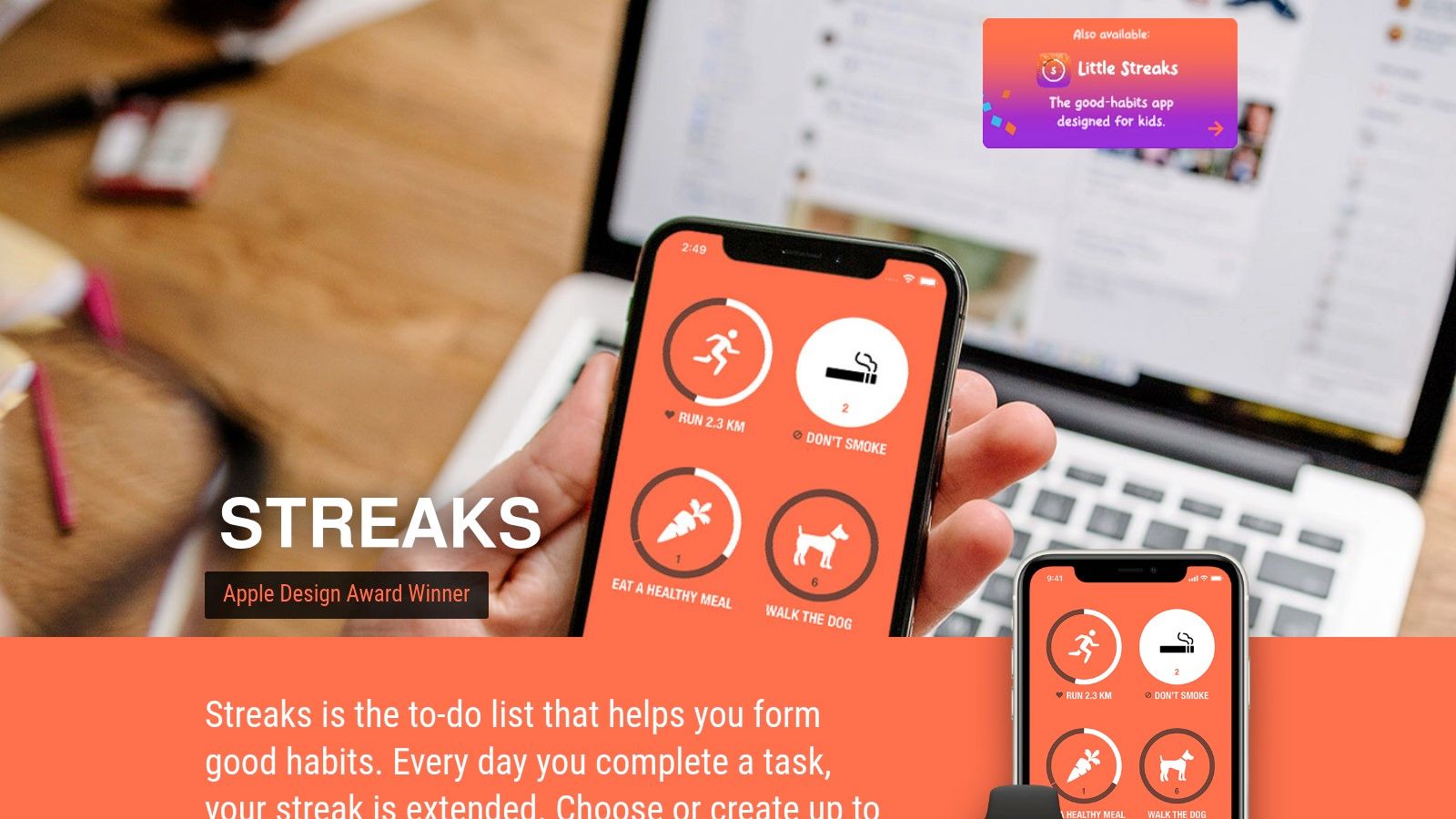
You can track up to 24 tasks, set flexible schedules, use widgets, log notes, and tie relevant actions into HealthKit and Apple Watch. That makes it excellent for personal routines like water, meds, walks, stretching, and sleep-related habits.
Best for the minimalist Apple user
Streaks is for someone who wants fast logging and visible momentum without project management clutter. If your routine success depends on quick check-ins instead of elaborate planning, it's a strong fit.
What I like most about Streaks is that it gets out of the way. Open app, log action, move on. The watch integration reinforces that low-friction feel. For habit maintenance, that matters more than having ten views and a dashboard nobody checks.
Its limitations are clear. It's Apple-only, so cross-platform users should pass. And because it's a one-time App Store purchase, you'll want to confirm current pricing before you buy. But for focused personal habits on iPhone and Apple Watch, it remains one of the most polished options around.
10. Routinery
Your alarm goes off, and the problem is not motivation. The problem is drift. One slow decision turns into five, and a routine that should take 30 minutes suddenly eats the whole morning.
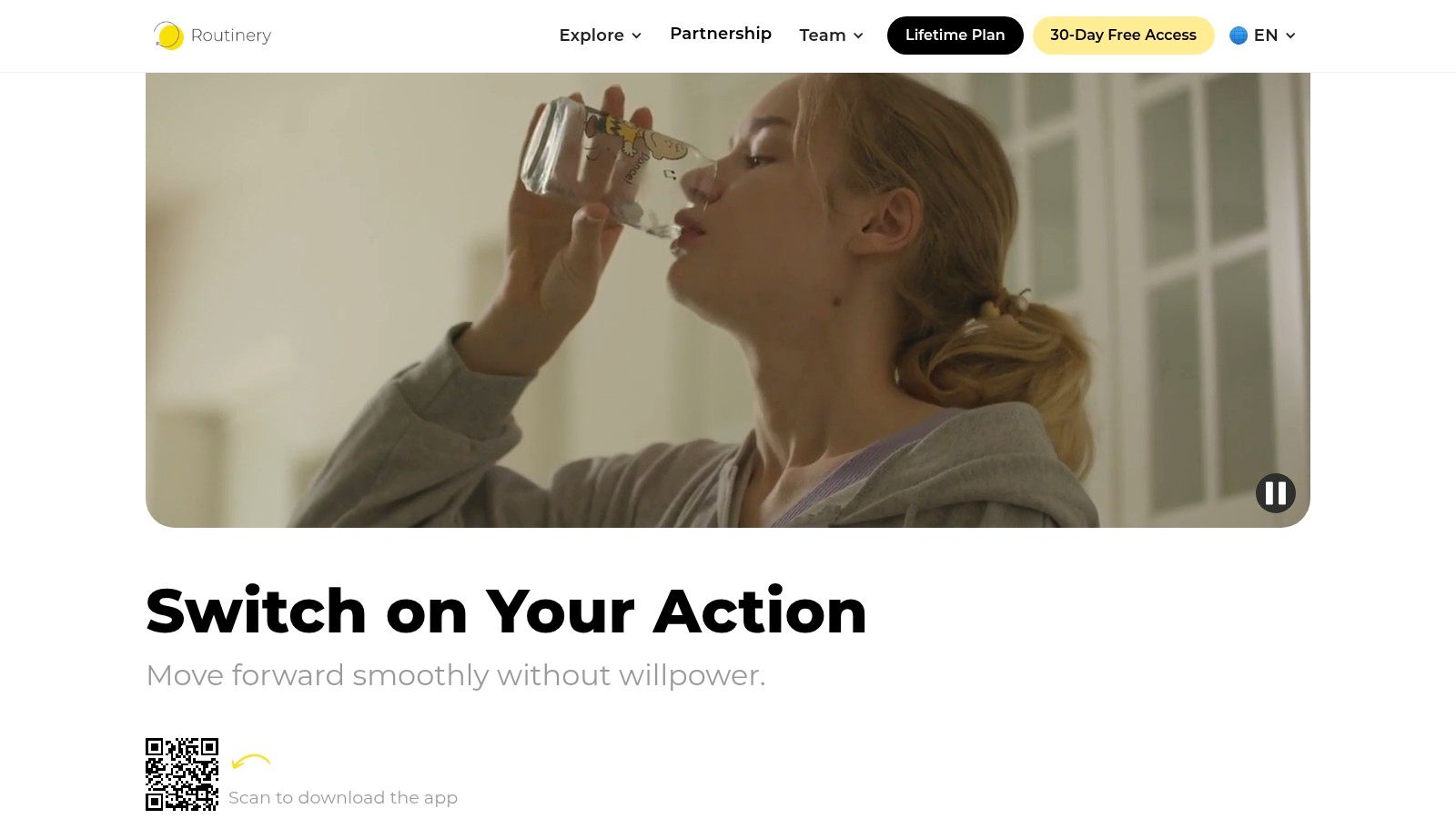
Routinery is built for that exact user. It turns a routine into a timed sequence of small actions, with prompts that keep the next step obvious. Wake up, drink water, wash up, get dressed, pack your bag, start work. That structure works well for people who do better with external pacing than with an open task list.
Best for the step-by-step routine follower
The clearest Routinery archetype is someone who wants guidance, not planning freedom. If you like visual scheduling, Structured makes more sense. If you want goals, projects, and daily execution tied together, Beyond Time is the stronger fit. Routinery sits in a narrower lane, and that focus is its advantage. It helps users repeat a sequence consistently without deciding what to do next.
I've found it most useful for routines that happen the same way almost every day. Morning prep, bedtime shutdown, school departure, medication sequences, even a pre-work focus ritual. In those cases, the timer is not a gimmick. It reduces hesitation and keeps small delays from spreading across the rest of the day.
The trade-off is clear. Routinery is less useful for people whose days change constantly or who need one app to connect habits, tasks, and long-term priorities. It is a routine runner, not a full personal operating system.
If you work on apps in this category and care about shipping that experience across regions, this guide to end-to-end iOS app internationalization is a useful reference.
Top 10 Daily Routine Apps, Feature Comparison
| Product | Core Features | UX / Quality (★) | Value & Pricing (💰) | Target Audience (👥) | Unique Strength (✨) |
|---|---|---|---|---|---|
| 🏆 Tribble Software Private Limited (Beyond Time) | AI OKR → sequenced milestones, routines, 15‑min planned‑vs‑actual time tracking, Daily AI Critique, integrations | ★★★★★, data‑driven accountability | 💰 Free web + 2‑week iOS trial; Pro $4.99/mo or $29.99/yr | 👥 Founders, professionals, students, self‑improvers | ✨ OKR + time‑tracking loop + personalized AI memory |
| Todoist | Natural‑language recurring tasks, calendar sync, labels, 80+ integrations | ★★★★, reliable cross‑platform sync | 💰 Freemium; Pro ≈ $4/mo | 👥 General users & teams needing robust task lists | ✨ Mature, fast task manager with broad ecosystem |
| TickTick | Tasks + habit tracker, Pomodoro timer, calendar views, smart lists | ★★★★, smooth cross‑platform UX | 💰 Freemium; Premium low‑cost (~$2–3/mo) | 👥 Users wanting all‑in‑one routine + focus tool | ✨ Built‑in Pomodoro + habit tracking in one app |
| Structured – Daily Planner | Drag‑and‑drop timeline, recurring routines, widgets, Replan | ★★★★, visual, low‑friction day planning (iOS) | 💰 Freemium / optional lifetime purchase | 👥 Students, visual planners, iOS timeline fans | ✨ Timeline view + quick replan for the day |
| Sunsama | Guided plan→reflect workflows, timeboxing, workload analytics, calendar | ★★★★, calm, ritualized UX | 💰 Premium subscription (higher‑end) | 👥 Knowledge workers seeking daily ritual & boundaries | ✨ Guided shutdown + review cadence |
| Motion (UseMotion) | Auto‑schedules & reschedules tasks to calendar, team coordination | ★★★★, powerful AI scheduler; learning curve | 💰 Tiered pricing; free trial available | 👥 Busy schedulers, founders/managers with full calendars | ✨ Continuous auto‑optimization of your calendar |
| Notion | Databases, templates, calendar/board views, reviews, docs | ★★★★, extremely flexible; setup overhead | 💰 Freemium; team/AI features may cost extra | 👥 Power users, teams, builders of custom systems | ✨ Fully customizable personal operating system |
| Habitica | Dailies/Habits/To‑Dos with RPG progression, parties & challenges | ★★★, gamified UX, motivating for some | 💰 Free core; optional purchases/subs | 👥 Gamification‑motivated users & communities | ✨ RPG rewards + social accountability |
| Streaks (iOS) | Track up to 24 tasks, HealthKit & Watch integration, widgets, stats | ★★★★, beautiful, fast iOS experience | 💰 One‑time purchase (App Store price varies) | 👥 Apple users focusing on health/fitness routines | ✨ Tight Health app & Watch integration |
| Routinery | Multi‑step routine builder with per‑step timers, templates, nudges | ★★★, timer‑driven, minimal friction | 💰 Freemium / modest pricing | 👥 ADHD users & those who prefer step‑based routines | ✨ Per‑step timers & gentle momentum nudges |
Your System Is More Than an App
At 7:00 a.m., app choice stops being theoretical. You are either looking at a system that tells you what to do next in a way your brain accepts, or you are staring at a tool you plan to ignore by noon.
That is why the right pick depends less on feature volume and more on user fit. Visual planners usually stick faster with Structured because the day is visible at a glance. Gamified achievers often stay engaged longer with Habitica because progress feels active, not administrative. List-driven users tend to do well with Todoist or TickTick. People who want a deliberate workday reset often prefer Sunsama. Users with overloaded calendars usually get the most relief from Motion.
In practice, routine tools fail for a simple reason. They ask for a style of planning the user does not naturally return to. A great interface does not fix that. Consistency comes from fit, especially during low-energy moments when the system needs to reduce decisions, not create more of them.
That broader shift matters because daily routine apps now sit at the intersection of productivity, health, and behavior change, as noted earlier. People are willing to spend real time inside tools that help them act with more intention. The hard part is choosing one that turns that attention into repeatable progress instead of scattered check-ins.
For goal-oriented users, Beyond Time has the clearest point of view in this list. It is built for people who care about the connection between a long-range objective and today's calendar. The practical difference shows up in the workflow: define a goal, break it into milestones, schedule the work, compare planned time against actual time, then adjust based on what keeps slipping. That is a stronger match for founders, professionals, students, and creators who want measurable movement, not just another place to record intentions.
Personalization matters here too, and earlier research in the article supports that point. Habit and productivity apps tend to work better when the structure matches the user's behavior pattern. I have seen the same thing in real use. Generic routine apps are good at reminders. Systems built around a specific planning style are better at helping someone improve week after week.
Use this list as a filter, not a leaderboard. Pick the app that matches how you already think and work, then test it daily for a week in one consistent part of your routine. If it reduces friction, survives tired mornings, and makes the next day easier to start, you have found a system worth keeping.
Put this into practice
Free tools that match this article.
Time Blocking Template
Map your day into focused time blocks with a free printable time blocking template.
Try Time BlockingTime ManagementWeekly Schedule Optimizer
Generate an optimized weekly schedule with AI-powered time blocking for maximum productivity.
Try Schedule OptimizerTime ManagementWeekly Schedule Template
Plan your week with a free printable weekly schedule template for goals, routines, and focus blocks.
Try Schedule TemplateHabit BuildingHabit Tracker Template
Create a free printable habit tracker template — weekly or monthly. Customize your habits and download a clean PDF in seconds.
Try Habit TrackerKeep exploring this topic
Best goal tracking apps
Compare tools for goals, habits, and progress tracking.
Best habit tracker apps
Compare habit apps by use case, depth, and daily workflow.
Atomic Habits summary
Apply the core behavior-change principles behind lasting habits.
Time blocking guide
Turn priorities into protected calendar blocks.
Related Articles
Unlock Your Potential: Top Personal Development Apps 2026
Discover the top 10 personal development apps for 2026. Compare AI coaching, OKRs, & habit tracking. Build a system, achieve your goals.
10 Best Goal Setting Apps for 2026: A Full Review
Find the best goal setting apps for 2026. Our guide compares 10 top tools for OKRs, habits, and AI-powered planning to help you finally achieve your goals.
Weekly Goal Tracker: How to Plan and Achieve Your Goals
Design a weekly goal tracker that works. This guide shows you how to connect big objectives to daily tasks, build a tracker, and use AI to stay on course.
Goal Planning Tools: Achieve Your 2026 Targets
Discover the best goal planning tools for founders, teams, & individuals. Our 2026 review covers OKR, habit trackers, & AI systems to hit targets.
10 Best Productivity Apps for Mac in 2026
Discover the 10 best productivity apps for Mac in 2026. Our curated list covers task managers, focus tools, and automation to boost your workflow.
What Is a Work Plan? Your 2026 Guide to Success
Discover what is a work plan and how to craft one effectively in 2026. Learn components, examples, and mistakes to turn your goals into reality.