What Is a Team Meeting: Ultimate Guide for 2026
Uncover what is a team meeting, its true purpose, different types, and how to set effective agendas for meetings that deliver results in 2026.
You join the weekly team sync. Ten people are on the call. Two are late. One person shares updates everyone already read in Slack. Another raises a problem that needs a separate discussion. The meeting ends with “let's circle back,” and nobody is quite sure who owns what.
Recognizing a bad meeting isn't the problem; rather, the need is for a clearer approach to define a meeting's purpose, optimal timing, and whether it's necessary at all.
That matters because meetings aren't a small tax on work. They are a major part of work. Inefficient meetings are estimated to cost U.S. businesses $37 billion annually, and broader estimates put the cost of unproductive meetings at $259 billion a year for U.S. professionals, according to Pumble's meeting statistics roundup. If your calendar already feels crowded, that pressure is likely to grow, since the same summary notes projections of meeting growth by 2027.
A good team meeting is not a calendar ritual. It is a tool for converting shared time into alignment, decisions, and action. If it doesn't do one of those jobs, it's probably the wrong meeting, or the wrong format.
Table of Contents
- Beyond the Calendar Invite What a Team Meeting Really Is
- The Four Core Purposes of Any Effective Meeting
- The Five Essential Types of Team Meetings
- How to Create an Agenda That Guarantees Results
- Facilitation Skills for In-Person and Hybrid Teams
- Meeting Pitfalls and When to Choose Async Instead
- Connecting Meeting Outcomes to Your Ultimate Goals
Beyond the Calendar Invite What a Team Meeting Really Is
A team meeting is usually described as a scheduled group conversation with a clear agenda. That definition is fine, but it's incomplete. In practice, a team meeting is a temporary working session where people use shared time to coordinate work that would be slower, riskier, or messier to handle alone.
When I look at meetings that worked, they all did one thing well. They moved a group from scattered understanding to a shared outcome. Sometimes that outcome was a decision. Sometimes it was clarity on ownership. Sometimes it was getting unstuck fast enough to keep a project moving.
The opposite is also easy to spot. A meeting that exists because “we always meet on Tuesdays” isn't a management tool. It's a habit.
A useful meeting leaves people with fewer open loops than they had when they entered.
That's why the phrase what is a team meeting deserves a better answer than “a discussion between team members.” A real team meeting is a mechanism for execution. It has a reason to be synchronous, a clear set of participants, and an outcome that can be named in one sentence.
A meeting is work, not a break from work
Many teams misunderstand the purpose of meetings. They treat meetings as overhead, then wonder why they feel drained by them. Meetings are part of the operating system of a team. Atlassian's guidance describes meetings as a core way teams coordinate work, and that's exactly how experienced managers use them. They aren't separate from execution. They shape execution.
If you're trying to build high-performance teams, you can't ignore meeting quality. Teams don't become strong because they meet often. They become strong because they use shared time carefully.
The practical definition that actually helps
Use this definition in real life:
- A team meeting is for shared understanding. People leave with the same picture of priorities, risks, or next steps.
- A team meeting is for live problem-solving. The group can ask questions, challenge assumptions, and resolve blockers in real time.
- A team meeting is for commitment. Someone owns the next move, and everyone knows it.
If none of those conditions apply, don't call the meeting. Send the update, comment in the doc, or ask for input asynchronously.
The Four Core Purposes of Any Effective Meeting
A meeting is like a workshop bench. You bring people together because the work requires more than one set of hands or one perspective. But you still need to know which tool you're picking up. A meeting that tries to do every job at once usually does none of them well.
A meeting needs one primary job
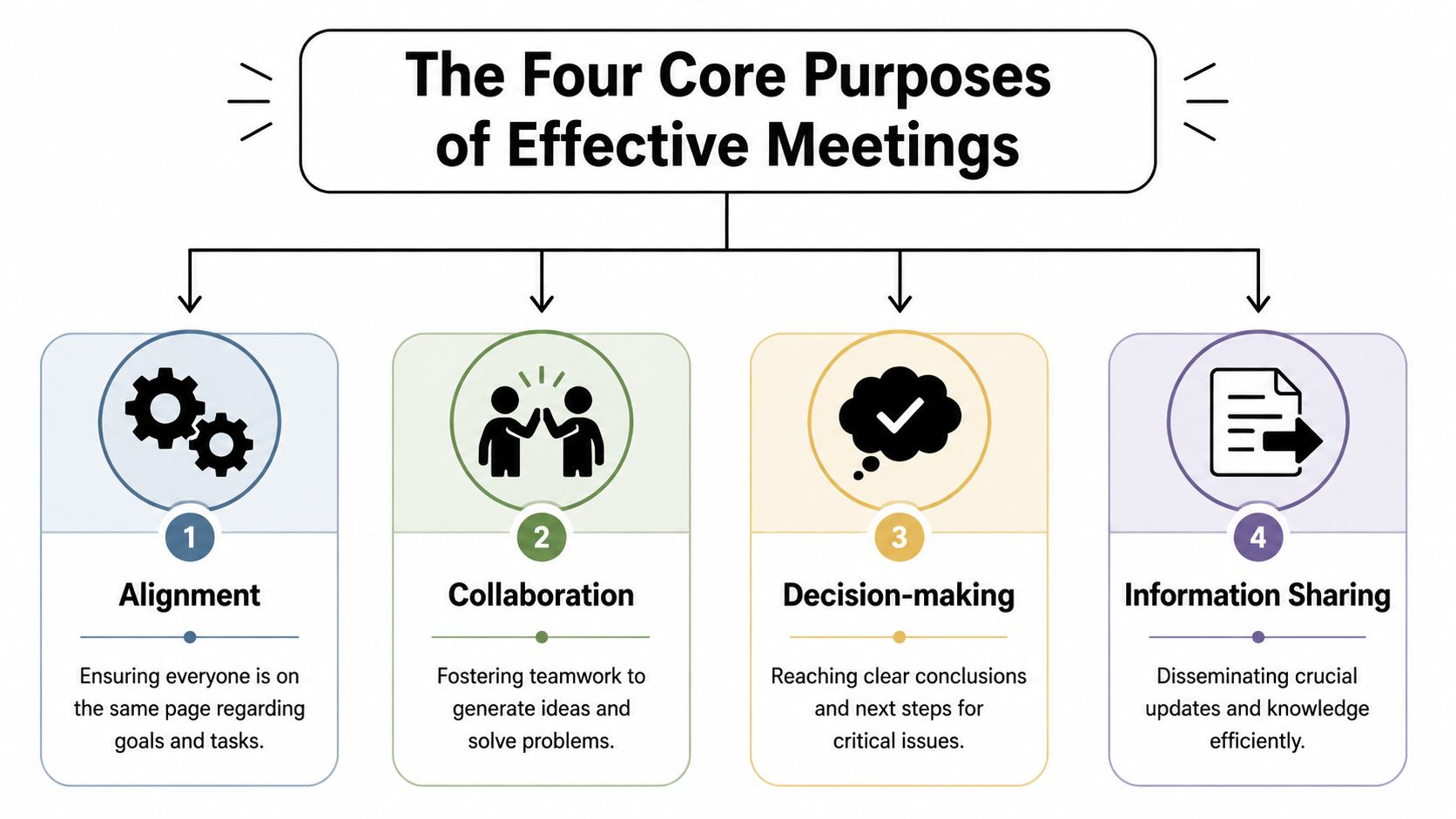
Most team meetings fall into four core purposes.
- Alignment means getting everyone on the same page. A project launch meeting often fits here. People need to understand the goal, timeline, dependencies, and who owns which stream of work.
- Collaboration means creating something together. Collaboration often involves brainstorming, issue mapping, and working sessions.
- Decision-making means resolving open questions. If there are trade-offs, competing options, or risk calls to make, a live meeting can be the right tool.
- Information sharing means distributing important context. This one is useful, but it's also the most overused reason to meet because many updates are better in writing.
The problem starts when leaders combine all four into one recurring meeting. You can't spend the first half sharing status, the second half brainstorming, and the last few minutes trying to make a decision under time pressure and expect quality outcomes.
Practical rule: If you can't state the meeting's primary purpose in one line, attendees won't know how to prepare.
How the four purposes show up in real work
Take a product team preparing a feature release.
Alignment happens when product, engineering, design, and support confirm scope, launch timing, and responsibilities. The point isn't discussion for its own sake. The point is reducing mismatch before work fans out.
Collaboration shows up when the same group works through an onboarding flow, messaging angle, or customer objection. People need room to react to each other's ideas, not just post isolated comments.
Decision-making comes into play when there are real choices on the table. Delay the release or ship with a reduced scope. Prioritize performance fixes or complete the analytics layer first. Those calls often benefit from live debate with the right people in the room.
Information sharing matters when context changes and people need the same facts. But this is the category to handle with the most discipline. If the update doesn't need immediate questions, conflict resolution, or group judgment, a written brief usually does the job better.
A quick way to diagnose your own calendar is to ask: what is each meeting for? If the answer is “a little bit of everything,” redesign it. Give each meeting a single center of gravity.
The Five Essential Types of Team Meetings
The core issue is often not with meetings themselves, but with their design. A single generic format is frequently used for all purposes. The result is predictable. A planning discussion gets rushed like a stand-up. A decision forum turns into a status dump. A one-on-one gets buried under project admin.
Different meeting types need different rules.
A Quick Guide to Common Meeting Types
| Meeting Type | Primary Goal | Typical Cadence | Key Outcome |
|---|---|---|---|
| Status update or stand-up | Surface progress and blockers quickly | Daily or weekly | Visibility on current work and immediate obstacles |
| Planning session | Define upcoming work and sequence responsibilities | Weekly, sprint-based, monthly, or project-based | Shared plan, priorities, and owner clarity |
| Retrospective | Reflect on what worked and what needs to change | After a sprint, launch, or project phase | Process improvements and team learning |
| Decision-making forum | Resolve a specific issue with clear options | As needed | A decision, rationale, and next steps |
| One-on-one | Support performance, coaching, context, and trust | Weekly, biweekly, or monthly | Stronger manager-report alignment and follow-through |
What each meeting type is really for
The status update is the easiest to abuse. At its best, it's short and focused on movement and blockers. At its worst, it becomes a recital of tasks people could have read in Asana, Notion, Linear, or Jira. If people are just reporting activity, move that part to writing and reserve live time for exceptions, risks, and dependencies.
The planning session needs more room, allowing teams to prioritize, sequence, and negotiate trade-offs. Good planning meetings answer practical questions: What matters now? What slips if capacity changes? Which handoffs could fail? A planning meeting without explicit priorities usually produces polite confusion.
The retrospective often gets skipped when teams are busy, which is exactly when it matters most. This meeting isn't for blame. It's for pattern recognition. Where did communication break down? Which approval step created delay? Which assumption hurt the handoff between functions?
The decision-making forum should be one of the most tightly run meeting types on your calendar. The issue must be clear before the meeting starts. The right people need to attend. The options should be visible. If you walk in still trying to figure out what the question is, the group will waste the first half of the call framing the problem.
Don't invite spectators to a decision meeting. Invite the people who carry context, own consequences, or need to act on the outcome.
The one-on-one is different from every other meeting in this list because its center is the person, not the project. Good one-on-ones create space for coaching, friction, motivation, and concerns people won't raise in a group. If you use them only for project updates, you strip out most of their value.
A simple mistake I've seen repeatedly is forcing these meeting types into the same cadence and template. Don't do that. A stand-up needs speed. A retrospective needs candor. A decision forum needs sharp framing. A one-on-one needs trust. Same calendar. Very different jobs.
How to Create an Agenda That Guarantees Results
Most bad meetings are lost before they start. The invite goes out with a vague title, no pre-read, no owner for discussion points, and no explicit decision or deliverable expected by the end. People show up underprepared because the invite gave them nothing useful to prepare for.
That's especially expensive when meetings already occupy a meaningful share of work time. Atlassian notes that one study summarized in its meeting guidance found 63% of meetings have no pre-planned agenda, and the same guidance points to agendas as a critical control against drift and wasted time in its article on team meetings. The same reference also summarizes how meetings consume recurring work time, while related summaries cite employees spending about 4 hours per week and 392 working hours per year in meetings.
A real agenda is not a topic list. It is a decision script.
What strong agendas include
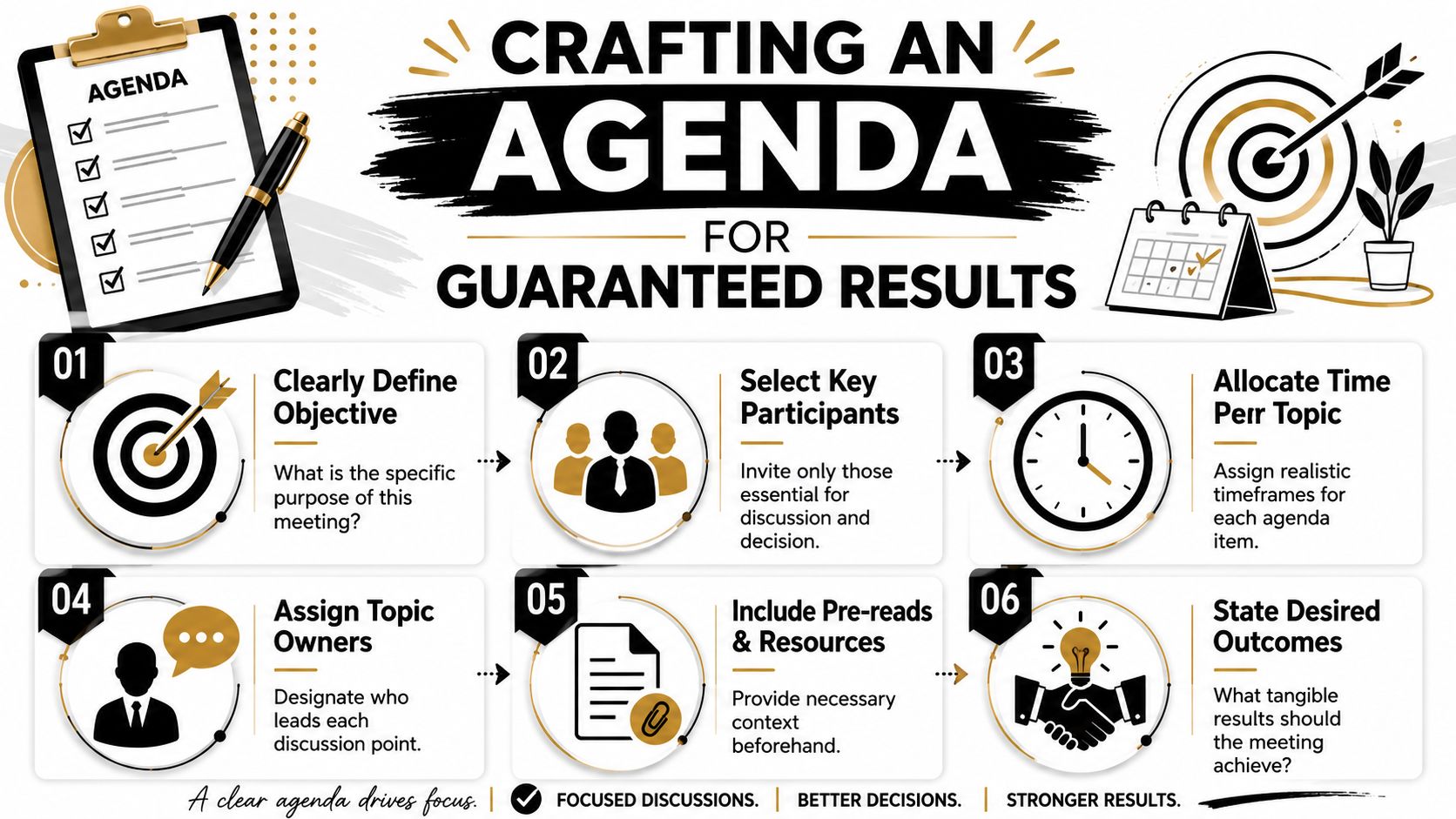
The best agendas include a few essential elements:
A single objective
Write the objective as an outcome, not a topic. “Decide launch owner and finalize timeline” is better than “Discuss launch.”Agenda items with owners
Every section needs someone responsible for framing it. Without that, the facilitator carries too much of the meeting and important context gets lost.Time limits
Time boxes force prioritization. They also reveal whether the meeting is trying to do too much.Pre-reads and links
If people need a spec, deck, roadmap, or customer notes, attach them in advance. Don't spend live time reading documents together unless the reading itself is part of the exercise.Desired outcomes for each item
Label each discussion point with what should happen: decide, review, brainstorm, assign, or flag.
For teams that want to warm up a room without wasting the first few minutes, these check-in questions for meetings can help, as long as they support the meeting's purpose instead of distracting from it.
A quick walkthrough can help if your team is trying to standardize the basics:
Sample agenda for a project kickoff
Here's a practical example.
Meeting title: Website Redesign Project Kickoff
Objective: Confirm scope, roles, timeline, and immediate next steps for the redesign project.
Project goal and success criteria, 10 minutes, owner: Marketing lead
Outcome: shared understanding of why the project exists and what success looks like.Scope and non-scope review, 15 minutes, owner: Product manager
Outcome: agreement on what is included now and what is deferred.Timeline and milestones, 10 minutes, owner: Project lead
Outcome: milestone dates and critical dependencies clarified.Risks and blockers, 10 minutes, owner: Engineering lead
Outcome: top open risks captured with owners.Roles and communication norms, 10 minutes, owner: Facilitator
Outcome: clear operating rhythm for updates, approvals, and escalation.Action review, 5 minutes, owner: Note-taker reads back
Outcome: confirmed owners and deadlines.
That agenda works because each item points to a concrete result. People know what to bring, what matters, and how the meeting will end.
Facilitation Skills for In-Person and Hybrid Teams
An agenda can be excellent on paper and still collapse in the room. That's where facilitation matters. Hosting is sending the invite. Facilitating is helping the group do the work.
The strongest facilitators aren't necessarily the most talkative. They're the ones who keep attention on the purpose, manage energy, and make sure the conversation produces an outcome instead of just airtime.
Roles that keep meetings moving
In many teams, one person tries to do everything. They guide the discussion, watch the time, take notes, answer questions, and summarize decisions. That usually leads to a messy meeting because the person driving the conversation can't also observe it clearly.
Separate a few roles when the meeting matters:
- Facilitator keeps the discussion on purpose and moves the group toward the outcome.
- Note-taker captures decisions, action items, owners, and unresolved issues.
- Timekeeper watches the clock and flags overruns.
- Decision owner confirms what's been decided when the group reaches a conclusion.
These roles can rotate. Rotation helps teams develop stronger meeting habits because people feel the cost of drift from different seats.
How to lead the room without dominating it
Good facilitation is mostly intervention at the right moment.
If one person is taking over, interrupt cleanly and redirect. Try: “I want to pause there and hear from two people we haven't heard from yet.” If the discussion goes sideways, name it. “That matters, but it's outside today's decision. Let's park it.” If the team starts circling the same point, summarize the disagreement and force choice. “We have two options on the table. Which one are we backing and why?”
The facilitator's job is not to speak the most. It's to make the clearest next move.
A few techniques work repeatedly:
- Round-robin input helps draw out quieter voices.
- Write first, talk second works well in brainstorming. Give people a minute in a shared doc or whiteboard before discussion starts.
- Decision read-backs prevent false agreement. Say the decision aloud before moving on.
- Visible parking lot keeps good side topics from hijacking the agenda.
If your team is trying to create repeatable behavior around how meetings run, documenting shared expectations helps. A simple set of team norms examples can make participation, responsiveness, and decision etiquette much clearer.
What changes in hybrid meetings
Hybrid meetings fail when the people in the room become the primary meeting and the remote attendees become observers. That's not a technology problem. It's usually a facilitation problem.
Use these adjustments:
- Start with remote voices first. It prevents the room from setting the whole conversation before others can enter.
- Put artifacts on screen for everyone. If some people are looking at a physical whiteboard and others are squinting at a camera feed, you've already split the meeting.
- Use chat and polls deliberately. Chat is useful for quick reactions, clarifications, and lightweight votes. Polls help when the group needs a fast directional signal.
- Name who you're inviting in. “Sam, you're closer to the customer context. What are we missing?” works better than hoping people jump in.
The best hybrid facilitators design for participation, not attendance.
Meeting Pitfalls and When to Choose Async Instead
A surprising number of meetings aren't broken because people are bad at meetings. They're broken because the meeting should never have existed in the first place.
The most common failure pattern is simple. There's no real agenda, no need for live discussion, too many attendees, and no defined output. People join because the invite exists. Then the group spends half an hour processing information that could have been read in three minutes.
The failure patterns that waste everyone's time
Atlassian's meeting guidance summarizes research showing that 63% of meetings are conducted without a pre-planned agenda, which helps explain why they become unproductive in the first place. The same guidance also points to a second mistake: using meetings for routine status updates that are better handled asynchronously. Slack makes a similar practical distinction in its guide to the team meetings you need and don't need, arguing that meetings are best reserved for live discussion, decision-making, and collaboration rather than default updates.
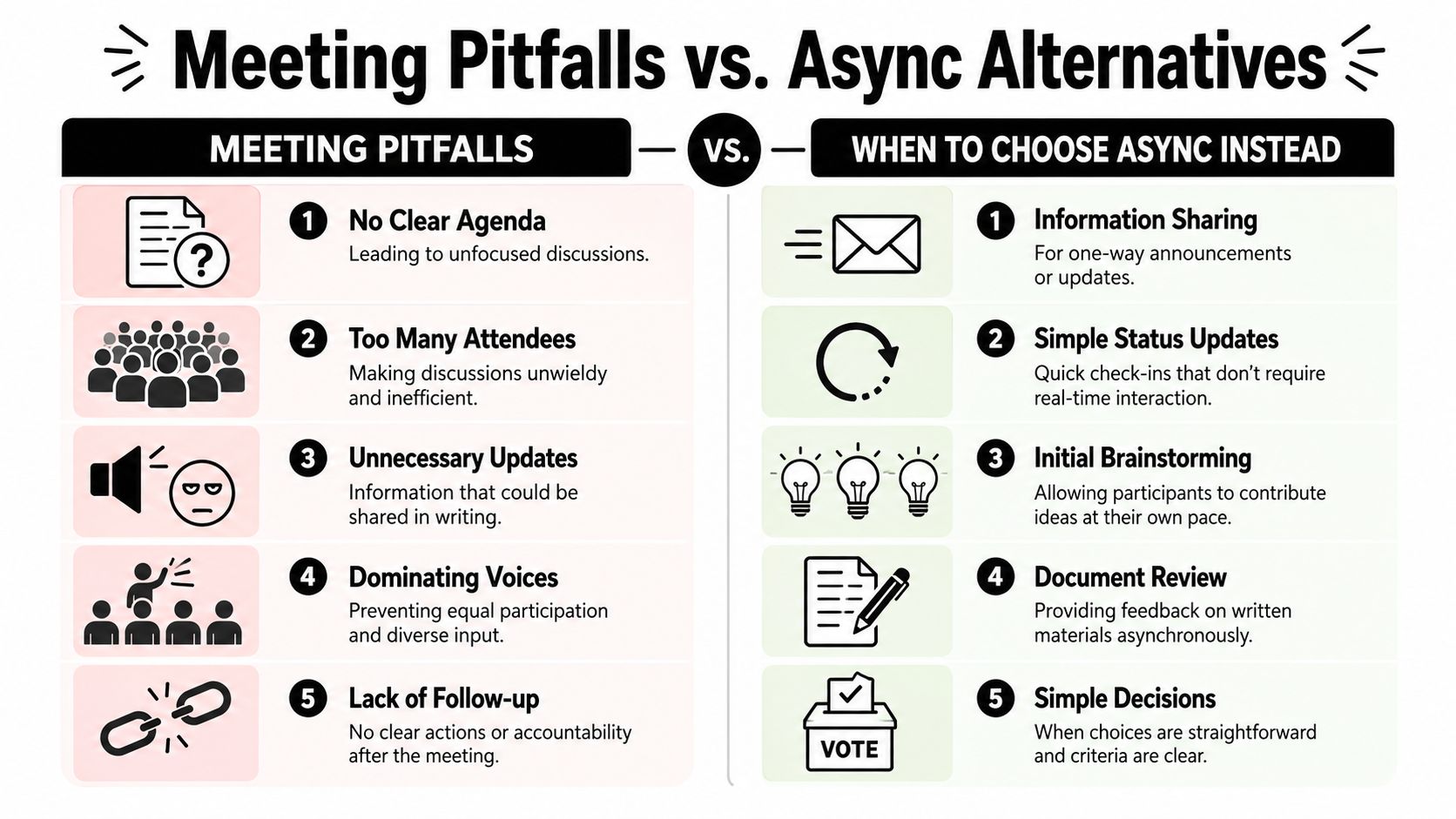
Common meeting killers include:
No clear question to answer
The group talks around a topic instead of driving toward an outcome.Attendance by habit
People join because they were always invited, not because they're needed.One-way updates
Someone reads project progress aloud while everyone else half-listens.Dominating voices
The loudest person shapes the room while others disengage.No action close
The meeting ends with broad agreement and no owner list.
A simple test for meeting or async
Use this filter before you send the invite.
Choose a meeting when:
- You need discussion. People must react to one another in real time.
- You need a decision. The group has trade-offs to evaluate together.
- You need fast conflict resolution. Misalignment will linger if handled in a long thread.
- You need co-creation. The work improves when people build on each other's thinking live.
Choose async when:
- You're sharing updates. Status, announcements, and routine check-ins belong in Slack, email, Notion, or a project tracker.
- You're collecting initial input. A doc with comments often produces more thoughtful responses than a rushed live brainstorm.
- You're reviewing materials. People can read and respond on their own time.
- The decision is straightforward. If criteria are already clear, a poll or written approval may be enough.
If the main activity is listening, default to writing. If the main activity is resolving, deciding, or creating together, meet.
That one distinction can give hours back to a team without reducing coordination.
Connecting Meeting Outcomes to Your Ultimate Goals
A meeting is only valuable if its output survives the meeting. Good conversations feel productive. That feeling means nothing if the result doesn't connect to the work that matters next week.
Teams often lose momentum following meetings. They leave with verbal agreement, but the decisions never get translated into owned tasks, tracked milestones, or visible priorities.
Close every meeting with traceable ownership
End every meeting with three things:
- Action item
- Owner
- Due point
That final review should be spoken aloud, not just buried in notes. People catch ambiguity when they hear it. “Marketing will handle it” sounds fine until someone asks which person in marketing owns it.
A clean written record also matters. If your team wants a practical reference, this guide for effective meeting notes is useful because it focuses on decisions, responsibilities, and follow-up instead of turning notes into a transcript.
Turn meeting output into real progress
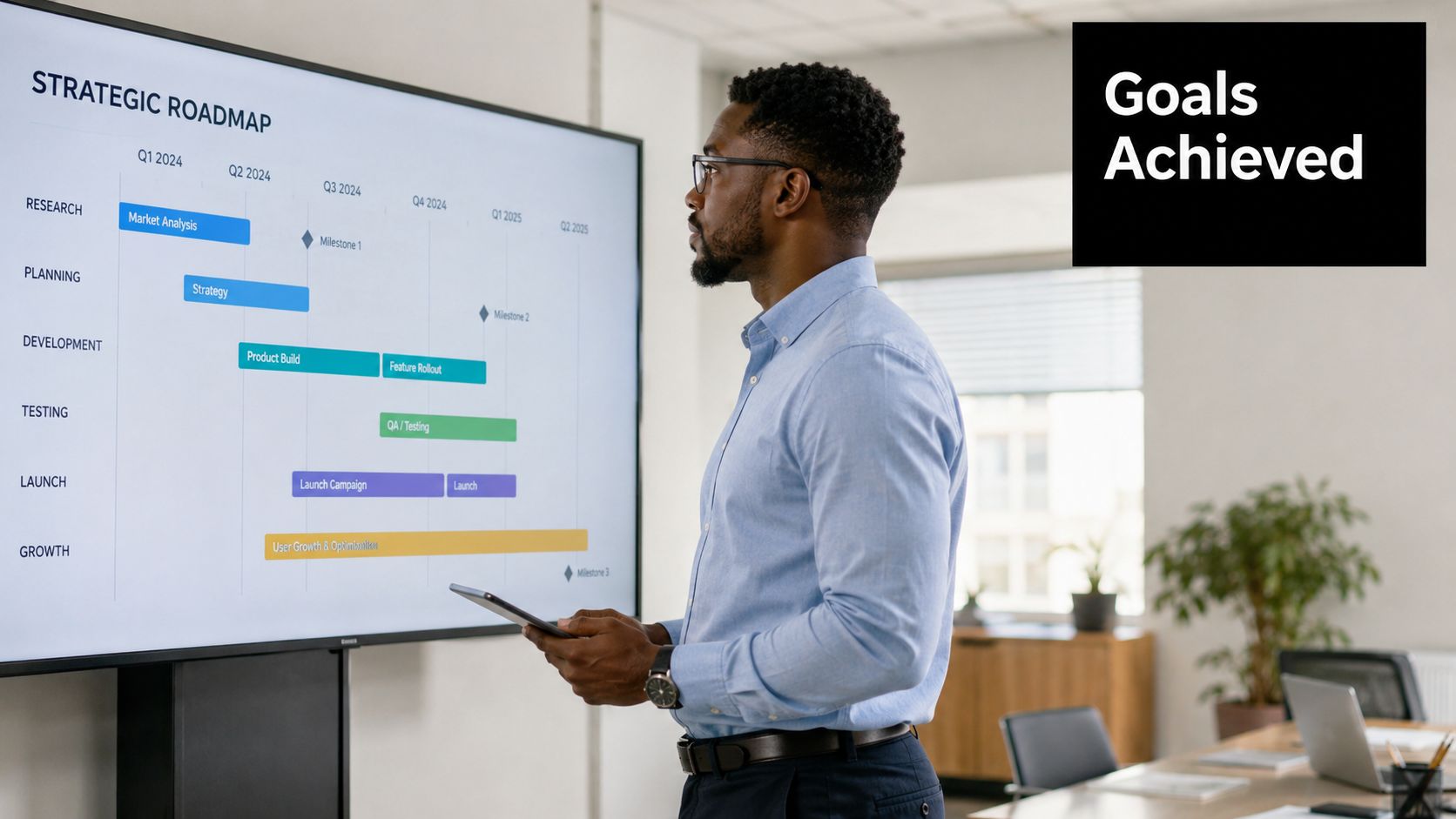
The last step is linking meeting outcomes to larger goals. A project meeting should move a milestone. A leadership meeting should advance a strategic priority. A one-on-one should support performance, growth, or problem resolution. If you can't trace the line from meeting output to a larger objective, the meeting probably drifted too far from meaningful work.
That's why strong teams connect actions to systems that already track progress, whether that's in Asana, ClickUp, Linear, Jira, Notion, or a dedicated goals process. If your team is working with longer-range planning, these goal-setting frameworks are a useful way to connect immediate tasks with bigger outcomes.
What is a team meeting, then? At its best, it's not a recurring event on a calendar. It's a deliberate investment of shared attention. It creates clarity, settles decisions, and turns discussion into owned motion.
Tribble Software Private Limited builds Beyond Time, an AI-powered goal achievement system designed to turn plans into measurable progress. If your meetings generate action items that disappear into scattered docs and task lists, Beyond Time can help connect those outcomes to goals, milestones, routines, and daily execution so the work discussed gets done.
Put this into practice
Free tools that match this article.
Goal Setting Worksheet
Turn a vague goal into milestones, habits, blockers, and a weekly review plan.
Try Goal WorksheetTime ManagementWeekly Schedule Template
Plan your week with a free printable weekly schedule template for goals, routines, and focus blocks.
Try Schedule TemplateHabit BuildingHabit Tracker Template
Create a free printable habit tracker template — weekly or monthly. Customize your habits and download a clean PDF in seconds.
Try Habit TrackerTime ManagementTime Blocking Template
Map your day into focused time blocks with a free printable time blocking template.
Try Time BlockingRelated Articles
8 Top Meeting Notes Examples to Copy in 2026
Explore 8 expert-curated meeting notes examples and templates. Copy, adapt, and learn how to take notes that drive action, accountability, and goal achievement.
How to Track Multiple Goals Without Getting Overwhelmed
Learn a proven system for managing multiple goals simultaneously without losing focus or burning out. Practical frameworks for tracking 3-5 goals at once.
Accountability Partner Guide: Achieve Goals Faster
Learn how to find, structure, and get the most from an accountability partner. Research shows accountability can boost goal achievement by up to 95%.
5-Year Plan Template: Build Your Life Roadmap Step by Step
Build your life with this step-by-step 5 year plan template. Set goals across 5 key life domains and break them into year-by-year milestones you can act on.
How to Set Life Priorities: A Framework for What Matters Most
Learn how to set priorities in life with a proven values-based framework. Discover what matters most and start building goals aligned with your life today.
Life Audit: The Complete Guide to Redesign Your Life
A life audit helps you step back, evaluate every major area of your life, and redesign it with intention. Discover how to do yours in five clear steps.