Work Breakdown Structure Example Project Management
Learn work breakdown structure example project management with 8 detailed plans. Break down software, marketing, & personal goals into actionable tasks for
Stop Scope Creep: Master Your Projects with a WBS
Ever watch a project spiral out of control, with tasks multiplying and deadlines vanishing? The usual problem isn't effort. It's that the team started with activities instead of scope. A work breakdown structure example project management article often shows neat boxes on a chart, but that's where many teams stop. They admire the diagram and then go straight back to managing work in chat threads, tickets, and spreadsheets.
That misses what a WBS is for. PMI defines a WBS as a product-oriented “family tree” that organizes and defines the total scope of a project, and work not represented in the WBS isn't part of the project unless it's approved as a change order, according to PMI's WBS principles. That's the gap in conventional thinking. A WBS isn't decoration. It's a control system.
This guide gives you 8 build-along examples so you can create one, not just recognize one. Each example shows how to go from a broad objective to deliverables, work packages, owners, and practical planning decisions. I'll also show how each structure fits modern operating models such as OKRs and AI-supported execution in Beyond Time, where plans don't just sit in a document but turn into milestones, routines, and daily follow-through.
If your projects involve messy requirements, changing priorities, or cross-functional handoffs, start with this related guide on how to navigate uncertainty in data projects.
Table of Contents
- 1. Software Development Project WBS
- 2. Product Launch Project WBS
- 3. Goal Achievement and OKR Implementation WBS
- 4. Marketing Campaign Project WBS
- 5. Process Improvement and System Implementation WBS
- 6. Personal Development and Self-Improvement Project WBS
- 7. Startup Business Scaling Project WBS
- 8. AI Tool Integration and Workflow Optimization Project WBS
- 8 WBS Examples: Side-by-Side Comparison
- From Planning to Achievement Your WBS Action Plan
1. Software Development Project WBS

What makes a software WBS useful instead of decorative? It has to reflect deliverables your team can ship, test, and hand off. If it mirrors a sprint board, it usually turns into a task list with weak scope control.
Software projects break down cleanly when the top level matches the product architecture and release obligations. For a practical work breakdown structure example project management teams can use, start with app surfaces, backend services, integrations, quality controls, and release readiness. That gives engineering, product, QA, and security a shared scope model before stories ever hit the backlog.
I see one mistake constantly. Teams create branches like development, testing, and deployment. That sounds organized, but it hides ownership gaps. A better structure is iOS app, web app, API layer, AI services, security and privacy, and QA and release. Each branch then breaks into deliverables with a visible finish line.
Build the WBS around shipped components
For a platform like Beyond Time, I would build level 1 around the product pieces users touch and the system pieces that keep the release safe. That means separate branches for iOS, web, backend, AI-powered features, analytics, security, and release operations. If mobile and web have different acceptance criteria, keep them separate from the start. Combining them under a generic frontend bucket usually creates rework during testing and signoff.
Field rule: If one WBS item needs multiple teams to argue about what “done” means, split it.
That rule matters even more in modern software teams using OKRs and AI tools. A branch like “goal management module” can map directly to an outcome such as better weekly planning adoption. A branch like “AI critique engine integration” can map to a product objective around coaching quality, while still being managed as a technical deliverable with API, prompt, fallback, and QA subcomponents. The WBS keeps the outcome visible without turning the plan into vague strategy language.
Build-along example
Here is a clean outline for a software release WBS:
- Project level: Beyond Time feature release
- Level 1 deliverables: iOS app, web app, API layer, AI critique engine integration, security and privacy, QA and release
- Level 2 under iOS app: time tracking UI, session handling, reminders, local state, App Store release prep
- Level 2 under web app: OKR dashboard, milestone editor, habit views, user settings
- Level 2 under API layer: authentication endpoints, goal data endpoints, integration endpoints, error logging
- Level 2 under AI integration: Claude connection, ChatGPT connection, Cursor workflow, Windsurf workflow, MCP-compatible interfaces
At this point, assign owners and completion criteria to each level 2 item. “Authentication endpoints” is still too broad unless the team agrees on included methods, error handling, audit logging, and test coverage. “App Store release prep” also needs boundaries, such as store assets, compliance checks, versioning, and submission support.
Atlassian's guide on WBS usefully ties work packages to estimating duration, assigning resources, and identifying dependencies across the plan in its work breakdown structure guide. That matters in software because integration work rarely fails in the coding step alone. It fails in vendor limits, authentication quirks, environment drift, and late-stage QA. Keeping those integrations as separate workstreams makes those risks visible early.
For teams building this out in parallel with scheduling and delivery planning, these software project planning ideas from Beyond Time fit well with the WBS structure above.
2. Product Launch Project WBS
A launch WBS shouldn't start with “create ads” or “send emails.” It should start with what the market must receive. That includes positioning, offer structure, launch assets, enablement, support readiness, and post-launch learning.
Many launches encounter difficulties at this stage. Teams overbuild campaign assets and underbuild operational readiness. Then traffic lands, questions pile up, pricing causes friction, and support materials lag behind.
Structure the launch around market-facing deliverables
A practical top-level WBS for a launch has branches like market research and positioning, product readiness, pricing and packaging, launch content, sales enablement, onboarding and support, and post-launch optimization. If the audience varies, split the launch branch by segment. Founders, students, and working professionals often need different messages, examples, and onboarding flows.
The WBS is especially useful here because each lower level gets an owner and a finish line. “Go live” isn't a deliverable. “Pricing page published,” “free web app onboarding complete,” and “support macros approved” are.
Teams usually think launch risk sits in marketing. In my experience, launch risk often sits in unclear ownership between product, support, and growth.
Build-along example
For a Beyond Time launch, I'd build it like this in outline form:
- Project level: New market launch
- Level 1 deliverables: positioning, offer design, launch assets, demand generation, user onboarding, support operations, feedback loop
- Positioning branch: audience segmentation, competitor review, value proposition, messaging hierarchy
- Offer design branch: free web app offer, paid iOS offer, trial design, pricing communication
- Launch assets branch: landing pages, emails, integration announcements, demo flows, store descriptions
- Demand generation branch: founder campaign, professional campaign, student campaign, partner outreach
- User onboarding branch: first-session flow, milestone setup, habit templates, help content
- Feedback loop branch: launch review cadence, issue triage, message refinement, retention fixes
What works is keeping post-launch optimization inside the original WBS. What doesn't work is treating it as a separate effort “for later.” If learning is part of launch value, it belongs in scope from day one.
3. Goal Achievement and OKR Implementation WBS
Why do so many OKR programs stall after a strong kickoff? The usual failure point is not ambition. It is translation. Teams can state the objective, debate the key results, and still fail because nobody has broken the work into deliverables that can be assigned, tracked, and reviewed.
A WBS gives OKRs that missing execution layer. It turns an objective into concrete outputs, then into milestones, then into work packages that fit a weekly operating rhythm. That matters in mixed delivery environments where some work runs on fixed deadlines and some work moves in short iterations. The Institute of Project Management points out that many teams now work across predictive, agile, or hybrid methods, yet WBS guidance is often still framed too narrowly for that reality in its discussion of WBS in modern delivery. In practice, OKRs need both. Stable scope. Flexible execution.
Build the WBS from the key result down
Start with one objective only. If a team tries to map the entire quarter at once, the structure gets bloated fast and ownership blurs.
Use the key results as your first decomposition layer. Then break each key result into initiatives, milestones, and work packages. The test is simple. If a work package cannot be assigned to one owner with a clear completion condition, it is still too high level.
I use this pattern:
- Objective: Build a stronger founder operating system
- Level 1, key results: improve planning discipline, increase execution consistency, tighten review cadence
- Level 2, initiatives under planning discipline: define quarterly goals, map milestone sequence, create weekly planning ritual
- Level 2, initiatives under execution consistency: daily focus selection, calendar blocking, task batching, time tracking review
- Level 2, initiatives under review cadence: weekly review, monthly reset, blocked-goal escalation process
- Level 3, milestone example under weekly planning ritual: planning template drafted, meeting cadence set, owner assigned, first four sessions completed
- Level 4, work package example: write template, review with team lead, publish version 1, train users, collect first-week feedback
That last level is where OKRs become usable. "Improve planning discipline" is not ownable. "Publish planning template and train all team leads by Friday" is.
Where teams get this wrong
The common mistake is building the WBS around activities instead of outcomes. A branch called "meetings" or "tracking" sounds organized, but it hides the result you are trying to produce. A better branch name is the deliverable itself, such as review cadence, milestone map, or escalation workflow.
The second mistake is treating recurring management routines as outside the WBS. For OKR work, those routines are part of scope. Weekly reviews, score updates, and exception handling are not admin overhead. They are part of the system you are building.
That is also where AI tools help if the structure is already sound. Beyond Time can support daily prioritization, progress critique, and habit consistency, but it works best when the WBS has already defined what success looks like and who owns each package. Teams that need a practical bridge between top-level objectives and day-to-day execution can use these goal-setting frameworks from Beyond Time.
A build-along example for a real OKR rollout
For a small leadership team, I would not create a giant OKR tree upfront. I would build one objective at a time and test whether the decomposition supports weekly decision-making.
A workable outline looks like this:
- Project level: Q3 OKR implementation
- Level 1 deliverables: objective design, key result definitions, initiative planning, review system, reporting setup, risk handling
- Objective design branch: draft objectives, leadership review, approval criteria, final wording
- Key result definitions branch: baseline capture, target setting, measurement rule, data owner assignment
- Initiative planning branch: initiative shortlist, sequencing, resource check, milestone plan
- Review system branch: weekly scorecard, monthly business review, exception escalation, reset criteria
- Reporting setup branch: dashboard fields, update cadence, meeting template, decision log
- Risk handling branch: blocked dependency list, underperforming KR response plan, scope-change rules
This structure holds up because it connects strategy to operations without pretending the quarter will run exactly as planned. The WBS stays stable enough for ownership and reporting. The sprint plan, weekly plan, or AI-assisted daily plan can change underneath it as the team learns.
4. Marketing Campaign Project WBS
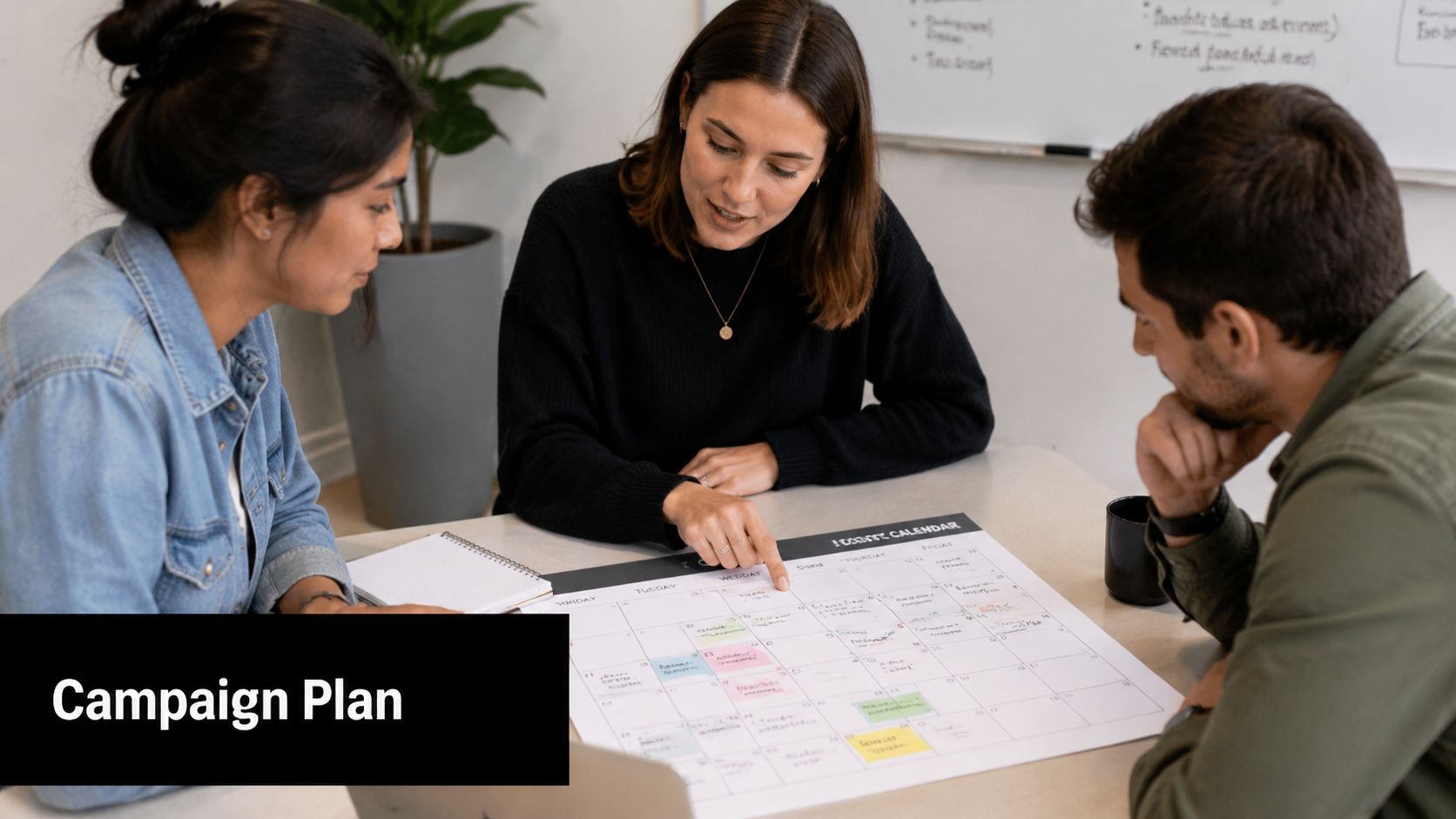
Marketing teams love content calendars, but calendars don't replace scope. A campaign WBS works best when it starts with audience, offer, channel assets, conversion path, and reporting. If you skip that structure, the team ends up producing content without a clean path from message to action.
This type of work breakdown structure example project management setup is especially useful when one campaign serves multiple personas. Founders, students, and professionals may all see the same brand, but they won't respond to the same promise.
Segment first, then choose channels
I usually begin with level 1 branches such as strategy, audience segments, core assets, channel execution, conversion optimization, and analytics. Then I create a branch for each primary audience. That avoids one of the most common mistakes in campaign planning, which is stuffing every message into one giant “content” bucket.
A founder-focused campaign for Beyond Time might stress planning clarity and execution discipline. A student campaign might emphasize milestone tracking and study routines. The deliverables are related, but they're not interchangeable.
Build-along example
A campaign WBS might look like this:
- Project level: Quarterly acquisition campaign
- Level 1 deliverables: strategy, founder segment, student segment, professional segment, creative production, landing pages, email nurture, analytics
- Founder segment branch: pain point mapping, ad concepts, landing page copy, onboarding sequence
- Student segment branch: short-form video themes, study-planning hooks, sign-up prompts
- Professional segment branch: LinkedIn content, email lead magnet flow, webinar or demo support
- Creative production branch: scripts, visual assets, edits, approvals, publishing files
- Analytics branch: dashboard setup, event validation, trial-to-paid review, message testing backlog
A good campaign WBS makes the handoff visible. Strategy hands to creative. Creative hands to channel managers. Channel traffic hands to onboarding. If one handoff is missing, the campaign underperforms even when the content is strong.
What works is connecting every asset branch to a conversion branch. What doesn't work is tracking “content shipped” as if that proves campaign success.
5. Process Improvement and System Implementation WBS
Why do so many system rollouts stall after a clean launch? Because the team planned the install, not the operating change.
Process improvement work breaks down differently from product or campaign work. The technical setup matters, but the WBS has to cover how people will use the new process week after week, who owns exceptions, how decisions get made, and what gets reviewed when adoption slips. That is the difference between a tool rollout and a working management system.
For planning, goal tracking, or time management changes, I build the WBS around behavior change as much as configuration. A team adopting Beyond Time still needs review rhythms, role clarity, manager coaching, and a way to spot drift early. AI features can speed up setup and highlight usage patterns, but they do not replace governance or manager follow-through.
Build the WBS around operating change
A practical level 1 structure usually includes current-state assessment, future-state design, system configuration, pilot rollout, training, governance, and improvement backlog. I keep adoption work visible instead of burying it under training. If change management disappears into a generic enablement bucket, nobody owns reinforcement after launch.
There is a real trade-off here. A fast rollout reduces project time and gets the system live sooner. A slower rollout with pilot testing, manager support, and checkpoint reviews usually produces better adoption and fewer process workarounds three months later.
Build-along example
For a team implementing a new planning and review system, use a structure like this:
- Project level: Team operating system rollout
- Level 1 deliverables: baseline assessment, process design, tool setup, pilot launch, training, governance, scaling plan
- Baseline assessment branch: current meeting rhythm, reporting pain points, planning gaps, stakeholder interviews
- Process design branch: planning cadence, weekly review process, ownership rules, escalation path
- Tool setup branch: goal templates, reporting views, user permissions, milestone structure
- Pilot launch branch: pilot team selection, kickoff session, office hours, issue tracking, feedback review
- Training branch: manager training, contributor training, role-based scenarios, help documentation
- Governance branch: adoption checkpoints, sponsor reviews, exception handling, process updates
- Scaling plan branch: rollout sequence, support model, success measures, backlog prioritization
This structure works well with OKRs because it separates goal design from review discipline. Teams can map objectives and key results into the tool setup branch, then assign the meeting cadence, checkpoint owners, and escalation rules under governance. If you need a reference point for the checkpoint layer, this guide to examples of milestones in project management helps teams define review points without confusing them with tasks.
One common failure point is mixing deliverables and habits at the same level. “Configure dashboards” belongs in setup. “Managers review progress every Friday” belongs in governance or process design. Keeping those distinct makes the WBS easier to estimate, assign, and audit later.
I treat this kind of WBS as a build-along template, not a static chart. Start with the branches above, test them against your handoffs, then adjust for your operating model, OKR cadence, and the AI support your team will use. That is how implementation plans hold up after the kickoff meeting.
6. Personal Development and Self-Improvement Project WBS
Personal goals usually fail for the same reason business goals fail. The scope is fuzzy, the milestones are inconsistent, and nobody notices drift until motivation drops. A WBS gives personal development the structure people usually reserve for client work.
That might sound too formal for fitness, learning, or career transitions. It isn't. It's just a way to separate the desired result from the work required to get there.
Personal goals still need scope discipline
A good personal WBS starts with one concrete outcome. Then split it into results, capability areas, routines, and checkpoints. If someone wants to move into AI or machine learning work, the top branches might be foundations, portfolio projects, networking, application materials, and interview readiness. If the goal is health-focused, the branches might be training, nutrition, recovery, measurement, and environment design.
The biggest mistake is mixing habits and outcomes at the same level. “Run three days a week” and “complete a 5K” don't belong side by side. One is a method. The other is a milestone or outcome.
Build-along example
Here's a cleaner structure for a personal growth plan:
- Project level: Career transition to AI-focused work
- Level 1 deliverables: foundational learning, portfolio, professional presence, interview readiness, review system
- Foundational learning branch: core concepts, tools practice, guided exercises, knowledge review
- Portfolio branch: first project, second advanced project, documentation, demo presentation
- Professional presence branch: résumé revision, profile updates, outreach list, conversation prep
- Interview readiness branch: technical practice, case practice, story bank, mock sessions
- Review system branch: weekly review, effort tracking, blocker log, plan adjustment
If you want a clearer way to define checkpoint quality, milestone examples in project management from Beyond Time are useful for translating ambition into visible progress.
The best personal WBS is boring in a good way. It tells you what to do next without waiting for motivation to rescue the plan.
7. Startup Business Scaling Project WBS
What breaks first when a startup starts to grow. Demand, delivery, or decision-making?
Usually all three. Teams add hires, launch features, test channels, and chase partnerships in parallel. The result looks busy, but the WBS usually reveals a harder truth. Validation work and scaling work are sitting in the same branch, so the team is treating uncertain bets and repeatable systems as if they deserve the same level of investment.
For startup projects, I build the WBS in two stages. First, prove the business can hold. Then build the parts that let it grow without the founders approving every pricing change, candidate, and customer exception. That distinction sounds simple, but it changes sequencing, staffing, and how progress gets reviewed against company OKRs.
Separate validation from scale
A workable startup scaling WBS usually starts with product, growth, revenue operations, customer success, hiring, finance and governance, and founder cadence. The mistake is stopping there. A useful WBS shows what each branch looks like at the current stage of the company, not the stage founders want to be in six months from now.
Product might start with retention fixes, onboarding improvements, and usage instrumentation before expansion features or integrations. Growth might begin with one repeatable acquisition motion and channel economics before adding partnerships, content programs, or outbound. Hiring should start with role definition, scorecards, compensation ranges, and interview loops before sourcing ramps up.
Founder dependence also needs its own visibility. If approvals, sales calls, roadmap calls, and investor updates all run through one person, that is not background context. It is scope, capacity risk, and schedule risk.
Build-along example
Here's a startup scaling WBS I'd use as a starting template:
- Project level: Scale core business
- Level 1 deliverables: validation, growth engine, monetization, customer success, team buildout, operating infrastructure, founder cadence
- Validation branch: customer interviews, retention analysis, onboarding fixes, pricing feedback, success criteria review
- Growth engine branch: channel selection, acquisition experiments, funnel measurement, referral or partner model, experiment review rhythm
- Monetization branch: packaging, pricing tests, billing workflow, upgrade path, churn reduction process
- Customer success branch: onboarding playbooks, support triage, renewal signals, feedback loop to product
- Team buildout branch: org priorities, role design, hiring plan, interview process, onboarding
- Operating infrastructure branch: KPI definitions, reporting stack, documentation, budget tracking, board reporting
- Founder cadence branch: decision log, weekly review, delegation plan, investor communication, escalation rules
That structure works better if you build it branch by branch instead of drafting the whole tree in one sitting. Start with the branches tied to your next company objective. If the quarter's OKR is retention, product, onboarding, support, and reporting should be more detailed than hiring or partnerships. AI planning tools such as Beyond Time also help here because they make dependencies and owner gaps visible early, especially when the same few people are carrying multiple branches.
A startup does not need enterprise paperwork. It does need a clear breakdown of what must be proven, what can be standardized, and what the team should postpone until the core engine is stable. That is the difference between scaling and just getting busier.
8. AI Tool Integration and Workflow Optimization Project WBS
AI integration projects look simple from the outside. Connect a tool, map some data, test prompts, and ship. In reality, the risk sits in the edges: permissions, sync logic, fallback behavior, training, and governance.
That's why this kind of work breakdown structure example project management pattern should never be a single “integrations” bucket. Claude, ChatGPT, Cursor, Windsurf, and other MCP-compatible tools may all connect to the same system, but each has distinct user flows, technical assumptions, and support needs.
Integration projects fail at the edges
For Beyond Time, I'd separate the WBS into tool evaluation, solution design, API and connector development, security and privacy, user workflow design, documentation and training, monitoring, and support operations. Then I'd split the integration branch by tool. Shared architecture can sit above them, but execution should remain distinct.
This is also one area where the classic WBS has to work with iterative delivery. The scope tree stays stable. The implementation order can still move sprint by sprint.
A useful video overview can help before you start mapping branches:
Build-along example
A clean integration WBS might look like this:
- Project level: AI workflow integration rollout
- Level 1 deliverables: architecture, Claude integration, ChatGPT integration, Cursor integration, Windsurf integration, security review, training, monitoring
- Architecture branch: data model mapping, auth design, sync rules, fallback design
- Claude branch: prompt flow design, context transfer, result handling, user testing
- ChatGPT branch: goal decomposition workflow, milestone suggestions, update loop
- Cursor and Windsurf branch: developer workflow triggers, context access rules, feedback handling
- Security review branch: permissions audit, privacy review, logging rules, exception handling
- Monitoring branch: usage visibility, failure alerts, support triage, vendor change review
The hard part isn't just building the connector. It's designing graceful degradation. If one integration fails, users still need a workable path in the core product.
8 WBS Examples: Side-by-Side Comparison
| WBS Type | Implementation Complexity 🔄 | Resource Requirements ⚡ | Expected Outcomes 📊⭐ | Ideal Use Cases 💡 | Key Advantages ⭐ |
|---|---|---|---|---|---|
| Software Development Project WBS | High 🔄, many technical dependencies and platform splits | Medium–High ⚡, developers, QA, designers, infra | Product-ready iOS/web apps; CI/CD and integration tracking 📊 | Multi-platform app builds, feature modules, API work 💡 | Clear feature progress; aligns with Agile/DevOps ⭐ |
| Product Launch Project WBS | Medium–High 🔄, cross-functional sequencing under time pressure | Medium ⚡, marketing, sales, product, analytics | Coordinated market entry, adoption metrics, launch execution 📊 | New product/feature launches, pricing or freemium rollouts 💡 | Ensures launch completeness and team coordination ⭐ |
| Goal Achievement & OKR Implementation WBS | Medium 🔄, requires regular updates and discipline | Low–Medium ⚡, time-tracking, coaching, OKR tooling | Aligned objectives to measurable key results; progress visibility 📊 | Organizational OKRs, company-wide goal systems, Beyond Time core use 💡 | Direct line-of-sight from daily tasks to strategic goals ⭐ |
| Marketing Campaign Project WBS | Medium 🔄, multi-channel timing and dependencies | Medium ⚡, content creation, ad spend, analytics | Audience reach, conversion metrics, campaign optimization 📊 | Multi-segment campaigns, trial-to-paid funnels, content series 💡 | Coordinated messaging and data-driven optimization ⭐ |
| Process Improvement & System Implementation WBS | Medium–High 🔄, change management and phased rollouts | Medium–High ⚡, training, customization, stakeholder time | Smooth adoption, documented processes, measurable success criteria 📊 | Org-wide system rollouts, OKR adoption, process reengineering 💡 | Minimizes disruption; enables phased risk mitigation ⭐ |
| Personal Development & Self-Improvement WBS | Low–Medium 🔄, simple structure but needs consistency | Low ⚡, individual time, habit tools, minimal cost | Habit formation, milestone achievement, measurable personal progress 📊 | Fitness plans, learning goals, career transitions, personal OKRs 💡 | Breaks goals into daily tasks; supports sustainable behavior change ⭐ |
| Startup / Business Scaling Project WBS | High 🔄, many interdependent growth levers and pivots | High ⚡, hiring, ops, marketing, funding, product | Scalable growth, PMF validation, revenue and retention milestones 📊 | Achieving MRR targets, team scaling, market expansion 💡 | Structured approach to growth; clarifies critical path for investors ⭐ |
| AI Tool Integration & Workflow Optimization WBS | High 🔄, API complexity, security, sync, vendor changes | Medium–High ⚡, integration dev, security, monitoring | Seamless tool ecosystems, reduced context-switching, unified data 📊 | Integrations with Claude/ChatGPT/Cursor/Windsurf; workflow automation 💡 | Enables ecosystem connectivity and AI-driven insights ⭐ |
From Planning to Achievement Your WBS Action Plan
What turns a WBS from a planning document into something the team uses every week?
It comes down to one decision. Treat the WBS as the working source of scope, ownership, and completion criteria. If scope lives partly in Slack, partly in meetings, and partly in someone's memory, the plan will drift even when the team is capable and committed.
As noted earlier, established WBS practice is built on full scope definition and disciplined decomposition. In real projects, that means every meaningful deliverable is accounted for, work outside scope is visible immediately, and the team breaks vague buckets down far enough that different people will interpret them the same way. Teams that skip that step usually pay for it later through rework, stalled approvals, and milestone dates that keep moving.
The examples in this article are useful for one reason only. You can build your own version alongside them.
Start with a live project, not a workshop exercise. Use the software release, launch plan, OKR cycle, campaign, process rollout, personal milestone, scaling initiative, or AI integration already sitting on your desk. Put the end result at the top. Break it into 4 to 7 major deliverables. Then decompose each deliverable until every work package passes three tests: one clear owner, one clear boundary, and one clear definition of done.
That last part is where many WBS examples fall apart. The chart looks tidy, but the lowest level is still written in broad labels like "testing," "training," or "optimization." Those are activity categories, not manageable work packages. A better version would say "complete regression test for payment flow," "train regional managers on new approval process," or "publish week 1 creative set and tracking dashboard." Specific language reduces debate later.
The build-along method also makes alignment easier. If your team runs on OKRs, map each major deliverable to the objective or key result it supports. If a branch does not support an outcome anyone is measuring, question whether it belongs in scope. That simple check prevents a common failure mode: detailed project plans that are busy but strategically disconnected.
Execution needs one more layer. Turn the WBS into milestones, review points, and short-cycle operating rhythms. Weekly milestone reviews work well for cross-functional projects. Daily task management belongs below the work-package level, not inside the top of the WBS. That separation matters. The WBS defines what must be delivered. Your task system handles how the team gets there this week.
AI tools can help here if they are used with structure instead of as idea generators. Beyond Time is useful because it connects objectives, milestones, routines, and day-to-day follow-through in one system. That makes it easier to convert a static WBS into an operating plan, especially for founders, small teams, and individuals who need planning and execution tied together without maintaining three separate tools.
Tribble Software Private Limited builds Beyond Time, an AI-powered goal achievement system that turns objectives into actionable roadmaps with milestones, habits, routines, time tracking, and daily AI critique. If you want your WBS to drive real execution instead of sitting in a document, Beyond Time gives founders, professionals, students, and self-improvers a practical way to connect project scope with daily follow-through.
Put this into practice
Free tools that match this article.
Goal Setting Worksheet
Turn a vague goal into milestones, habits, blockers, and a weekly review plan.
Try Goal WorksheetTime ManagementWeekly Schedule Template
Plan your week with a free printable weekly schedule template for goals, routines, and focus blocks.
Try Schedule TemplateGoal SettingSMART Goal Validator
Instantly validate your goals against the SMART framework and get actionable improvement suggestions.
Try SMART ValidatorGoal SettingAI Milestone Generator
Turn your biggest goals into an actionable step-by-step plan in seconds with AI.
Try Milestone GeneratorKeep exploring this topic
Goal setting guide
Start with the fundamentals of setting goals that turn into action.
Goal frameworks compared
Choose between SMART goals, OKRs, BHAGs, and 12-week goals.
Time blocking guide
Turn priorities into protected calendar blocks.
Beyond Time for students
See how students connect semester goals, study blocks, and routines.
Related Articles
What Is a Work Plan? Your 2026 Guide to Success
Discover what is a work plan and how to craft one effectively in 2026. Learn components, examples, and mistakes to turn your goals into reality.
Examples of Milestones in Project Management: 8 Key Types
Explore 8 examples of milestones in project management. Learn to set SMART milestones for any project, from software to personal goals, with actionable tips.
Master Productivity Measurement for Peak Performance
Learn effective productivity measurement. Explore key metrics like OKRs, cycle time, & throughput to boost individual, team, and organizational performance.
OKR Tracking Software: From Planning to Achievement in 2026
Confused by OKR tracking software? This guide explains key features, how to choose the right tool, and how to turn your goals into daily achievements.
How to Track Multiple Goals Without Getting Overwhelmed
Learn a proven system for managing multiple goals simultaneously without losing focus or burning out. Practical frameworks for tracking 3-5 goals at once.
Accountability Partner Guide: Achieve Goals Faster
Learn how to find, structure, and get the most from an accountability partner. Research shows accountability can boost goal achievement by up to 95%.