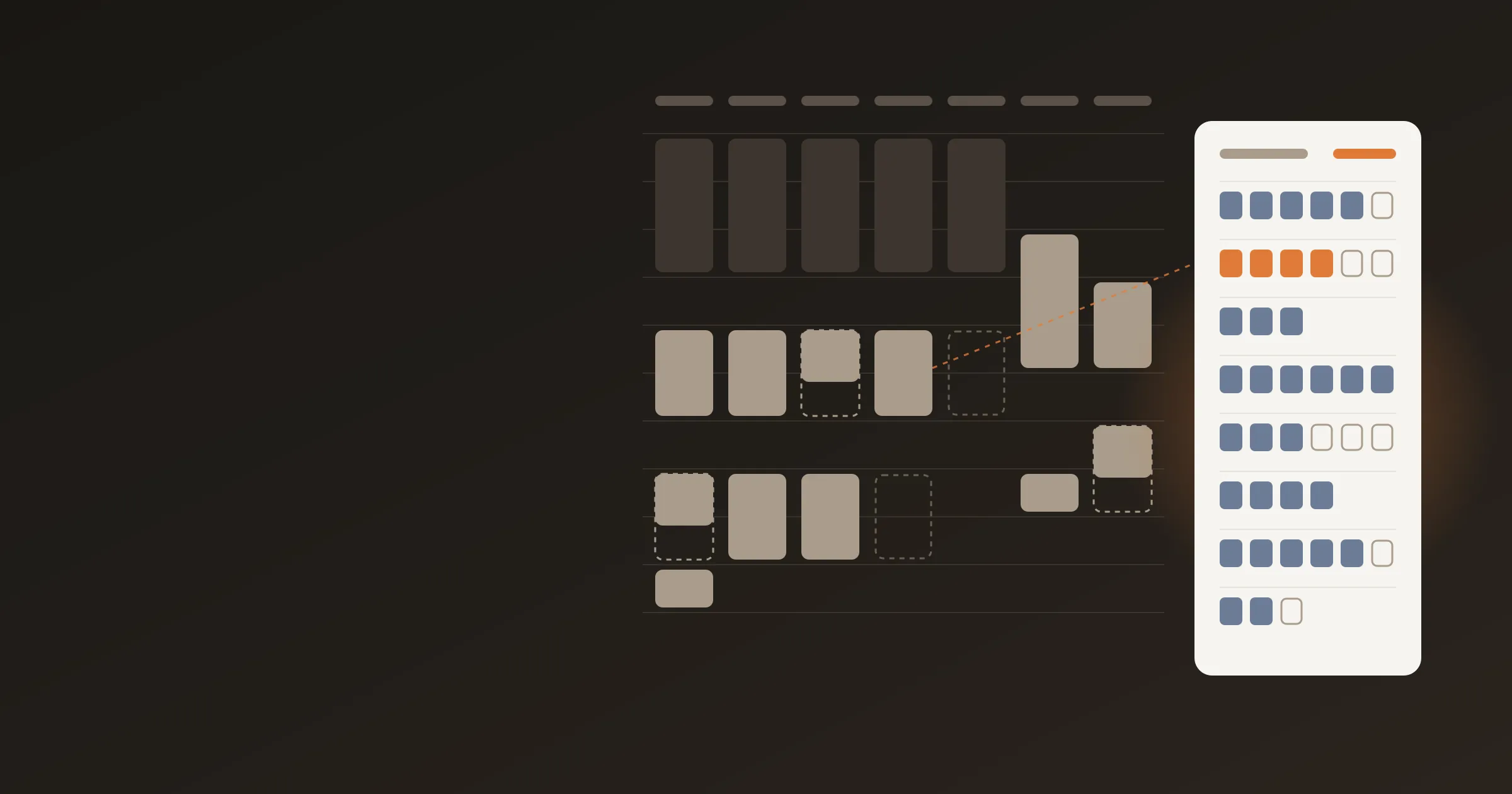
Study Schedule Template: Free Weekly Plan With a Log Column
A free study schedule template you can copy: a course budget, a weekly grid and a session log, plus a filled example so you see where your study time goes.
A good study schedule template does two jobs. It plans your week, and it gives you a place to record what actually happened. This post gives you both: a free template you can copy into any doc, spreadsheet or notes app, a filled-in example, and a short Sunday check that turns the log into a better plan.
Most study schedules fail for a boring reason. They are written once, never checked, and quietly abandoned by Wednesday. The fix is a log column. When plan and reality sit side by side, you can adjust the plan instead of blaming yourself.
Key takeaways
- The template has three parts: a course budget, a weekly grid, and a session log with a planned-versus-logged column.
- A common college rule of thumb is about two hours of work outside class per hour in class each week. It is a starting budget, not a law.
- Plan in 15-minute blocks. One hour is 4 blocks, so a 24-hour study week is 96 blocks.
- Check it every Sunday for five minutes: planned blocks, logged blocks, one change.
What should a study schedule template include?
Five things, and no more:
- A weekly budget for each course. How many hours you intend to give each one, so no course gets the leftovers.
- Fixed commitments. Classes, work, commuting, meals, sleep. Anything that is not negotiable goes in first.
- Specific study sessions. A day, a start time, a length, a course and a task. "Chemistry" is a wish. "Tuesday 4:00 pm, 90 minutes, chemistry problem set" is a plan.
- A method for each session. Testing yourself, practice problems, reading, or review. This matters because methods differ a lot in how much they teach. See how to study effectively for the evidence.
- A log. What happened, in the same units as the plan.
Extra colors, tags and habit trackers can wait. A template you maintain beats one you admire.
How many hours should you plan to study each week?
Start with the credit-hour rule many colleges use. One credit hour is about one hour of classroom instruction and a minimum of two hours of out-of-class student work each week, over about 15 weeks for a semester credit. That wording comes from North Carolina State University's credit-hour regulation, and many schools use similar language.
Here is what the rule of thumb gives you:
| Credits | Class hours a week | Study hours a week | Total a week | Share of 112 waking hours |
|---|---|---|---|---|
| 9 | 9 | 18 | 27 | 24% |
| 12 | 12 | 24 | 36 | 32% |
| 15 | 15 | 30 | 45 | 40% |
| 18 | 18 | 36 | 54 | 48% |
The last column assumes a 16-hour waking day (7 am to 11 pm), which is 112 hours a week. A full 15-credit load is 40 percent of your waking time before work, meals, commuting or friends.
This is a starting point. Some courses need far more than two hours per credit, and some need less. Your syllabus, your instructor and your own results are better guides than any formula. The log shows you which courses are costing more.
For the semester view, see how many weeks you really have in a semester. It is typically 15 to 16 weeks, but schools differ, so check your own calendar.
Plan the week, then see how it went
Log your study blocks in Beyond Time. Start your day, log the blocks, end your day.
Try Beyond Time freeThe study schedule template (copy this)
Copy everything in the box below into a doc, spreadsheet or notes app. The pipe characters make tables in most markdown editors, Notion, Obsidian and GitHub. In Google Docs or Word, paste it and use "convert text to table", or paste into Sheets and split on the pipe.
STUDY SCHEDULE: week of ____ / ____

PART 1. COURSE BUDGET
Rule of thumb: 2 study hours per credit per week. Adjust to your syllabus.
1 hour = 4 blocks of 15 minutes.

| Course | Credits | Class hrs | Study hrs planned | Study blocks | Next exam or due date |
|---|---|---|---|---|---|
| | | | | | |
| | | | | | |
| | | | | | |
| | | | | | |
| TOTAL | | | | | |

PART 2. WEEKLY GRID
Fill the fixed things first (class, work, meals, sleep).
Then place study sessions. Write: COURSE + METHOD CODE.
Method codes: T = test yourself, P = practice problems,
R = read or learn new material, W = write or explain,
V = review notes.

| Time | Mon | Tue | Wed | Thu | Fri | Sat | Sun |
|---|---|---|---|---|---|---|---|
| 7:00 am | | | | | | | |
| 8:00 am | | | | | | | |
| 9:00 am | | | | | | | |
| 10:00 am | | | | | | | |
| 11:00 am | | | | | | | |
| 12:00 pm | | | | | | | |
| 1:00 pm | | | | | | | |
| 2:00 pm | | | | | | | |
| 3:00 pm | | | | | | | |
| 4:00 pm | | | | | | | |
| 5:00 pm | | | | | | | |
| 6:00 pm | | | | | | | |
| 7:00 pm | | | | | | | |
| 8:00 pm | | | | | | | |
| 9:00 pm | | | | | | | |
| 10:00 pm | | | | | | | |

PART 3. SESSION LOG
Fill in after each session. One row per session.
Focus: 1 = drifted, 3 = mixed, 5 = fully on the task.

| Day | Course | Method | Planned blocks | Logged blocks | Focus 1-5 | Did I finish the task? | Note |
|---|---|---|---|---|---|---|---|
| | | | | | | | |
| | | | | | | | |
| | | | | | | | |
| | | | | | | | |
| | | | | | | | |
| | | | | | | | |
| | | | | | | | |
| | | | | | | | |

PART 4. SUNDAY CHECK (5 minutes)

| Question | My answer |
|---|---|
| Planned study blocks this week | |
| Logged study blocks this week | |
| Logged / planned (percent) | |
| Blocks that were T or P (testing or practice) | |
| Blocks that were V (review of notes) | |
| Course that got fewer blocks than planned | |
| What got in the way (name it, don't judge it) | |
| One change for next week | |
How do you fill in the template?
Fill it in this order, once, on Sunday. It takes about 15 minutes.
- Part 1, the budget. List your courses and credits. Multiply credits by two for a starting study-hours figure, then multiply by 4 for blocks. Add the exam and due dates you already know.
- Part 2, the grid. Mark the fixed things first. Put class, work shifts, meals, travel and sleep on the grid before any study session. Only the gaps left over are real study time.
- Place sessions in the gaps. Spread each course across several days instead of one long block. Two or three shorter sessions beat one long one for memory, which is the core finding on spaced practice in the 2013 Dunlosky review. Sessions of 45 to 90 minutes are easy to start and finish.
- Add a method code to every session. If a whole week is V (review of notes), change at least one session to T (testing) or P (practice).
- Leave slack. Keep one or two empty blocks a day. They absorb the overruns that otherwise wreck the rest of the plan.
What does a filled-in example look like?
This is an illustration, not a recommendation. It is for a student with four courses of 3 credits each, so 12 credits.
| Course | Credits | Class hrs | Study hrs planned | Study blocks |
|---|---|---|---|---|
| Biology | 3 | 3 | 6 | 24 |
| Calculus | 3 | 3 | 6 | 24 |
| History | 3 | 3 | 6 | 24 |
| Writing | 3 | 3 | 6 | 24 |
| Total | 12 | 12 | 24 | 96 |
Plan: 4 sessions of 90 minutes (6 blocks) for each course, which is 16 sessions and 24 hours. A possible spread is 3 hours a day on weekdays (15 hours), 5 on Saturday and 4 on Sunday.
The grid might then look like this, in part:
| Time | Mon | Tue | Wed |
|---|---|---|---|
| 8:00 to 11:00 am | Class | Class | Class |
| 1:00 to 2:30 pm | Calculus P | Biology T | Calculus P |
| 4:00 to 5:30 pm | History R | Writing W | History T |
| 8:00 to 8:45 pm | Biology V | free | free |
That is a plan. Now the log. After Monday, the session log might read:
| Day | Course | Method | Planned blocks | Logged blocks | Focus | Finished? | Note |
|---|---|---|---|---|---|---|---|
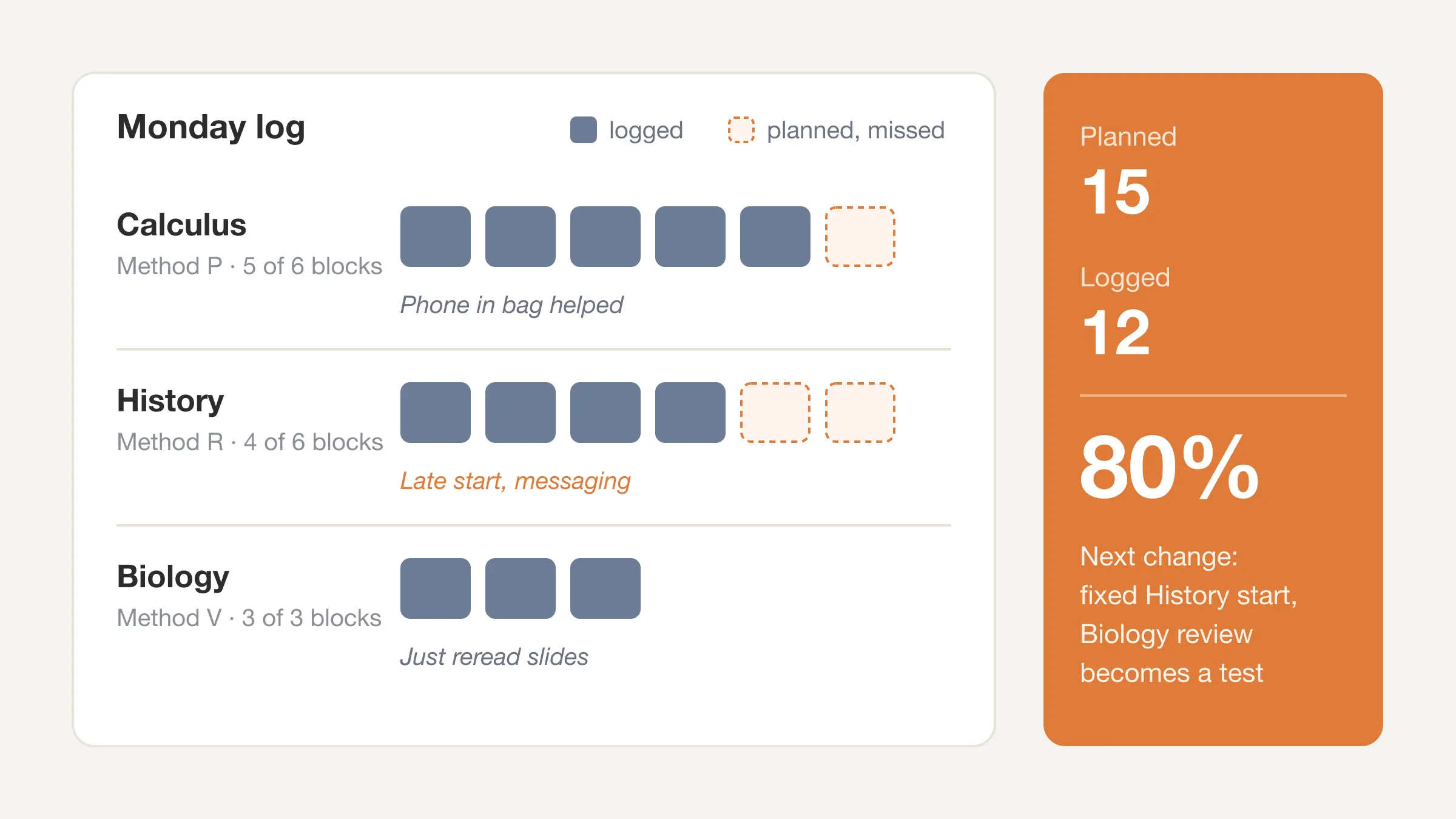
| Mon | Calculus | P | 6 | 5 | 4 | Yes | Phone in bag helped |
| Mon | History | R | 6 | 4 | 2 | No | Started late, 2 blocks messaging |
| Mon | Biology | V | 3 | 3 | 3 | Yes | Just reread slides |
Planned: 15 blocks. Logged: 12. That is 80 percent. The note is where the learning is: late start and messaging cost History two blocks, and the biology session was review only. Tomorrow's change: start History at a fixed time, and turn the Biology review into a test.
How do you log study sessions without it becoming a chore?
Keep the log smaller than the work. Three rules:
- Log in the same blocks you planned in. If you planned 6 blocks, record how many you did. Do not estimate minutes.
- Log right after the session, while you remember. It takes under a minute: course, method, blocks, focus.
- Count only focused blocks as study. If you checked messages for half an hour, those two blocks go in the "other" column, not in the study total. This is not a judgment. It is the number that shows what your hours are buying.
If a paper log is too fiddly, a daily log works the same way. Our daily time log template shows how to log the whole day, and the post on the 15-minute time block method explains why 15 minutes is the right size.
What should you look at after one week?
Do the Sunday check. Five minutes, four numbers.
- Logged divided by planned. If it is under 70 percent for two weeks, the plan is too big. Shrink it. Do not push harder.
- Testing and practice blocks versus review blocks. The Dunlosky review rated practice testing and distributed practice as high utility and rereading as low. If most blocks are review, shift some to testing.
- The course that fell behind. Is it hard, boring, or just scheduled at a bad time?
- The time of day with the most lost blocks. Move study there only if you have no better slot.
Then change one thing. Not five. For deadline-heavy weeks, see our guide to building an exam study schedule, and for semester planning, turning semester goals into daily tasks.
How do you adjust the template for different situations?
Exam week
Replace "course budget" with an exam countdown. Put every exam on the grid first, count back the days, and give each exam sessions of testing and practice spread across the days before it. Keep sleep on the grid like a class.
Part-time work or a heavy job
Count work hours in Part 2 first, then see what is left. If the leftover is less than the budget in Part 1, you have a real tradeoff to face: fewer credits, a lighter work week, or lower targets for the least important course. It is better to see this in week one than week eight. If you have to triage, the GPA improvement guide covers which course to protect first.
A light week
Do not delete the template. Fill Part 2 with the smaller plan and keep logging. Light weeks are good data about your minimum viable routine.
Group projects
Add one row to Part 3 per project, and book group sessions as fixed commitments in Part 2.
For a ready-made option, the study plan generator can draft a plan from your courses, and the weekly schedule template is a printable alternative.
Skip the spreadsheet
Beyond Time shows your week as hours split by Health, Life, Work and Sleep, and an AI reflection on what went where you meant it to.
Try Beyond Time freeFrequently Asked Questions
What is a good study schedule template?
A good template has a course budget, a weekly grid with fixed commitments marked first, and a session log with planned and logged columns. The copyable version above includes all three plus a Sunday check. Keep it simple enough to maintain.
How many hours a week should I study?
A common college rule of thumb is about two hours outside class for every hour in class each week, so a 15-credit load is about 30 hours of study. Treat that as a starting point and adjust to your courses. Log a week to see what you actually do.
How do I make a weekly study schedule?
List your courses and their weekly study hours, mark fixed commitments on a weekly grid, then place study sessions in the gaps, spread across several days. Assign a method to each session and leave one or two empty blocks a day for overruns.
How long should each study session be?
Sessions of 45 to 90 minutes with one clear task are a practical range for most people. There is no single proven best length. Add a short break between sessions and stop when the planned task is done.
Should I schedule every hour of the day?
No. Schedule fixed commitments and study sessions, and leave open blocks for meals, rest, friends and overruns. A schedule with no slack breaks on the first disrupted day.
What if I keep missing my study blocks?
First check whether the plan is too big. If you log under 70 percent of planned blocks for two weeks, reduce the plan and keep the blocks you do hit. Then look at the log's notes for the cause, such as a late start or a distraction at a specific time.
Can I use this template in Google Sheets or Notion?
Yes. Paste it into any markdown editor, Notion or Obsidian and the tables render. In Google Sheets, paste the text and split it on the pipe character. In Google Docs or Word, paste it and convert the text to a table.
The short version
A study schedule template should plan the week and record the week. Use the course budget to set your hours, the grid to place sessions in real gaps, the log to see what happened, and the Sunday check to change one thing.
Your time is limited, and a student's week has 112 waking hours. Plan the study ones, then see where they went.
See where your week goes
Two minutes in the morning, two at night. Your study blocks, your plan, the gap between them.
Try Beyond Time freeSources
- North Carolina State University. REG 02.20.17, Definition of credit hour. policies.ncsu.edu/regulation/reg-02-20-17-definition-of-credit-hour
- Dunlosky, J., Rawson, K. A., Marsh, E. J., Nathan, M. J., & Willingham, D. T. (2013). Improving students' learning with effective learning techniques. Psychological Science in the Public Interest, 14(1), 4 to 58. doi.org/10.1177/1529100612453266
Put this into practice
Free tools that match this article.
Weekly Schedule Template
Plan your week with a free printable weekly schedule template for goals, routines, and focus blocks.
Try Schedule TemplateFocusFocus Session Planner
Create AI-optimized focus sessions with structured work blocks and refreshing breaks.
Try Focus PlannerTime ManagementTime Blocking Template
Map your day into focused time blocks with a free printable time blocking template.
Try Time BlockingTime ManagementWeekly Schedule Optimizer
Generate an optimized weekly schedule with AI-powered time blocking for maximum productivity.
Try Schedule OptimizerKeep exploring this topic
Time blocking guide
Turn priorities into protected calendar blocks.
15-minute time blocks
Plan and review your day with more realistic precision.
Beyond Time for students
See how students connect semester goals, study blocks, and routines.
Student success guide
Use Beyond Time to plan study sessions, habits, and academic goals.
Related Articles

How Many Minutes in a Week? 10,080, and Where They Go
How many minutes in a week? 10,080, or 6,720 waking minutes at 8 hours of sleep. See the minutes in each activity for an average week and how many are left.
Daily Goals: How to Set 1-3 That Get Done (With Examples)
Daily goals work when you set one to three and size them in 15-minute blocks. See examples, how to link them to weekly goals, and a two-minute check at night.

Bucket List Ideas: 100 Ideas Grouped by Theme and Lead Time
100 bucket list ideas grouped by theme and tagged by lead time: now, this year, or years ahead. Count the weeks you have, then pick ten. Start your list today.

How to Stop Doomscrolling: 9 Practical Fixes That Work
How to stop doomscrolling: add friction, swap in better habits and check your Screen Time against a real log of your day. Nine fixes, with sources. Try one.

Life Plan Template: A One-Page Plan With Weekly Costs
A free life plan template you can copy: eight areas of life, one outcome each, and a weekly time cost so your plan fits the 112 waking hours you really have.

How Many Work Weeks in a Year? 52 Minus Your Time Off
How many work weeks in a year? 52 on paper, usually 46 to 50 after holidays and leave. See the table by days off, 2026's count and the weeks left this year.