How to Manage Your Routines
Master routine management in Beyond Time by creating, organizing, and tracking routines across your four life categories: Health, Work, Sleep, and Life.
View Your Daily Stats
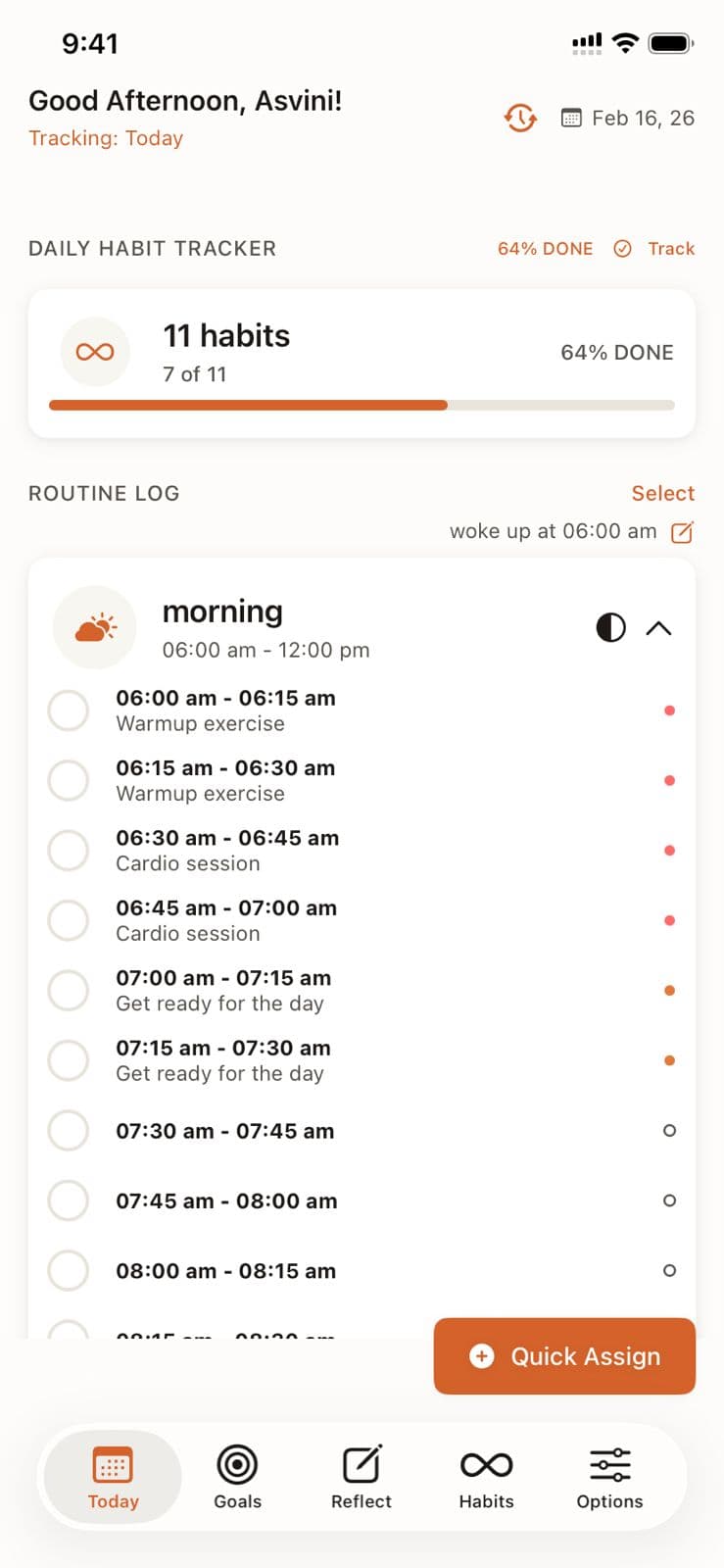
The Today view shows three key metrics at the top: Day Assigned (% of time slots filled), Day Done (% of routines completed), and Habits Done (completed out of total).
See Goals Planned for Today
Your focus goals for the day are displayed prominently, keeping your priorities front and center as you work through routines.
Track Habit Completion
The daily habit tracker shows your progress bar (e.g., "7 of 11 — 64% DONE"). Tap "Track" to mark habits complete throughout the day.
Work Through Your Routine Log
Routines are organized by time of day (Morning, Afternoon, Evening) with 15-minute blocks. Check off each block as you complete it. Color dots indicate the category.
Assign Remaining Time
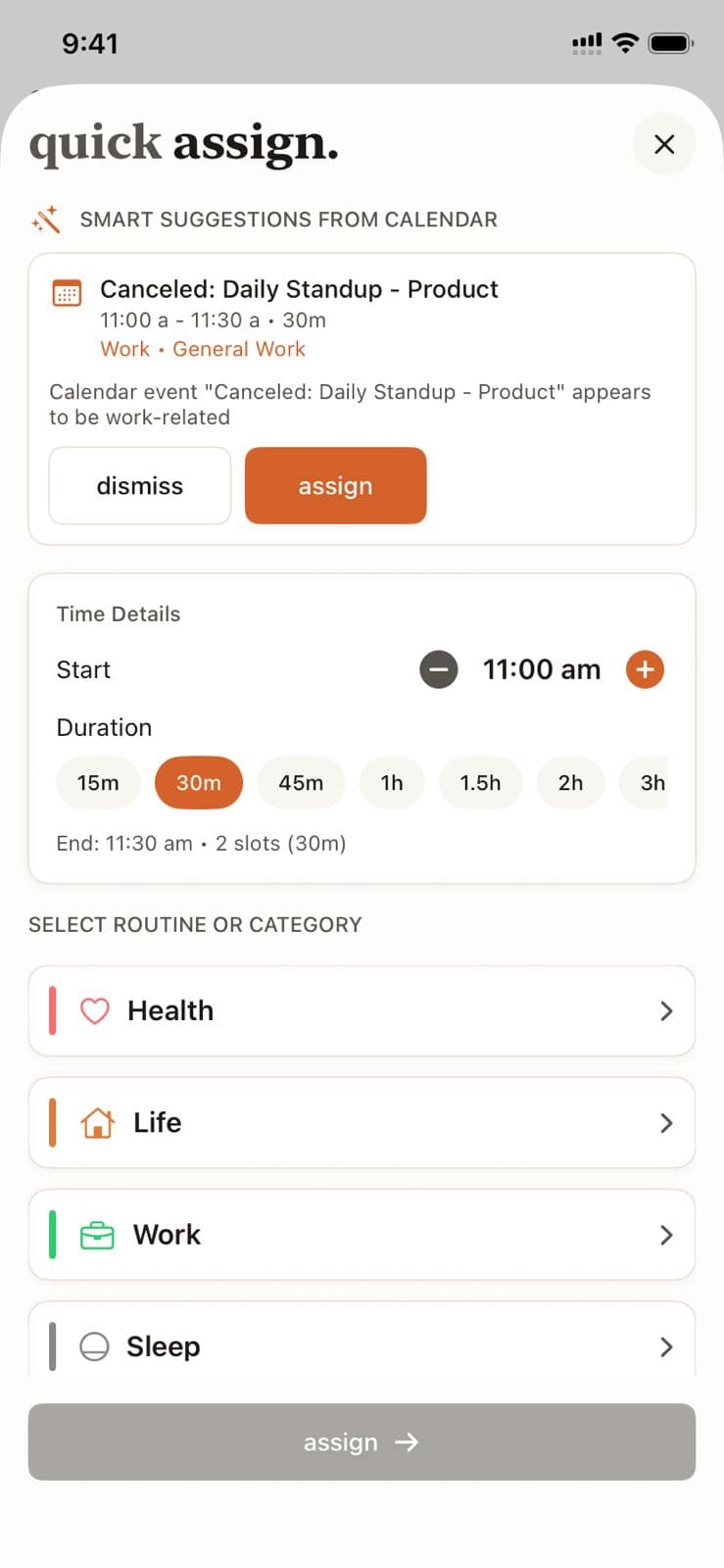
Use the "Assign" button to fill unassigned time blocks with routines. Quick Assign pulls smart suggestions from your calendar to speed this up.
Routine Management in Beyond Time
Key Features
Related Guides
AI Routine Suggestions
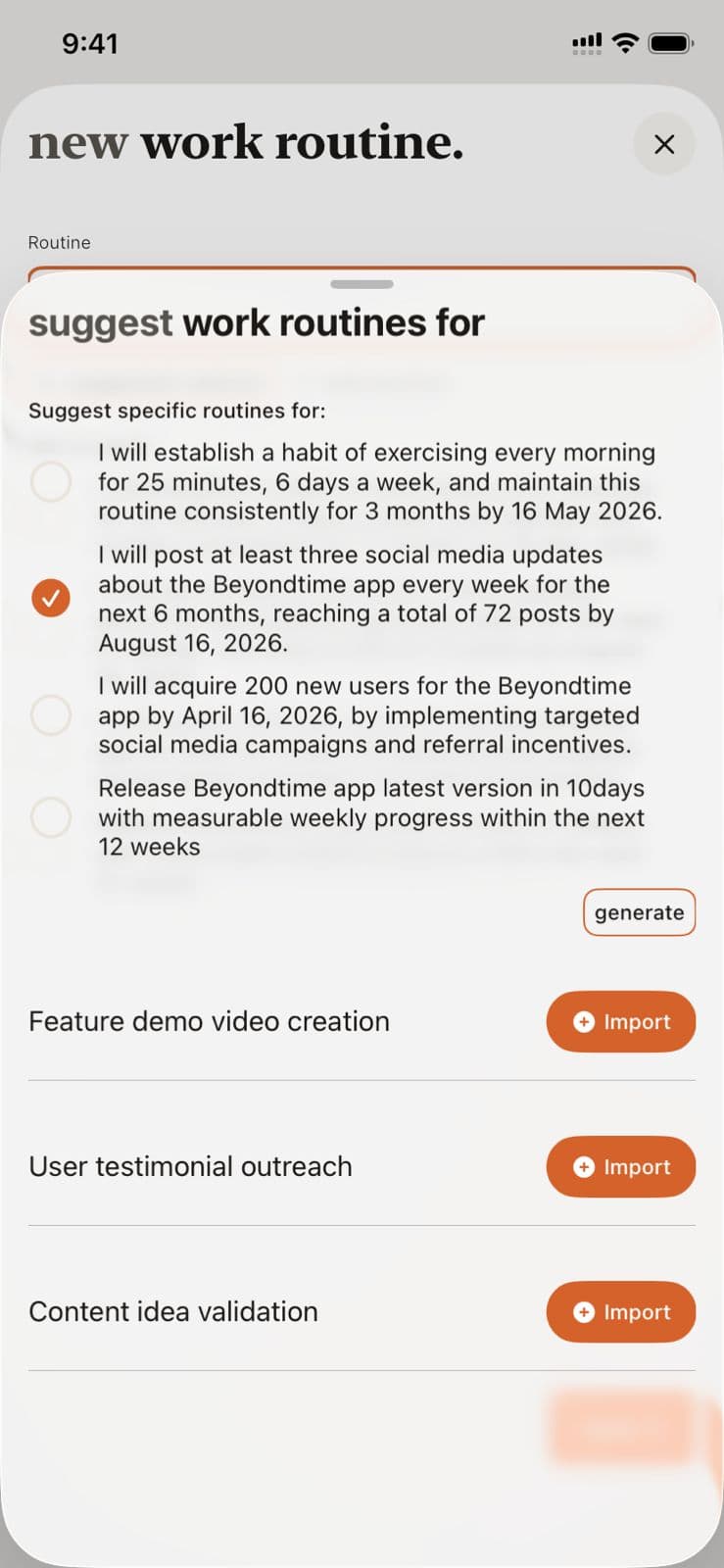
Learn how to use AI-powered routine suggestions to build a balanced daily schedule across Health, Work, Sleep, and Life categories.
Daily Tracking
Master the 15-minute precision tracking system to understand exactly where your time goes and identify opportunities for improvement.
Morning Setup
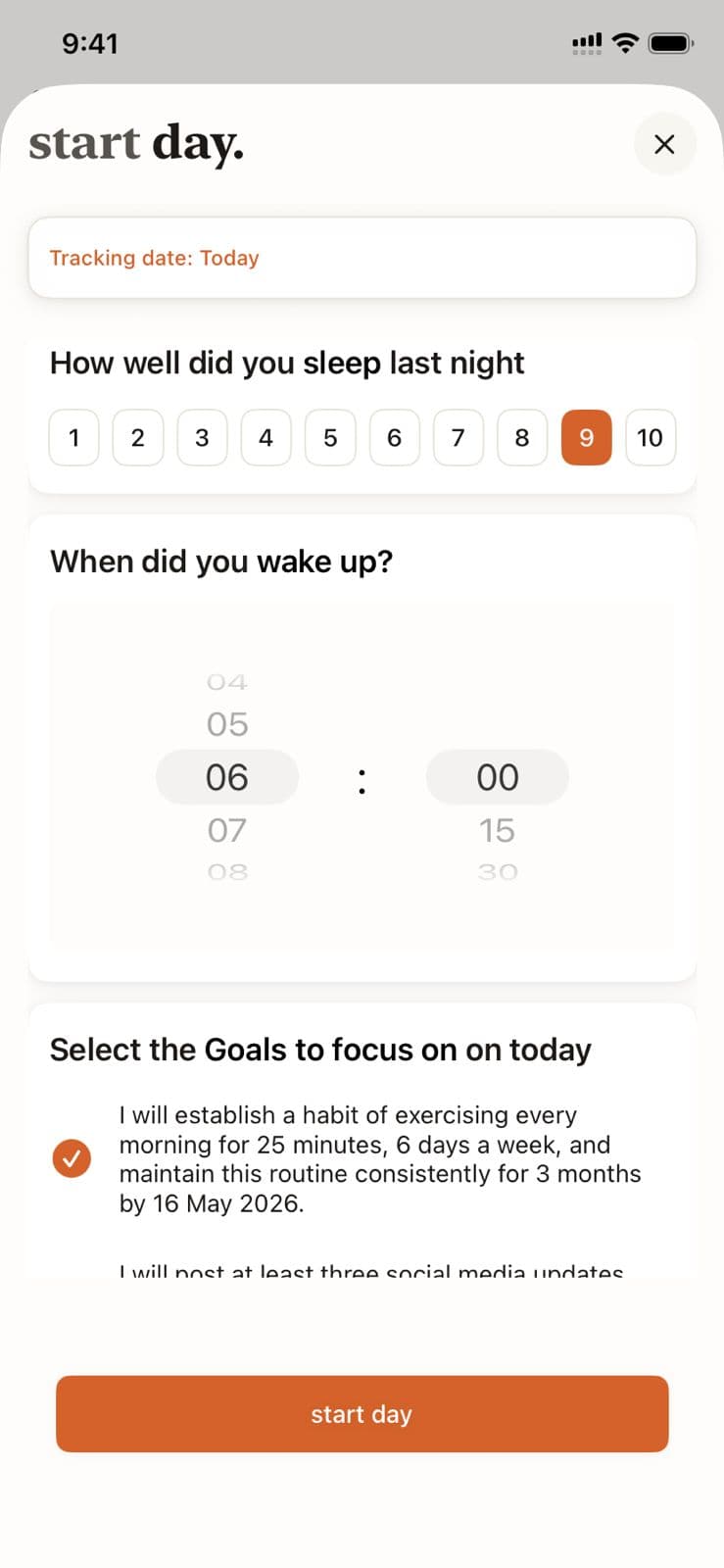
Begin each day with intention by logging your sleep quality, setting your wake time, and selecting the goals you want to focus on today.
Ready to Try It Yourself?
Start using Beyond Time today and experience the power of AI-driven time mastery. The web platform is free forever.