Your Beyond Time Dashboard Explained
The dashboard is your command center. See your goals, today's focus, habit streaks, and routine progress all in one place.
See Your Active Goals
The dashboard displays your active goals with progress indicators. Each goal shows how many milestones you've completed and your overall progress percentage.
Pro Tip
Tap any goal to see its milestones, linked routines, and habits.
Check Today's Focus
After you "Start Your Day", the dashboard shows which goals you're focusing on today. This helps you stay intentional about where your energy goes.
Monitor Habit Streaks
Your active habits appear with their current streaks. Green checkmarks show completed habits, while pending ones remind you what's left for today.
Pro Tip
Long streaks build momentum—try not to break them!
Track Routine Progress
See which routines are scheduled for today and their completion status. Completed routines show a checkmark, helping you track your daily structure.
Use the Bottom Navigation
Home shows your dashboard, Goals takes you to goal management, Track opens daily tracking, and Settings lets you configure routines, habits, and personal context.
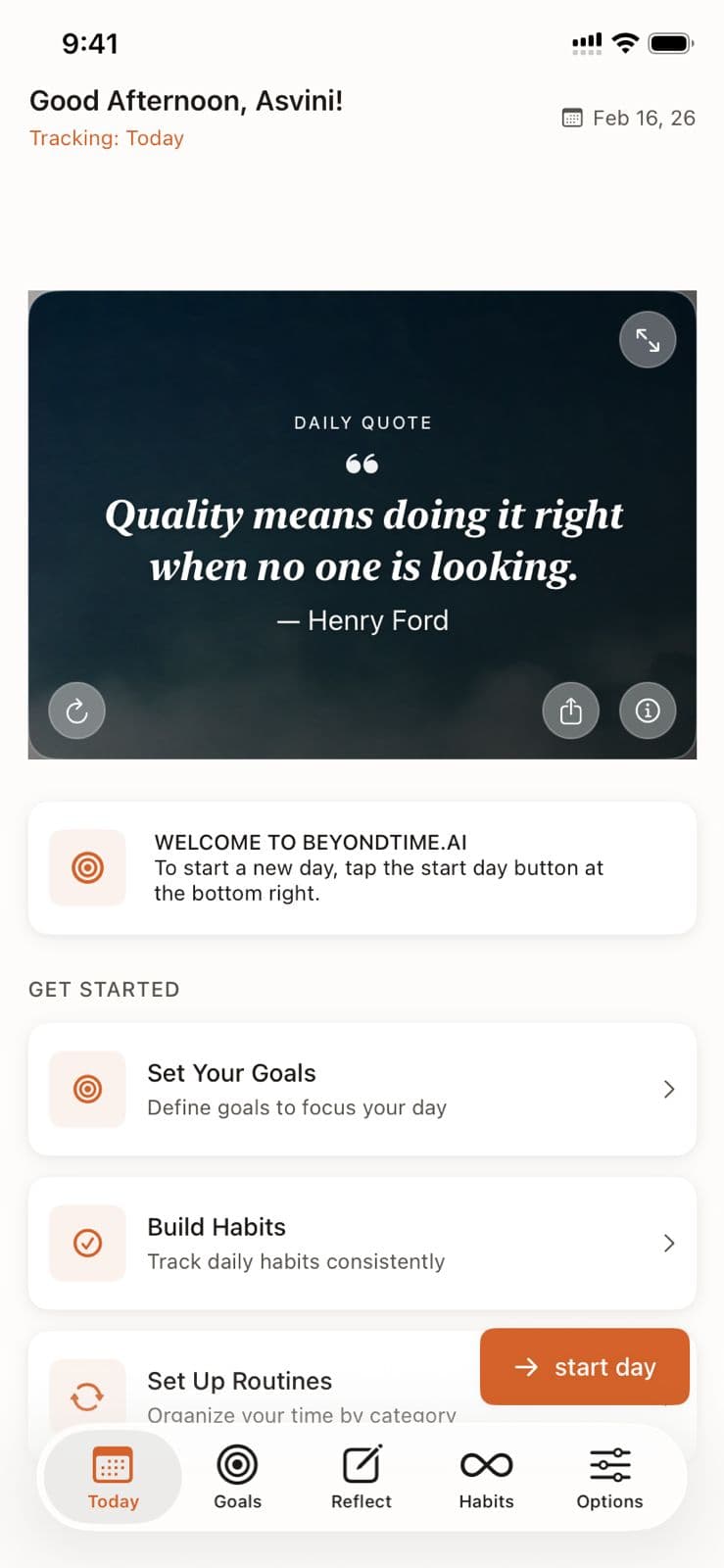
Dashboard Overview in Beyond Time
Key Features
Related Guides
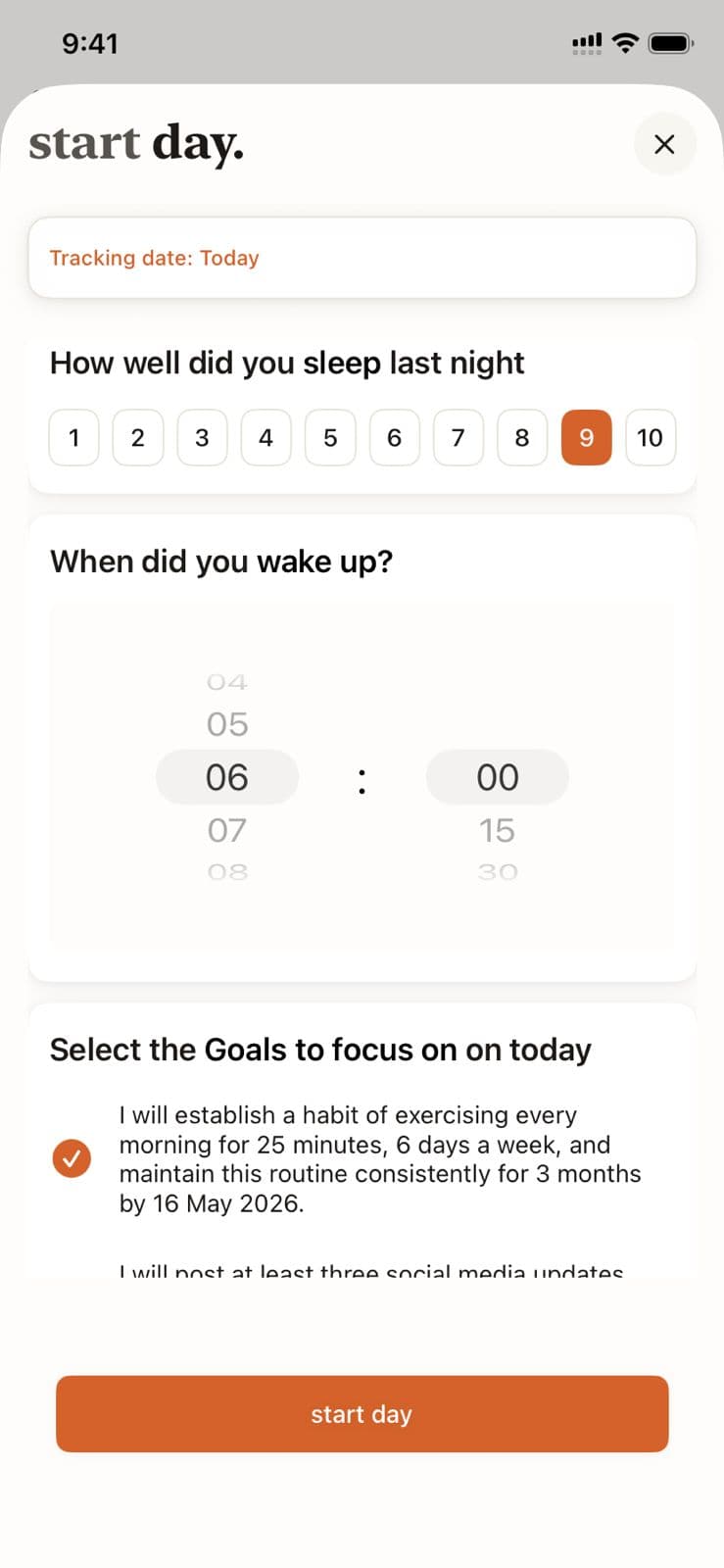
Morning Setup
Begin each day with intention by logging your sleep quality, setting your wake time, and selecting the goals you want to focus on today.
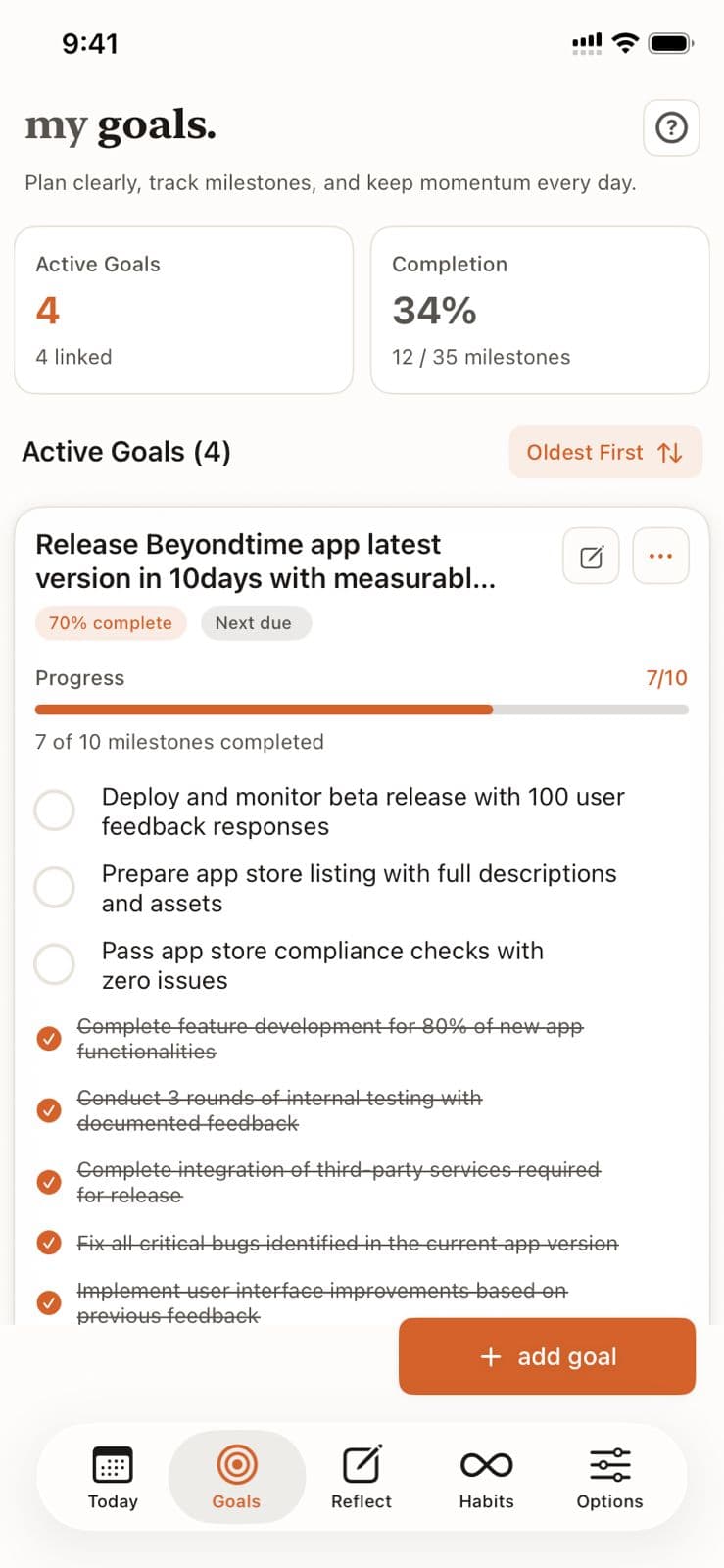
Goals Setup
Goals are the foundation of your productivity journey in Beyond Time. Learn how to create meaningful goals, add AI-generated milestones, and track your progress toward achievement.
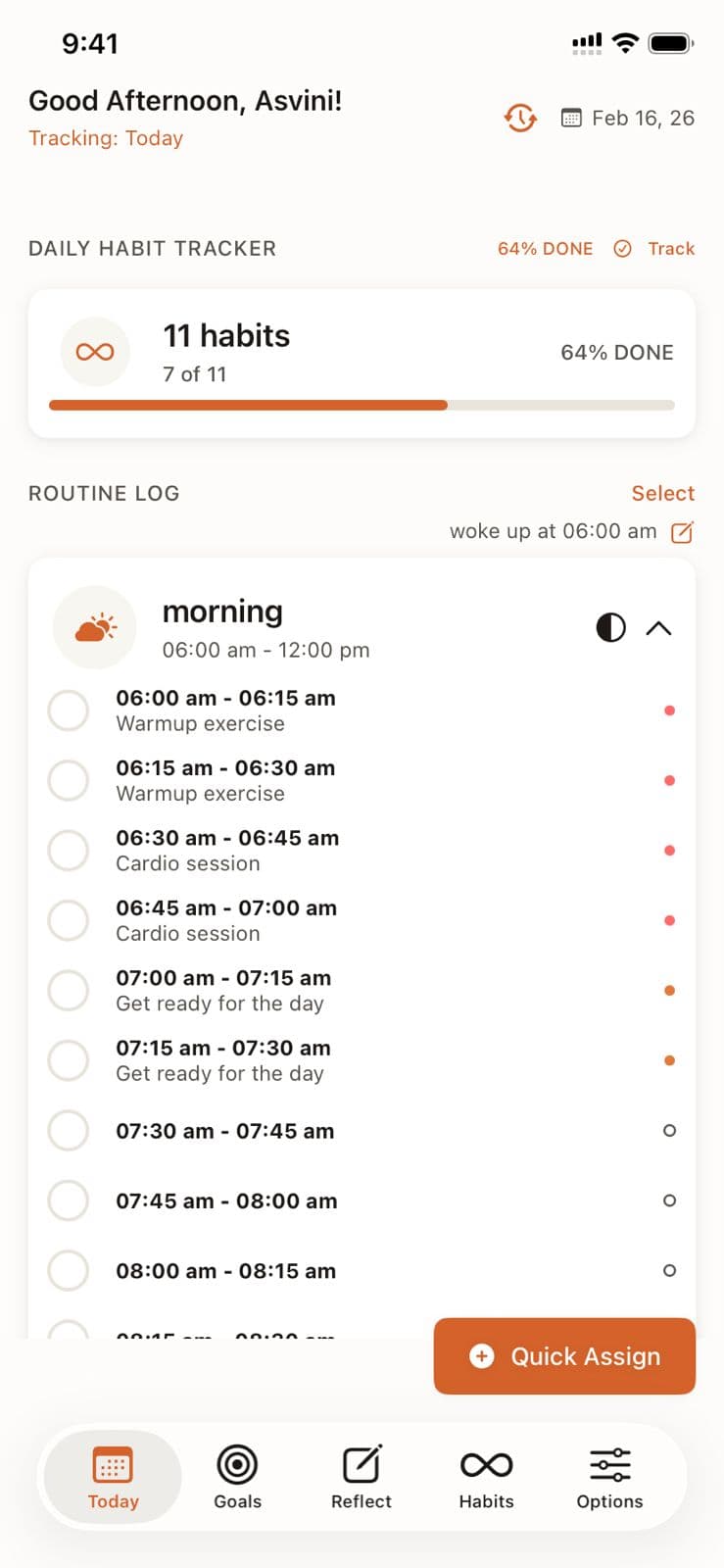
Daily Tracking
Master the 15-minute precision tracking system to understand exactly where your time goes and identify opportunities for improvement.
Ready to Try It Yourself?
Start using Beyond Time today and experience the power of AI-driven time mastery. The web platform is free forever.