How to Start Your Day with Beyond Time
Begin each day with intention by logging your sleep quality, setting your wake time, and selecting the goals you want to focus on today.
Rate Your Sleep Quality
When prompted, rate your sleep quality on a scale of 1-10. This helps the AI understand your energy levels and tailor recommendations accordingly.
Pro Tip
Be honest with your rating—it helps the AI provide better suggestions throughout the day.
Set Your Wake Time
Enter the time you woke up using the time picker. This information helps structure your daily routine blocks and optimize your schedule.
Select Focus Goals
Choose which goals you want to prioritize today from your active goals list. You can select multiple goals to maintain focus across different life areas.
Tap "Start Day"
Once you've completed the setup, tap the "Start Day" button. Your daily tracking will begin, and routines will be scheduled based on your wake time.
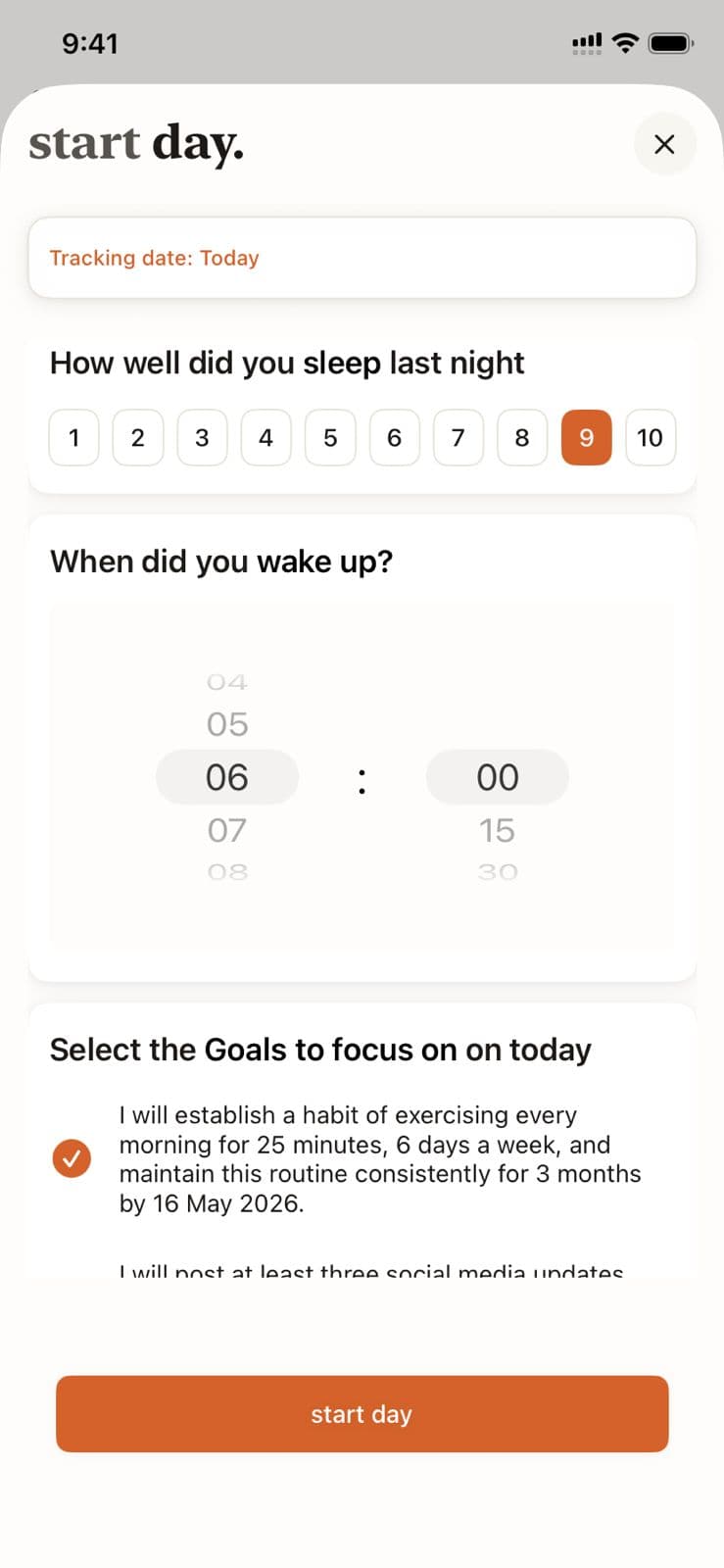
Morning Setup in Beyond Time
Key Features
Related Guides
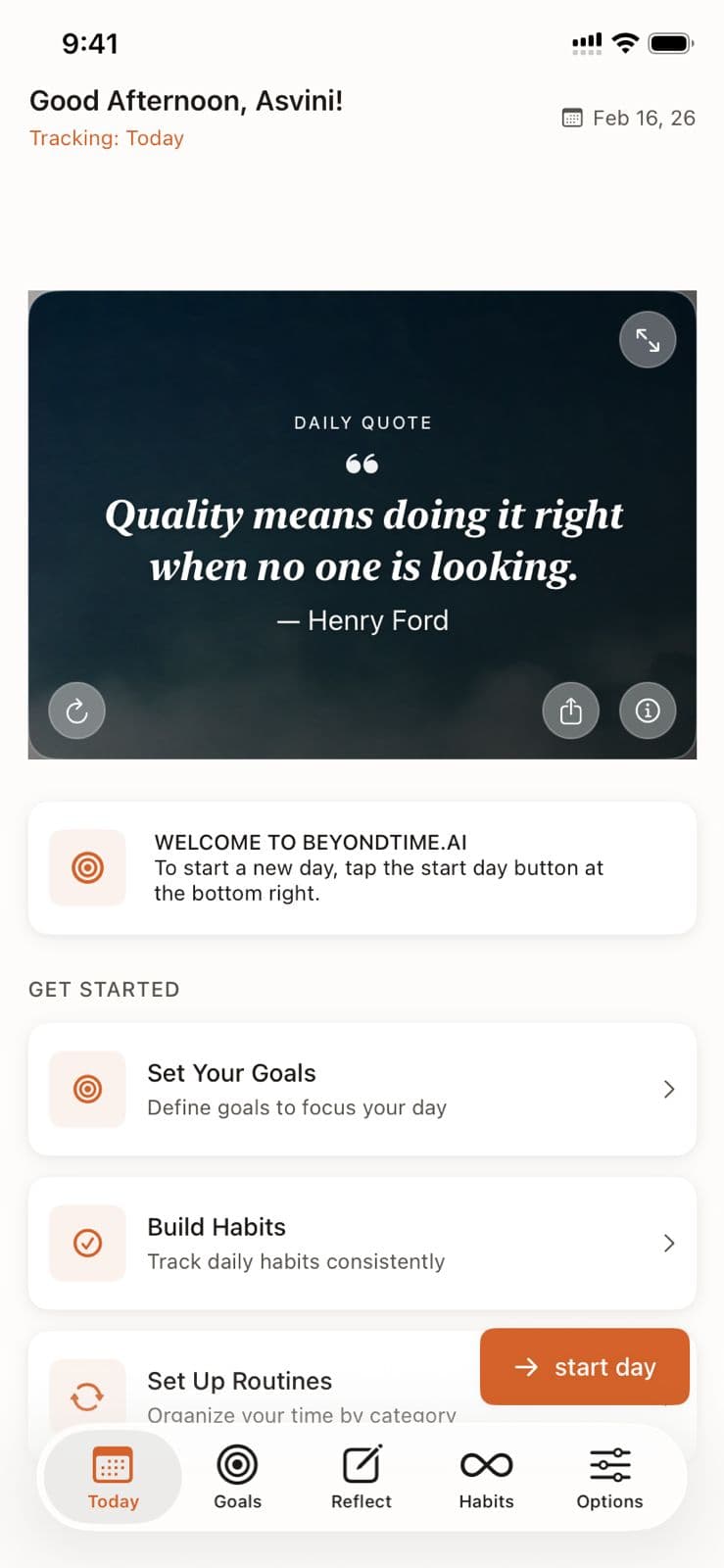
Dashboard Overview
The dashboard is your command center. See your goals, today's focus, habit streaks, and routine progress all in one place.
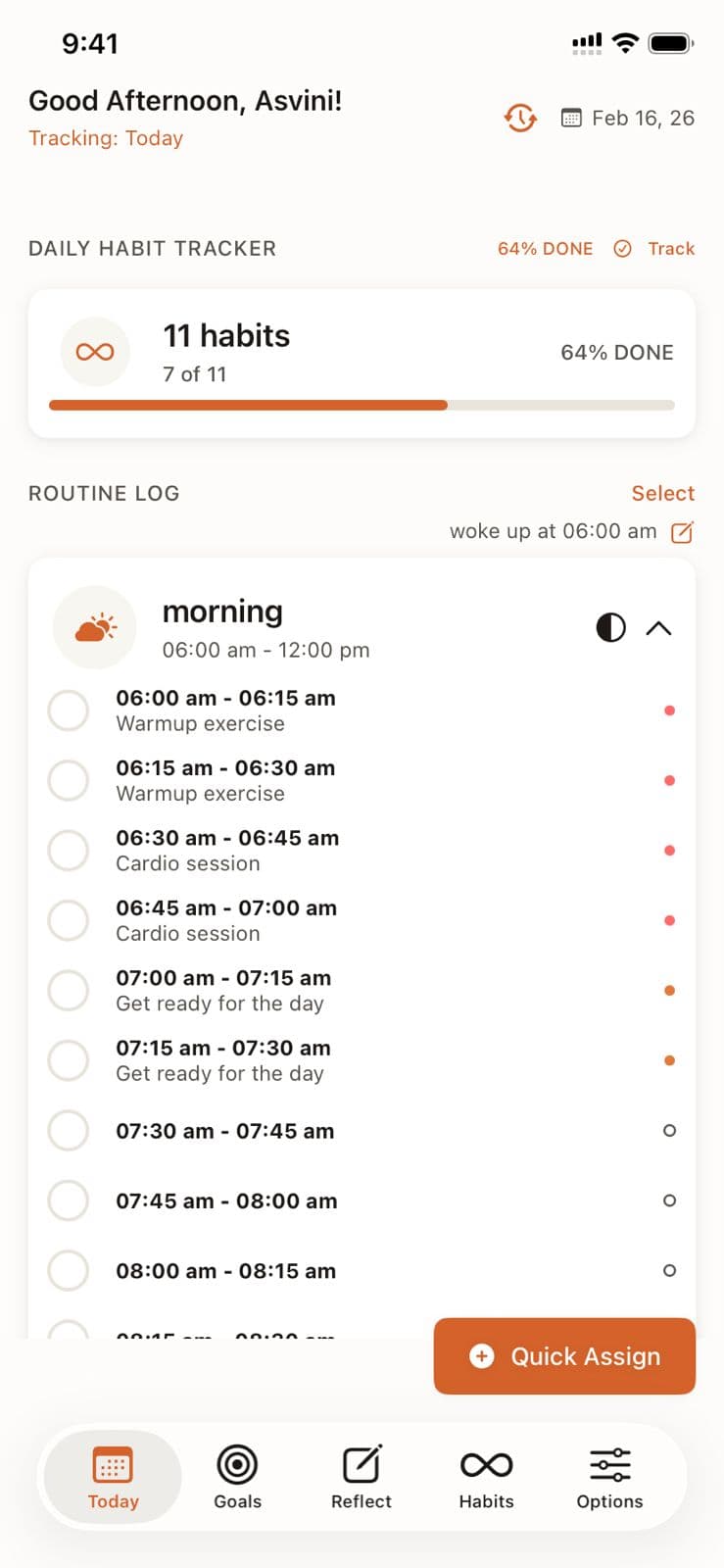
Daily Tracking
Master the 15-minute precision tracking system to understand exactly where your time goes and identify opportunities for improvement.
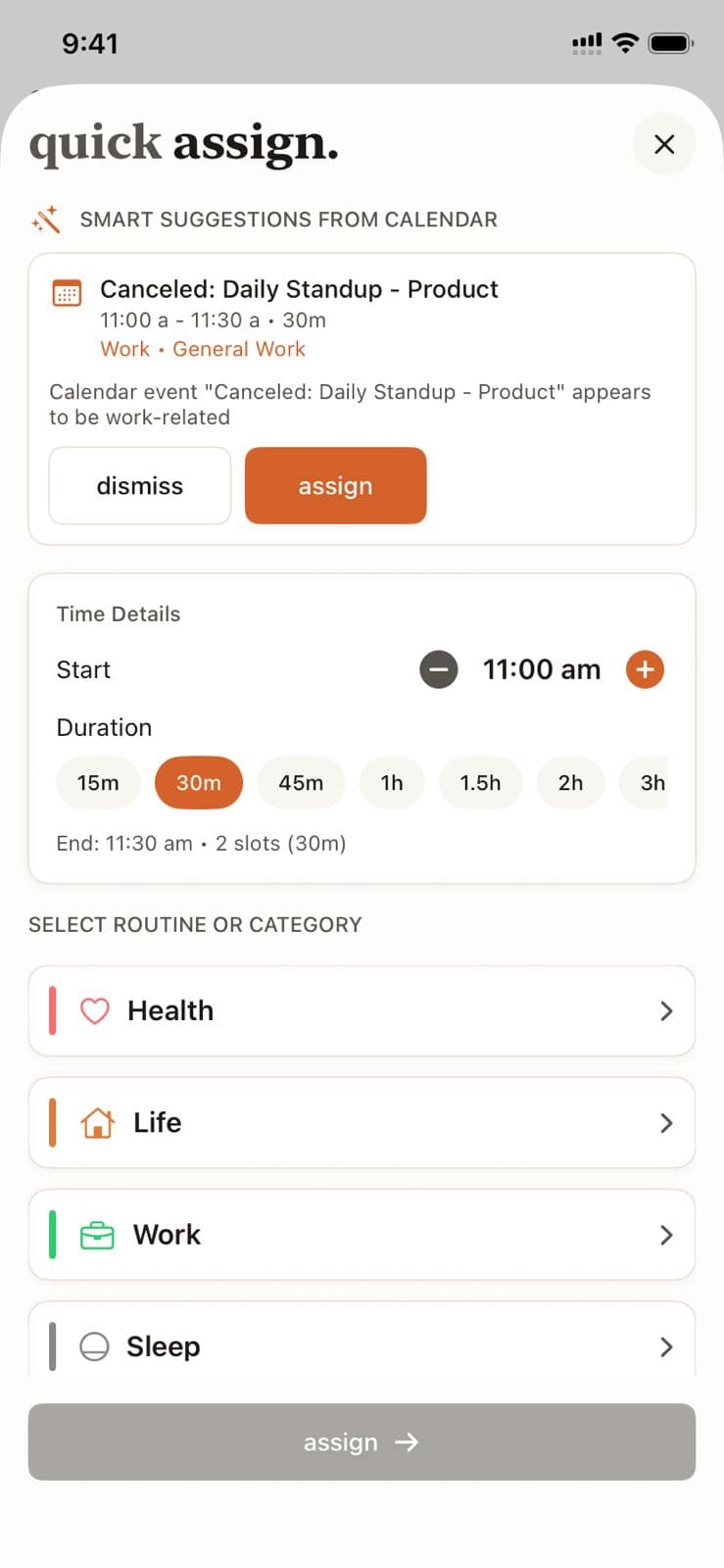
Routine Management
Master routine management in Beyond Time by creating, organizing, and tracking routines across your four life categories: Health, Work, Sleep, and Life.
Ready to Try It Yourself?
Start using Beyond Time today and experience the power of AI-driven time mastery. The web platform is free forever.