How to Get AI-Generated Milestones for Your Goals
Discover how to use AI to break down your goals into specific, measurable milestones that create a clear path to achievement.
View Your Goals Dashboard
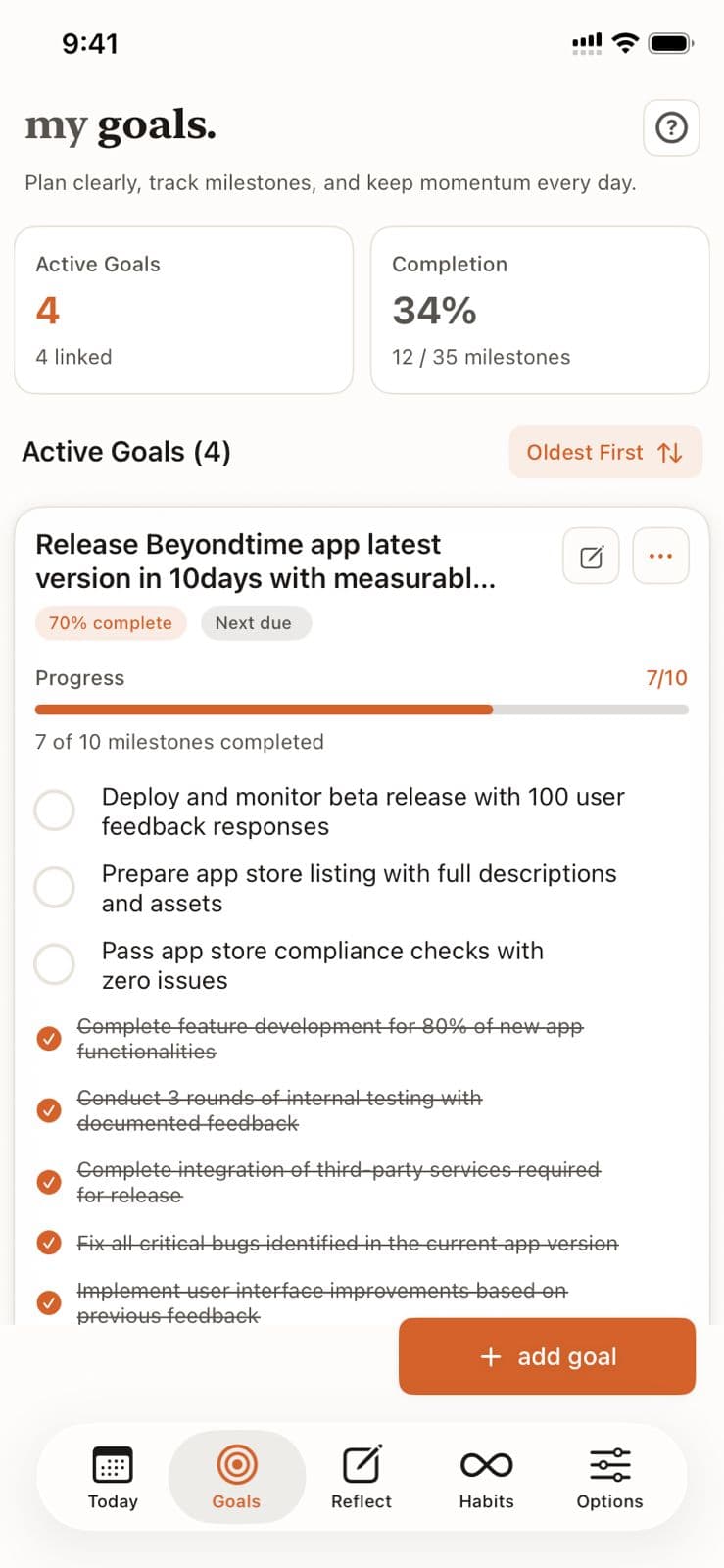
The Goals tab shows your active goals count, overall completion percentage, and milestone progress (e.g., "12/35 milestones"). Each goal displays its own progress bar.
Create a Goal and Generate Milestones
Tap "+ add goal" to create a new goal. Then use the AI button to instantly generate specific, measurable milestones tailored to your objective.
Pro Tip
Clear, specific goal titles result in better milestone suggestions.
Track Milestone Progress
Each goal shows how many milestones are completed (e.g., "7 of 10"). Completed milestones appear crossed out with a checkmark. Remaining ones show what's left to accomplish.
Check Off Milestones
As you achieve milestones, tap the checkbox to mark them complete. The progress bar and completion percentage update in real time, keeping you motivated.
Manage and Sort Goals
Sort goals by newest or oldest first. Use the edit and menu buttons to modify goals, add more milestones, or link routines and habits to each goal.
AI Milestone Generator in Beyond Time
Key Features
Related Guides
Quick Assign
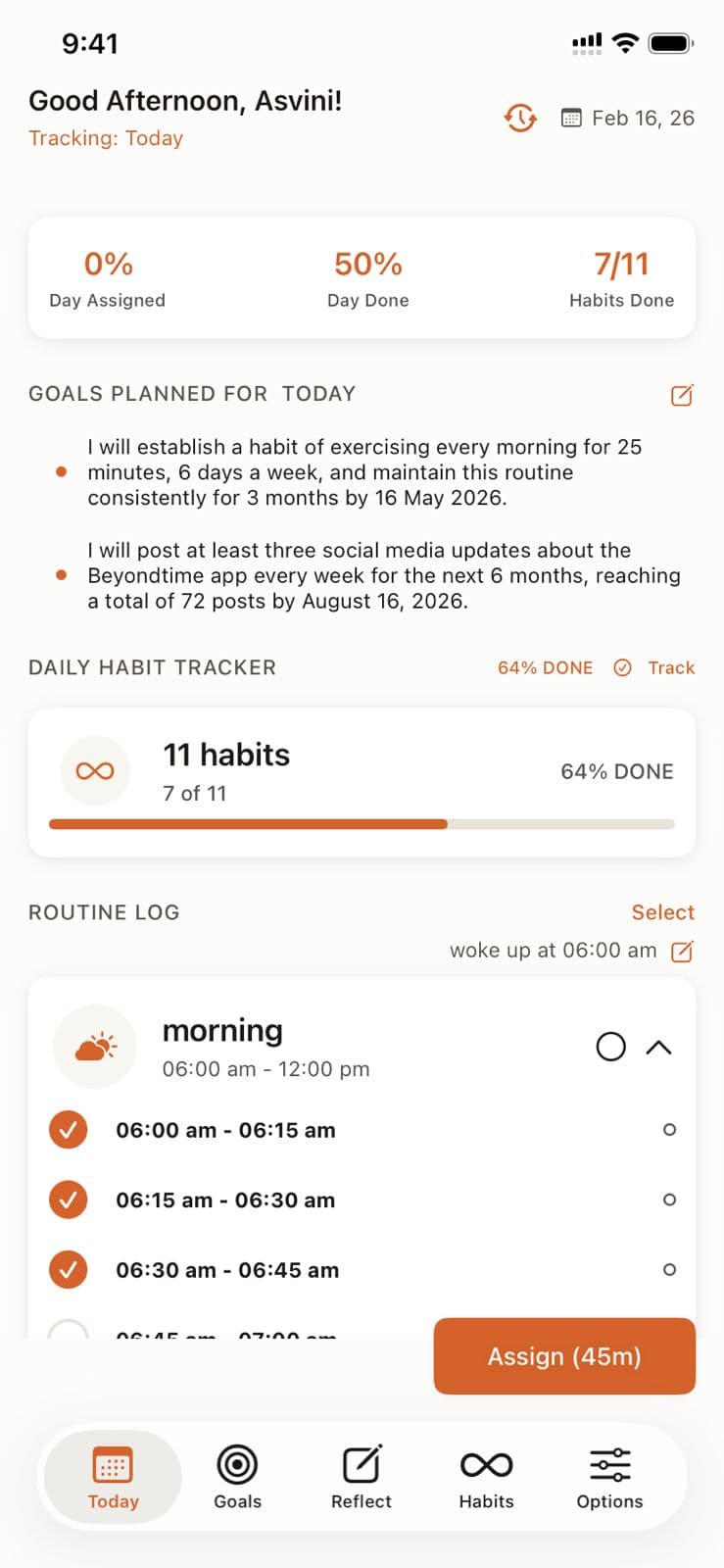
Learn how Quick Assign reads your calendar and suggests time block assignments, letting you fill your day in seconds instead of minutes.
Personal Context
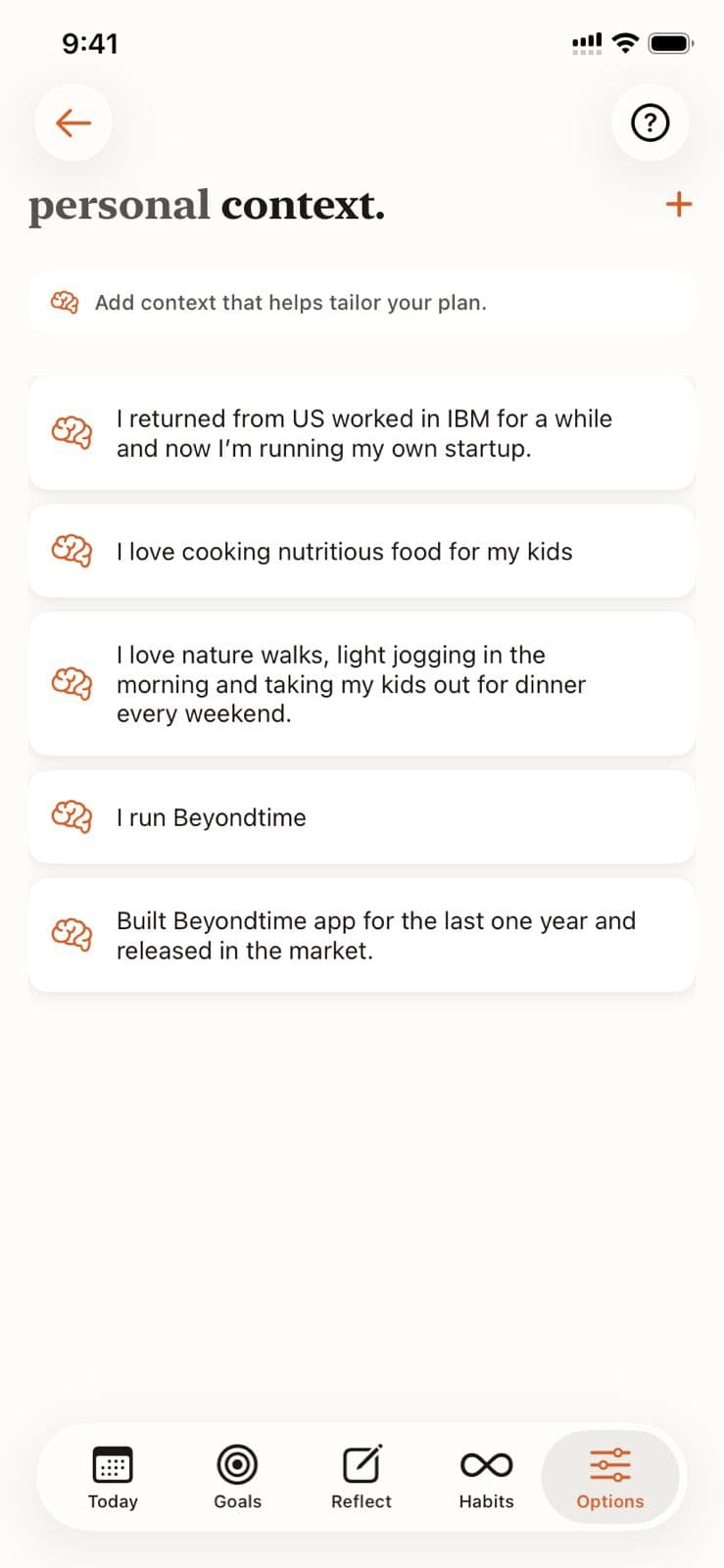
Help the AI understand your unique situation, constraints, and preferences by adding personal context. This enables truly personalized recommendations for goals, habits, and routines.
AI Habit Suggestions
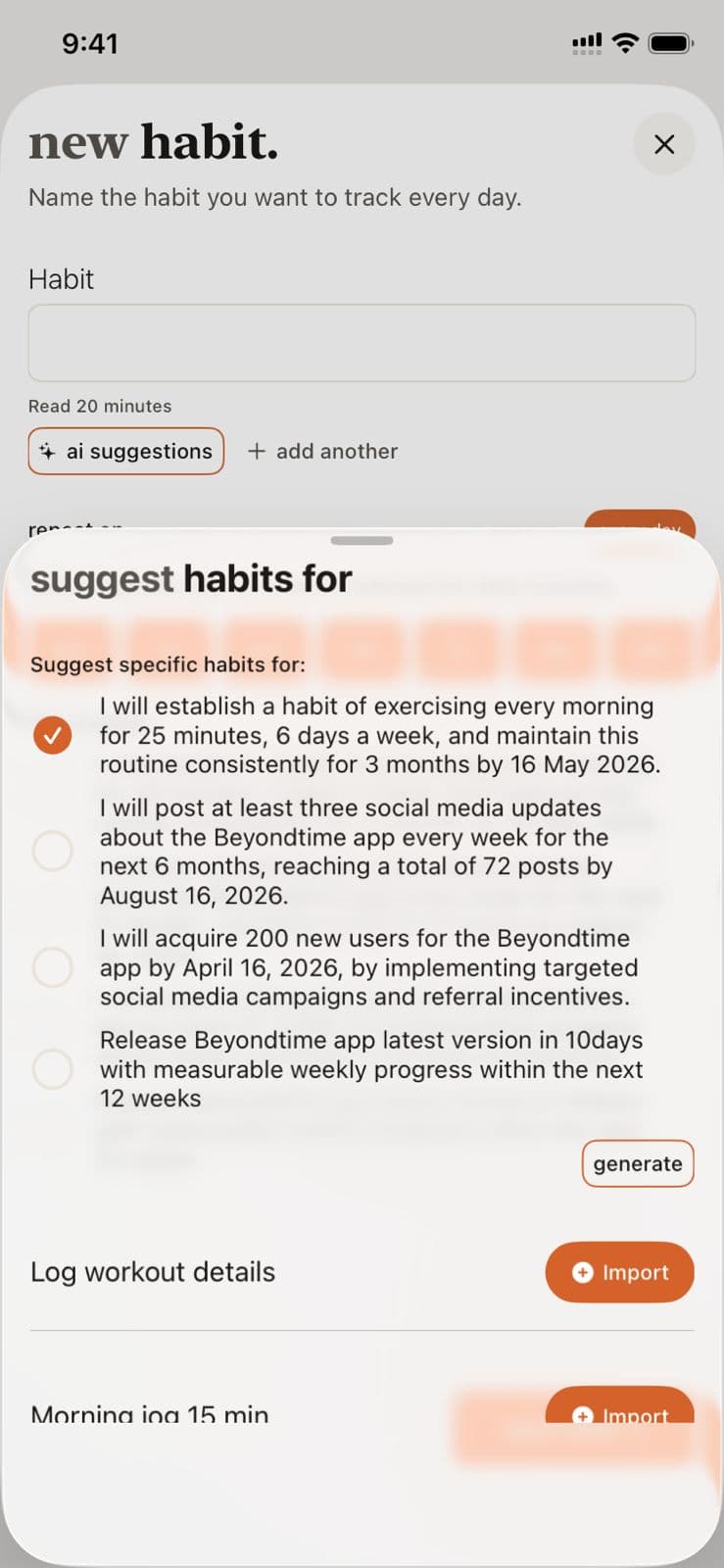
Discover how the AI analyzes your goals and personal context to suggest habits that will accelerate your progress and create lasting change.
Ready to Try It Yourself?
Start using Beyond Time today and experience the power of AI-driven time mastery. The web platform is free forever.