Setting Up Your Habits
Habits are daily or weekly actions you want to track consistently. Learn how to create habits, set their frequency, and use AI to suggest habits that align with your goals.
Understand What Habits Are
Habits are specific actions you want to track on a daily or specific-day basis. Unlike routines (time blocks), habits are simple yes/no completions that build consistency over time.
Access Habits Setup
Go to Settings and tap "setup my habits". You'll see your current habits list with their frequency settings.
Create Habits Manually
Tap "+ add a habit" or the add button to create a new habit. Enter what habit you want to track and choose the frequency: Daily or Specific Days.
Use AI to Suggest Habits
Tap the AI sparkle button to get habit suggestions based on your goals. Select which goals to consider, then import the habits that will help you progress.
Pro Tip
AI analyzes your goals and personal context to suggest habits that directly support your objectives.
Manage Your Habits
Tap on any habit to see options: Edit Habit or Deactivate Habit. You can change the habit name, frequency, or temporarily deactivate habits you want to pause.
Track Habits Daily
Once set up, your habits appear in daily tracking. Mark each habit complete as you do it throughout the day to build streaks and see your progress.
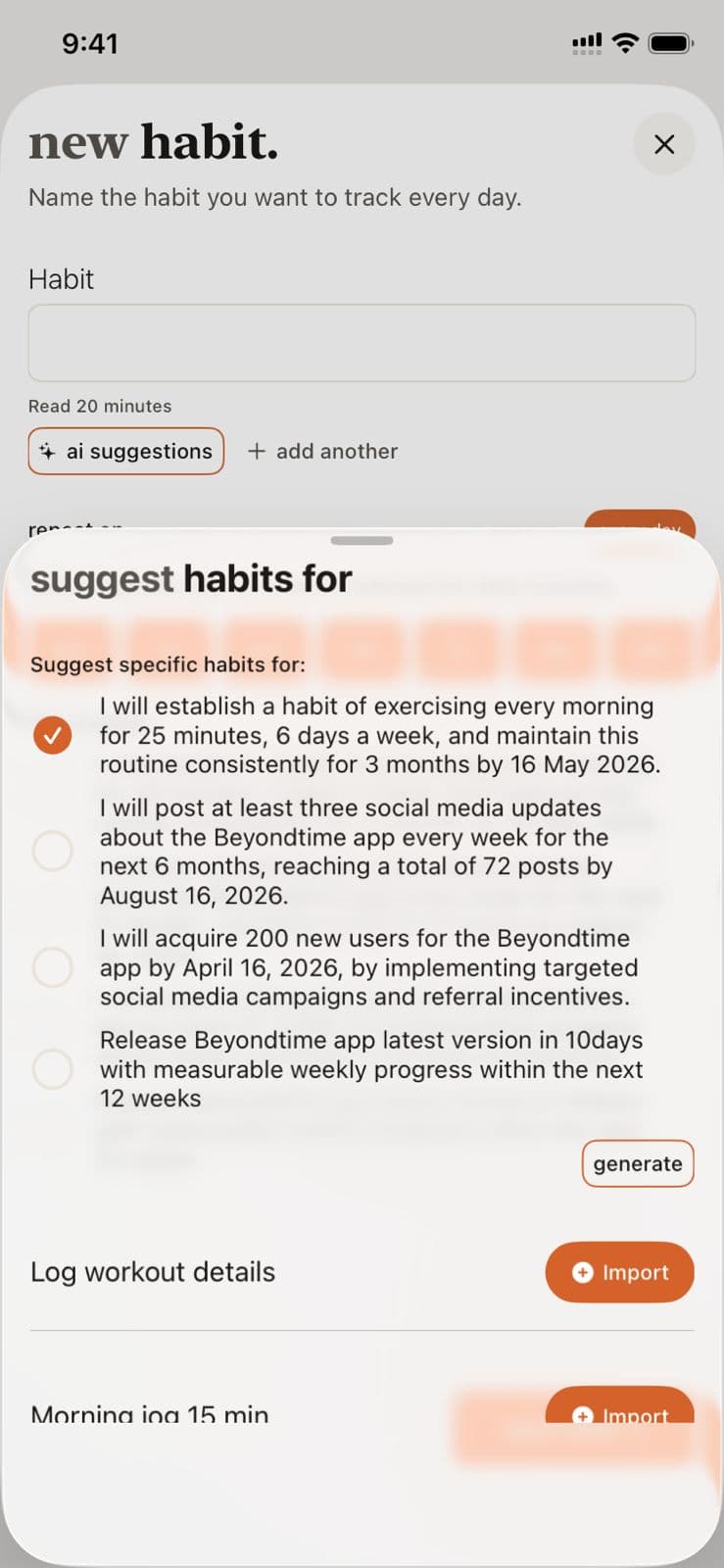
Habits Setup in Beyond Time
Key Features
Related Guides
AI Habit Suggestions
Discover how the AI analyzes your goals and personal context to suggest habits that will accelerate your progress and create lasting change.
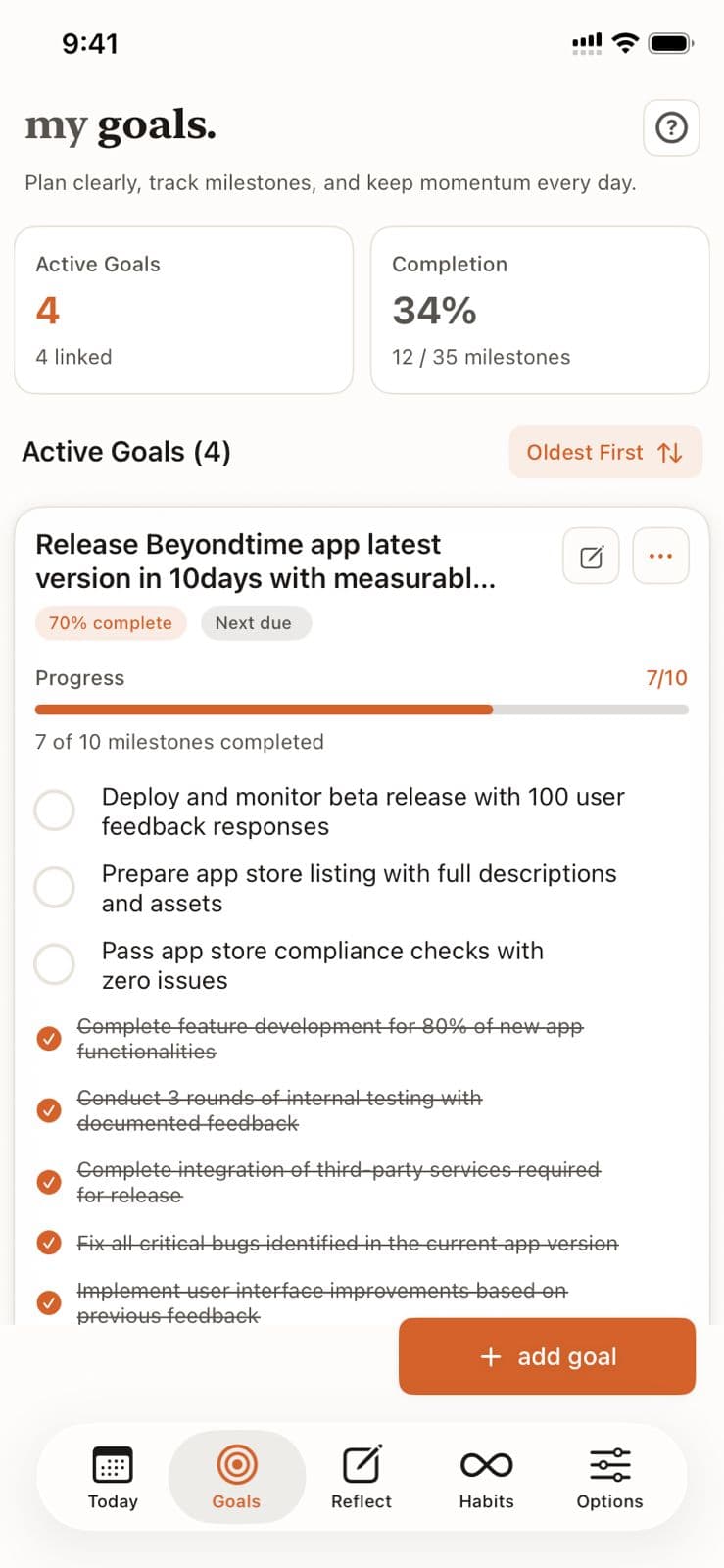
Goals Setup
Goals are the foundation of your productivity journey in Beyond Time. Learn how to create meaningful goals, add AI-generated milestones, and track your progress toward achievement.
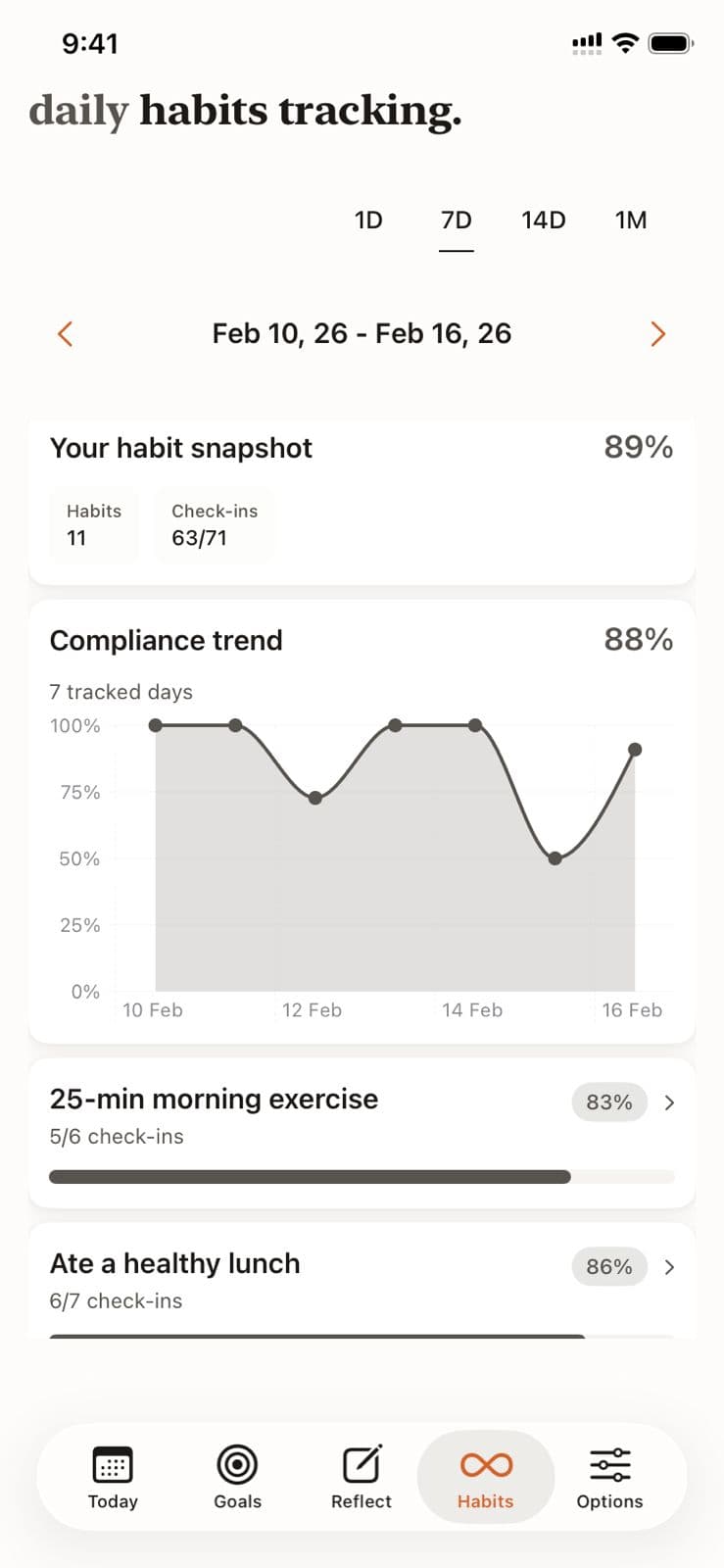
Habit Tracking
Learn how to effectively log your daily habits, track completion streaks, and review your habit history for long-term behavior change.
Ready to Try It Yourself?
Start using Beyond Time today and experience the power of AI-driven time mastery. The web platform is free forever.