How to Log and Track Your Habits
Learn how to effectively log your daily habits, track completion streaks, and review your habit history for long-term behavior change.
View Your Habit Snapshot
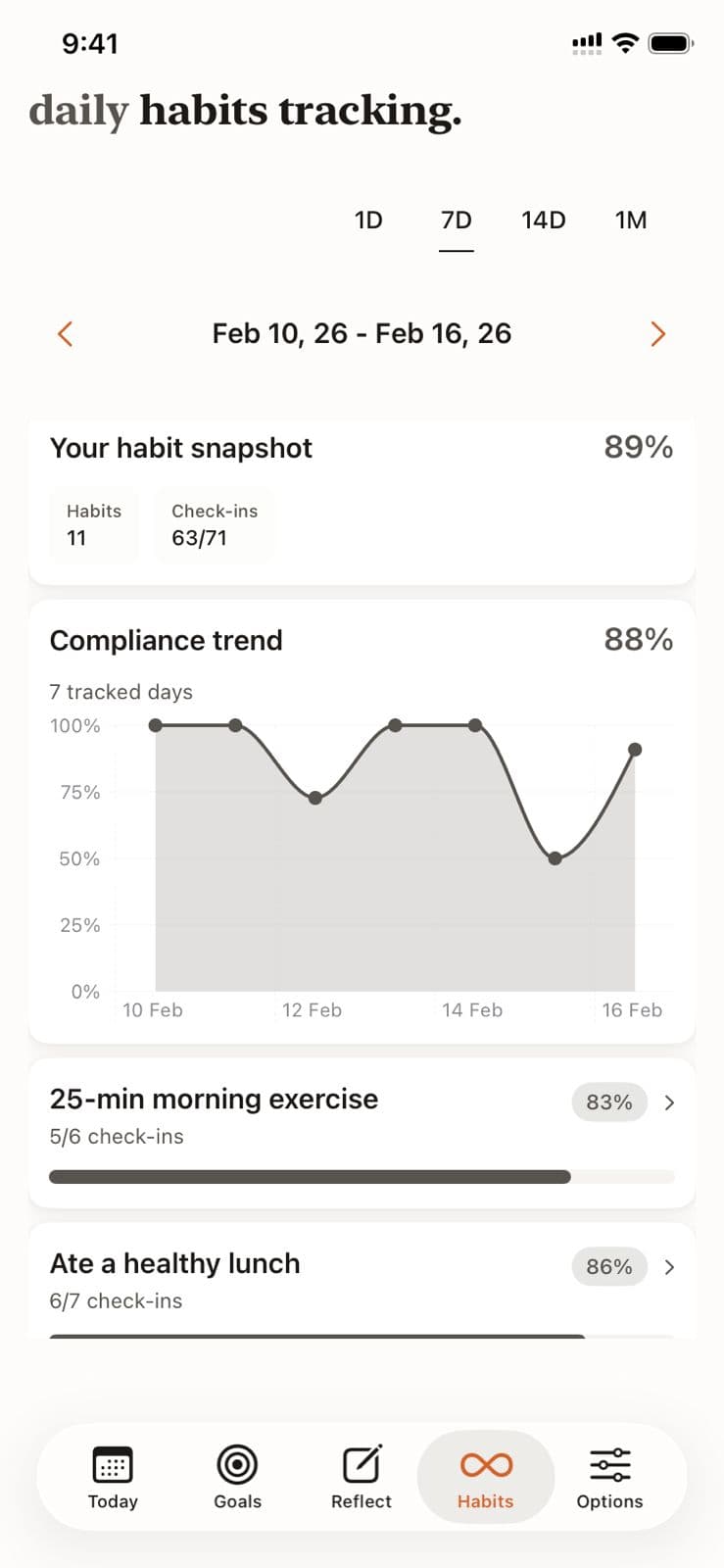
The Habits tab shows your overall compliance rate (e.g., 89%) with total check-ins completed out of possible. This is your accountability score at a glance.
Monitor Compliance Trends
The compliance trend chart plots your daily habit completion rate over 7, 14, or 30 days. Spot dips immediately and understand what disrupted your consistency.
Pro Tip
A dip in the trend line often correlates with schedule changes—use this to plan ahead.
Review Per-Habit Breakdown
Each habit shows its own completion percentage and check-in count (e.g., "5/6 check-ins — 83%"). Quickly identify which specific habits need more attention.
Switch Time Periods
Toggle between 1D, 7D, 14D, and 1M views to see daily snapshots or longer-term trends. Navigate between date ranges to compare weeks.
Use Data to Improve
When a habit drops below 80%, investigate why. The trend data combined with AI reflections helps you identify patterns and build strategies for consistency.
Habit Tracking in Beyond Time
Key Features
Related Guides
AI Habit Suggestions
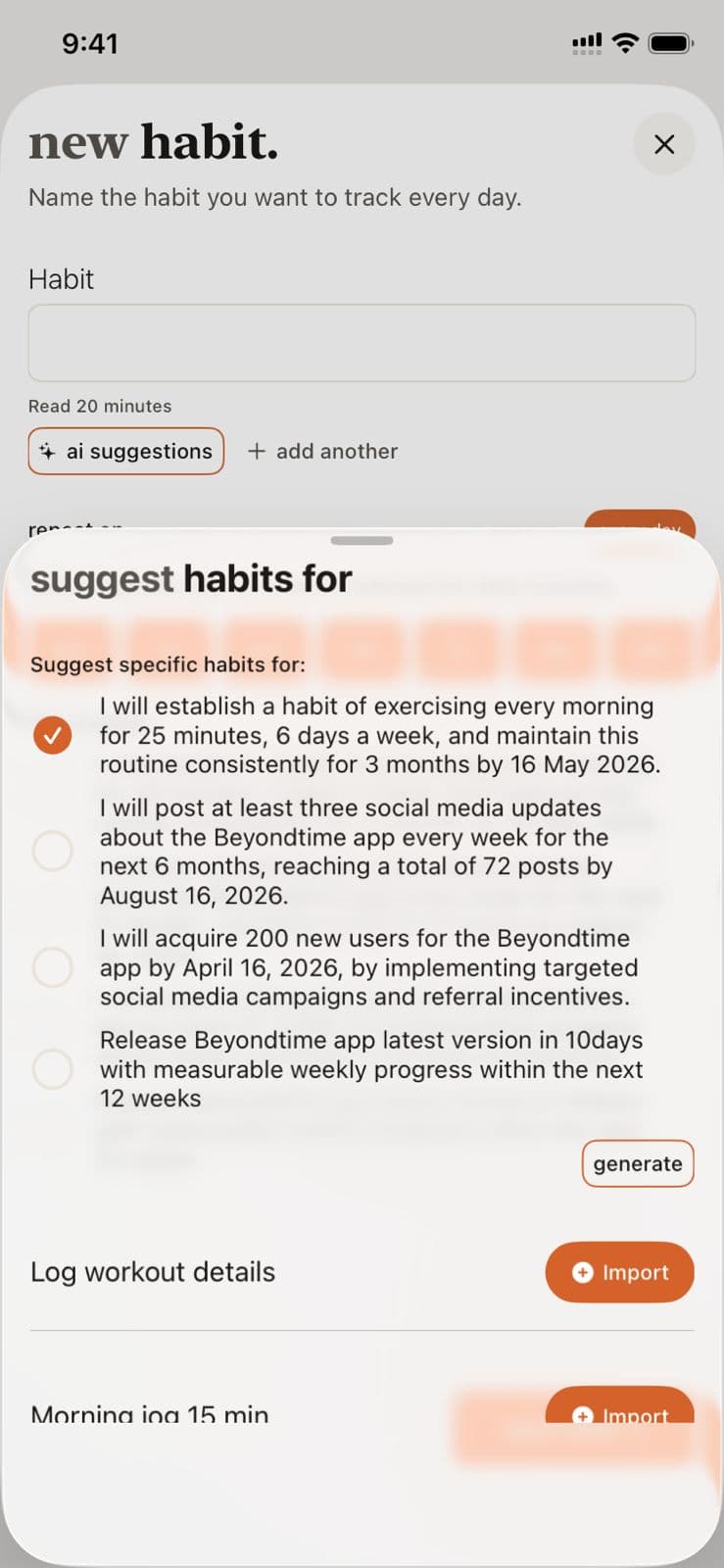
Discover how the AI analyzes your goals and personal context to suggest habits that will accelerate your progress and create lasting change.
Daily Tracking
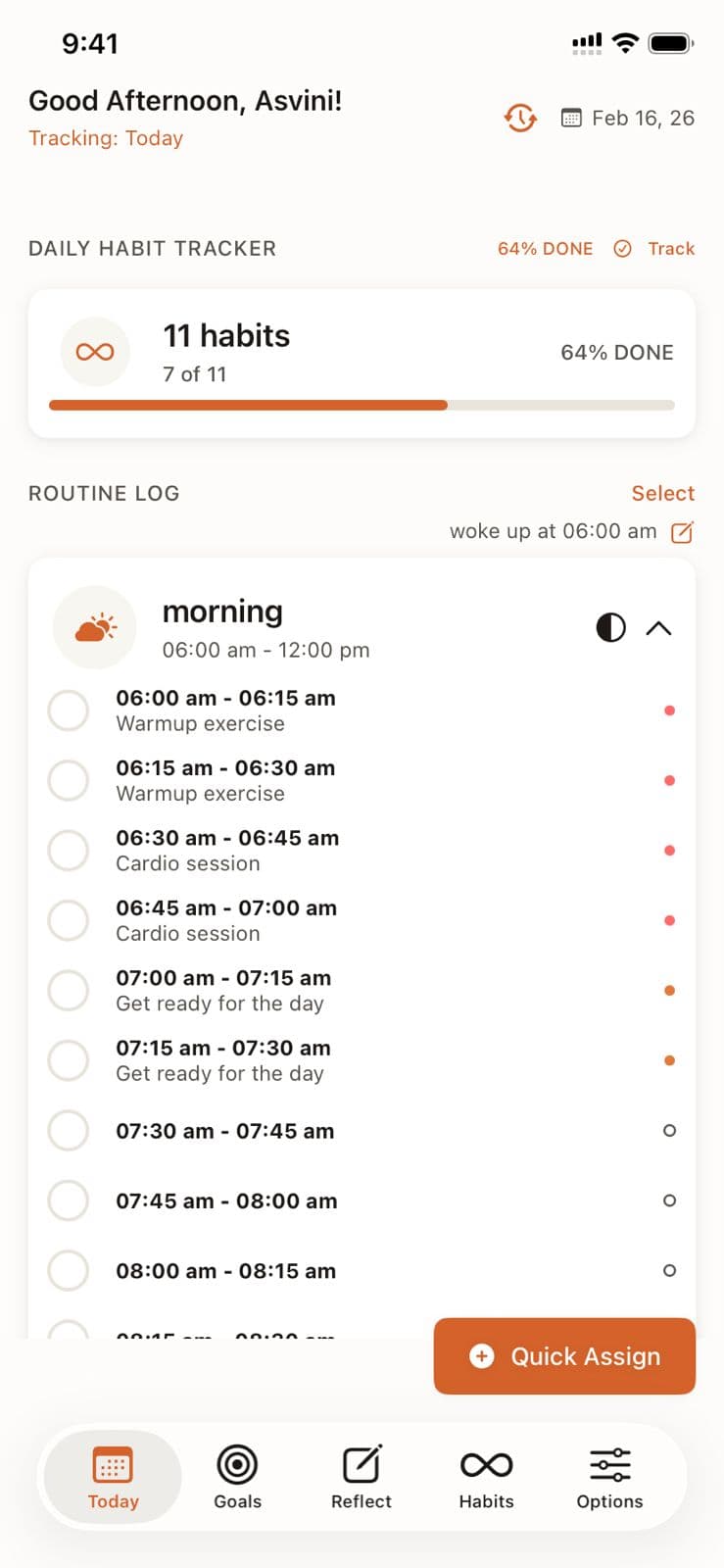
Master the 15-minute precision tracking system to understand exactly where your time goes and identify opportunities for improvement.
Quick Assign
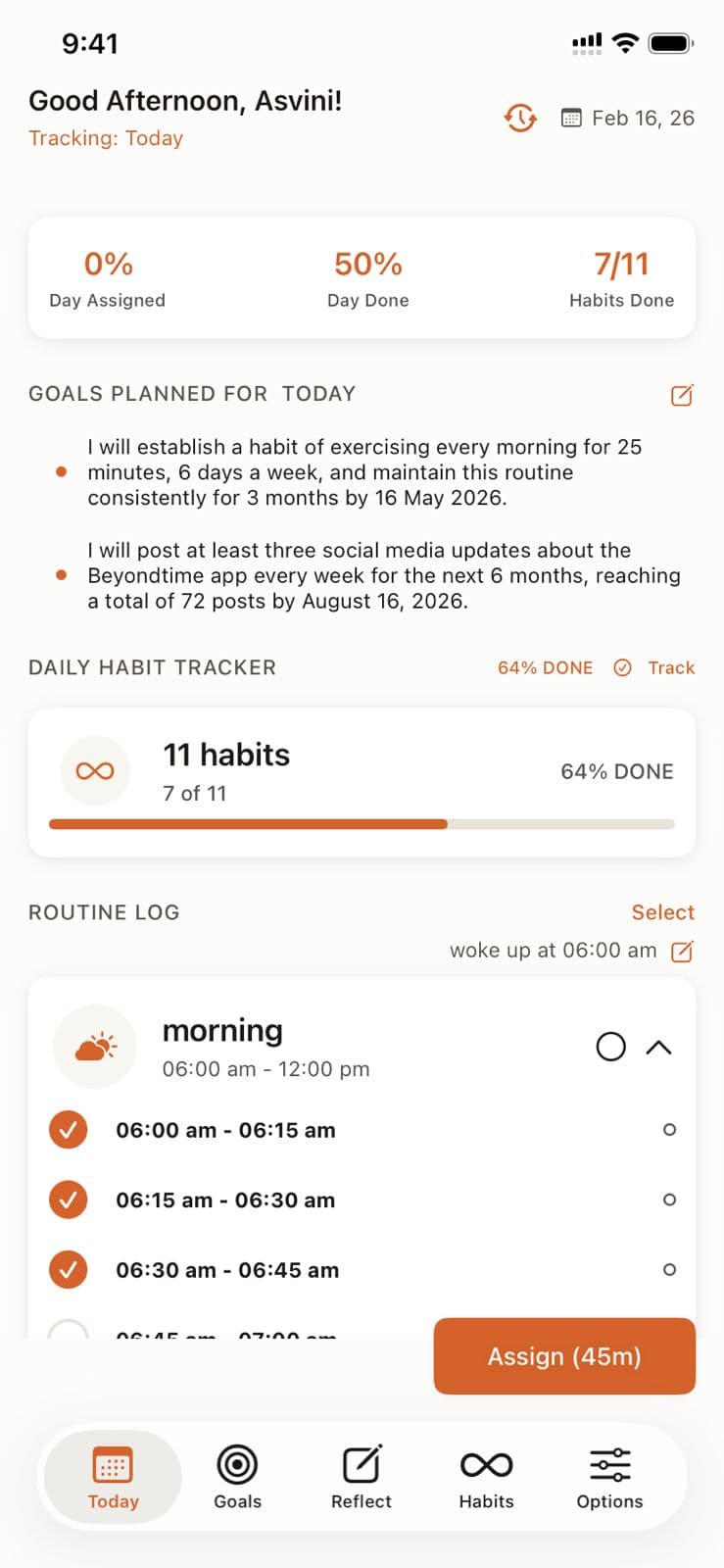
Learn how Quick Assign reads your calendar and suggests time block assignments, letting you fill your day in seconds instead of minutes.
Ready to Try It Yourself?
Start using Beyond Time today and experience the power of AI-driven time mastery. The web platform is free forever.